ToolMage
Sign in

Best 1 Audio Generators for Audio

Popular Audio Generators in Audio include glif, helping you work more efficiently.

glif
Freemium

glif

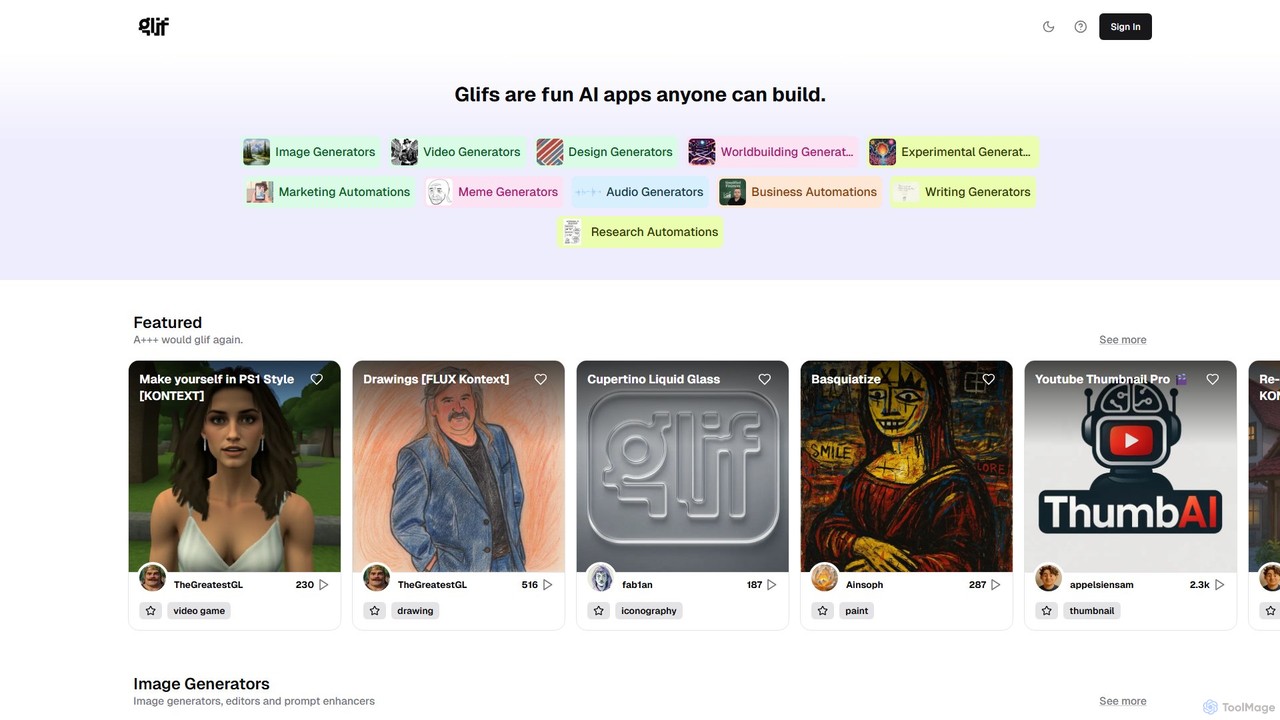
glif is a low-code platform for creating and sharing AI-powered mini-apps, known as "glifs." It enables users to combine large language models, image generators like Stable Diffusion and DALL-E 3, and other advanced tools like ComfyUI to build custom generators for images, videos, memes, audio, and more, without needing to code.

No Code Platform
Visits 163.8KFavorites 135Likes 142

About Audio Generators

Audio Generators are AI-powered tools that create new sound content, such as speech, music, and sound effects, from text prompts or other inputs. They leverage advanced technologies like text-to-speech (TTS) and generative models to synthesize realistic and high-quality audio from scratch. These tools are valuable for content creators, developers, and marketers who need custom audio without the complexities of recording or licensing. They enable the rapid production of voiceovers, background scores, and unique soundscapes for a wide range of applications.

Core Features

  • Text-to-Speech (TTS): Converts written text into natural-sounding human speech in various languages and voices.
  • Music Generation: Creates original, royalty-free musical compositions based on genre, mood, or text descriptions.
  • Sound Effect (SFX) Synthesis: Generates specific sound effects from descriptive text, such as "a door creaking" or "a futuristic laser blast".
  • Voice Cloning: Replicates a specific voice from a sample to generate new speech in that same voice.
  • Style Customization: Provides controls to adjust audio parameters like pitch, speed, emotion, instruments, and tempo.

Use Cases

Audio Generators are widely used in video production for creating voiceovers and background music, in game development for generating dynamic sound effects, and in podcasting for consistent narration. They are also crucial for creating voice assistants, interactive voice response (IVR) systems, and producing audiobooks at scale.

How to Choose

When selecting an Audio Generator, consider the primary output type you need (speech, music, or SFX). Evaluate the naturalness and quality of the generated audio. For developers, API availability and documentation are critical. Also, carefully review the licensing terms to ensure you have the rights for commercial use if needed.

Featured tool rankings

Audio Generators use cases

1

Creating Voiceovers for Video Content

A YouTube creator needs a clear and consistent voiceover for their weekly educational videos. Instead of spending hours recording and editing their own voice, they use an AI Audio Generator. They simply paste their script into the tool, select a preferred voice and tone (e.g., "calm," "energetic"), and generate the full narration in minutes. This process ensures professional audio quality for every video and cuts production time significantly.

2

Generating Custom Background Music

A marketing agency is producing a promotional video and needs a unique background track that matches the brand's modern, upbeat identity. Using an AI music generator, they input prompts like "upbeat corporate pop, motivational, with electronic drums." The tool generates several royalty-free options, allowing them to choose the perfect track without navigating complex music licensing libraries or hiring a composer.

3

Designing Sound Effects for Games

An indie game developer is building a sci-fi game and requires a wide range of unique sound effects. They use an AI SFX generator to create sounds from text descriptions. By typing prompts like "low-frequency spaceship hum," "short laser pistol shot," or "alien creature footstep on metal," they can rapidly prototype and implement hundreds of custom sound assets, enriching the game's immersive experience.

4

Producing Scalable Audiobook Content

An independent author wants to convert their e-book series into audiobooks to reach a new audience. Hiring voice actors for a long series is cost-prohibitive. They use an advanced text-to-speech generator with emotionally expressive voices. The tool processes entire chapters at once, producing a high-quality audiobook that can be distributed on various platforms, making their content more accessible.

5

Developing Branded Virtual Assistants

A tech company is developing a custom voice assistant for its smart home device. To create a unique and recognizable brand voice, they use a voice cloning generator. After providing a few hours of recordings from a hired voice actor, the AI model learns the voice's characteristics. The company can then use this custom voice to generate responses for any query, ensuring a consistent user experience across their product.

6

Prototyping IVR and Phone Systems

A business is updating its customer service phone system (IVR). To test different scripts and vocal styles for clarity and user-friendliness, they use an AI Audio Generator. They can quickly generate menu prompts like "For sales, press one" in various voices and languages. This allows them to A/B test options and finalize the system's flow before committing to expensive professional recordings.

Audio Generators FAQ

What are AI Audio Generators?

AI Audio Generators are software tools that use artificial intelligence to create new audio content from scratch. Unlike editors that modify existing sound, these tools synthesize audio based on inputs like text, musical parameters, or sound descriptions. Key capabilities include text-to-speech (TTS), music composition, and sound effect generation, enabling users to produce custom audio without recording equipment.

How do I choose the right AI Audio Generator?

To choose the right tool, first identify your primary need: speech, music, or sound effects. Then, consider these factors:

  • Audio Quality: Listen to samples to judge the realism and clarity of the output.
  • Customization: Check for options to control voice tone, emotion, musical instruments, or tempo.
  • Usage Rights: Verify if the license allows for commercial use, especially for marketing or products.
  • API Access: If you're a developer, ensure the tool provides a well-documented API for integration.

What is the difference between an AI Audio Generator and an Audio Editor?

The key difference is creation versus modification. An AI Audio Generator creates entirely new audio content that did not exist before, such as generating a voiceover from a text script. An Audio Editor, on the other hand, modifies an existing audio file. Its functions include cutting, mixing, noise reduction, and applying effects to a pre-recorded sound file.

Can I use the audio from AI generators for commercial projects?

This depends entirely on the specific tool's terms of service. Many leading AI Audio Generators offer subscription plans that include commercial licenses, allowing you to use the generated audio in videos, podcasts, advertisements, and products. However, free or trial versions often have restrictions. Always read the licensing agreement carefully before using the audio for business purposes.

How realistic is the sound from AI Audio Generators?

The realism of AI-generated audio has improved dramatically and varies by tool. Top-tier text-to-speech generators can produce voices that are nearly indistinguishable from human speech, complete with natural intonation and emotion. AI music can create complex, high-quality compositions. While some outputs can still sound slightly artificial, the technology is constantly advancing, with the best tools offering highly realistic results.