Ai Tools Best in category 1 results No Code Platform AI Tool

Popular AI tools in the No Code Platform field of Ai Tools include glif, etc., helping you quickly improve efficiency.

glif

glif

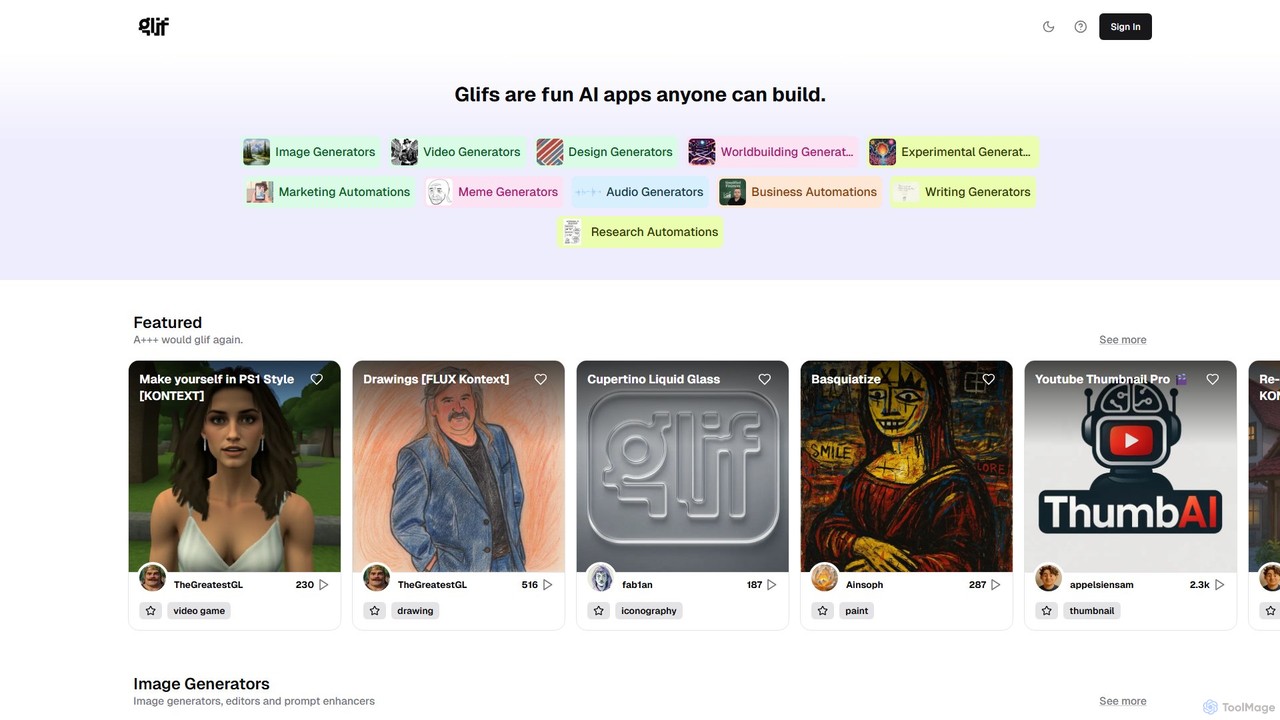
glif is a low-code platform for creating and sharing AI-powered mini-apps, known as "glifs." It enables users to …

139.0K

About No Code Platform

No-Code Platforms are development environments that enable users to create applications and automate workflows using visual interfaces instead of traditional programming. These tools are built on the principle of visual development, utilizing drag-and-drop components, pre-built templates, and logic builders to construct complex functionalities. This approach dramatically lowers the barrier to software creation, empowering business users, marketers, and entrepreneurs to build and deploy custom solutions without writing a single line of code. Many modern no-code platforms also integrate powerful AI capabilities, allowing for the creation of intelligent applications that can analyze data, generate content, or automate customer interactions.

Core Features

  • Visual Application Builder: Design and build user interfaces and application logic using a drag-and-drop editor.
  • Workflow Automation: Create automated processes that connect different applications and services to trigger actions based on specific events.
  • Database and API Integration: Visually manage data and connect to third-party services and APIs without complex coding.
  • Pre-built Templates & Components: Start projects quickly with a library of ready-to-use templates, UI elements, and functional blocks.
  • AI Model Integration: Seamlessly incorporate AI functionalities like natural language processing, image recognition, or predictive analytics into applications.

Use Cases

No-Code Platforms are widely used across various industries. Small businesses use them to build custom internal tools like CRMs or inventory management systems. Marketing teams create interactive landing pages, forms, and automate lead nurturing campaigns. Entrepreneurs rapidly prototype and launch Minimum Viable Products (MVPs) to validate business ideas with minimal investment.

How to Choose

When selecting a No-Code Platform, consider its scalability and performance limits to ensure it can support future growth. Evaluate the breadth of its integration ecosystem, checking for compatibility with your existing tools. Assess the platform's learning curve and available support resources. Finally, compare pricing models—whether they are based on users, usage, or features—to find the most cost-effective solution for your needs.

No Code PlatformUse Cases

1

Build a Custom CRM for a Small Business

A sales manager at a small business needs a centralized system to track leads, manage customer interactions, and monitor sales pipelines, but lacks the budget for enterprise software or a development team. Using a no-code platform, the manager can visually design a custom CRM application. They create data models for contacts and deals, build forms for data entry, and design a dashboard with key metrics. The entire process is done through a drag-and-drop interface, allowing them to launch a fully functional CRM tailored to their specific workflow in days, not months, significantly improving team organization and sales tracking.

2

Automate Marketing Campaign Workflows

A marketing specialist needs to automate the process of lead nurturing. When a new lead submits a form on the website, they need to be added to an email list, assigned to a sales representative, and receive a welcome email. Using a no-code automation platform, the specialist connects the website form tool, the email marketing service, and the company's CRM. They build a visual workflow where a new form submission triggers a sequence of actions: create a contact in the CRM, add the email to the marketing list, and send a personalized email. This automates a previously manual and time-consuming process, ensuring immediate follow-up and reducing the risk of human error.

3

Develop a Minimum Viable Product (MVP)

An entrepreneur has an innovative idea for a mobile app but lacks the technical skills and funding to hire a development team. To validate the concept and attract investors, they need to build a functional prototype quickly. Using a no-code app builder, they can design the app's user interface, set up a database to store user data, and implement core features like user authentication and content display. This allows them to create a tangible MVP in a matter of weeks. They can then share this working app with potential users for feedback and demonstrate its value to investors, significantly accelerating their startup journey without incurring high initial development costs.

4

Create an Internal HR Onboarding Portal

An HR coordinator is tasked with improving the new hire onboarding experience. The current process involves manual paperwork, scattered documents, and inconsistent communication. Using a no-code platform, the coordinator builds a centralized onboarding portal. This portal includes a welcome page, a checklist of tasks for the new hire, digital forms for collecting necessary information, and links to important company resources. They also set up automated email reminders for pending tasks. This self-service portal provides a structured and consistent experience for all new employees, reduces administrative workload for the HR team, and ensures all compliance requirements are met efficiently.

5

Build an AI-Powered Customer Support Chatbot

A customer support lead wants to provide 24/7 assistance and reduce response times for common queries without hiring more staff. They decide to build a chatbot. Using a no-code platform with AI integration, they can create an intelligent chatbot without any programming. They connect the platform to their knowledge base and use a visual interface to define conversation flows. The integrated AI model understands natural language, allowing the chatbot to answer complex user questions, create support tickets for unresolved issues, and escalate conversations to a human agent when necessary. This provides instant support to customers and frees up the support team to focus on more complex problems.

6

Develop a Project Management Dashboard

A project manager oversees multiple projects and struggles to get a consolidated, real-time view of progress from various tools like spreadsheets, task managers, and communication apps. Using a no-code platform, they build a custom project management dashboard. They connect the platform to the APIs of their existing tools to pull data automatically. With the visual builder, they create charts to track budget spending, timelines to monitor deadlines, and tables to show task statuses. This centralized dashboard provides a single source of truth, eliminating the need to manually compile reports and allowing stakeholders to access up-to-date project information at any time, leading to better decision-making and project oversight.

No Code PlatformFrequently Asked Questions