Website Best in category 1 results Analytics AI Tool

Popular AI tools in the Analytics field of Website include Mida.so, etc., helping you quickly improve efficiency.

Mida.so

Mida.so

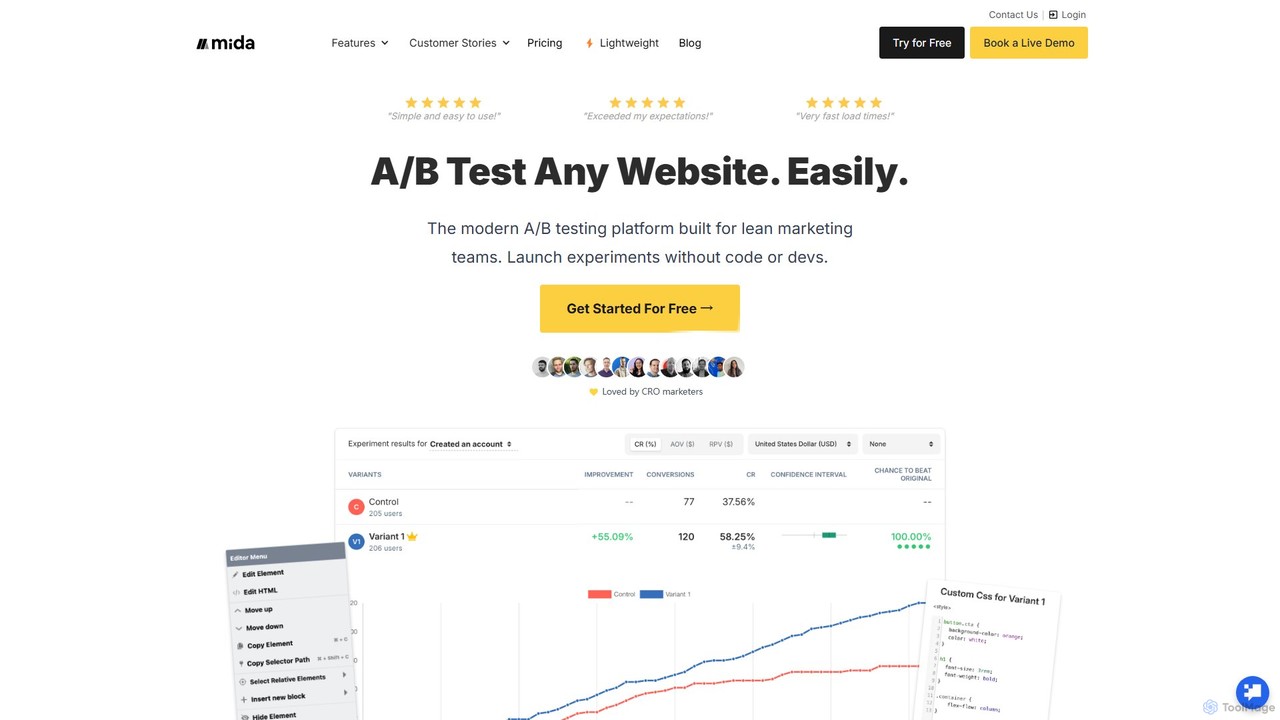
Mida.so is a lightweight, no-code A/B testing and feature flagging platform designed for speed and simplicity. It helps …

130.7K

About Analytics

AI Website Analytics tools are a class of software that use machine learning to interpret complex website traffic and user behavior data. They go beyond traditional metrics by automatically identifying patterns, predicting future trends, and uncovering actionable insights. These tools help businesses understand not just what is happening on their site, but why it's happening, enabling data-driven decisions for optimization and growth. By automating data analysis, they surface opportunities and anomalies that manual analysis might miss.

Core Features

  • Predictive Analytics: Forecasts key metrics like conversion rates, user churn, and customer lifetime value based on historical data.
  • Automated Anomaly Detection: Automatically identifies and alerts you to significant, unexpected changes in traffic, conversions, or user behavior.
  • User Journey Analysis: Visually maps and analyzes complex user paths to identify friction points and optimize conversion funnels.
  • Natural Language Queries: Allows users to ask questions about their data in plain language and receive instant, visualized answers.
  • Automated Insights: Proactively surfaces key findings and optimization recommendations without requiring manual data exploration.

Use Cases

These tools are valuable for digital marketers, e-commerce managers, UX/UI designers, and product managers. They are used to optimize marketing campaign performance by understanding channel effectiveness, improve website conversion rates by identifying user drop-off points, and enhance user experience by analyzing session replays and heatmaps to fix usability issues.

How to Choose

When selecting an AI Website Analytics tool, consider its integration capabilities with your existing tech stack (e.g., CRM, e-commerce platform). Evaluate its data privacy and compliance features (GDPR, CCPA). Assess the tool's scalability to handle your website's traffic volume and the intuitiveness of its user interface for non-technical team members.

AnalyticsUse Cases

1

Optimize E-commerce Conversion Funnels

An e-commerce manager for an online fashion retailer notices a high cart abandonment rate but is unsure of the cause. Using an AI analytics tool, they analyze the complete user journey for visitors who abandon their carts. The tool automatically identifies a major drop-off point on the shipping information page. By watching AI-selected session replays, the manager discovers a confusing form field is causing user frustration. They simplify the form, leading to a 15% reduction in cart abandonment and a significant increase in completed sales.

2

Automate Marketing Campaign Reporting

A digital marketing team runs multiple campaigns across social media, search engines, and email. Manually compiling performance reports is time-consuming and prone to errors. They connect their channels to an AI analytics platform. Now, the marketing lead can simply ask, "What was the ROI for our summer sale campaign on Instagram versus Google Ads?" The tool instantly generates a comprehensive, visualized report, saving the team over 10 hours of manual work each month and enabling faster, data-informed budget allocation.

3

Proactively Monitor Website Health

A SaaS company relies on its website for lead generation. A sudden, unexplained drop in traffic could mean significant revenue loss. Their AI analytics tool is configured for anomaly detection. On a Monday morning, the system sends an alert that traffic from organic search has dropped by 40% compared to the norm. The technical team investigates immediately and discovers a critical SEO indexing issue. They resolve it within an hour, preventing a prolonged period of lost visibility and leads that a traditional weekly review would have missed.

4

Enhance User Experience with Heatmaps

A UX designer is tasked with redesigning a key landing page to improve engagement. Instead of relying on guesswork, they use an AI analytics tool to generate dynamic heatmaps and scroll maps. The AI automatically segments users who converted versus those who didn't. The designer observes that non-converting users rarely scroll below the fold and fail to click on the primary call-to-action button. Based on this insight, they move the CTA higher on the page and simplify the headline, resulting in a 25% lift in user engagement.

5

Personalize On-Site Content Strategy

A content manager for a media website wants to increase reader retention. They use an AI analytics tool to analyze user behavior and content consumption patterns. The tool's predictive engine identifies user segments with a high probability of subscribing. It also recommends specific article topics that are most likely to engage these high-value segments. The content team adjusts their editorial calendar based on these data-driven recommendations, leading to a 10% increase in newsletter sign-ups and a higher average time on site.

6

Identify High-Value Customer Segments

A product manager for a mobile app's website wants to understand which features drive long-term user retention. They use an AI analytics tool to automatically segment users based on their on-site behavior and feature adoption. The platform identifies a "power user" segment that interacts with a specific combination of three features and has a 90% lower churn rate. This insight allows the product team to focus marketing efforts on promoting these key features to new users, effectively improving the overall customer lifetime value.

AnalyticsFrequently Asked Questions