
Ai Assistants Best in category 1 results Integration AI Tool

Popular AI tools in the Integration field of Ai Assistants include Browserman, etc., helping you quickly improve efficiency.

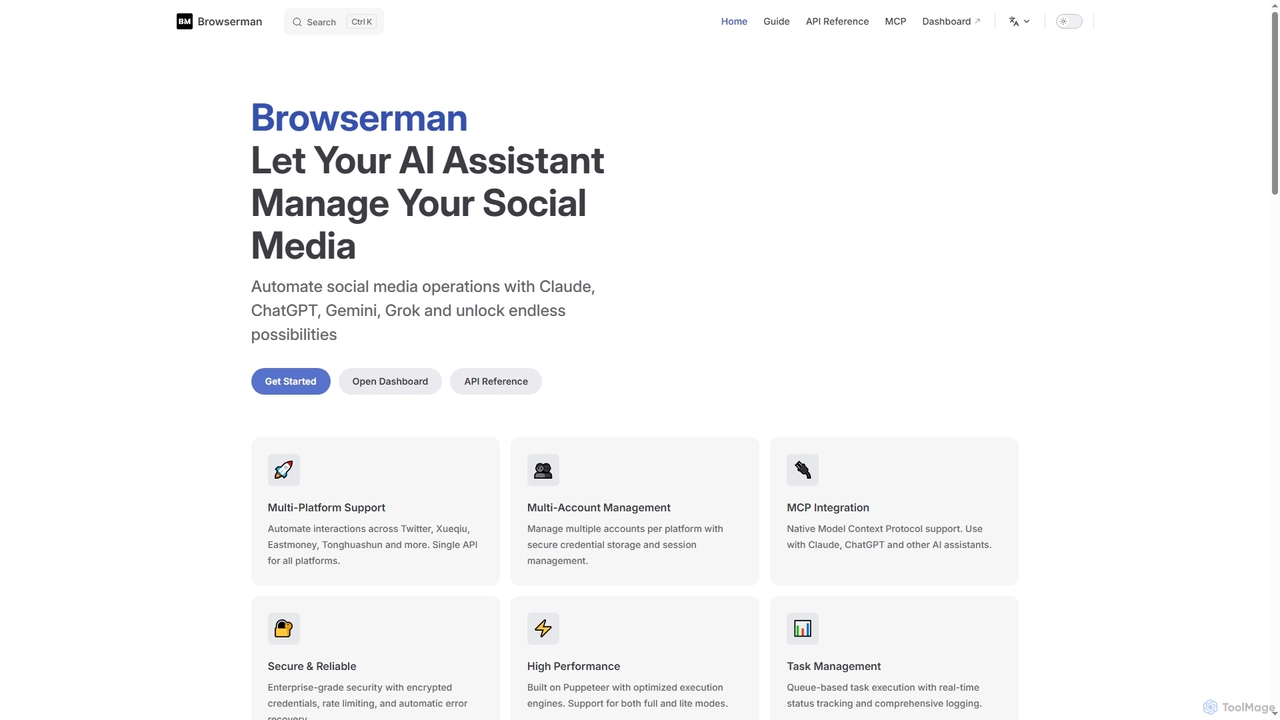
Browserman

Browserman

Browserman is an advanced browser automation platform designed to empower AI assistants like Claude, ChatGPT, Gemini, and Grok …

3.0K

About Integration

Integration tools for AI assistants are designed to connect artificial intelligence capabilities with existing software, platforms, and workflows. These tools leverage APIs, webhooks, and pre-built connectors to facilitate seamless data exchange and command execution across disparate systems. Their primary value lies in enabling AI assistants to operate within a broader digital ecosystem, automating tasks and enhancing productivity without requiring users to switch applications. This allows for a more cohesive and powerful application of AI across various business processes.

Core Features

  • API Connectors: Provide pre-built or customizable interfaces for linking AI with third-party applications via their APIs.
  • Webhook Support: Enables real-time communication and event-driven automation between AI assistants and other services.
  • Data Synchronization: Ensures consistent data flow and updates between AI models, external databases, and CRM systems.
  • Workflow Automation: Orchestrates multi-step processes involving AI actions and operations within external systems.
  • Authentication & Security: Manages secure access, data privacy, and compliance during cross-platform interactions.

Applicable Scenarios

Businesses use integration tools to link AI chatbots with CRM systems for automated customer support, allowing the AI to retrieve and update customer information directly. Developers embed AI language models into custom applications, enabling advanced natural language processing within their proprietary software. Marketing teams connect AI content generation tools with publishing platforms to streamline content creation and distribution across channels.

How to Choose

When selecting AI integration tools, evaluate their compatibility with your existing tech stack and the specific AI assistants you use. Consider the breadth of pre-built connectors, the flexibility of custom API options, and the robustness of their data security protocols. Assess the ease of setup, the quality of documentation, and the scalability to handle future integration needs. Finally, compare pricing models and the level of technical support offered for complex integration scenarios.

IntegrationUse Cases

1

Automating Customer Support Workflows

A customer service manager integrates an AI chatbot with their CRM and ticketing system. When a customer submits a query, the AI automatically retrieves relevant customer history from the CRM, provides initial answers based on a knowledge base, and, if needed, creates a pre-filled support ticket. This integration significantly reduces agent workload by handling routine inquiries and ensuring agents have full context for complex issues, improving response times and customer satisfaction.

2

Streamlining Content Publishing Across Platforms

A digital marketing specialist uses an AI content generation tool integrated with their Content Management System (CMS) and social media scheduling platform. After the AI generates blog posts or social media captions, the integration automatically pushes the content to the CMS for review and then schedules it for publication on various social media channels. This eliminates manual copy-pasting and platform switching, saving hours of work and ensuring consistent brand messaging across all digital touchpoints.

3

Enhancing Data Analysis and Reporting

A business analyst integrates an AI-powered data analysis tool with their company's business intelligence (BI) dashboard. The AI tool automatically pulls raw data from various sources, processes it to identify trends and anomalies, and then pushes summarized insights and visualizations directly to the BI dashboard. This allows the analyst to access real-time, AI-driven reports without manual data manipulation, accelerating decision-making and improving the accuracy of strategic planning.

4

Personalizing Marketing Campaigns

A marketing team integrates an AI recommendation engine with their email marketing platform. The AI analyzes customer behavior data from the CRM and website, then generates personalized product recommendations or content suggestions for individual subscribers. This information is automatically fed into the email platform, allowing for highly targeted email campaigns that resonate with each customer's preferences, leading to increased engagement rates and conversion.

5

Automating HR Onboarding Tasks

An HR department integrates an AI assistant with their Human Resources Information System (HRIS) and internal communication tools. When a new employee is added to the HRIS, the AI automatically triggers a welcome email, creates accounts in relevant internal systems, assigns initial training modules, and schedules introductory meetings. This integration streamlines the onboarding process, reduces manual administrative burden for HR staff, and ensures a consistent, efficient experience for new hires.

6

Real-time Inventory Management and Forecasting

A supply chain manager integrates an AI-powered demand forecasting tool with their Enterprise Resource Planning (ERP) system. The AI continuously analyzes sales data, market trends, and seasonal patterns from the ERP, then provides real-time predictions for inventory needs. This integration automatically updates inventory levels, triggers reorder alerts, and optimizes stock distribution, minimizing overstocking or stockouts and significantly improving supply chain efficiency and cost management.

IntegrationFrequently Asked Questions