ToolMage
Sign in

Best 1 Workflow Automation AI tools for Ai Assistants

Popular Workflow Automation AI tools in Ai Assistants include Standup Mate, helping you work more efficiently.

Standup Mate
Freemium

Standup Mate

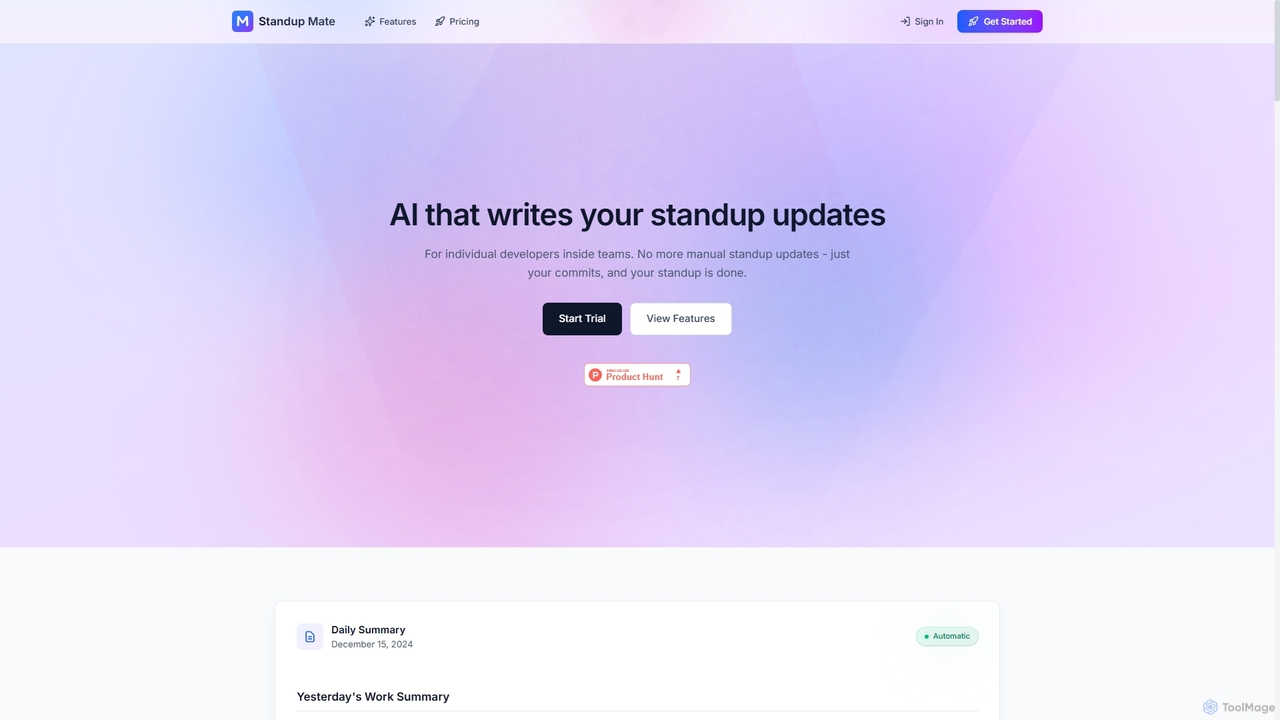
Standup Mate is an AI-powered tool that automatically generates daily standup updates and sprint reports directly from your GitHub activity. Designed for individual developers, it transforms commits, pull requests, and issues into clear, concise summaries, saving valuable time and ensuring accurate reporting without manual effort.

Workflow Automation
Visits 5.9KFavorites 135Likes 145

About Workflow Automation

Workflow Automation tools are a specialized category of AI assistants designed to streamline and automate repetitive, rule-based, or data-driven tasks and processes across various business functions. These tools leverage artificial intelligence, machine learning, and robotic process automation (RPA) to execute sequences of actions, integrate disparate systems, and make intelligent decisions, significantly reducing manual effort and human error. By orchestrating complex workflows, they empower organizations to achieve greater operational efficiency, accelerate task completion, and free up human resources for more strategic initiatives.

Core Features

  • Intelligent Task Orchestration: Automatically sequences and executes tasks based on predefined rules, triggers, and AI-driven decision logic.
  • System Integration: Connects and synchronizes data across various applications, platforms, and databases (e.g., CRM, ERP, project management tools).
  • Data Processing & Analysis: Automates data extraction, transformation, loading (ETL), and basic analysis to inform subsequent workflow steps.
  • Adaptive Learning: Some advanced tools learn from past interactions and data patterns to optimize workflow paths and improve decision-making over time.
  • Error Handling & Monitoring: Provides mechanisms to detect, report, and sometimes automatically resolve issues within automated processes, with real-time dashboards.

Use Cases

Workflow Automation tools are invaluable for businesses seeking to optimize their operational efficiency and reduce manual overhead. They are widely adopted in IT operations for incident management, in HR for onboarding processes, in finance for invoice processing, and in marketing for lead nurturing. Any department with repetitive, multi-step processes can benefit from these AI-powered solutions to enhance productivity and ensure consistency.

How to Choose

When selecting a Workflow Automation tool, consider its integration capabilities with your existing tech stack, the complexity of workflows it can handle, and its scalability to grow with your business needs. Evaluate the user-friendliness of its interface for non-technical users, the robustness of its AI decision-making features, and the pricing model. Security features and compliance standards are also crucial, especially for handling sensitive data.

Workflow Automation use cases

1

Automating Customer Onboarding Process

For SaaS companies or service providers, automating customer onboarding can significantly improve user experience and reduce manual workload. An AI workflow automation tool can automatically send welcome emails, create user accounts in CRM, assign a customer success manager, schedule initial training sessions, and trigger follow-up tasks based on user engagement, ensuring a smooth and personalized journey from sign-up to active usage.

2

Streamlining Invoice Processing and Approval

Finance departments often deal with high volumes of invoices requiring multiple approvals. Workflow automation can capture invoice data, validate it against purchase orders, route it to the correct approvers based on predefined rules (e.g., amount, department), and then automatically initiate payment processing and record entries in the ERP system. This reduces processing time, minimizes errors, and enhances compliance.

3

Automating IT Incident Management

IT support teams can use workflow automation to respond to and resolve incidents more rapidly. When an alert is triggered (e.g., server downtime), the AI tool can automatically create a ticket, notify the relevant on-call engineer, gather diagnostic data, initiate basic troubleshooting steps, and escalate to higher-level support if initial attempts fail, ensuring minimal service disruption.

4

Optimizing Content Publishing Workflows

Content creators and marketing teams can automate various steps in their publishing pipeline. This includes automatically scheduling social media posts after content approval, distributing articles to email subscribers, updating website sitemaps, and notifying team members of new content, ensuring consistent and timely dissemination across all channels without manual oversight.

5

Automating HR Employee Lifecycle Management

From hiring to offboarding, HR processes involve numerous administrative tasks. Workflow automation can manage job application screening, interview scheduling, offer letter generation, background checks, and new hire paperwork. Similarly, for offboarding, it can automate access revocation, final pay processing, and exit interviews, ensuring compliance and efficiency throughout the employee lifecycle.

6

Enhancing Sales Lead Nurturing and Follow-up

Sales teams can leverage workflow automation to ensure no lead falls through the cracks. Upon lead generation, the tool can qualify leads based on predefined criteria, assign them to the appropriate sales representative, trigger personalized email sequences, schedule follow-up calls, and update CRM records, allowing sales reps to focus on high-value interactions rather than administrative tasks.

Workflow Automation FAQ

What is Workflow Automation, and how does it differ from general AI Assistants?

Workflow Automation is a specialized subset of AI assistants focused on orchestrating and executing sequences of tasks or entire business processes automatically. Unlike general AI assistants that might provide information or conversational support, workflow automation tools specifically aim to streamline operational procedures, integrate systems, and make rule-based decisions to complete multi-step tasks without human intervention, significantly boosting efficiency and reducing errors in repetitive work.

How can Workflow Automation tools benefit my business?

Workflow Automation tools offer numerous benefits, including significant improvements in operational efficiency by reducing manual labor and processing times. They minimize human error, ensure process consistency, and enhance compliance by enforcing predefined rules. Businesses can also reallocate human resources from repetitive tasks to more strategic, value-added activities, leading to cost savings and increased productivity across departments like HR, finance, IT, and marketing.

What are the key features to look for when choosing a Workflow Automation platform?

When selecting a Workflow Automation platform, prioritize robust integration capabilities with your existing software ecosystem (e.g., CRM, ERP, project management). Look for intuitive visual builders for designing workflows, strong AI-driven decision-making logic, and comprehensive error handling and monitoring features. Scalability, security protocols, and a clear pricing structure are also crucial considerations to ensure the tool meets both current and future business needs.

Can Workflow Automation tools integrate with my existing software?

Yes, integration capability is a cornerstone of effective Workflow Automation tools. Most platforms offer extensive connectors and APIs to integrate with a wide range of popular business applications, including CRM systems (Salesforce, HubSpot), ERPs (SAP, Oracle), communication tools (Slack, Microsoft Teams), and cloud storage services (Google Drive, Dropbox). This allows for seamless data flow and process orchestration across your entire tech stack, eliminating data silos.

Is Workflow Automation suitable for small businesses, or only large enterprises?

Workflow Automation is highly beneficial for businesses of all sizes. While large enterprises often implement complex, company-wide automation, small businesses can also gain significant advantages by automating specific, high-volume tasks like customer support responses, social media scheduling, or invoice processing. Many platforms offer flexible pricing and scalable solutions, making AI-powered workflow automation accessible and cost-effective for SMEs looking to improve efficiency and compete effectively.