ToolMage
Sign in

Best 2 Text Generation AI tools for Ai Content Generation

Popular Text Generation AI tools in Ai Content Generation include Elementor and useblocks, helping you work more efficiently.

useblocks
Freemium

useblocks

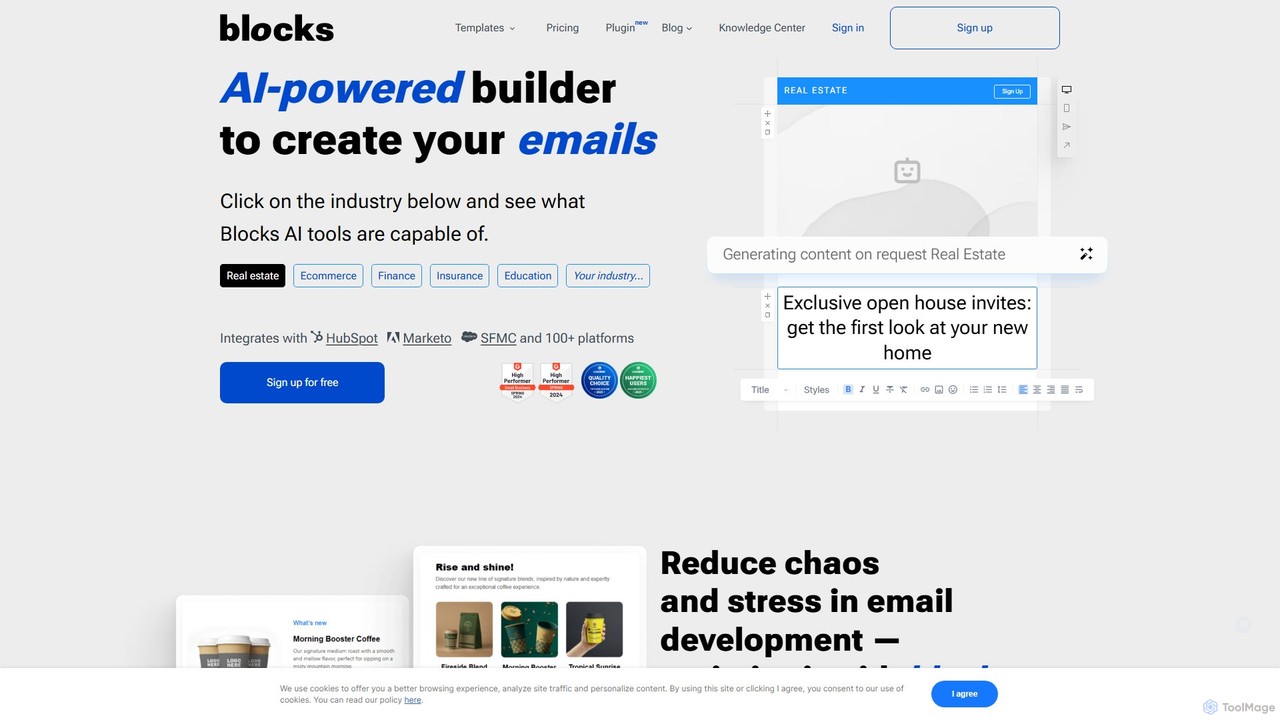
useblocks is an AI-powered, no-code email builder designed for everyone. It enables users to create high-quality, responsive email templates quickly without any coding knowledge. Featuring an AI assistant for content generation, team collaboration tools, and seamless integration with over 100 platforms like HubSpot and Marketo, useblocks streamlines the entire email creation workflow, from design to deployment.

Text Generation
Visits 12.3KFavorites 131Likes 122
Elementor
Freemium

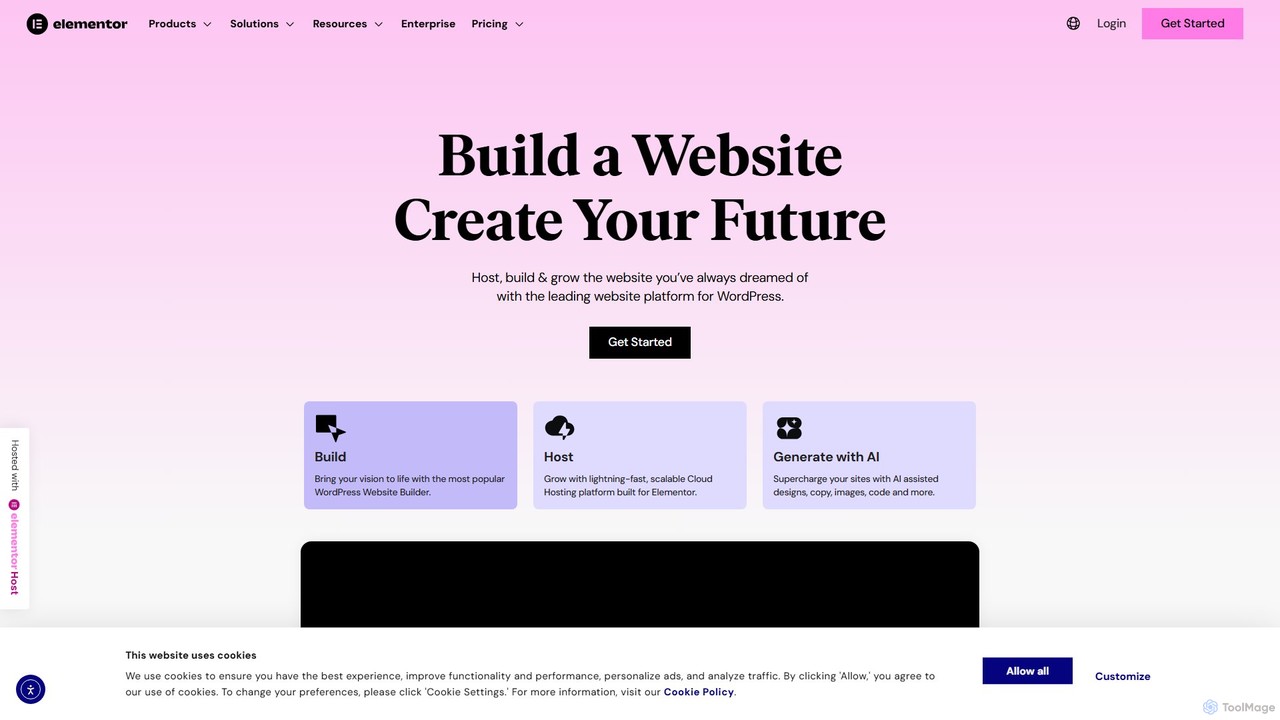
Elementor

Elementor is a leading WordPress website builder featuring a drag-and-drop interface and powerful AI capabilities. It enables users to create professional, pixel-perfect websites without coding. With Elementor AI, you can instantly generate text, code, and images, significantly speeding up your design workflow. It's an all-in-one solution for web creators, from freelancers to agencies, offering extensive design control, theme building, and e-commerce features.

Text Generation
Visits 3.5MFavorites 97Likes 110

About Text Generation

Text Generation tools are AI applications that automatically create human-like written content from user prompts. They leverage large language models (LLMs) to understand context, style, and intent, producing coherent and relevant text on virtually any topic. These tools are widely used for drafting articles, marketing copy, emails, and creative stories, significantly accelerating the content creation process. As a core component of AI Content Generation, they focus specifically on producing new, original written material, distinct from tools that merely edit or analyze existing text.

Core Features

  • Prompt-based Creation: Generates diverse text formats from simple keywords, detailed instructions, or outlines.
  • Tone and Style Adjustment: Adapts the output to various tones such as professional, casual, witty, or empathetic to match brand voice.
  • Multi-format Templates: Offers pre-built templates for specific content types like blog posts, ad copy, product descriptions, and social media captions.
  • Content Refinement: Includes capabilities for paraphrasing, summarizing, and expanding existing text to improve clarity or originality.

Use Cases

Text Generation tools are invaluable for content marketers, copywriters, and social media managers who need to produce high volumes of content efficiently. They are also used by entrepreneurs for writing business plans and emails, by developers for generating documentation, and by students for assistance with essays and reports. The primary application is to overcome writer's block and scale content production across marketing, sales, and internal communications.

How to Choose

When selecting a Text Generation tool, first evaluate the quality and coherence of its output for your specific needs. Consider the range of available templates and the level of customization for tone and style. Assess its integration capabilities with your existing workflow, such as CMS or social media platforms. Finally, compare pricing models—whether subscription-based or pay-per-use—to find one that aligns with your content volume and budget.

Text Generation use cases

1

Automating Blog Post and Article Drafting

A content marketer needs to publish several high-quality articles per week to maintain SEO rankings and audience engagement. Instead of writing from scratch, they use a Text Generation tool. By providing a target keyword, a brief outline, and key points, the tool generates a comprehensive first draft in minutes. This allows the marketer to reduce research and writing time by over 70%, enabling them to focus on fact-checking, adding unique insights, and optimizing the final piece for publication.

2

Creating High-Converting Ad Copy Variations

A digital advertising specialist is tasked with running A/B tests for a new campaign on social media. Creating numerous distinct ad variations manually is time-consuming. Using a Text Generation tool with an 'Ad Copy' template, they input the product name, key benefits, and target audience. The AI generates dozens of unique headlines, body texts, and calls-to-action. This process enables rapid testing of multiple angles, significantly improving the chances of finding high-performing ad copy and maximizing return on ad spend (ROAS).

3

Generating Personalized Sales Outreach Emails

A sales development representative (SDR) needs to contact hundreds of potential leads each week with personalized messages. Crafting unique emails for each lead is impossible at scale. The SDR uses a Text Generation tool by inputting a lead's name, company, and industry. The AI then drafts a personalized opening line referencing the lead's company or a recent industry trend. This semi-automated approach allows the SDR to send highly relevant emails at scale, increasing open rates and the number of booked meetings.

4

Crafting Engaging Social Media Content Calendars

A social media manager for a B2B tech company struggles to create a consistent stream of engaging content for LinkedIn and Twitter. They use a Text Generation tool to brainstorm ideas and draft posts. By inputting a topic like 'The Future of Cybersecurity', the tool generates a list of potential post ideas, questions for the audience, and short, informative text snippets. This helps the manager quickly fill their content calendar with diverse and relevant posts, saving hours of brainstorming and writing time each week while maintaining a strong online presence.

5

Writing SEO-Optimized E-commerce Product Descriptions

An e-commerce manager needs to write unique and persuasive descriptions for hundreds of new products. Manually writing each one is tedious and prone to repetition. They use a Text Generation tool by uploading a CSV file with product names and key features. The tool, configured with SEO best practices and a persuasive tone, generates a unique, keyword-rich description for each item. This not only saves hundreds of hours of manual work but also improves product page SEO and helps increase conversion rates by highlighting key benefits effectively.

6

Overcoming Writer's Block in Creative Writing

An author working on a new novel is experiencing writer's block, stuck on a particular scene's dialogue. To break the impasse, they use a Text Generation tool as a creative partner. They input the scene's context and the characters' personalities, then ask the AI to generate several dialogue options. While not always perfect, the generated text provides fresh perspectives and new ideas, helping the author to see different possibilities and ultimately write a more compelling and natural-sounding conversation for their characters.

Text Generation FAQ

What is AI Text Generation?

AI Text Generation refers to the use of artificial intelligence, specifically large language models (LLMs), to automatically create new, human-like written content. These tools analyze a user's prompt (an instruction or topic) and generate relevant text, such as articles, emails, marketing copy, or creative stories. Unlike a word processor that formats text, a text generator originates the content itself, making it a powerful tool for content creation and brainstorming.

How to choose the right AI Text Generation tool?

Choosing the right tool depends on your specific needs. Consider these factors:

  • Output Quality: Test the tool to see if its output is coherent, accurate, and matches your desired style.
  • Use Case Specialization: Some tools excel at long-form content like blog posts, while others are better for short-form copy like ads or social media updates. Choose one that fits your primary task.
  • Customization and Control: Look for features that allow you to set the tone, style, and specific instructions to guide the AI's output.
  • Integrations: Check if the tool can connect with your existing workflow, such as WordPress, Google Docs, or social media schedulers.
  • Pricing: Compare subscription plans and credit-based models to find what's most cost-effective for your usage volume.
What is the difference between a text generator and a grammar checker?

The core difference lies in their function: creation versus correction. A Text Generator creates new, original content from scratch based on a prompt. Its purpose is to produce text that did not exist before. A Grammar Checker, on the other hand, analyzes existing text that a human has already written. Its purpose is to identify and suggest corrections for errors in spelling, grammar, punctuation, and style. One generates, the other refines.

What types of content can AI Text Generation tools create?

AI Text Generation tools are highly versatile and can create a wide range of content, including:

  • Marketing Copy: Ad headlines, product descriptions, landing page text, and promotional emails.
  • Long-form Content: Blog posts, articles, reports, and white papers.
  • Social Media: Captions for Instagram, posts for LinkedIn, tweets, and Facebook updates.
  • Business Communications: Professional emails, press releases, and internal memos.
  • Creative Writing: Poems, short stories, scripts, and song lyrics.
Is the text generated by AI original and plagiarism-free?

Generally, yes. AI text generators create content by predicting the next word in a sequence based on patterns learned from vast amounts of data, rather than copying and pasting existing sentences. This process results in statistically unique and original text. However, there is a very small chance that the output may coincidentally resemble existing content, especially for common phrases or facts. It is always a best practice to use a plagiarism checker on final drafts, particularly for academic or professional publications, to ensure complete originality.