
ToolMage
Sign in

Best 1 Motion Capture AI tools for Animation

Popular Motion Capture AI tools in Animation include SnapMeasureAI, helping you work more efficiently.

SnapMeasureAI
Freemium

SnapMeasureAI

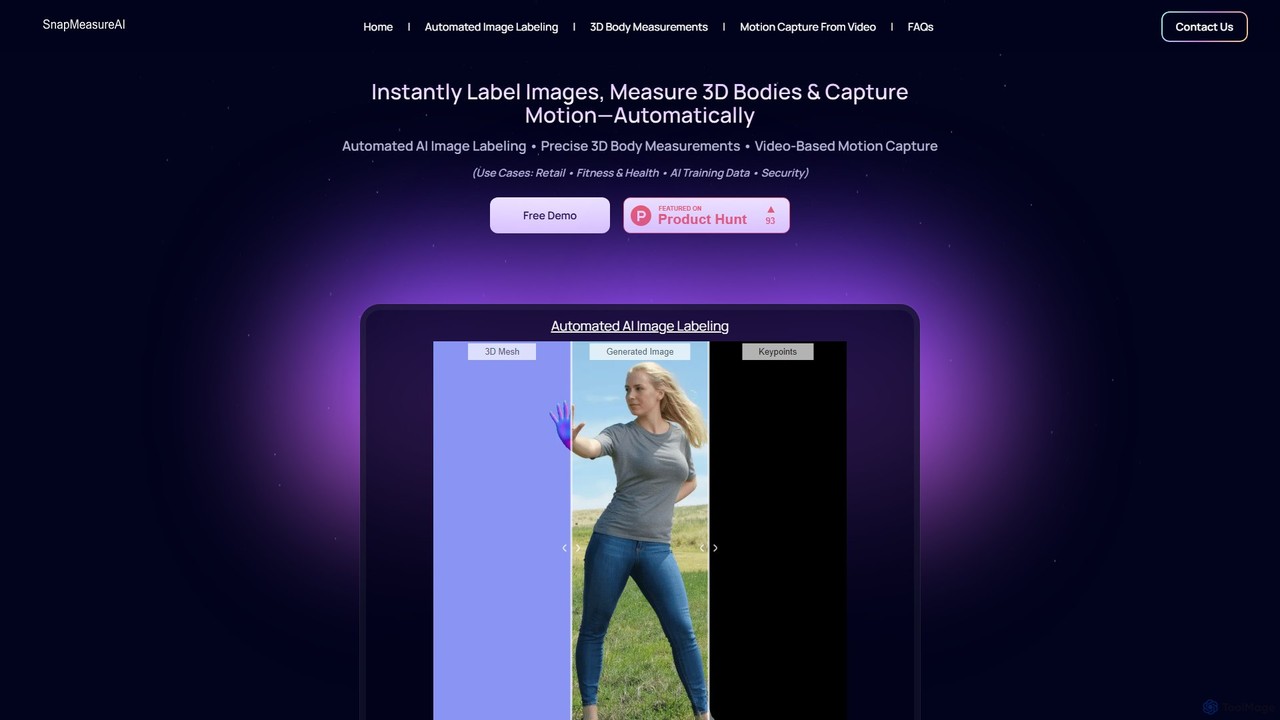
SnapMeasureAI is an advanced AI platform offering three core solutions: precise 3D body measurements from photos to reduce retail returns, automated generation of perfectly labeled image datasets for AI training, and markerless 3D motion capture from standard videos for animation and analysis.

Motion Capture
Visits 4.5KFavorites 115Likes 132

About Motion Capture

Motion Capture tools are a class of AI-powered software designed to digitally record the movement of people or objects from video. These tools use advanced computer vision algorithms to analyze footage and translate real-world motion into 3D animation data. This process allows for the creation of highly realistic, fluid, and nuanced character animations with greater efficiency than traditional keyframe animation. Many modern solutions operate without the need for specialized suits or markers, making professional-grade animation more accessible.

Core Features

  • Markerless Tracking: Captures full-body, hand, and facial movements directly from standard video footage using AI, eliminating the need for physical markers or suits.
  • Real-time Retargeting: Applies captured motion data to a 3D character model in real-time, providing immediate visual feedback for actors and animators.
  • Data Cleaning & Filtering: Offers tools to automatically or manually refine raw motion data, removing jitter and correcting inaccuracies for smoother final animations.
  • Multi-format Export: Supports exporting animation data in industry-standard formats like FBX and BVH for seamless integration with 3D software like Blender, Unreal Engine, and Unity.

Use Cases

Motion Capture tools are widely used in the video game, film, and virtual reality (VR) industries. Animators and game developers use them to create lifelike character movements for protagonists and NPCs. VFX artists apply them to animate digital creatures in movies, while content creators use them to drive virtual avatars (VTubers) for live streaming.

How to Choose

When selecting a Motion Capture tool, consider the input source—whether it works with a simple webcam or requires specialized cameras. Evaluate the accuracy and level of detail it provides, especially for facial and finger tracking. Check its export compatibility with your existing 3D animation pipeline. Finally, decide between real-time solutions for live feedback and post-processing tools for higher fidelity from pre-recorded videos.

Featured tool rankings

Motion Capture use cases

1

Creating Animations for Indie Games

An independent game developer needs to create realistic character animations for their project but lacks the budget for a traditional motion capture studio. Using an AI motion capture tool, they can record their own movements with a smartphone camera. The software automatically tracks their body and converts the performance into an FBX file, which they can then import directly into Unreal Engine or Unity to apply to their game character. This allows them to produce high-quality walking, jumping, and combat animations in hours instead of weeks of manual keyframing.

2

Driving Virtual Avatars for Live Streaming (VTubing)

A content creator wants to become a VTuber, using a digital avatar for their live streams on platforms like Twitch or YouTube. They use a real-time motion capture tool that leverages their webcam to track their head movements, facial expressions, and upper body gestures. This data is streamed directly into software that animates their 2D or 3D avatar live. This creates a dynamic and engaging presence, allowing them to interact with their audience through a virtual persona without needing complex hardware setups.

3

Pre-visualization for Film and Animation

An animation director is planning a complex action sequence for a short film. To quickly prototype different choreography and camera angles, they use a motion capture tool to record actors performing the scene. The resulting rough animation is applied to simple character models in a 3D environment. This pre-visualization (previs) process allows the entire team to see a functional version of the scene early on, enabling them to make creative decisions and identify potential problems long before committing to expensive, time-consuming final animation production.

4

Developing VR Training Simulations

A company specializing in workplace safety needs to create a VR training module for operating heavy machinery. To make the simulation realistic, they use motion capture to record an expert operator performing various tasks. This captured data is used to animate the instructor's avatar within the VR environment, showing trainees the correct posture, hand movements, and procedures. This provides a more immersive and effective learning experience than watching a simple video, allowing trainees to learn by observing natural, human motion in a safe, virtual space.

5

Animating Digital Creatures for VFX

A visual effects (VFX) artist is tasked with animating a mythical creature for a fantasy film. To ground the creature's movements in reality, they record a human actor performing actions like crawling, jumping, and roaring. Using a motion capture tool, they extract the core motion data. This data is then retargeted onto the creature's different skeletal structure in 3D software. The artist can then layer additional keyframe animation on top to add non-human elements like a tail or wings, resulting in a believable performance that blends human-like nuance with fantastical anatomy.

6

Analyzing Biomechanics for Sports Training

A sports scientist or coach wants to analyze a golfer's swing to improve their performance. They record a video of the golfer from multiple angles. This video is fed into a motion capture application that tracks the 3D position of the athlete's joints throughout the swing. The software generates data on joint angles, velocity, and movement paths. The coach can then use this objective data to pinpoint inefficiencies in the golfer's technique, such as incorrect hip rotation or shoulder alignment, and provide specific, data-driven feedback for improvement.

Motion Capture FAQ

What is AI Motion Capture?

AI Motion Capture is a technology that uses artificial intelligence, specifically computer vision algorithms, to capture human or object movement from standard video footage. Unlike traditional methods that require special suits with markers and multi-camera setups, AI mocap can often work with just a single camera, like a webcam or smartphone. It analyzes the video frame by frame to identify key body points and translate their movement into 3D animation data, making the process more accessible, affordable, and flexible.

How does AI motion capture differ from traditional motion capture?

The main difference lies in the hardware and methodology. Traditional motion capture relies on physical markers attached to an actor and multiple specialized infrared cameras in a controlled studio environment to track those markers with high precision. AI motion capture is markerless and software-based, using computer vision to infer movement from a standard video source. While traditional mocap generally offers higher fidelity and is the standard for high-end film and games, AI mocap provides unparalleled accessibility, lower cost, and flexibility, allowing creators to capture motion anywhere without a dedicated studio.

What kind of video do I need for AI motion capture?

The requirements vary by tool, but generally, you need a clear, stable video with good lighting. Key factors for good results include:

  • Stable Camera: Avoid shaky footage. A tripod is recommended.
  • Good Lighting: The subject should be well-lit and clearly distinguishable from the background. Avoid heavy shadows or backlighting.
  • Unobstructed View: The camera should capture the full body of the subject without objects blocking the view.
  • Frame Rate: A higher frame rate (e.g., 60 FPS) can often yield smoother results than a standard 24 or 30 FPS.
Many tools can work with footage from a modern smartphone or webcam.

Who are motion capture tools for?

Motion capture tools serve a wide range of users. They are essential for 3D animators and game developers who need to create realistic character movements efficiently. VFX artists use them to animate digital doubles or creatures in films. Content creators, especially VTubers, rely on them for real-time avatar animation. Beyond entertainment, they are also used by researchers in biomechanics, sports science for performance analysis, and developers creating VR/AR training and ergonomic simulations.

How to choose the right motion capture tool?

To choose the right tool, evaluate your specific needs based on these factors:

  • Project Goal: Are you making game animations, a VTuber avatar, or a VFX shot? This determines if you need real-time feedback or high-fidelity offline processing.
  • Input Source: Do you plan to use a webcam, a smartphone, or do you have access to multiple cameras? Ensure the tool supports your available hardware.
  • Required Detail: Do you only need full-body tracking, or is detailed facial and hand animation crucial for your project?
  • Software Integration: Check if the tool can export data in a format (like FBX or BVH) that is compatible with your primary 3D software (e.g., Blender, Unity, Unreal Engine).
  • Budget: Options range from free and subscription-based software to tools requiring a one-time purchase.