ToolMage
Sign in

Best 1 3D Modeling AI tools for Animation

Popular 3D Modeling AI tools in Animation include Live3D, helping you work more efficiently.

Live3D
Freemium

Live3D

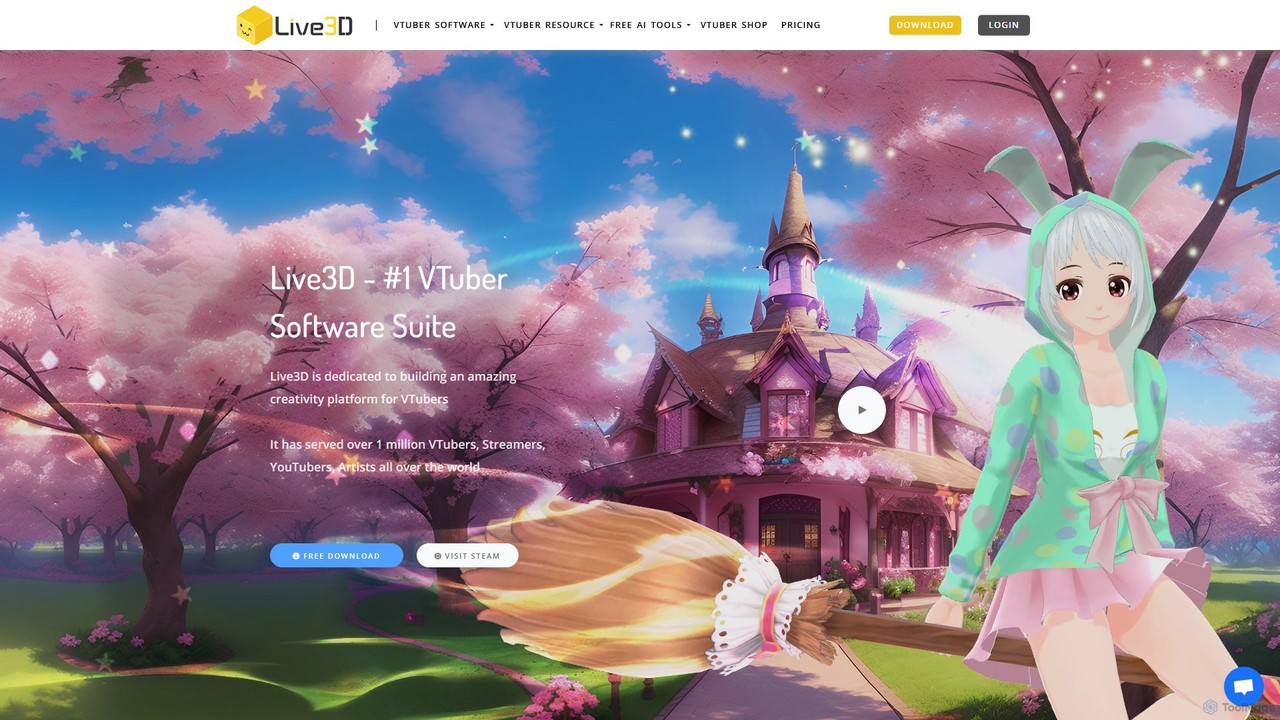
Live3D is a comprehensive software suite for VTubers, providing all the tools needed to create, customize, and bring virtual avatars to life. It features high-precision face and hand tracking, a powerful VRM model editor, an extensive asset library, and interactive streaming tools like a Twitch extension to boost audience engagement.

3D Modeling
Visits 1.5MFavorites 154Likes 148

About 3D Modeling

AI 3D Modeling tools are a class of software that use artificial intelligence to automatically generate three-dimensional digital models from simple inputs. These tools typically employ generative models, such as NeRFs or diffusion models, to transform text prompts, 2D images, or video clips into structured 3D assets. They dramatically accelerate the creation pipeline for game developers, product designers, and animators by automating the initial, often time-consuming, modeling phase. This allows for rapid prototyping and iteration without requiring deep expertise in traditional 3D software.

Core Features

  • Text-to-3D Generation: Creates 3D models directly from descriptive text prompts, enabling rapid concept visualization.
  • Image-to-3D Conversion: Transforms a single 2D photograph or illustration into a fully three-dimensional object.
  • Video-to-3D Reconstruction: Generates a 3D model and scene by analyzing object motion and perspective in a video clip.
  • AI-Assisted Texturing: Automatically generates or suggests realistic textures and materials for 3D models based on simple descriptions.
  • Generative Asset Variation: Produces multiple unique variations of a 3D model from a single base input, ideal for creating diverse environments.

Use Cases

These tools are widely used in industries that require a high volume of 3D assets. In game development, they are used for rapid prototyping of props, characters, and environments. E-commerce and marketing teams use them to create 3D product visualizations for websites and AR experiences. They also serve concept artists and designers in the film and animation industries for quick ideation and pre-visualization.

How to Choose

When selecting an AI 3D Modeling tool, consider the primary input method you'll use (text, image, or video). Evaluate the quality and detail of the generated models and the supported output formats (e.g., OBJ, FBX, glTF) for compatibility with your existing workflow. Also, assess the generation speed, usage limits, and the overall cost structure to ensure it aligns with your project's budget and timeline.

Featured tool rankings

3D Modeling use cases

1

Rapid Prototyping for Game Development

An indie game developer needs to populate a level with various props but lacks the time for manual modeling. Using a text-to-3D tool, they input prompts like 'glowing fantasy mushroom,' 'ancient stone altar,' and 'sci-fi cargo crate.' Within minutes, the AI generates multiple 3D model variations for each prompt. The developer can then select the best options, perform minor tweaks in a traditional 3D editor, and quickly import them into their game engine. This process reduces asset creation time from days to hours, allowing for faster iteration on level design and gameplay.

2

Creating 3D Visuals for E-commerce

An online furniture store wants to offer 360-degree views of its products. Instead of expensive photoshoots, they use an image-to-3D tool. A marketing specialist uploads standard product photos from various angles. The AI processes these images and generates a clean, textured 3D model of the chair or table. This model can be embedded directly on the product page, allowing customers to rotate and inspect the item from all sides. This enhances the online shopping experience and can lead to higher conversion rates by giving customers more confidence in their purchase.

3

Generating AR Content for Marketing Campaigns

A marketing agency is developing an augmented reality (AR) filter for a social media campaign for a new beverage brand. They need a 3D model of the drink can. Using an image-to-3D tool, they upload a high-resolution image of the can's label. The AI generates a 3D model that accurately represents the can's shape and branding. The agency's AR developer can then easily integrate this lightweight model into the filter, allowing users to place a virtual can in their environment. This approach is faster and more cost-effective than hiring a 3D artist for a single asset.

4

Concept Art Ideation for Film and Animation

A concept artist is tasked with designing a unique alien creature for an animated series. To explore different ideas quickly, they use a text-to-3D tool. They input descriptive prompts like 'six-legged insectoid creature with iridescent shell' or 'bioluminescent jellyfish-like alien.' The AI generates several rough 3D base meshes for each concept. While not final models, these 3D sketches provide a tangible form that the artist can rotate and view from all angles. This helps them choose a direction faster and provides a solid foundation for detailed sculpting in software like ZBrush or Blender.

5

Architectural Pre-visualization Assets

An architect is creating a virtual walkthrough of a new building design. To make the scene feel lived-in, they need to add furniture, plants, and decor. Manually modeling each item would be too time-consuming for a pre-visualization. Instead, they use an AI 3D generator to quickly create a library of assets. They generate various styles of chairs, lamps, and potted plants using simple text prompts. These models are then placed throughout the digital building to give the client a better sense of scale and atmosphere, significantly speeding up the visualization process.

6

Custom Models for 3D Printing Hobbyists

A hobbyist wants to 3D print a custom miniature for their tabletop game but has no modeling skills. They use a text-to-3D tool and type a detailed description: 'armored knight with a lion emblem on the shield and a feathered helmet.' The AI generates a 3D model that matches the description. The user can then download the model file (e.g., an STL file), import it into their 3D printer's slicing software, and print their unique creation. This empowers individuals without technical skills to bring their creative ideas to life as physical objects.

3D Modeling FAQ

What is AI 3D Modeling?

AI 3D Modeling refers to the use of artificial intelligence algorithms to generate or assist in the creation of three-dimensional models. Unlike traditional 3D modeling which requires manual manipulation of vertices and polygons, AI tools can create complex 3D assets from simple inputs like text descriptions (text-to-3D) or 2D images (image-to-3D). These tools are primarily used for rapid ideation, asset generation, and automating parts of the 3D creation pipeline, making 3D modeling more accessible to non-experts.

How to choose the right AI 3D Modeling tool?

Choosing the right tool depends on your specific needs. Consider the following factors:

  • Input Method: Determine if you primarily work with text prompts, images, or videos. Some tools specialize in one method over others.
  • Output Quality & Style: Look at examples of models generated by the tool. Does the level of detail and artistic style match your requirements?
  • File Formats: Ensure the tool can export models in formats compatible with your software pipeline, such as OBJ, FBX, glTF, or USD.
  • Speed and Cost: Evaluate the time it takes to generate a model and the pricing structure. Some tools charge per generation, while others have subscription plans.
  • Ease of Use: Consider the user interface and learning curve, especially if you are not a 3D expert.
AI 3D Modeling vs. Traditional 3D Software (like Blender): What's the difference?

The primary difference lies in the creation process and control. Traditional software like Blender or Maya offers precise, manual control over every aspect of a model, which is essential for professional, high-quality animation and final assets. AI 3D Modeling tools prioritize speed and automation. They generate models rapidly from simple inputs but offer less granular control over the final geometry and topology. They are best seen as complementary tools: use AI for quick concepting, generating base meshes, or creating background assets, then refine them in traditional software for final production.

What are the limitations of current AI 3D Modeling tools?

While powerful, current AI 3D modeling tools have limitations. The quality of the generated models can be inconsistent, sometimes producing messy geometry or low-resolution textures. They often struggle with complex, non-organic shapes or specific details requested in a prompt. The resulting models usually require significant cleanup and retopology in traditional 3D software before they are suitable for animation or professional use. Furthermore, achieving a very specific, pre-determined outcome can be difficult, as the generative process has an element of randomness.

Who can benefit from using AI 3D Modeling tools?

A wide range of users can benefit from these tools. Game Developers can rapidly prototype assets and environments. Concept Artists can quickly visualize ideas in 3D. Product Designers and Marketers can create 3D mockups for visualization and AR experiences without needing a dedicated 3D artist. Architects can populate scenes with entourage elements. Finally, Hobbyists and Creators without traditional 3D skills can bring their ideas to life for 3D printing or personal projects, democratizing the field of 3D creation.