Art Best in category 1 results Drawing Assistant AI Tool

Popular AI tools in the Drawing Assistant field of Art include ArtistAssistApp, etc., helping you quickly improve efficiency.

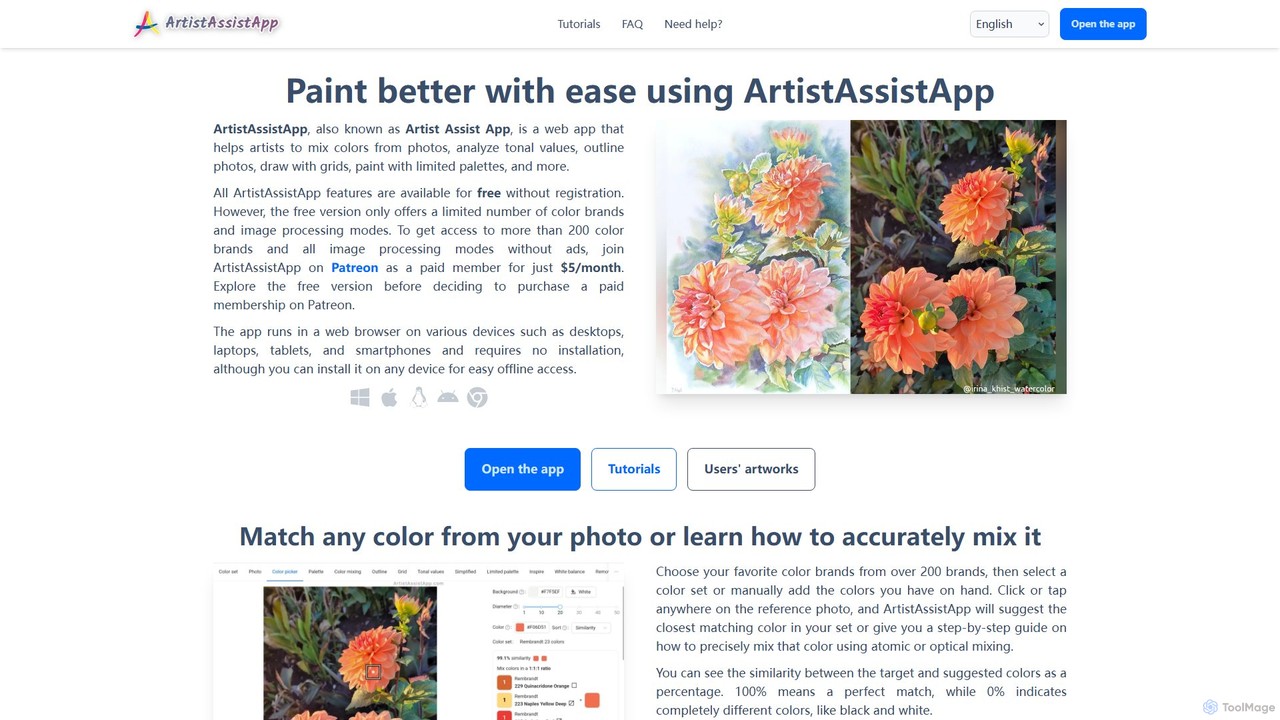
ArtistAssistApp

ArtistAssistApp

An all-in-one web app for artists to improve painting and drawing. It offers tools for color mixing from …

32.0K

About Drawing Assistant

AI Drawing Assistants are tools designed to enhance and streamline the human drawing process, acting as a collaborative partner for artists. Unlike AI image generators that create visuals from prompts, these assistants provide real-time support by improving stroke quality, guiding perspective, and suggesting colors. They leverage machine learning to understand artistic intent, helping to refine sketches, stabilize lines, and accelerate tedious tasks. This allows artists to maintain full creative control while boosting their precision and efficiency, making them ideal for both professionals and hobbyists.

Core Features

  • Line and Stroke Stabilization: Automatically smooths shaky hand movements to produce clean, confident lines and curves.
  • Intelligent Perspective Guides: Generates and adjusts dynamic perspective grids (1-point, 2-point, 3-point) that strokes can snap to.
  • AI-Powered Color Suggestions: Recommends harmonious color palettes based on the existing artwork or a reference style.
  • Sketch Refinement and Completion: Analyzes rough sketches and suggests cleaner lines or potential ways to complete shapes.
  • Pose and Anatomy Assistance: Provides adjustable 3D models or anatomical overlays to help draw figures with accurate proportions.

Use Cases

These tools are primarily used by digital illustrators, concept artists, comic book creators, and architects. For instance, a concept artist can quickly block out a complex environment using perspective guides, while a comic artist can use stroke stabilization for faster, cleaner inking. They are also valuable educational aids for students learning the fundamentals of drawing, proportion, and perspective.

How to Choose

When selecting an AI Drawing Assistant, consider its integration with your primary software (e.g., Photoshop, Procreate, Clip Studio Paint). Evaluate the level of customizability for its assistance features—can you adjust the strength of line smoothing? Also, assess the breadth of its toolset, such as whether it includes perspective, color, and anatomy aids. Finally, consider the user interface and learning curve to ensure it complements rather than complicates your workflow.

Drawing AssistantUse Cases

1

Accelerating Concept Art Creation

A concept artist working on a tight deadline for a video game needs to produce multiple environmental sketches. By using an AI Drawing Assistant, they can instantly set up a complex three-point perspective grid for a futuristic cityscape. The artist sketches freely, and the tool's 'snap-to-grid' feature ensures all architectural lines are perfectly aligned. They then use the stroke stabilizer to refine the rough sketches into clean, presentable line art, reducing the time spent on technical accuracy by over 50% and allowing more time for creative exploration.

2

Perfecting Comic Book Inking

A comic book artist needs to ink a full page of detailed panels. This process requires extremely steady hands to create consistent line weights. Using an AI Drawing Assistant's line stabilization feature, the artist can set a smoothing level that matches their style. As they draw, the tool intelligently corrects minor jitters and wobbles in real-time, resulting in professional-quality ink lines. This not only improves the final artwork's quality but also reduces physical strain and speeds up the inking process, allowing the artist to meet publication deadlines more easily.

3

Mastering Anatomy and Poses

A character designer is struggling to draw a character in a dynamic action pose. Instead of searching for photo references, they use an AI Drawing Assistant that includes a posable 3D anatomy model. They can manipulate the model's limbs, torso, and head into the exact pose they envision. The assistant overlays this 3D model onto their canvas with adjustable opacity, serving as a direct, accurate underlay for their sketch. This ensures anatomical correctness and dynamic posture, saving significant time and improving the character's believability.

4

Choosing Harmonious Color Palettes

An illustrator has completed the line art for a children's book cover but is unsure about the color scheme. They use their AI Drawing Assistant's color suggestion feature. By selecting a key area, like the main character's shirt, the tool generates several complete, harmonious palettes (e.g., analogous, complementary, triadic) that would work well. The artist can quickly cycle through these suggestions, see them applied as flat colors, and choose the one that best fits the story's cheerful mood, avoiding hours of manual color experimentation.

5

Architectural Sketching with Precision

An architect is in the early stages of designing a new building and needs to create quick conceptual sketches for a client. Using an AI Drawing Assistant, they can instantly generate a two-point perspective grid on their digital canvas. As they sketch the building's facade, the assistant's line prediction and snapping features ensure every window, door, and edge conforms perfectly to the established perspective. This allows for the rapid creation of dimensionally accurate and visually compelling architectural drawings without the need for traditional rulers or complex manual grid setups.

6

Educational Aid for Aspiring Artists

A student learning digital art is practicing drawing human faces but struggles with proportions. They use an AI Drawing Assistant that provides classic proportion guides, like the Loomis method, as an overlay. The student can sketch over this guide, helping them internalize the correct placement of eyes, nose, and mouth. The tool's real-time line smoothing also helps them build confidence by turning their hesitant strokes into cleaner lines. This guided practice accelerates their learning curve, providing a scaffold that helps them master fundamentals more effectively than unassisted practice alone.

Drawing AssistantFrequently Asked Questions