Stylize
Stylize is an AI-powered image editing suite that allows you to enhance, edit, and transform your photos with …
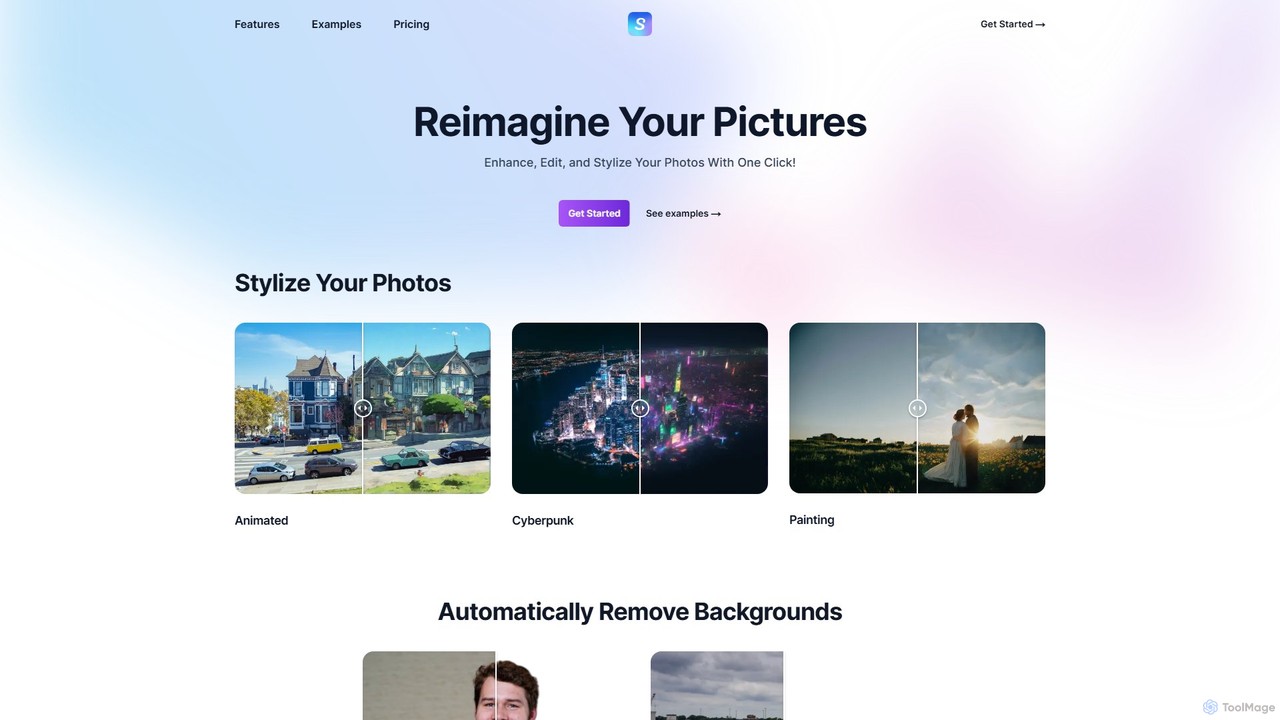
Stylize is an AI-powered image editing suite that allows you to enhance, edit, and transform your photos with a single click. It offers a range of tools including artistic stylization, text-prompt editing, 4x image upscaling, automatic background removal, and colorization for old photos. It's designed for simplicity, speed, and high-quality results, making advanced photo editing accessible to everyone.
About Image Stylization
Image Stylization tools are a specialized category of AI art software that transfers the artistic style from one image onto the content of another. These tools primarily use a technique called Neural Style Transfer (NST) to analyze the stylistic elements of a source image—such as brushstrokes, color palettes, and textures—and apply them to a target photo or illustration. This process allows users to instantly transform their images into works of art resembling famous paintings or unique artistic movements. Unlike simple filters, image stylization fundamentally reconstructs the image with a new aesthetic, offering a powerful way to create visually distinct content.
Core Features
- Neural Style Transfer (NST): The core technology that intelligently separates and recombines the content of one image with the style of another.
- Style Intensity Control: Allows users to adjust the degree to which the style is applied, from subtle hints to a complete transformation.
- Custom Style Uploads: Provides the flexibility to use any image as a source style, enabling unique and personalized artistic effects.
- Preset Style Library: Offers a curated collection of styles from famous artists and art movements like Impressionism, Cubism, or Ukiyo-e.
- High-Resolution Output: Capable of processing and exporting images at high resolutions suitable for print and professional use.
Use Cases
These tools are widely used by digital artists, graphic designers, and social media managers. For instance, an artist can quickly prototype different visual styles for a concept piece, while a marketer can create a cohesive and artistic ad campaign by applying a consistent brand style to all visuals. Photographers also use them to offer clients unique, painterly versions of their portraits.
How to Choose
When selecting an Image Stylization tool, consider the quality and diversity of its preset style library. Evaluate its support for custom style uploads and the level of control over style intensity. Also, check the maximum output resolution, processing speed, and whether the pricing model (e.g., subscription vs. per-image credits) aligns with your usage needs.

Image StylizationUse Cases
Create Unique Social Media Visuals
A social media manager for a lifestyle brand needs to create a consistent and artistic feed on Instagram. Instead of using generic filters, they use an image stylization tool to apply a consistent 'modern impressionist' style to all their product and lifestyle photos. By uploading a single brand-approved style image, they can process dozens of photos in minutes, ensuring every post shares a unique, painterly aesthetic that stands out. This saves hours of manual editing and strengthens brand recognition, leading to higher engagement rates.
Rapid Concept Art Prototyping
A concept artist working on a new video game needs to explore different visual styles for a key environment. Manually painting each style would take days. Instead, they use an AI stylization tool. They take their base 3D render and apply various styles from their reference library—such as 'cyberpunk neon,' 'Ghibli-esque watercolor,' and 'gritty noir.' In under an hour, they generate over 20 high-quality stylistic variations to present to the art director. This accelerates the creative decision-making process and allows the team to visualize the final product much earlier.
Transforming Photos into Personalized Art
A user wants to create a unique anniversary gift for their partner. They have a favorite photo from a recent vacation. Using an online image stylization tool, they upload the photo and choose the style of Van Gogh's 'The Starry Night' from the preset library. The tool processes the image, transforming the photo's content with the iconic swirling brushstrokes and color palette of the painting. They then download the high-resolution result and have it printed on a canvas. This creates a deeply personal and artistic gift that would otherwise require hiring a skilled artist.
Enhancing Architectural Visualizations
An architect is preparing a presentation for a client to showcase a new building design. Instead of presenting only photorealistic 3D renders, which can feel cold, they use an image stylization tool to create more conceptual versions. They apply a 'watercolor sketch' style to one render and a 'charcoal drawing' style to another. These stylized images help convey the artistic vision and emotional feel of the space, not just its technical details. This approach makes the presentation more engaging and helps the client better connect with the design concept.
Creating Cohesive Marketing Campaign Assets
A marketing team is launching a new campaign for an organic food product. To create a rustic, hand-crafted feel, they decide to apply a 'woodblock print' style to all campaign imagery, including product shots, social media ads, and website banners. Using an image stylization tool with batch processing, they can apply this single, custom style to hundreds of images efficiently. This ensures perfect visual consistency across all marketing channels, reinforcing the brand's message and creating a memorable, artistic identity for the campaign that would be costly and time-consuming to achieve manually.
Generating Stylized Textures for 3D Models
A 3D artist is creating assets for a stylized video game. They need to create textures that match the game's unique, painterly art direction. Instead of hand-painting every texture from scratch, they use an image stylization tool. They start with realistic photo textures of wood, stone, and metal, and then apply a custom style image that defines the game's aesthetic. The tool transforms the realistic textures into stylized versions that perfectly fit the game world. This workflow dramatically speeds up the texturing process, allowing a small team to produce a large volume of high-quality, artistically consistent assets.