ToolMage
Sign in

Best 1 Music Production AI tools for Audio Editing

Popular Music Production AI tools in Audio Editing include Turbo Play, helping you work more efficiently.

Turbo Play
Freemium

Turbo Play

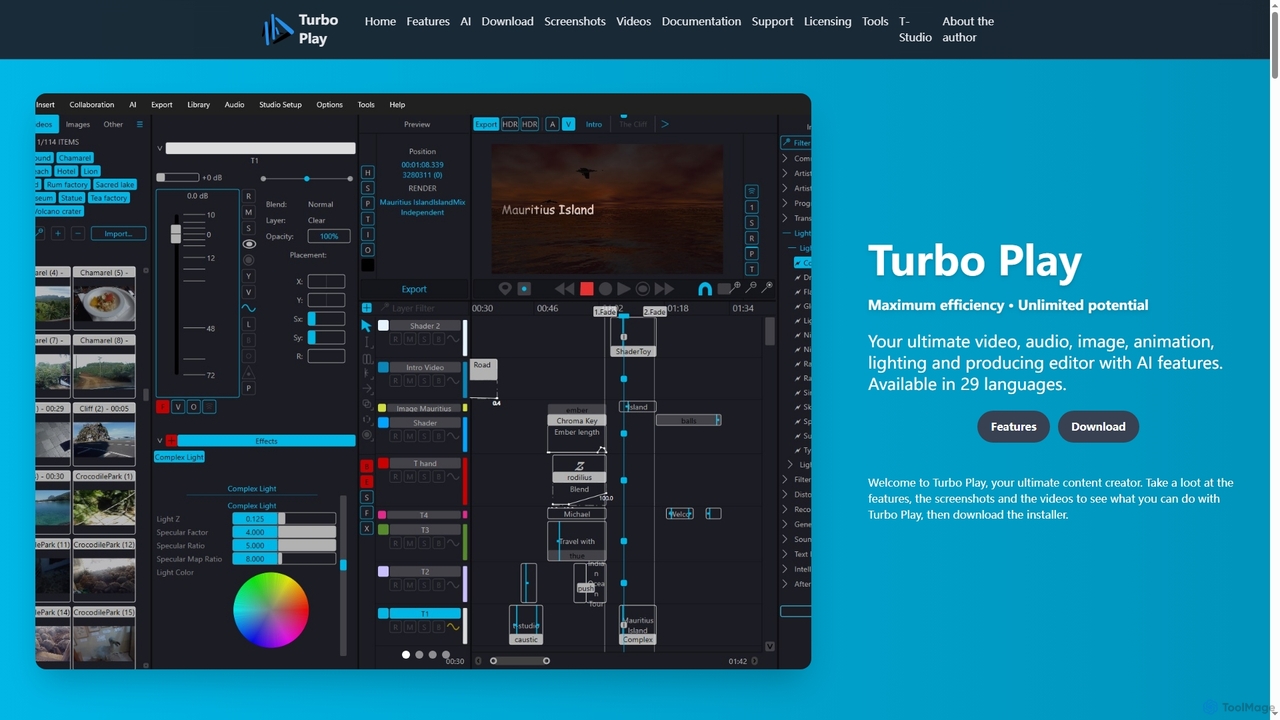
Turbo Play is an all-in-one AI-powered video, audio, image, and animation editor designed for maximum efficiency and unlimited creative potential. It offers a comprehensive suite of tools for content creation, including advanced AI features for background removal, face swapping, speech separation, and text-to-image generation, catering to both casual and professional users across 29 languages.

3D
Visits 5.8KFavorites 136Likes 152

About Music Production

Music Production tools are AI-powered applications designed to assist and automate various stages of music creation, from composition and arrangement to mixing and mastering. These tools leverage advanced machine learning algorithms to generate melodies, harmonies, rhythms, and even full instrumental tracks, significantly expanding creative possibilities for artists and producers. They empower users to overcome creative blocks, accelerate workflows, and achieve professional-quality audio, making sophisticated music creation accessible to a wider audience.

Core Features

  • AI Composition & Generation: Automatically create original melodies, chord progressions, and rhythmic patterns based on user-defined styles or parameters.
  • Vocal Synthesis & Manipulation: Generate realistic AI vocals or modify existing vocal tracks with pitch correction, harmonization, and stylistic changes.
  • Automated Mixing & Mastering: Intelligently analyze and optimize audio levels, equalization, compression, and spatial effects for a polished, broadcast-ready sound.
  • Sound Design & Sample Creation: Generate unique sound effects, textures, and instrument samples tailored to specific genres or moods.

Use Cases

Independent artists and bands utilize these tools to rapidly prototype song ideas, generate backing tracks, or create demo versions without extensive studio time. Game developers employ AI music production for dynamic, adaptive soundtracks that respond to in-game events. Content creators, including podcasters and YouTubers, use them to quickly produce royalty-free background music tailored to their video or audio content, enhancing production value efficiently.

How to Choose

When selecting AI music production tools, consider their compatibility with your existing Digital Audio Workstation (DAW) and preferred genres. Evaluate the quality and originality of the AI-generated output, looking for customization options and control over parameters. Assess the range of features, such as composition, vocal synthesis, or mastering capabilities, and compare pricing models and community support to ensure it meets your creative and technical needs.

Music Production use cases

1

AI-Assisted Songwriting & Arrangement

Independent musicians and songwriters can use AI music production tools to generate new melodic ideas, chord progressions, or rhythmic patterns when facing creative blocks. By inputting a desired genre, mood, or even a simple vocal line, the AI can suggest multiple variations, helping to quickly build out song structures and arrangements, saving hours of manual experimentation and accelerating the songwriting process.

2

Generating Dynamic Game Soundtracks

Game developers can leverage AI music production to create adaptive and dynamic background music that responds to player actions or in-game events. Instead of pre-composed loops, the AI can generate evolving soundscapes or transition between musical themes seamlessly, enhancing player immersion and providing a unique auditory experience for each playthrough without requiring extensive manual composition.

3

Automated Podcast & Video Background Music

Content creators, including podcasters, YouTubers, and vloggers, can use AI tools to generate custom, royalty-free background music for their episodes or videos. By specifying mood, tempo, and instrumentation, they can quickly produce unique tracks that perfectly fit their content's tone, avoiding copyright issues and significantly reducing the time and cost associated with licensing or commissioning original music.

4

Vocal Track Synthesis & Harmonization

Producers and artists can utilize AI vocal synthesis to create realistic singing or spoken word tracks without needing a vocalist, or to generate harmonies for existing vocal lines. This is particularly useful for demoing songs, experimenting with different vocal styles, or adding complex harmonies that would be challenging to record manually, streamlining the production of vocal-centric music.

5

Rapid Prototyping for Film & Commercial Scores

Film composers and advertising agencies can employ AI music production to rapidly prototype musical scores for scenes or commercials. By feeding the AI visual cues or script descriptions, they can quickly generate multiple musical options in various styles and moods, allowing clients to review and provide feedback efficiently before committing to full-scale human composition and production.

6

Personalized Music for Fitness & Wellness Apps

Developers of fitness, meditation, or wellness applications can integrate AI music production to generate personalized background music for users. Based on user preferences, activity levels, or biometric data, the AI can create unique, evolving soundscapes that enhance focus, relaxation, or motivation, offering a highly customized and engaging user experience without a vast pre-recorded library.

Music Production FAQ

What are AI Music Production tools?

AI Music Production tools are software applications that use artificial intelligence to assist in the creation, arrangement, mixing, and mastering of music. Unlike traditional audio editing tools that primarily modify existing sound, these AI tools can generate new musical elements—such as melodies, harmonies, rhythms, and even full compositions—based on user input or predefined styles. They aim to streamline the creative process and make music production more accessible.

How do AI Music Production tools differ from traditional Audio Editing software?

While both fall under the broader category of audio tools, AI Music Production focuses on *generating* new musical content and *automating* complex production tasks, such as composition, arrangement, and intelligent mixing. Traditional Audio Editing software, like DAWs (Digital Audio Workstations), primarily provides tools for *recording, manipulating, and refining* existing audio tracks. AI production tools often integrate with DAWs but offer generative capabilities that traditional editors lack.

What are the main benefits of using AI in music production?

The main benefits include overcoming creative blocks by generating new ideas, significantly accelerating the production workflow through automation, and making professional-quality music creation more accessible to non-musicians or those with limited technical skills. AI tools can also help in experimenting with diverse genres, creating adaptive soundtracks, and producing royalty-free content efficiently, saving time and resources.

Can AI Music Production tools replace human composers or producers?

Currently, AI Music Production tools are best viewed as powerful assistants rather than replacements for human creativity. While they can generate impressive musical elements and automate many tasks, the nuanced artistic vision, emotional depth, and unique storytelling inherent in human composition and production remain irreplaceable. AI excels at generating variations and handling repetitive tasks, freeing up human creators to focus on higher-level artistic direction and refinement.

What should I look for when choosing an AI Music Production tool?

When choosing an AI music production tool, consider its core functionalities (e.g., composition, vocal synthesis, mastering), the quality and originality of its output, and its compatibility with your existing workflow and software (like your DAW). Evaluate the level of control and customization it offers over generated content, its ease of use, and the range of musical genres it supports. Also, check for community support, tutorials, and the pricing model.