ToolMage
Sign in

Best 1 Music Remixing AI tools for Audio Editing

Popular Music Remixing AI tools in Audio Editing include TuneBlades, helping you work more efficiently.

TuneBlades
Freemium

TuneBlades

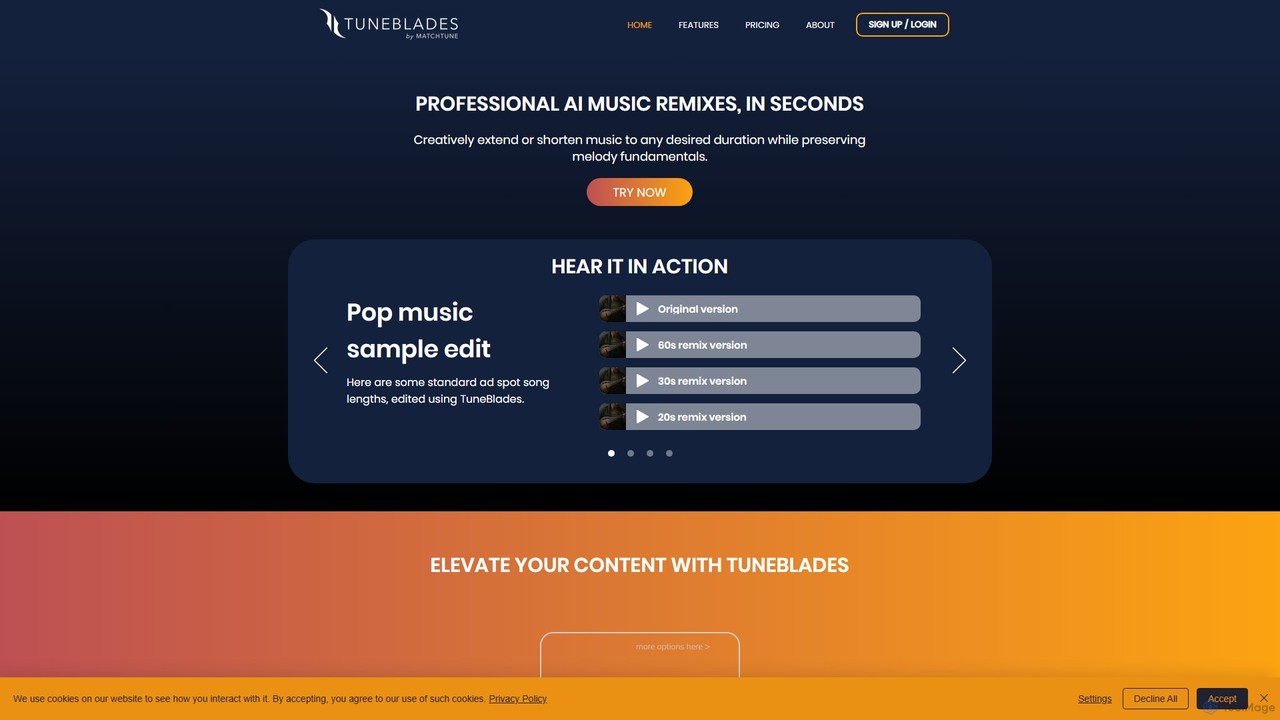
TuneBlades is an AI-powered music editing tool that automatically remixes, shortens, or extends any song to a specific duration. It preserves the core melody, vocals, and tempo, making it perfect for content creators, video editors, and marketers who need perfectly timed background music in seconds.

Music Remixing
Visits 18.3KFavorites 146Likes 132

About Music Remixing

AI Music Remixing tools are specialized applications that use artificial intelligence to deconstruct, analyze, and creatively reassemble existing audio tracks. These tools leverage advanced algorithms for stem separation, tempo and key detection, and generative synthesis to isolate individual musical elements. This enables DJs, producers, and creators to easily create unique remixes, mashups, and instrumentals from a single audio file. Unlike general audio editors, these tools automate complex processes that traditionally required significant manual effort and technical expertise.

Core Features

  • Stem Separation: Isolate specific elements like vocals, drums, bass, and melodies from a complete song.
  • Tempo & Key Matching: Automatically detect and synchronize the tempo (BPM) and musical key of different tracks for seamless blending.
  • Generative Recomposition: Create new musical patterns or variations based on the harmonic and rhythmic content of the original audio.
  • Style Transfer: Apply the stylistic characteristics of one track, such as genre or mood, to another.
  • Intelligent Mashup Creation: Intelligently combine elements from multiple songs to produce a cohesive new piece.

Use Cases

These tools are widely used by professional DJs for creating live sets and unique track edits. Music producers utilize them for sampling, bootleg creation, and rapid idea prototyping. Content creators also employ them to generate custom, royalty-free background music for videos by remixing existing public domain material.

How to Choose

When selecting an AI Music Remixing tool, evaluate the quality of its stem separation, looking for minimal artifacts. Consider whether it offers real-time processing for live performance or offline processing for studio work. Check for compatibility with essential audio formats (WAV, MP3, FLAC) and its ability to integrate with Digital Audio Workstations (DAWs), for instance, through VST plugin support.

Music Remixing use cases

1

Creating DJ-Ready Acapellas and Instrumentals

A DJ needs to isolate the vocals from a popular track to create a custom mashup for their live set. They use an AI Music Remixing tool to upload the song, which automatically separates it into high-quality stems: vocals, drums, bass, and melody. The DJ can then download the clean acapella and instrumental versions individually. This process saves hours of complex manual work involving equalization and phase inversion, providing studio-quality components for creative mixing in minutes.

2

Producing a Modern Bootleg Remix

A music producer wants to create a bootleg remix of a classic funk song in a modern house style. They use the tool to extract the iconic bassline and vocal snippets. Next, they use the tempo and key shifting feature to perfectly match these elements to their new 124 BPM house beat. The AI ensures everything remains harmonically compatible, streamlining the creative process and allowing the producer to focus on arrangement and sound design rather than tedious pitch correction.

3

Generating Unique Background Music for Videos

A YouTuber needs royalty-free background music for their travel vlog but finds stock music libraries generic. They use an AI remixing tool to take a simple public domain melody and apply a 'lo-fi hip hop' style transfer. The tool analyzes the melody and regenerates it with new instrumentation, drum patterns, and textures that match the chosen style. It can produce several variations, providing a unique, mood-appropriate soundtrack without copyright concerns.

4

Music Education and Compositional Analysis

A music student is studying the arrangement of a complex jazz piece. They use a stem separation tool to isolate each instrument—piano, bass, drums, and saxophone. This allows them to listen to each part individually, making it easier to transcribe solos, understand the harmonic voicings of the piano, and analyze how the rhythm section interacts. It provides a deeper level of insight into the composition that is not possible by just listening to the final mix.

5

Creating Karaoke and Backing Tracks

A singer wants to practice a song for an audition but cannot find a high-quality instrumental version. They upload the original song to a music remixing tool. The AI's stem separation feature effectively removes the lead vocals, creating a clean backing track. They can even use the key-shifting feature to adjust the song to better suit their vocal range, making practice sessions more effective and personalized. This is also useful for bands needing to create practice tracks for their members.

6

Rapid Prototyping for Music Producers

A producer is exploring ideas for a new track. Instead of building a beat from scratch, they use an AI remixing tool to deconstruct a reference track they admire. They isolate the drum loop and bassline, then use the generative recomposition feature to create new variations. This allows them to quickly test different rhythmic and harmonic ideas based on a proven foundation, significantly speeding up the initial stages of music creation and overcoming creative blocks.

Music Remixing FAQ

What are AI Music Remixing tools?

AI Music Remixing tools are software applications that use artificial intelligence to analyze and separate a finished audio track into its core components, such as vocals, drums, and bass (known as stems). They go beyond simple editing by enabling users to creatively manipulate these separated elements, change tempo and key, or even generate new musical ideas based on the original track. Their main purpose is to simplify and accelerate the process of creating remixes, mashups, and instrumentals.

How to choose the right AI Music Remixing tool?

When selecting a tool, consider these factors:

  • Stem Separation Quality: Listen to samples. The best tools produce clean stems with minimal audio artifacts or 'bleeding' between tracks.
  • Feature Set: Do you just need stem separation, or do you also require features like tempo/key shifting, and generative music capabilities?
  • Workflow Integration: Check if the tool works as a standalone application, a web service, or a VST plugin that can be used directly within your Digital Audio Workstation (DAW).
  • Processing Speed: Some tools offer real-time processing suitable for live DJing, while others are designed for offline, higher-quality processing in a studio setting.
What's the difference between AI Music Remixing and traditional Audio Editing software?

The main difference lies in automation and focus. Traditional Audio Editors (like DAWs) provide a comprehensive suite of tools for manual recording, editing, mixing, and mastering, offering granular control over every detail. AI Music Remixing tools, a specialized subset of audio editing, focus specifically on automating the complex task of deconstructing existing songs. They use AI to perform tasks like stem separation and harmonic analysis instantly, which would require significant time, skill, and specialized plugins to attempt in a traditional DAW.

Can AI Music Remixing tools perfectly separate any song into stems?

While AI has made significant progress, the quality of stem separation can vary. It depends heavily on the complexity of the original mix. Songs with clear, distinct instrumentation and vocals tend to separate very cleanly. However, tracks with dense layers, heavy effects like reverb, or unconventional arrangements may result in some audio 'bleeding' or artifacts between the separated stems. For most modern productions, the results are often remarkably clean and highly usable for both creative and professional applications.

Is it legal to use AI to remix copyrighted songs?

The act of using an AI tool to remix a song for personal, private use (like practice or experimentation) is generally not a legal issue. However, the legal complexities arise when you distribute, perform, or monetize that remix. Without obtaining the proper licenses from the original copyright holders (which include the publisher for the composition and the record label for the master recording), any public use of the remix can constitute copyright infringement. Always research copyright law in your region and secure necessary permissions for any public-facing projects.