ToolMage
Sign in

Best 1 Recording AI tools for Audio Editing

Popular Recording AI tools in Audio Editing include PodNami, helping you work more efficiently.

PodNami
Freemium

PodNami

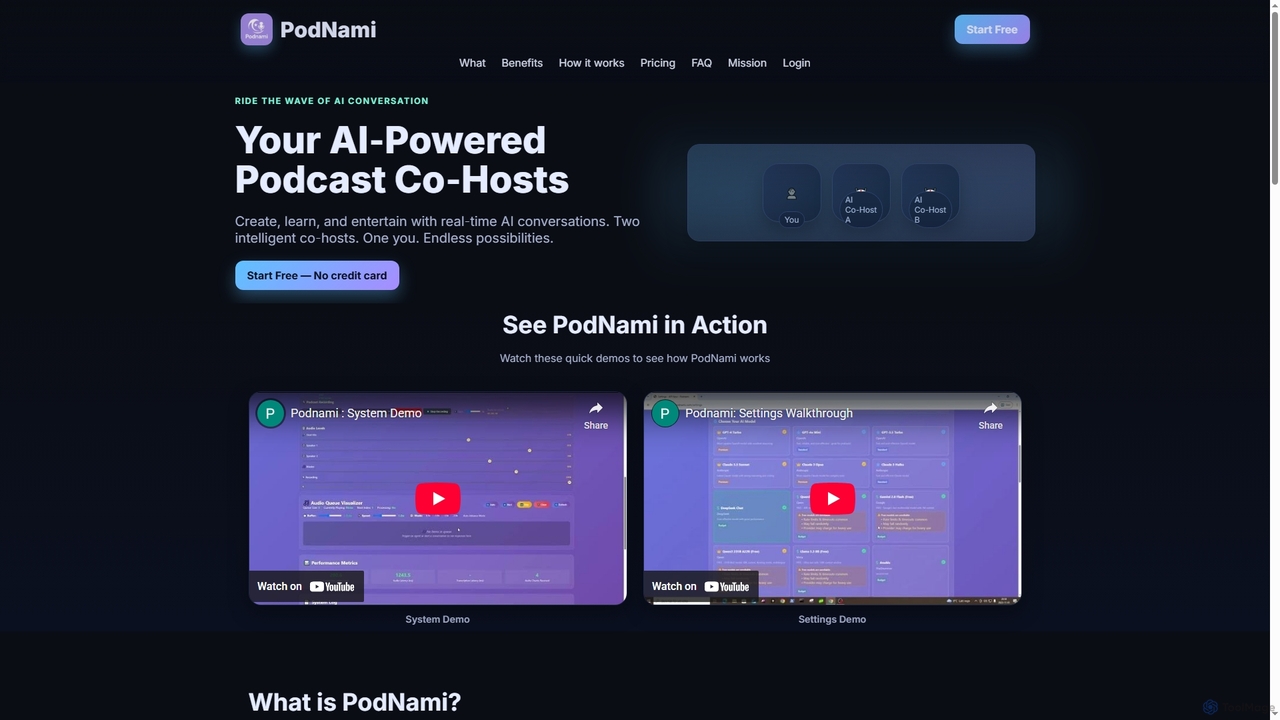
PodNami is an AI-powered podcast platform that provides two customizable AI co-hosts for real-time, dynamic conversations. It enables creators, learners, and professionals to generate ideas, learn through discussion, and produce engaging audio content effortlessly, transforming solo sessions into interactive experiences.

Virtual Co Host
Visits 4.9KFavorites 125Likes 120

About Recording

AI Recording tools are specialized software and hardware solutions that leverage artificial intelligence to enhance the process of capturing audio. These tools utilize advanced algorithms for real-time noise reduction, voice isolation, and automatic transcription, making the initial audio capture phase more efficient and higher quality. They are invaluable for professionals and creators seeking pristine sound input for podcasts, interviews, music production, and more, serving as a crucial first step within the broader audio editing workflow.

Core Features

  • Real-time Noise Reduction: Actively filters out background noise during recording, ensuring clear primary audio.
  • Voice Isolation: Focuses on and enhances human speech, separating it from other ambient sounds.
  • Automatic Transcription: Converts spoken words into text in real-time or post-recording, saving manual effort.
  • Multi-track Recording Management: AI assists in organizing and optimizing multiple audio inputs simultaneously.
  • Intelligent Gain Control: Automatically adjusts recording levels to prevent clipping or overly quiet segments.

Applicable Scenarios

Podcasters and broadcasters use AI recording tools to capture crisp, professional-sounding interviews and monologues, even in less-than-ideal acoustic environments. Journalists and researchers employ them for accurate transcription of field interviews, ensuring no detail is missed. Musicians and sound engineers integrate these tools for cleaner vocal and instrument capture, reducing post-production cleanup.

How to Choose

When selecting an AI recording tool, consider its real-time processing capabilities for noise reduction and voice isolation, which are critical for live capture. Evaluate the accuracy and language support of its automatic transcription feature. Assess its compatibility with your existing hardware and software setup, and check for multi-track recording support if you handle complex audio projects. Finally, compare pricing models and user interface intuitiveness.

Recording use cases

1

Capturing Professional Podcast Interviews

Podcasters conducting remote interviews often face challenges with varying audio quality and background noise from guests. AI recording tools can automatically filter out ambient sounds and enhance speech clarity in real-time, ensuring a consistent, studio-quality sound for all participants. This saves hours of post-production editing and delivers a more engaging listening experience for the audience.

2

Transcribing Live Lectures and Meetings

Students and professionals attending lectures or meetings need accurate records. AI recording tools with real-time transcription capabilities can convert spoken words into text instantly, providing a searchable and editable transcript. This allows users to focus on active listening rather than note-taking, and easily review key points or generate summaries later.

3

Field Reporting for Journalists

Journalists on assignment frequently record interviews in unpredictable environments with background chatter or wind noise. AI recording solutions can isolate the interviewee's voice and suppress environmental distractions, ensuring critical information is clearly captured. This enhances the reliability of their reports and reduces the need for re-recording or extensive audio cleanup.

4

Creating Clean Voiceovers for Video Production

Video creators require pristine voiceovers for tutorials, documentaries, or marketing content. Using AI recording tools, they can capture narration with minimal background interference, even when recording in home studios. The AI's ability to refine vocal tracks during capture ensures a polished sound that integrates seamlessly with visual elements, improving overall production quality.

5

Recording Musical Demos with Clear Vocals

Independent musicians often record song demos in home settings, where vocal tracks can easily pick up room echo or subtle hums. AI recording technology can apply intelligent noise gating and vocal enhancement during the recording process, resulting in cleaner, more present vocal takes. This allows artists to present their music with greater clarity and focus on the performance.

6

Documenting Legal Proceedings or Client Consultations

Legal professionals or consultants need precise audio records of sensitive discussions. AI recording tools can ensure every word is captured with high fidelity and automatically transcribed for official documentation. Features like speaker identification and timestamping further enhance the utility, providing an accurate and easily navigable record for review and compliance.

Recording FAQ

What are AI Recording tools?

AI Recording tools are applications or devices that use artificial intelligence to improve the quality and efficiency of audio capture. They leverage algorithms for tasks like real-time noise cancellation, voice enhancement, and automatic transcription, transforming raw audio into clearer, more structured data. These tools are essential for anyone needing high-quality sound input, from content creators to business professionals.

How do AI Recording tools differ from standard recording software?

Standard recording software primarily captures audio as-is, often requiring significant post-production for cleanup. AI recording tools, however, integrate intelligent processing *during* the capture phase. They can actively reduce noise, isolate voices, and even transcribe speech in real-time, delivering a much cleaner and more usable initial recording, thereby streamlining the entire audio workflow.

What are the key features to look for in an AI Recording tool?

When choosing an AI recording tool, prioritize real-time noise reduction and voice isolation for superior audio clarity during capture. Look for accurate automatic transcription with support for multiple languages if needed. Consider multi-track recording capabilities for complex projects and intelligent gain control to prevent audio distortion. User-friendliness and integration with other audio software are also important.

Can AI Recording tools help with background noise?

Yes, significantly. One of the primary benefits of AI recording tools is their advanced ability to handle background noise. They employ sophisticated AI algorithms to identify and filter out unwanted sounds, such as hums, static, traffic, or room reverberation, in real-time during the recording process. This ensures that the primary audio source, like a speaker's voice, remains clear and prominent.

Who benefits most from using AI Recording tools?

A wide range of users benefits from AI recording tools. This includes podcasters, journalists, musicians, content creators, students, and business professionals who regularly record interviews, lectures, meetings, voiceovers, or musical performances. Anyone seeking to capture high-quality, clean audio with minimal post-production effort will find these tools invaluable for improving their workflow and output.