
ToolMage
Sign in

Best 1 Vocal Separation AI tools for Audio Editing

Popular Vocal Separation AI tools in Audio Editing include OpenMusic, helping you work more efficiently.

OpenMusic
Freemium

OpenMusic

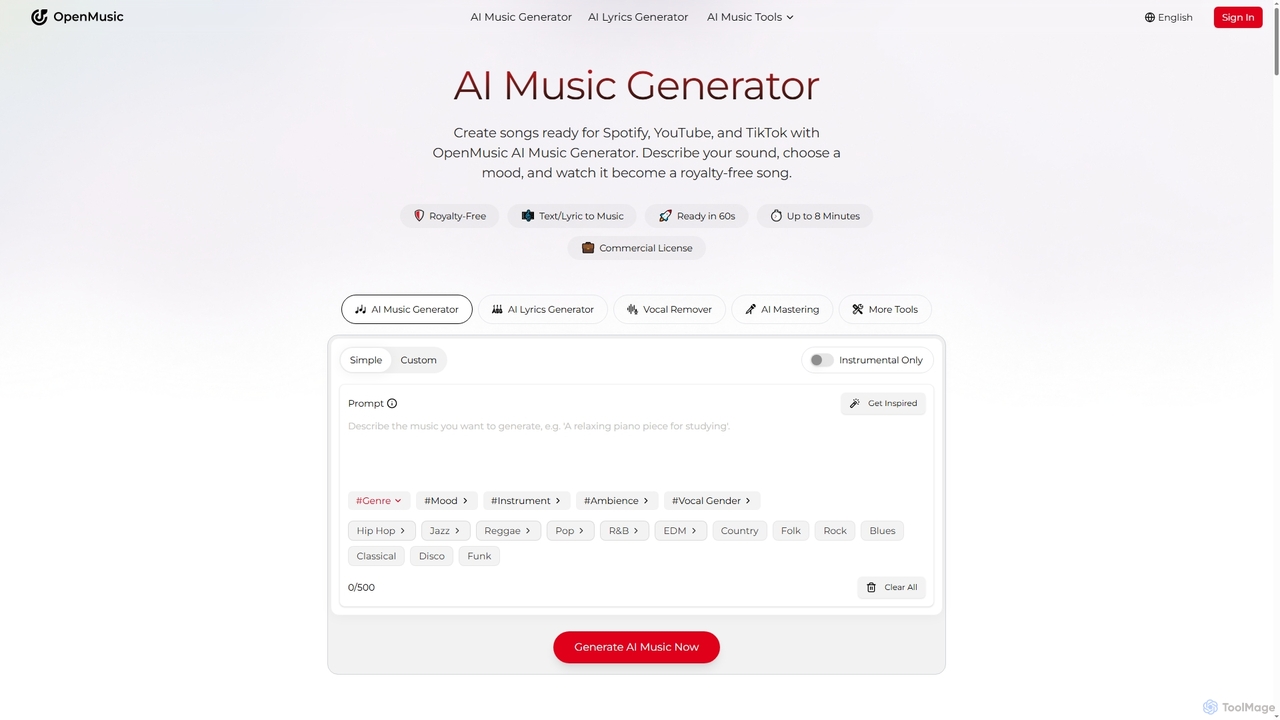
OpenMusic is an advanced AI music generator and comprehensive toolkit designed for creators of all levels. It enables users to effortlessly create royalty-free, studio-quality music, lyrics, and instrumental tracks for commercial use. From generating full songs from text prompts to splitting stems and mastering audio, OpenMusic streamlines the entire music production workflow, making creativity accessible and monetizable.

Stem Separation
Visits 1.2MFavorites 156Likes 150

About Vocal Separation

Vocal Separation tools are AI-powered applications designed to isolate or remove vocal tracks from instrumental components within an audio file. Leveraging advanced machine learning algorithms, these tools analyze complex soundscapes to distinguish and separate different audio elements. This capability is invaluable for musicians, producers, and content creators seeking to manipulate audio for various creative and practical purposes. They offer a precise and efficient way to achieve clean vocal or instrumental tracks from mixed audio.

Core Features

  • Vocal Isolation: Precisely extract the lead vocal track, leaving behind the instrumental accompaniment.
  • Instrumental Extraction: Remove vocals to obtain a clean instrumental version of a song.
  • Multi-Stem Separation: Beyond just vocals, some tools can separate drums, bass, and other instruments into individual tracks.
  • Noise Reduction: Simultaneously reduce unwanted background noise while separating vocals.
  • Batch Processing: Handle multiple audio files simultaneously, saving significant time for large projects.

Use Cases

Musicians and DJs use these tools to create remixes, mashups, or karaoke versions of songs by isolating or removing vocals. Podcasters can clean up interview audio by separating speech from background noise. Content creators often use them to extract clean dialogue for video editing or to create unique sound effects.

How to Choose

Consider the accuracy of separation, especially for complex mixes and various music genres. Evaluate the supported audio formats and output quality. Look for features like multi-stem separation if needed. Assess the user interface for ease of use and integration with existing workflows. Finally, compare pricing models and available free tiers.

Vocal Separation use cases

1

Create Karaoke or Instrumental Tracks

Musicians and hobbyists can easily remove vocals from any song to produce a clean instrumental version. This is ideal for creating karaoke backing tracks, practicing an instrument along with the original music, or developing unique instrumental covers. The tool precisely isolates the vocal track, leaving a high-quality instrumental for various creative uses.

2

Creating Acapellas for Remixes

Music producers and DJs frequently need isolated vocal tracks (acapellas) to create new remixes or mashups. A vocal separation tool allows them to upload a full song and automatically extract the lead vocals, providing a clean, high-quality acapella that can then be layered over different instrumental beats or used in live DJ sets, significantly expanding creative possibilities without needing original studio stems.

3

Generating Karaoke Backing Tracks

Aspiring singers or karaoke enthusiasts can use vocal separation software to remove the lead vocals from their favorite songs, leaving only the instrumental accompaniment. This enables them to practice singing along to professional-quality backing tracks, customize their karaoke experience, or even create unique covers, all from commercially available music files without requiring specialized studio equipment.

4

Produce Acapella Versions for Remixing

DJs and music producers can extract only the vocal track from a song to create acapella versions. These isolated vocals are essential for crafting unique remixes, mashups, or for sampling in new productions. The tool ensures a clean separation, providing high-fidelity vocal stems ready for creative manipulation in any audio workstation.

5

Clean Up Dialogue in Video Post-Production

Video editors and filmmakers often encounter recordings where dialogue is mixed with background music or ambient noise. Vocal separation tools allow them to isolate the speech track, significantly improving clarity and intelligibility. This process helps remove unwanted elements, ensuring professional-quality audio for films, documentaries, and corporate videos, saving hours of manual editing.

6

Cleaning Up Dialogue in Podcasts/Videos

Podcasters, YouTubers, and video editors often encounter recordings where dialogue is mixed with background music, ambient noise, or sound effects. Vocal separation tools can isolate the speech track, allowing editors to reduce or completely remove unwanted background elements, enhance vocal clarity, and produce a much cleaner, more professional-sounding audio track for their content.

7

Producing Instrumental Versions of Songs

Bands, composers, or content creators may need instrumental versions of their own or other artists' songs for various purposes, such as background music for videos, dance routines, or live performances where a singer is present. Vocal separation tools efficiently remove the vocal track, providing a clean instrumental version that retains the original song's musical integrity, saving time and resources compared to re-recording.

8

Isolate Instruments for Music Learning

Students and aspiring musicians can use vocal separation tools to isolate specific instruments (like bass, drums, or guitar) from a full mix, in addition to vocals. This allows them to focus on learning individual parts of a song, analyze complex arrangements, or practice along with isolated tracks. It's an effective way to break down music for educational purposes.

9

Enhance Audio for Podcasts and Vlogs

Podcasters and vloggers often record in less-than-ideal environments, leading to background noise or music interfering with speech. Vocal separation tools can isolate the spoken word, allowing for clearer narration and interviews. By removing unwanted audio elements, content creators can significantly improve the overall production quality of their audio, making it more engaging for listeners.

10

Sampling and Sound Design for Music Production

Sound designers and electronic music producers often seek unique vocal snippets or melodic phrases for sampling in new tracks. Vocal separation allows them to extract specific vocal elements from existing songs, which can then be manipulated, pitched, or chopped to create entirely new textures, hooks, or rhythmic patterns, fostering innovative sound design and avoiding copyright issues associated with using full vocal tracks.

11

Educational Analysis of Music Composition

Music students, teachers, and analysts can utilize vocal separation to deconstruct songs into their individual components (vocals, drums, bass, other instruments). This provides an invaluable tool for studying arrangement, instrumentation, vocal harmonies, and production techniques, offering a deeper understanding of how different elements contribute to the overall musical composition and allowing for focused listening and analysis.

12

Create Custom Sound Effects and Samples

Sound designers and producers can utilize vocal separation to extract unique vocal snippets or instrumental textures from existing tracks. This allows for the creation of custom sound effects, vocal samples, or atmospheric elements for new music compositions, game development, or multimedia projects. The ability to isolate specific audio components opens up vast possibilities for creative sound manipulation and design.

Vocal Separation FAQ

What are Vocal Separation tools?

Vocal Separation tools are AI-powered software or online services that use machine learning to intelligently distinguish and isolate vocal tracks from mixed audio files. Their primary function is to either remove vocals to create instrumentals or extract vocals to create acapellas, providing users with separate audio streams for each component. This technology is a subset of audio editing, specifically focusing on source separation.

What are Vocal Separation tools?

Vocal Separation tools are AI-powered software or online services that use machine learning to intelligently distinguish and separate vocal tracks from instrumental tracks within an audio file. They typically feature algorithms trained on vast datasets of music, enabling them to isolate or remove vocals, drums, bass, and other instruments with remarkable accuracy. This technology is crucial for tasks like creating karaoke versions, acapellas, or cleaning up dialogue.

How do AI Vocal Separation tools work?

AI Vocal Separation tools typically employ deep learning models, such as neural networks, trained on massive datasets of music and speech. These models learn to recognize patterns associated with different audio components. When a new audio file is fed into the system, the AI analyzes its spectral and temporal characteristics, identifying and isolating the frequencies and timbres unique to vocals versus instruments. This allows it to create separate audio streams for each component.

How do AI Vocal Separation tools work?

AI vocal separation tools typically employ deep learning models, often neural networks, trained on vast datasets of music and speech. These models learn to recognize patterns associated with different audio sources (vocals, instruments, drums, bass). When a mixed audio file is input, the AI analyzes its spectral and temporal characteristics, then predicts and reconstructs the individual components, effectively "unmixing" the track into its constituent parts.

How is Vocal Separation different from general Audio Editing?

While general audio editing encompasses a broad range of tasks like cutting, splicing, mixing, and applying effects, Vocal Separation is a specialized sub-category. It specifically focuses on using AI to intelligently deconstruct a mixed audio file into its constituent parts, primarily vocals and instrumentals. Traditional audio editing might involve manual equalization or filtering to reduce vocals, but AI vocal separation offers a much more precise, automated, and often higher-quality method of isolating specific stems.

What is the difference between Vocal Separation and Noise Reduction?

Vocal Separation specifically aims to isolate or remove the human voice from other musical or instrumental elements within a mixed audio track. Noise Reduction, on the other hand, focuses on eliminating unwanted background sounds (like hums, static, wind, or general ambient noise) from an audio recording, regardless of whether vocals are present. While both enhance audio clarity, their targets and methodologies are distinct: separation targets specific sources, reduction targets general unwanted sounds.

Can Vocal Separation tools perfectly remove vocals without artifacts?

While modern AI vocal separation tools are highly advanced, achieving "perfect" removal without any artifacts can be challenging, especially with complex or poorly mixed audio. The quality of separation depends heavily on the AI model's sophistication, the quality of the input audio, and the complexity of the mix. Users may sometimes notice slight residual sounds or minor degradation in the separated tracks, though continuous improvements are being made.

What factors affect the quality of vocal separation?

Several factors influence the quality of vocal separation. The complexity of the original mix, including the number of instruments and their frequency overlap with vocals, plays a significant role. High-quality, well-recorded audio generally yields better results than low-quality or heavily compressed files. The sophistication of the AI algorithm and the amount of data it was trained on are also crucial. Finally, the specific genre of music can impact performance, as some genres have more distinct vocal and instrumental characteristics.

Who benefits most from using Vocal Separation tools?

A wide range of users benefits from vocal separation tools. This includes music producers and DJs for creating remixes, acapellas, and instrumental versions; content creators (podcasters, YouTubers) for cleaning up dialogue and creating background music; karaoke enthusiasts for custom backing tracks; and music educators or students for analyzing song components. Essentially, anyone working with mixed audio who needs to manipulate or isolate specific sound sources finds these tools invaluable.

Who benefits most from Vocal Separation tools?

A wide range of users benefits from vocal separation tools. Musicians and DJs use them for remixing, creating acapellas, or instrumental tracks. Audio engineers and video editors leverage them to clean up dialogue and improve sound quality in post-production. Content creators, podcasters, and vloggers find them invaluable for enhancing speech clarity. Additionally, music students and educators can use them to analyze and learn individual parts of songs, making complex audio accessible for study.