ToolMage
Sign in

Best 1 Personalized Video AI tools for Avatar

Popular Personalized Video AI tools in Avatar include Vozo, helping you work more efficiently.

Vozo
Freemium

Vozo

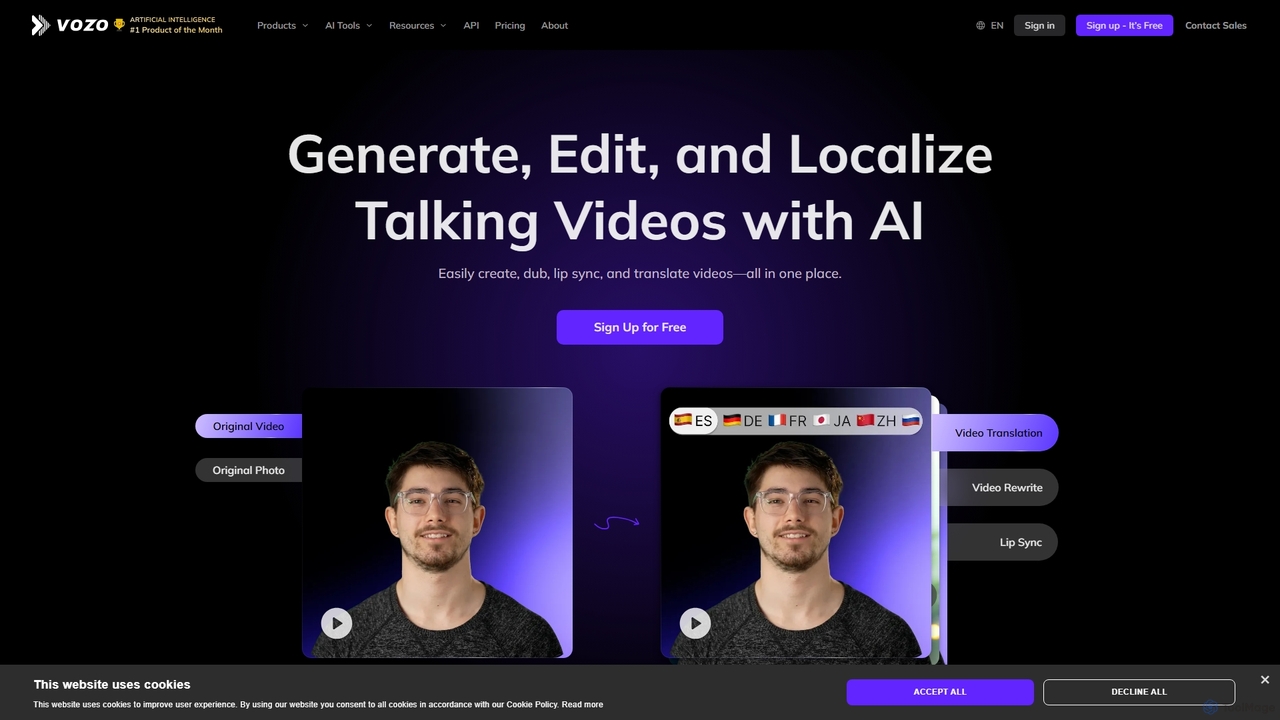
Vozo is an all-in-one AI video platform that enables users to generate, edit, and localize talking videos. It offers features like precise video translation, realistic lip-syncing, authentic voice cloning, and talking photo animation. Designed for marketers, creators, and businesses, Vozo simplifies video production, allowing for easy content updates, multilingual dubbing, and repurposing for global audiences across various social media platforms, all within a single, user-friendly interface.

Translation
Visits 611.6KFavorites 131Likes 142

About Personalized Video

Personalized Video tools are a specialized category of AI avatar technology designed to automatically generate unique video messages for individual recipients at scale. They work by combining a video template, often featuring a digital avatar or a real person, with dynamic data like names, company details, or user activity. This allows businesses to create hyper-relevant, engaging video content for marketing, sales, and customer communication, moving beyond generic broadcasts. The core value lies in their ability to forge a one-to-one connection through a scalable medium.

Core Features

  • Dynamic Data Integration: Connect with CRMs, spreadsheets, or APIs to pull recipient-specific data directly into the video.
  • Template-Based Creation: Design a master video template and define variables for personalization.
  • AI Voice & Avatar Synthesis: Utilize text-to-speech with voice cloning to make the avatar say each recipient's name or custom information.
  • Scalable Video Rendering: Generate thousands of unique video variations in the cloud without manual editing.
  • Performance Analytics: Track open rates, click-through rates, and engagement for each personalized video campaign.

Use Cases

These tools are widely used in B2B sales for personalized outreach, in e-commerce for abandoned cart recovery and post-purchase engagement, and in customer success for creating tailored onboarding and support videos. Marketing teams also leverage them for lead nurturing and event invitation campaigns.

How to Choose

When selecting a tool, consider the quality of the AI avatar and voice synthesis. Evaluate its integration capabilities with your existing CRM or marketing platforms. Also, assess the scalability of the platform, the user-friendliness of the video template editor, and the pricing model, which is often based on the number of videos generated.

Personalized Video use cases

1

Scalable Sales Prospecting Videos

Sales development representatives (SDRs) often struggle to break through the noise of generic emails. Using a personalized video tool, an SDR can record a single template video. The tool then automatically inserts the prospect's name, company name, and a relevant pain point from a CRM list into the video and audio. This creates thousands of unique outreach videos, significantly increasing reply rates compared to text-based emails by creating a genuine, one-to-one connection.

2

Automated Customer Onboarding Experience

For SaaS companies, a strong onboarding process is critical for user retention. Instead of a generic welcome email, a personalized video can be automatically sent to each new user. The video, featuring an AI avatar of the Head of Customer Success, can greet the user by name, reference the specific plan they signed up for, and highlight the first key feature they should explore. This creates a memorable and helpful first impression.

3

E-commerce Abandoned Cart Recovery

E-commerce brands can use personalized video to re-engage customers who have abandoned their shopping carts. An automated workflow can trigger a video featuring the customer's name and an image of the exact item left in their cart. The AI-powered avatar can offer a time-sensitive discount or highlight a key benefit of the product, creating a highly persuasive and visually engaging reminder that stands out from standard emails.

4

Personalized Employee Recognition at Scale

Large organizations can find it challenging to provide meaningful, individual recognition. HR departments can use these tools to celebrate employee milestones like work anniversaries or promotions. By connecting to an HRIS database, the system can generate a video from the CEO's digital avatar, personally congratulating the employee by name, mentioning their years of service, and thanking them for their specific contributions.

5

Dynamic Lead Nurturing Campaigns

Marketing teams can elevate their lead nurturing sequences. After a user downloads a whitepaper on a specific topic, a personalized video can be sent a day later. The video can mention the user by name and reference the title of the whitepaper they downloaded, suggesting a next step like watching a related webinar or booking a demo. This context-aware follow-up feels more relevant and helpful than a generic marketing email.

6

High-Impact Event and Webinar Invitations

To boost attendance for virtual or in-person events, organizers can send personalized video invitations. Instead of a standard email blast, each potential attendee receives a short video where the event host's avatar invites them by name, mentions their company or industry, and highlights a specific session relevant to their professional role. This personal touch makes the invitation feel exclusive and significantly improves registration rates.

Personalized Video FAQ

What are AI Personalized Video tools?

AI Personalized Video tools are platforms that automatically generate large volumes of unique videos tailored to individual viewers. They use a template-based approach, combining a core video with dynamic data (like names, companies, or dates) and AI-generated elements like text-to-speech or digital avatars to create a one-to-one communication experience at scale. They are primarily used for marketing, sales, and customer engagement.

How do I choose the right Personalized Video tool?

When choosing a tool, evaluate these factors:

  • Avatar/Voice Quality: Assess the realism of the digital avatar and the naturalness of the AI-generated voice.
  • Data Integration: Check if it connects seamlessly with your CRM, marketing automation platform, or data sources via API or file uploads.
  • Template Customization: Ensure the editor is flexible enough to create on-brand video templates with dynamic elements.
  • Scalability and Speed: Consider how many videos you need to generate and how quickly the platform can render them.
What's the difference between Personalized Video and general AI Avatar tools?

The key difference is purpose and scale. General AI Avatar tools focus on creating a single digital character for various uses, like presentations or virtual worlds. Personalized Video tools are specialized platforms that use an avatar (or a real person) as a component within a scalable system designed to merge data with a video template to produce thousands of unique outputs. The focus is on mass personalization, not just avatar creation.

What are the main benefits of using Personalized Video for marketing?

The primary benefits are significantly higher engagement and conversion rates compared to static content. By addressing viewers by name and referencing their specific interests or data, these videos capture attention more effectively. This leads to better email open rates, higher click-through rates on calls-to-action, and a stronger sense of connection with the brand. It also allows for the automation of highly tailored communication, saving significant manual effort.

How does the personalization process work in these tools?

The process typically involves four steps. First, you create a video template, which can feature a real person or an AI avatar, and mark specific areas as variables. Second, you connect a data source, such as a CSV file or a CRM, containing the information for each recipient (e.g., name, company). Third, the AI engine merges the data with the template, using text-to-speech to voice the variables and dynamically inserting text or images. Finally, the platform renders a unique video for each row in your data source.