
ToolMage
Sign in

Best 1 Talking Avatar AI tools for Avatar

Popular Talking Avatar AI tools in Avatar include Magi, helping you work more efficiently.

Magi
Freemium

Magi

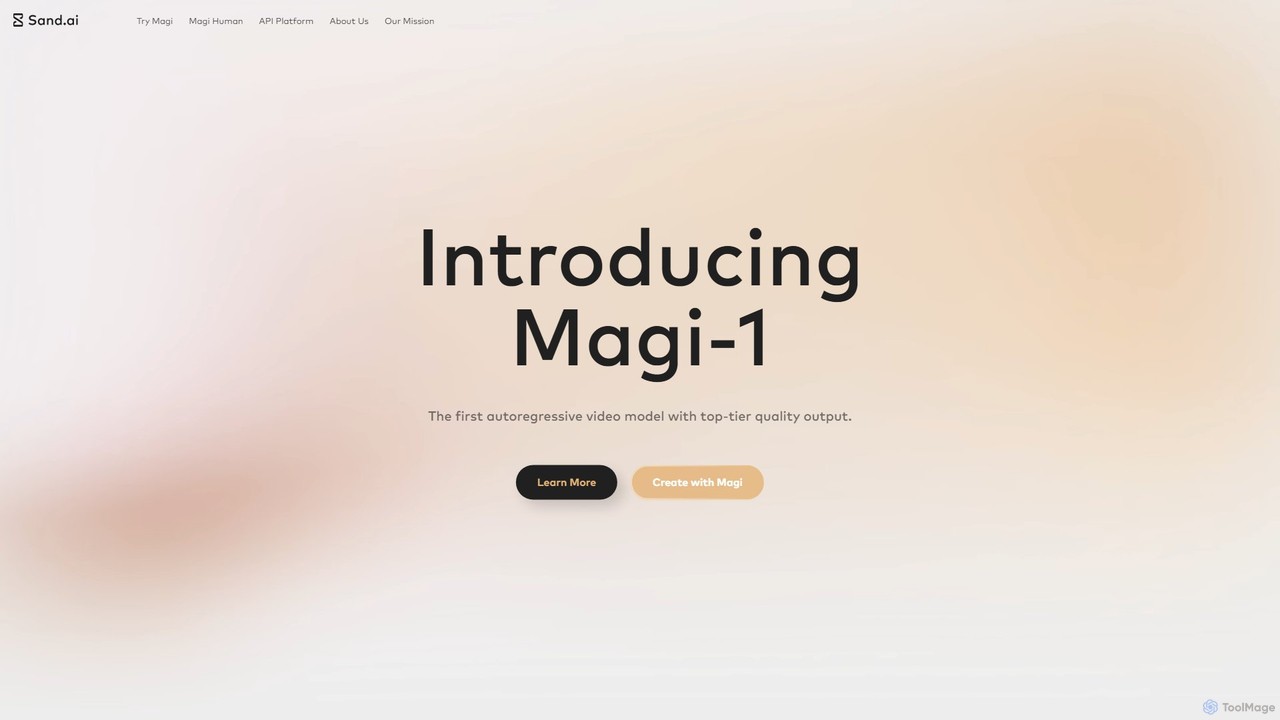
Magi, by Sand.ai, is a revolutionary AI video platform featuring the world's first autoregressive video model, Magi-1. It transforms images or text into high-quality videos, offers infinite video extension capabilities, and creates lifelike talking avatars from a single photo. With an open-source model, Magi provides creators with unparalleled control, speed, and creative freedom for filmmaking, marketing, and content creation.

Talking Avatar
Visits 68KFavorites 146Likes 157

About Talking Avatar

Talking Avatar tools are a specialized category of AI generators that create digital characters capable of speaking provided text with synchronized lip movements. These tools combine text-to-speech (TTS) synthesis with advanced lip-sync animation technology to bring static images or 3D models to life. Their primary value lies in producing engaging, scalable video content for presentations, training, and marketing without the need for live actors or complex animation workflows. This allows for rapid content creation and easy localization across multiple languages.

Core Features

  • Text-to-Speech (TTS) Conversion: Transforms written scripts into natural-sounding human voices in various languages and accents.
  • AI-Powered Lip-Sync: Automatically generates precise lip movements that match the timing and phonetics of the audio track.
  • Avatar Customization: Offers a library of pre-built avatars or allows users to upload their own photos or character designs.
  • Multi-Language Video Generation: Enables the creation of videos in numerous languages simply by changing the input text.
  • Gesture and Expression Control: Provides options to add subtle body movements, gestures, and facial expressions to enhance realism.

Use Cases

Talking Avatars are widely used in corporate training to create consistent and easily updatable onboarding materials. In digital marketing, they serve as virtual presenters for product demos and social media campaigns. Educational institutions also leverage them to produce engaging explainer videos and online course content that can be quickly localized for a global audience.

How to Choose

When selecting a Talking Avatar tool, evaluate the naturalness and variety of the available voices. Assess the accuracy of the lip-sync animation, as poor synchronization can be distracting. Consider the level of avatar customization offered, including the ability to use your own images. Finally, check the supported languages, video output quality (e.g., HD, 4K), and whether an API is available for integration.

Talking Avatar use cases

1

Create Corporate Training & Onboarding Videos

An HR department needs to produce consistent and engaging training modules for new hires across global offices. Instead of hiring actors and film crews for each language, they use a talking avatar tool. They write a single script, select a professional-looking avatar, and generate the training video. Then, they simply translate the script and regenerate the video for each required language, ensuring a uniform training experience and reducing production costs and time by over 80%.

2

Scale Social Media Video Marketing

A digital marketer wants to create daily short-form videos for TikTok and Instagram Reels to promote a product. Appearing on camera daily is time-consuming. By creating a unique brand avatar, they can generate videos quickly. They input daily tips or product updates as text, and the tool produces a ready-to-post video with the avatar speaking. This allows them to maintain a consistent posting schedule, build a recognizable brand persona, and A/B test different messages without any filming.

3

Generate Educational Explainer Videos

An online educator needs to create a series of videos explaining complex scientific concepts. To make the content more engaging and easier to understand, they use a talking avatar to act as a virtual teacher. They can easily insert diagrams and animations alongside the avatar. If a concept needs updating, they only need to edit the script and regenerate a small portion of the video, rather than re-recording the entire lesson. This approach makes the production process more flexible and cost-effective.

4

Automate News and Blog Post Narration

A news outlet or content blogger wants to repurpose their written articles into video formats for platforms like YouTube and Facebook. Manually recording a voiceover for each article is inefficient. They use a talking avatar tool to automate this process. An API integration automatically sends new articles to the tool, which then generates a video with an avatar narrating the text. This allows them to reach a wider audience that prefers video content, increasing engagement with minimal additional effort.

5

Create Multilingual Customer Support Guides

A global software company wants to provide video-based troubleshooting guides for its customers worldwide. Filming a support agent explaining the steps in dozens of languages is impractical. Using a talking avatar, the support team creates a master video in English. They then use the tool's multi-language TTS feature to generate accurate voiceovers and synchronized lip movements for Spanish, German, Japanese, and other languages. This ensures all customers receive clear, consistent visual instructions in their native language, improving customer satisfaction.

6

Personalize Sales Outreach Videos at Scale

A sales team wants to increase engagement rates for their cold outreach emails. Instead of sending plain text, they decide to embed personalized videos. Using a talking avatar tool with API access, they automate the creation of videos where an avatar addresses each prospect by name and mentions their company. This level of personalization grabs attention and makes the outreach feel more individual, leading to higher open rates and more booked meetings, without requiring the sales reps to record hundreds of unique videos themselves.

Talking Avatar FAQ

What is a Talking Avatar?

A Talking Avatar is a digital character, either realistic or stylized, created by AI to speak text aloud with synchronized lip movements. Unlike standard avatar generators that produce static images, these tools combine text-to-speech (TTS) technology with AI-driven animation to create dynamic video presenters. They are primarily used to produce video content quickly and at scale without needing human actors.

How to choose the right Talking Avatar tool?

When selecting a tool, consider these key factors:

  • Voice Quality: Evaluate the naturalness, tone, and variety of the available text-to-speech voices.
  • Lip-Sync Accuracy: Check how precisely the avatar's lip movements match the spoken words. Poor synchronization can look unprofessional.
  • Avatar Customization: Determine if you can use pre-made avatars, create your own, or upload a photo to generate a personalized avatar.
  • Language Support: Ensure the tool supports all the languages and accents you need for your target audience.
  • Video Output: Check the maximum resolution (e.g., 1080p, 4K) and format options for the final video.
What's the difference between a Talking Avatar and a standard Avatar generator?

The key difference is functionality. A standard avatar generator typically creates a static 2D or 3D image, like a profile picture or a game character, which does not have inherent animation. A Talking Avatar tool is a video generator at its core. It takes an image (an avatar) and adds two crucial AI layers: text-to-speech for voice and lip-sync animation to make the character appear to be speaking the words. In short, one creates a picture, while the other creates a talking video presenter.

What are the main benefits of using a Talking Avatar?

The primary benefits are cost and time savings, scalability, and consistency. Users can create professional-quality videos without the high costs of actors, studios, and camera equipment. It allows for rapid production, enabling the creation of dozens of videos in the time it would take to film one. Avatars provide a consistent brand presenter for all communications, and content can be easily updated or localized into different languages by simply changing the text script.

Can I use my own face or image to create a Talking Avatar?

Yes, many advanced Talking Avatar tools offer a feature to create an avatar from a user-uploaded photograph. This process, often called 'photo-to-avatar' or creating a 'digital twin', uses AI to animate a still image of a face. The quality and realism can vary between tools, but it allows for the creation of highly personalized video presenters that look like a specific person, which is useful for sales outreach, personalized messages, or creating a consistent personal brand without being on camera.