ToolMage
Sign in

Best 1 Ai Agent Builder AI tools for Chatbots

Popular Ai Agent Builder AI tools in Chatbots include HevolveAI, helping you work more efficiently.

HevolveAI
Freemium

HevolveAI

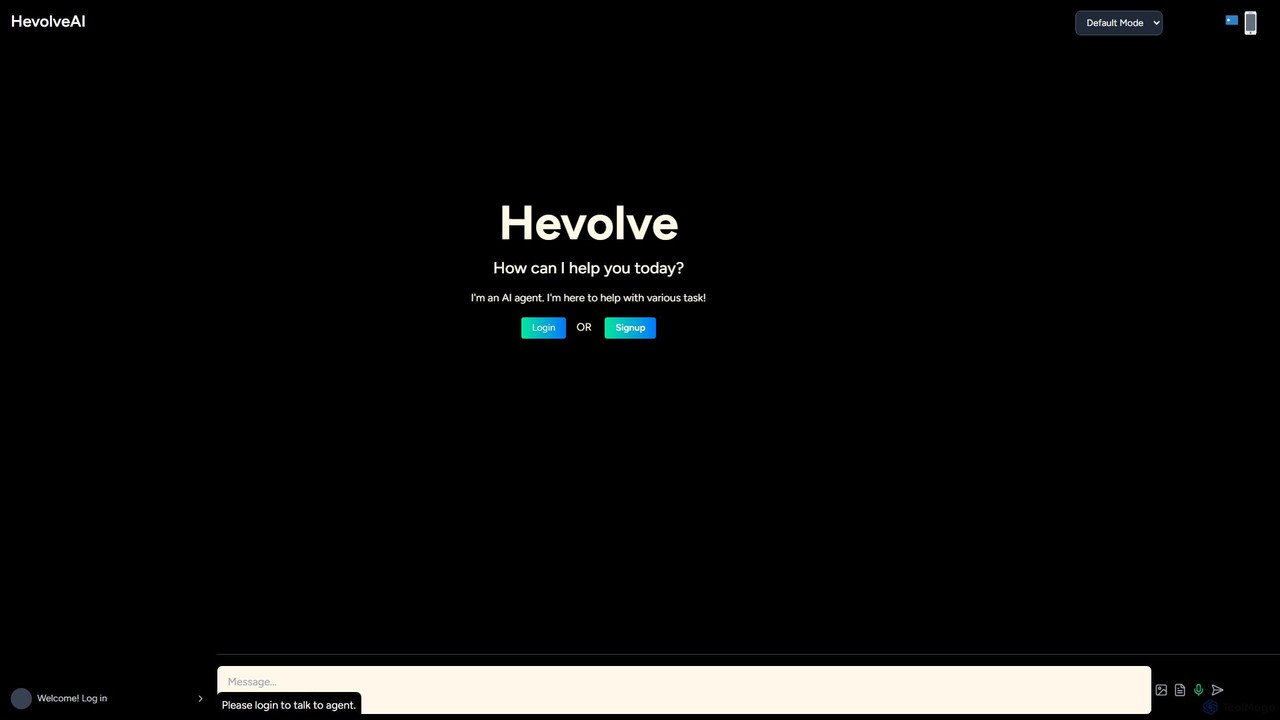
HevolveAI is a revolutionary platform that allows experts to create AI-powered digital twins of themselves for monetization, and enables users to access personalized AI agents for learning, therapy, and coaching. Build your 24/7 digital income stream or find an expert AI agent for tasks like speech therapy, language learning, and career enhancement.

Monetization
Visits 4.6KFavorites 118Likes 127

About Ai Agent Builder

AI Agent Builders are platforms used to design, create, and deploy autonomous AI agents that can perform complex tasks. Unlike standard chatbots which primarily handle conversations, these tools build agents capable of executing multi-step workflows, interacting with software, and making decisions. They leverage large language models (LLMs) combined with integration capabilities to automate processes that traditionally require human intervention. This enables the creation of specialized assistants for tasks like data analysis, customer support resolution, and process automation.

Core Features

  • Visual Workflow Editor: Design agent logic and decision trees using a drag-and-drop interface, requiring minimal coding.
  • Tool & API Integration: Connect agents to external applications, databases, and APIs to fetch data and perform actions.
  • Knowledge Base Connectivity: Allow agents to access and reason over private documents or data sources for context-aware responses.
  • Autonomous Operation: Configure agents to run independently based on triggers, schedules, or incoming data to complete tasks without supervision.
  • Deployment & Monitoring: Easily deploy agents across various channels (websites, apps, messaging platforms) and track their performance.

Applicable Scenarios

AI Agent Builders are ideal for businesses seeking to automate complex internal or customer-facing processes. For example, an IT department can build an agent to automate user onboarding by creating accounts across multiple systems. In sales, an agent can be designed to research leads, update the CRM, and draft personalized outreach emails, streamlining the entire prospecting workflow.

Selection Criteria

When choosing an AI Agent Builder, evaluate the platform's integration library; it should support the specific tools your business uses. Consider the balance between no-code simplicity and advanced customization capabilities to match your team's technical skills. Also, assess the scalability for handling increased task volume and the pricing model, which may be based on tasks executed, agents deployed, or features available.

Featured tool rankings

Ai Agent Builder use cases

1

Automate Customer Support Ticket Triage

A customer support manager uses an AI Agent Builder to create an agent that integrates with their helpdesk (e.g., Zendesk) and internal knowledge base. When a new ticket arrives, the agent analyzes the content to understand the user's issue, categorizes it (e.g., 'Billing', 'Technical Issue', 'Feature Request'), and checks the knowledge base for a relevant article. If a solution is found, it replies to the customer with the article. If not, it assigns the ticket to the appropriate support team based on predefined rules. This automates the initial triage process, reducing response times and freeing up human agents to focus on complex cases.

2

Automate IT Support and User Onboarding

An IT administrator for a mid-sized company uses an AI Agent Builder to create an internal support agent. This agent integrates with the company's HR system, Active Directory, and ticketing platform. When a new employee joins, the agent is triggered by the HR system. It automatically performs a series of actions: creates a user account, assigns appropriate software licenses, sends a welcome email with login credentials, and closes the initial onboarding ticket. This automates a process that previously took hours of manual work, ensuring consistency and freeing up the IT team for more complex issues.

3

Create a Proactive Sales Research Agent

A sales team lead builds an AI agent to streamline lead generation. The agent is configured to monitor specific industry news sites and social media platforms for company funding announcements. When a relevant announcement is found, the agent identifies key decision-makers at that company, finds their contact information using an integrated data enrichment tool, updates the company's CRM with the new lead, and drafts a personalized outreach email for the sales representative. This proactive agent works 24/7 to find and qualify leads, significantly increasing the sales pipeline's quality and volume.

4

Proactive Sales Lead Research and Enrichment

A sales operations team builds an AI agent to automate lead qualification. Triggered by a new lead added to the CRM (e.g., Salesforce), the agent performs a series of actions: it searches Google for the lead's company news, scrapes their LinkedIn profile for job title and connections, and analyzes their company website to identify key technologies used. The agent then compiles this information, generates a qualification score, and updates the lead's record in the CRM with the enriched data and a summary. This provides sales representatives with comprehensive, up-to-date information before they even make the first contact, improving efficiency and conversion rates.

5

Develop a Content Creation and Publishing Agent

A content marketing manager designs an agent to automate parts of the content lifecycle. The process starts when the manager adds a topic to a project management board. The agent picks up the topic, performs web research to gather key points and statistics, and generates a first draft of a blog post. It then uses an integrated image generation tool to create a relevant header image. Finally, it uploads the draft and the image to the company's content management system (CMS) and notifies the manager for review. This significantly reduces the time spent on research and initial drafting, allowing marketers to focus on strategy and final polishing.

6

Automate Social Media Content Creation and Scheduling

A content marketer designs an AI agent to streamline their social media workflow. The marketer provides the agent with a link to a new blog post. The agent reads the article, identifies key points, and generates five distinct social media posts (e.g., for Twitter, LinkedIn, Facebook) in different tones. It then searches for relevant hashtags and finds or generates a suitable image for each post. Finally, it connects to a scheduling tool like Buffer or Hootsuite via API and schedules the posts to be published throughout the week. This transforms a multi-hour manual task into a single, automated process.

7

Monitor Competitor Activities and Generate Reports

A market analyst configures an AI agent to perform daily competitive intelligence. The agent is programmed to visit the websites of five key competitors, check their blogs for new posts, monitor their social media accounts for announcements, and scan for mentions in major news outlets. It collects all new findings, uses an LLM to summarize the key activities and strategic shifts for each competitor, and compiles the information into a structured daily report. The report is then automatically emailed to the marketing and strategy teams every morning, ensuring they stay informed without manual research.

8

Build an E-commerce Order Management Assistant

An e-commerce store owner uses a no-code AI Agent Builder to create a customer service agent. This agent integrates with their Shopify store, shipping carrier APIs, and email system. When a customer emails asking, "Where is my order?", the agent extracts the order number, queries the Shopify and shipping APIs to get the real-time status, and replies with a detailed update. For return requests, it can check the purchase date against the return policy, generate a shipping label, and email it to the customer, automating the entire initial phase of customer support for common queries.

9

Design a Personalized Travel Itinerary Agent

A travel agency uses an AI Agent Builder to offer a unique service on their website. They create an agent that acts as a personal travel planner. The agent interacts with users via a chat interface, asking about their destination, budget, travel dates, and interests (e.g., history, food, adventure). It then connects to multiple APIs for flights, hotels, and local attractions to gather real-time data. Based on the user's preferences, it assembles a complete, day-by-day itinerary with booking links and presents it to the user. This provides instant, personalized value and differentiates the agency from competitors.

10

Personalized Travel Itinerary Planning

A user interacts with a travel planning agent to organize a trip. The user specifies their destination, dates, budget, and interests (e.g., 'history', 'food', 'hiking'). The agent then connects to multiple APIs simultaneously: a flight search API to find the best deals, a hotel booking API to find accommodation matching the budget, and a local attractions API to create a day-by-day schedule. It synthesizes all this information into a coherent itinerary, presents it to the user for approval, and can even proceed to make the bookings upon confirmation. This automates the complex research and coordination required for travel planning.

11

Automate Financial Data Analysis and Reporting

A financial analyst builds an agent to monitor stock market data. The agent is connected to a financial data API and is programmed with specific criteria (e.g., stocks hitting a 52-week high with a P/E ratio below 15). Every morning, the agent runs its analysis, identifies stocks that meet the criteria, compiles the data into a structured report, and emails it to the analyst's team. It can also be instructed to perform more complex tasks, like comparing a company's quarterly performance against its competitors and summarizing the findings. This automates routine data gathering and allows analysts to focus on strategic decision-making.

12

Automate IT Helpdesk Password Resets

An IT administrator builds an agent to handle password reset requests. When an employee submits a request through a chat interface or portal, the agent first verifies their identity through a multi-factor authentication (MFA) step, like sending a code to their registered phone. Once verified, the agent connects to the company's identity management system (e.g., Active Directory, Okta) via API and executes the password reset command. It then communicates the temporary password back to the employee with instructions to change it. This resolves one of the most common IT tickets instantly, 24/7, without requiring any human IT staff involvement.

Ai Agent Builder FAQ

What is an AI Agent Builder?

An AI Agent Builder is a software platform that allows users to create, customize, and deploy autonomous AI agents. Unlike traditional chatbots that primarily handle conversations, these agents are designed to perform actions and complete multi-step tasks by integrating with other software and APIs. They use large language models (LLMs) for reasoning, planning, and executing workflows, effectively acting as automated team members for tasks like data entry, research, customer support, and process automation.

What is an AI Agent Builder?

An AI Agent Builder is a software platform that allows users to create, customize, and deploy autonomous AI agents. Unlike simple chatbots that follow conversational scripts, agents built with these tools can perform actions, execute multi-step tasks, and integrate with other software via APIs. They are designed to automate complex workflows, such as processing orders, managing IT support tickets, or conducting market research, by combining language understanding with the ability to operate tools and access data sources.

How do AI Agent Builders differ from standard chatbot platforms?

The primary difference lies in capability and purpose. Standard chatbot platforms focus on conversational interactions, answering questions based on a predefined knowledge base. AI Agent Builders go a step further by enabling agents to perform actions and automate workflows. Key differences include:

  • Action vs. Conversation: Agents can execute tasks (e.g., book a meeting, update a CRM), while chatbots primarily chat.
  • Autonomy: Agents can be designed to operate proactively and independently without direct user interaction, based on triggers or schedules.
  • Complex Integrations: Agent builders are built around deep integration with APIs and other tools to manipulate data and control external systems.
In essence, a chatbot is a conversational interface, whereas an AI agent is an autonomous worker.

What's the difference between an AI Agent Builder and a Chatbot Builder?

The key difference lies in capability and purpose. A Chatbot Builder focuses on creating conversational interfaces for answering questions or guiding users through simple flows. An AI Agent Builder, on the other hand, creates agents that perform actions. Key distinctions include:

  • Action vs. Conversation: Agents are task-oriented and can execute workflows (e.g., update a CRM, book a flight), while chatbots are primarily communication-oriented.
  • Autonomy: Agents can operate proactively and independently in the background, whereas chatbots are typically reactive, responding only to user input.
  • Integration: While chatbots may integrate with knowledge bases, agents require deep integration with a wide range of tools and APIs to perform their tasks.
In short, you use a chatbot builder for a Q&A bot, but an agent builder for an automated workflow assistant.

Who should use an AI Agent Builder?

AI Agent Builders are suitable for a wide range of users, from non-technical business professionals to experienced developers. Business Analysts and Operations Managers can use no-code visual builders to automate internal processes and improve efficiency without writing code. Developers and IT Professionals can leverage these platforms to build sophisticated, custom agents that integrate with complex enterprise systems. Entrepreneurs and Small Business Owners can create specialized agents for customer service, sales, or marketing to scale their operations cost-effectively. The choice of platform often depends on the user's technical expertise and the complexity of the desired automation.

What key features should I look for in an AI Agent Builder?

When evaluating an AI Agent Builder, focus on features that enable robust and flexible automation. Key features to consider include:

  • Tool Integration Library: A wide range of pre-built connectors to popular apps (Google Workspace, Salesforce, Slack) and the ability to easily add custom APIs.
  • Visual Workflow Editor: An intuitive, no-code or low-code interface for designing, testing, and debugging agent logic and task sequences.
  • Memory and State Management: The ability for the agent to remember information across multiple steps and interactions to make context-aware decisions.
  • Deployment and Hosting Options: Flexible options for deploying agents, whether on the cloud, on-premises, or as embeddable components.
  • Monitoring and Logging: Detailed logs and dashboards to track agent performance, identify errors, and understand decision-making processes.

What key features should I look for in an AI Agent Builder?

When selecting an AI Agent Builder, consider these critical features:

  • Integration Capabilities: A rich library of pre-built integrations for common SaaS tools (like Salesforce, Google Workspace, Slack) and the flexibility to connect to any custom API is essential.
  • Workflow Editor: Look for an intuitive visual editor (drag-and-drop) that simplifies the process of designing complex logic, loops, and conditional statements.
  • Data Handling: The platform should be able to connect to various data sources (databases, documents, websites) to provide agents with the context they need to perform tasks accurately.
  • Scalability and Reliability: Ensure the platform can handle your expected volume of tasks and provides robust monitoring and error-handling features.

Do I need coding skills to use an AI Agent Builder?

Not necessarily. Many AI Agent Builders are designed with no-code or low-code interfaces, making them accessible to non-technical users like business analysts, marketers, and operations managers. These platforms typically use visual, drag-and-drop editors to build agent workflows. However, having some technical knowledge, such as understanding how APIs work, can be beneficial for creating more complex and custom agents. Some platforms also offer advanced features for developers who want to write custom code or integrate proprietary systems, catering to a full spectrum of user skills.

Can I build an AI agent without coding skills?

Yes, many modern AI Agent Builders are designed with no-code or low-code interfaces. These platforms typically feature a visual, drag-and-drop editor that allows non-technical users to define an agent's workflow, connect to common applications, and set up triggers and actions without writing any code. While some highly complex or custom integrations might still require developer assistance, a significant amount of powerful automation can be achieved by users with a good understanding of business processes but limited programming knowledge.

Who can benefit from using AI Agent Builders?

A wide range of professionals and businesses can benefit from AI Agent Builders. Key user groups include:

  • Operations Teams: To automate repetitive internal processes like data entry, report generation, and employee onboarding.
  • Marketing and Sales Teams: For automating lead research, personalizing outreach, managing social media, and analyzing campaign data.
  • Customer Support Departments: To build agents that can handle initial ticket triage, answer common questions, and resolve simple issues autonomously.
  • Developers and IT Professionals: To rapidly build and deploy internal tools, automate infrastructure management, and create complex system integrations without starting from scratch.
  • Entrepreneurs and Small Businesses: To create a 'digital workforce' that can handle various operational tasks, allowing them to scale efficiently with a small team.