Perssua
Perssua is an AI-powered real-time coach for virtual meetings and presentations. It provides live suggestions, arguments, and answers …
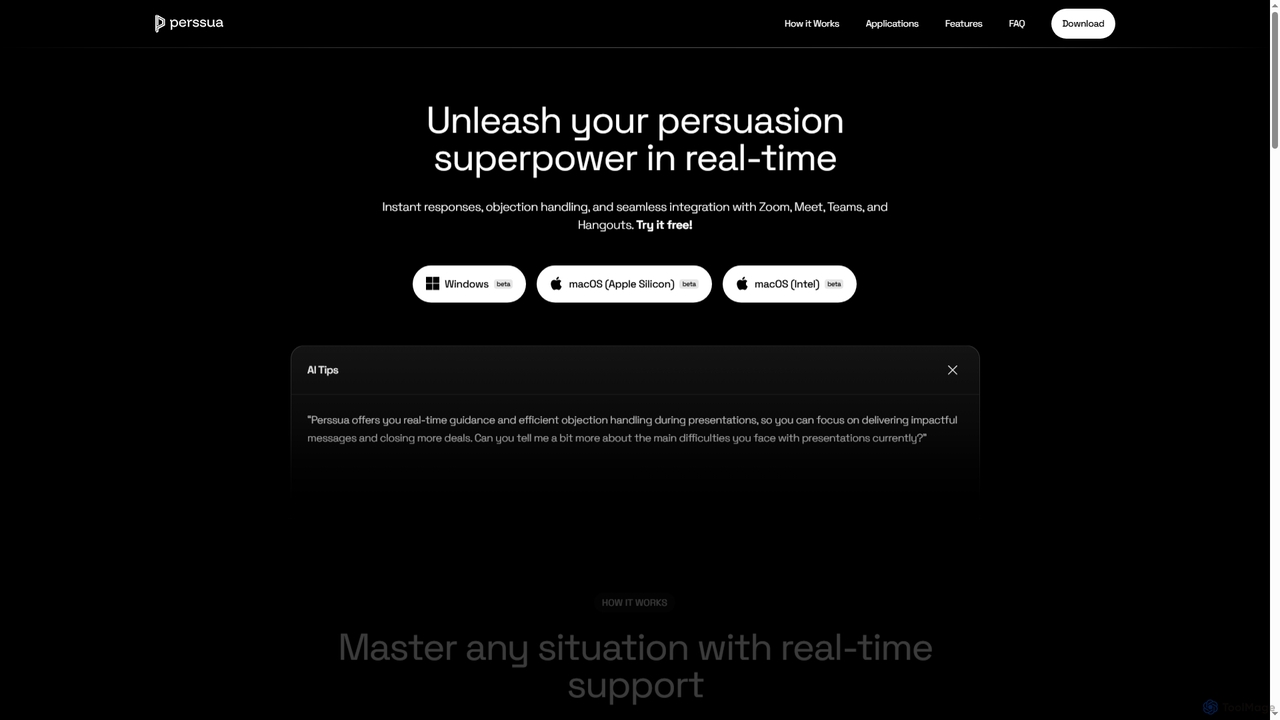
Perssua is an AI-powered real-time coach for virtual meetings and presentations. It provides live suggestions, arguments, and answers to handle objections, helping professionals speak with confidence and improve their performance on platforms like Zoom, Teams, and Google Meet.
About Presentation
AI Presentation tools are a class of software that automatically generates complete slide decks from a simple text prompt or document. They leverage large language models (LLMs) and design algorithms to create structured content, professional layouts, and relevant visuals. This enables users to produce compelling presentations in minutes, significantly reducing manual design and content structuring time. Many tools also offer advanced features like AI-powered editing, brand consistency enforcement, and interactive element integration.
Core Features
- Prompt-to-Deck Generation: Creates a full presentation with text and images from a single topic or command.
- Automated Slide Design: Intelligently selects appropriate layouts, fonts, color schemes, and imagery for each slide.
- AI Content Assistance: Helps rewrite, summarize, or expand text directly within the presentation slides.
- Visual Asset Integration: Automatically finds and inserts relevant stock photos, icons, and charts to enhance content.
- Branded Template Application: Generates presentations that consistently adhere to specific company branding guidelines.
Use Cases
These tools are ideal for business professionals creating sales pitches, marketers developing campaign reports, students preparing academic presentations, and consultants delivering client proposals. They streamline the process of transforming raw data and ideas into a clear, visually engaging narrative, making them a key asset in any communication workflow.
How to Choose
When selecting an AI Presentation tool, consider the quality of its design templates and the flexibility of its AI content generation. Evaluate its integration capabilities with data sources, collaboration features for teamwork, and available export options, such as PDF, PPTX, or Google Slides, to ensure it fits your workflow.

PresentationUse Cases
Rapid Sales Pitch Creation
A sales manager needs a custom pitch for a new client on short notice. Instead of spending hours designing slides, they input key information: the client's industry, pain points, and the proposed solution. The AI tool instantly generates a tailored 10-slide deck, complete with professional design, relevant industry imagery, and persuasive talking points. This reduces preparation time from over three hours to under 20 minutes, allowing the sales team to focus on strategy and delivery.
Automating Marketing Campaign Reports
A marketing specialist needs to present the results of a quarterly campaign to stakeholders. They upload a raw data summary or paste key metrics and takeaways into the AI tool. The AI structures this information into a logical narrative, generates charts and graphs to visualize performance data, and suggests headlines for each slide. The result is a data-driven, visually engaging report created in a fraction of the time, making it easier to communicate campaign ROI and insights effectively.
Drafting an Investor Pitch Deck
An entrepreneur needs to create a compelling pitch deck to secure funding. They provide the AI tool with a brief description of their business idea, target market, and revenue model. The AI generates a standard 12-slide investor deck structure, including slides for 'Problem,' 'Solution,' 'Market Size,' and 'Team.' It populates each slide with well-structured placeholder text and professional visuals, providing a strong foundation that the founder can then refine with specific data and their unique brand voice, saving days of initial structuring and design work.
Preparing Academic Lectures
A university professor needs to convert their detailed lecture notes into a visual presentation for students. They paste the text outline of the lecture into the AI tool. The AI intelligently segments the content into logical slides, suggests relevant academic diagrams or historical images, and formats everything into a clean, readable layout. This allows the professor to focus on the substance of the lecture rather than spending hours on slide formatting, ensuring a more engaging learning experience for students.
Developing Internal Training Materials
An HR manager is tasked with creating training materials for a new company-wide software. They provide the AI tool with a link to the software's documentation or a summary of its key features. The AI transforms this technical information into a step-by-step visual guide, creating slides with clear instructions, bullet points, and placeholders for screenshots. This accelerates the development of standardized training content, ensuring all employees receive consistent and easy-to-understand instructions.
Prototyping a Conference Talk
A professional speaker is preparing for a major conference. To quickly explore different narrative structures, they input several versions of their talk's outline into the AI presentation tool. The tool generates multiple presentation drafts, each with a different visual style and flow. This allows the speaker to rapidly prototype and visualize their ideas, helping them choose the most impactful structure and design direction before investing time in detailed content creation and rehearsal.