
ToolMage
Sign in

Best 1 Video Calling AI tools for Communication

Popular Video Calling AI tools in Communication include ibobi, helping you work more efficiently.

ibobi
Paid

ibobi

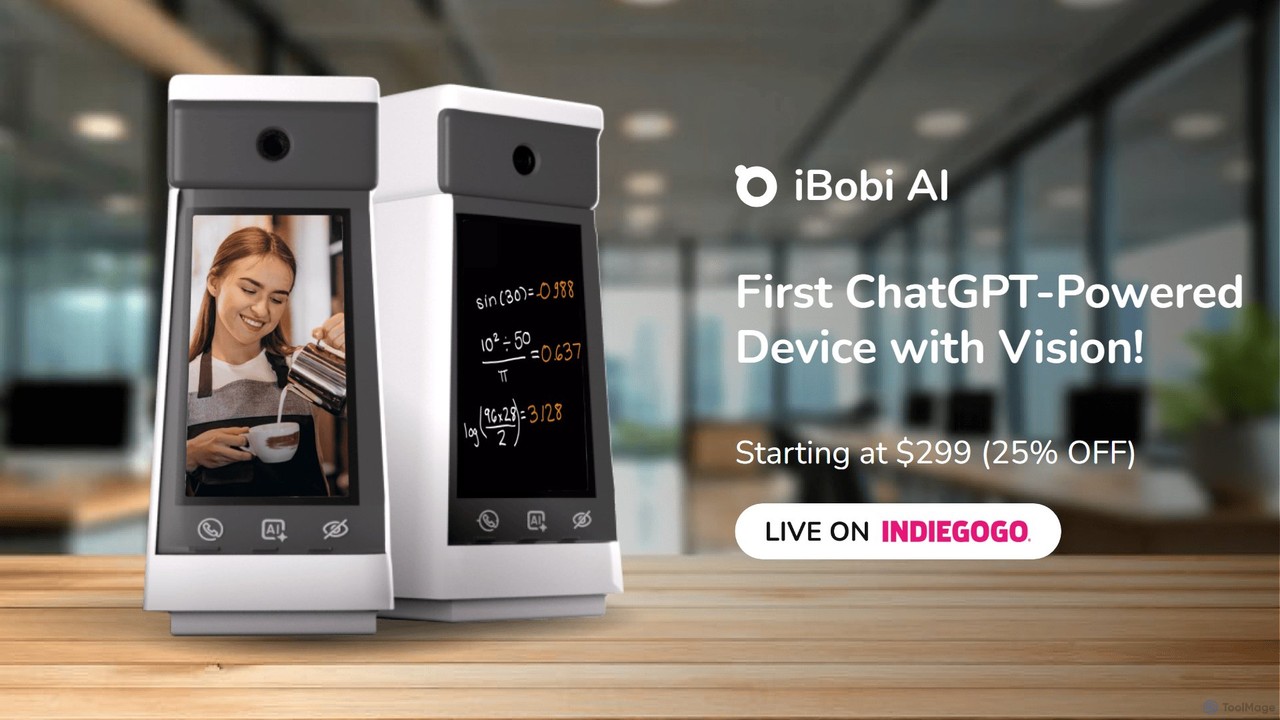
ibobi is the world's first video chatbot device powered by ChatGPT with vision. It functions as a personal assistant, private tutor, best friend, and home security monitor. Engage in real-time video conversations with an AI that sees and understands your environment, or make one-click video calls to loved ones. It's an all-in-one smart device for communication, education, companionship, and security.

Video Calling
Visits 4.3KFavorites 76Likes 100

About Video Calling

AI Video Calling tools are applications that use artificial intelligence to enhance real-time video communication. These platforms leverage technologies like natural language processing (NLP) and machine learning to offer advanced features beyond standard video streaming. They provide functionalities such as live transcription, real-time translation, and intelligent noise cancellation, significantly improving clarity and accessibility. This makes them highly valuable for global teams, remote collaboration, and any scenario requiring precise and efficient communication.

Core Features

  • Real-time Transcription & Translation: Automatically converts spoken words into text and translates them into different languages during the call.
  • Intelligent Noise Cancellation: Uses AI to identify and suppress background noises, isolating the speaker's voice for clearer audio.
  • Automated Meeting Summaries: Generates concise summaries, identifies key topics, and extracts action items after a meeting concludes.
  • Auto-Framing & Speaker Tracking: The camera automatically adjusts its zoom and position to keep the active speaker centered in the frame.
  • Gaze Correction: AI subtly adjusts the speaker's eyes to create the impression of direct eye contact with the camera, enhancing engagement.

Use Cases

AI Video Calling tools are widely used in international business for seamless cross-language negotiations. In remote education, they provide live captions and translations to support students with diverse needs. Telehealth services utilize these tools for automated consultation transcription, while distributed software teams rely on them for focused, productive daily stand-ups and sprint planning.

How to Choose

When selecting an AI Video Calling tool, evaluate the accuracy and range of its translation and transcription services. Consider its integration capabilities with your existing calendar, CRM, or project management software. Assess the platform's security protocols, especially for handling sensitive information. Finally, check the scalability and pricing model to ensure it aligns with your team's size and communication frequency.

Featured tool rankings

Video Calling use cases

1

Conducting Multilingual Business Negotiations

A global sales manager needs to finalize a contract with a potential client in Japan. Using an AI Video Calling tool, the manager can speak in English while the client sees real-time, accurate Japanese subtitles. The client's spoken Japanese is instantly translated back into English text for the manager. This eliminates the need for a human interpreter, reduces the risk of miscommunication, and accelerates the negotiation process, allowing both parties to communicate naturally and build rapport effectively.

2

Automating Documentation for Telehealth Consultations

A healthcare provider conducts remote patient consultations daily. An AI Video Calling platform with HIPAA compliance automatically transcribes the entire conversation. After the call, the AI generates a structured summary (SOAP note format) highlighting symptoms, diagnosis, and treatment plan. This saves the provider over 15 minutes of administrative work per consultation, reduces the risk of documentation errors, and allows them to focus entirely on the patient during the call.

3

Enhancing Accessibility in Online University Lectures

A university professor is delivering a live online lecture to a diverse group of international students. An AI Video Calling tool provides real-time captions in English for students who are hard of hearing. Simultaneously, it offers live translation of these captions into multiple languages like Spanish and Mandarin. This ensures all students, regardless of their native language or hearing ability, can fully comprehend the lecture material, fostering a more inclusive and effective learning environment.

4

Improving Focus in Remote Team Stand-ups

A distributed software development team holds daily stand-up meetings from their home offices. An AI Video Calling tool uses intelligent noise cancellation to eliminate distracting sounds like barking dogs or construction noise. The auto-framing feature keeps the person speaking centered, even if they move around. After the meeting, an AI-generated summary with action items is automatically posted to their Slack channel, ensuring everyone is aligned without needing to take manual notes.

5

Delivering Professional and Engaging Sales Demos

A sales representative is conducting a crucial product demo for a high-value prospect. They use an AI Video Calling tool with gaze correction, which makes it appear as though they are maintaining direct eye contact, building trust and engagement. The auto-framing feature ensures they always look professional and centered. The platform's high-definition video and crystal-clear audio, enhanced by AI, provide a premium experience that helps showcase the product in the best possible light, increasing the likelihood of closing the deal.

6

Creating Searchable Archives of Team Knowledge

A product management team regularly holds brainstorming and strategy sessions via video call. An AI tool records and transcribes every meeting. This creates a fully searchable digital archive. Six months later, when a new team member needs to understand the rationale behind a specific feature, they can simply search the archive for keywords like 'pricing strategy' or 'user feedback'. The AI can even pinpoint the exact moments in the video recordings where these topics were discussed, preserving institutional knowledge that would otherwise be lost.

Video Calling FAQ

What are AI Video Calling tools?

AI Video Calling tools are advanced communication platforms that use artificial intelligence to enhance the video call experience. Unlike traditional video chat, they offer intelligent features such as real-time translation of spoken language, automatic transcription of conversations, and AI-powered noise cancellation to ensure crystal-clear audio. They are designed to make communication more efficient, accessible, and productive, especially for professional and international collaboration.

How is AI Video Calling different from standard apps like Zoom or Google Meet?

While standard apps like Zoom and Google Meet are beginning to incorporate some AI features, dedicated AI Video Calling tools are built around these capabilities as their core offering. The key differences are often in the depth and quality of the AI functionalities. AI-native platforms typically offer more accurate real-time translation across more languages, more sophisticated noise cancellation that can isolate specific sounds, and more advanced automated summaries that can identify context and sentiment. Standard apps provide basic video communication, whereas AI tools aim to actively enhance and analyze the communication itself.

How do I choose the right AI Video Calling tool for my team?

To choose the right tool, first identify your primary need. Is it breaking language barriers, improving meeting documentation, or ensuring clear audio in noisy environments? Consider the following factors:

  • Core Features: Evaluate the accuracy of translation/transcription and the effectiveness of noise cancellation.
  • Integrations: Check if it connects with your existing workflow tools like Slack, Google Calendar, or Salesforce.
  • Security & Compliance: For sensitive industries like healthcare or finance, ensure the tool meets standards like HIPAA or GDPR.
  • User Experience: The tool should be intuitive and easy for all team members to adopt without extensive training.
  • Pricing: Compare plans based on the number of users, meeting minutes, and features required.
What are the key benefits of using AI in video calls?

Using AI in video calls offers several significant benefits that enhance communication. The primary advantages include:

  • Increased Accessibility: Real-time translation and live captioning break down language and hearing barriers, making meetings more inclusive.
  • Improved Productivity: Automated summaries and action item extraction save time on post-meeting administrative tasks and ensure key decisions are not missed.
  • Enhanced Clarity: Intelligent noise cancellation removes background distractions, allowing participants to focus on the conversation.
  • Better Engagement: Features like gaze correction and auto-framing help create a more professional and personal connection, which is crucial in remote settings.
  • Knowledge Management: Transcribed meetings create a searchable archive of conversations, preserving institutional knowledge.
Are AI Video Calling tools secure for confidential business meetings?

Security is a primary concern for reputable AI Video Calling providers. Most leading platforms employ end-to-end encryption to protect the video and audio streams from unauthorized access. For handling transcribed data and summaries, they often provide robust security measures, including data encryption at rest and in transit, access controls, and compliance with international privacy regulations like GDPR and CCPA. For industries with specific requirements, such as healthcare, it's crucial to choose a provider that explicitly states compliance with standards like HIPAA. Always review a provider's security policy and data handling practices before use.