
ToolMage
Sign in

Best 1 Video Generation AI tools for Content Generation

Popular Video Generation AI tools in Content Generation include AI Teaching Assistant Pro, helping you work more efficiently.

AI Teaching Assistant Pro
Freemium

AI Teaching Assistant Pro

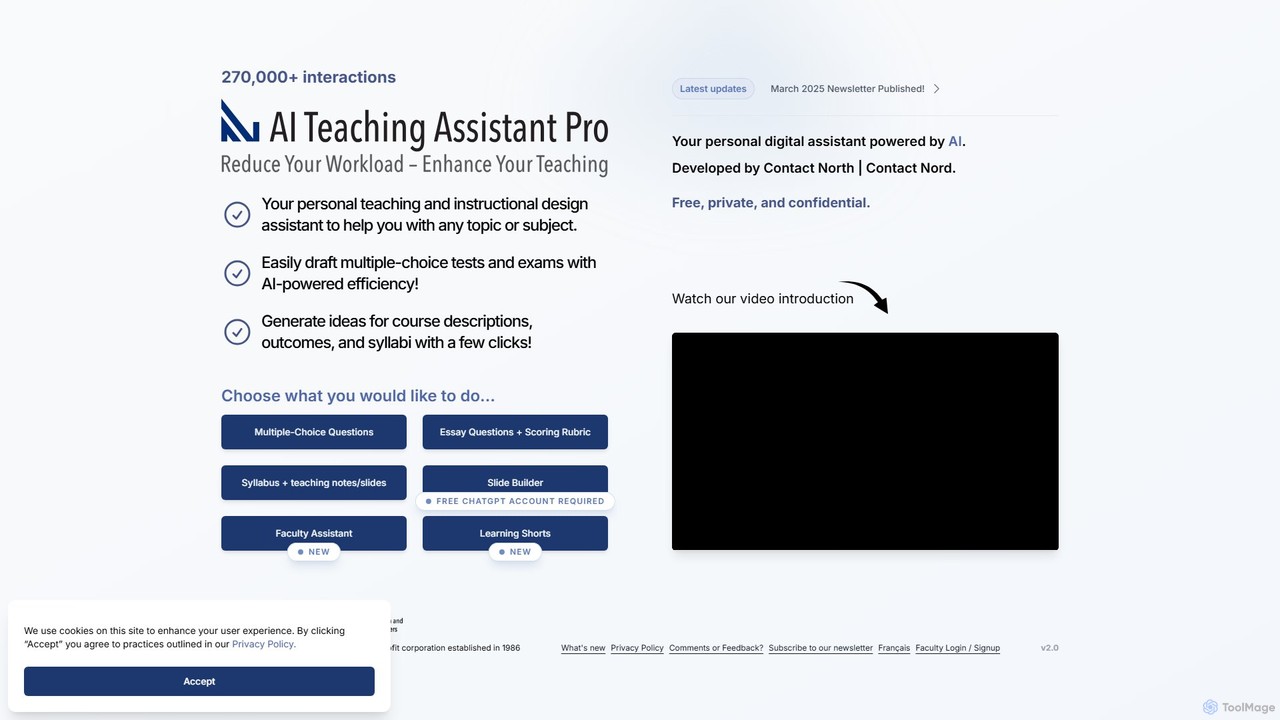
An AI-powered assistant for educators, developed by Contact North. It helps create multiple-choice questions, essay rubrics, syllabi, presentation slides, and short educational videos. It also allows instructors to upload their own materials for personalized student tutoring, saving time and enhancing the learning experience.

Video Generation
Visits 4.5KFavorites 135Likes 148

About Video Generation

Video Generation tools are a class of AI that automatically create new video content from text prompts, images, or scripts. These tools leverage advanced models like generative adversarial networks (GANs) and diffusion models to synthesize realistic or stylized video sequences. They enable users to produce engaging visual content for marketing, social media, and education without requiring traditional filming or complex animation skills. This technology significantly accelerates the content creation workflow, allowing for rapid prototyping and iteration of visual ideas.

Core Features

  • Text-to-Video Synthesis: Generates video clips directly from descriptive text prompts, translating written concepts into moving images.
  • Image-to-Video Animation: Transforms static images into dynamic videos by adding motion, effects, or camera movements.
  • AI Avatar Presenters: Creates realistic digital human avatars that speak a provided script, ideal for corporate training and explainer videos.
  • Style Customization: Allows users to define the visual style of the generated video, such as cinematic, anime, cartoon, or photorealistic.
  • Scene & Shot Generation: Breaks down a script or a long prompt into multiple scenes and shots, creating a more structured video narrative.

Use Cases

Video Generation tools are widely used by marketing teams to quickly create social media ads and promotional content. Content creators and YouTubers leverage them to produce unique B-roll footage or animate static content. In corporate settings, they are used for creating internal training materials and product demonstration videos, reducing production costs and time.

How to Choose

When selecting a Video Generation tool, consider the output quality, including resolution and realism. Evaluate the level of control over style, camera angles, and character consistency. Check the generation speed and the platform's pricing model (e.g., per-video credits or subscription). Also, review the usage rights and watermarking policies for the generated content to ensure they align with your needs.

Featured tool rankings

Video Generation use cases

1

Generate Short-Form Ads for Social Media

A marketing manager for an e-commerce brand needs to create a high volume of video ads for platforms like TikTok and Instagram Reels. Using a text-to-video tool, they input various promotional prompts like 'a dynamic video showcasing our new sneaker, futuristic style, upbeat music'. The AI generates multiple 15-second video variations in minutes. This allows the team to A/B test different visual concepts without expensive video shoots, increasing campaign agility and identifying the most effective ad creatives faster.

2

Create Animated Explainer Videos with AI Avatars

A corporate trainer is tasked with developing an onboarding module about company security policies. Instead of filming a presenter, they use an AI video generator. They upload a script, choose a professional-looking AI avatar, and select a branded background. The tool generates a high-quality video with the avatar speaking the script clearly, complete with synchronized lip movements. This process reduces production time from weeks to hours and makes it easy to update the content by simply editing the script and regenerating the video.

3

Animate Static Images for Engaging Content

A digital artist wants to bring their portfolio to life on social media. They use an image-to-video tool to animate their static illustrations. By uploading an image and selecting an animation style like 'subtle zoom' or 'flowing particles', they can transform a still picture into a captivating short video loop. This adds a dynamic element to their feed, increasing viewer engagement and watch time. It's an efficient way to repurpose existing visual assets into a new content format without needing animation software or skills.

4

Rapidly Prototype Film or Game Concepts

A film director or game designer has a specific scene in mind but needs to visualize it for their team. Instead of creating expensive storyboards or pre-visualizations, they use a text-to-video generator. They input a detailed prompt like 'a wide shot of a lone astronaut on a red desert planet, two moons in the sky, cinematic lighting'. The AI produces a short clip that serves as a visual proof-of-concept. This allows for quick creative exploration and helps align the entire team on the desired aesthetic and mood before committing significant resources to production.

5

Convert Blog Posts into Video Summaries

A content marketing agency wants to repurpose its popular blog articles for video-first platforms like YouTube. Manually creating videos for each article is time-consuming. They use an AI video generation tool that can ingest a blog post URL or text. The tool automatically identifies key points, selects relevant stock footage or generates new scenes, adds an AI-generated voiceover, and overlays text captions. This automates the conversion of written content into engaging video summaries, expanding the content's reach to a new audience with minimal additional effort.

6

Personalize Sales and Outreach Videos at Scale

A sales team wants to increase engagement rates for their cold outreach emails. Instead of sending generic text emails, they use an AI video tool with API access to create personalized videos. By connecting their CRM, they can automatically generate short videos for each prospect, featuring an AI avatar that says the prospect's name and company. For example: 'Hi John, I saw your work at Acme Corp and wanted to share...'. This level of personalization grabs attention and makes the outreach feel more human, leading to higher open rates and more booked meetings.

Video Generation FAQ

What is AI Video Generation?

AI Video Generation refers to tools that use artificial intelligence to create new video content from various inputs, primarily text or images. These tools analyze the input and synthesize corresponding moving images, often complete with motion and transitions. Unlike traditional video editors that modify existing footage, these tools generate visuals from scratch. They are commonly used for creating marketing ads, social media content, and explainer videos quickly and efficiently.

How to choose the right AI Video Generation tool?

When selecting an AI video generator, consider these factors:

  • Output Quality: Check the maximum resolution (e.g., 1080p, 4K), realism, and visual coherence of the generated videos.
  • Control and Customization: Evaluate how much control you have over camera movements, character consistency, and artistic style.
  • Input Types: Determine if the tool supports your needs, whether it's text-to-video, image-to-video, or script-based generation.
  • Speed and Cost: Compare generation times and pricing models. Some charge per video generated, while others offer monthly subscriptions.
  • Usage Rights: Verify the commercial usage rights and watermarking policy for the content you create.
What's the difference between AI Video Generation and traditional video editing software?

The key difference lies in content creation versus manipulation. AI Video Generation tools create new visual content from scratch based on prompts. Traditional video editing software (like Adobe Premiere Pro or Final Cut Pro) is used to manipulate, cut, and arrange existing video footage that has already been filmed. AI generators are for the initial creation phase, especially when no footage exists, while editors are for post-production and refining pre-recorded material.

What are the current limitations of AI Video Generation?

While rapidly improving, AI video generation has some limitations. Maintaining perfect consistency of characters or objects across multiple scenes can be challenging. Generating long, complex videos with a coherent narrative is still an area of active development. Sometimes, the generated motion can appear unnatural, or details like hands and faces may have minor artifacts. Additionally, high-resolution video generation requires significant computational power, which can affect speed and cost.

Who can benefit from using AI Video Generation tools?

A wide range of users can benefit from these tools. This includes:

  • Marketers: For quickly creating social media ads, product demos, and promotional content.
  • Content Creators: To generate unique B-roll, animate illustrations, or produce short-form videos without filming.
  • Educators and Trainers: For making engaging explainer videos and training modules with AI avatars.
  • Small Business Owners: To produce professional-looking video content affordably without hiring a production team.
  • Creative Professionals: For rapid prototyping of visual concepts in filmmaking, game design, and advertising.