ToolMage
Sign in

Best 1 Drawing Assistant for Creative Assistant

Popular Drawing Assistant in Creative Assistant include Etana, helping you work more efficiently.

Etana
Freemium

Etana

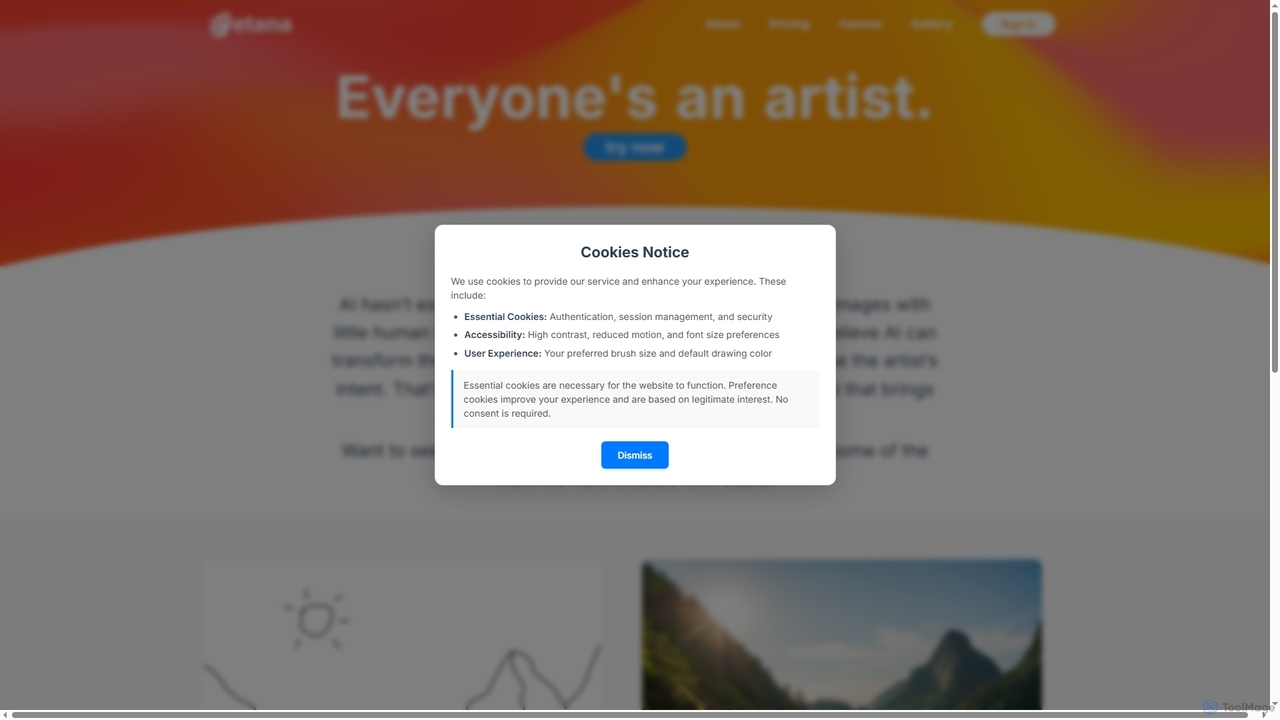
Etana is an AI-powered drawing and sketch tool designed to empower artists by prioritizing their creative intent. It transforms artistic visions into digital art more faithfully, ensuring the artist remains central to the creative process.

Digital Art
Visits 4.2KFavorites 138Likes 122

About Drawing Assistant

Drawing Assistant tools are AI-powered applications designed to enhance and streamline the artistic drawing process. These tools leverage advanced machine learning algorithms to assist artists with various tasks, from initial sketching and line art refinement to colorization and style application. They empower creators to accelerate their workflow, overcome creative blocks, and achieve professional-quality illustrations with greater ease and precision.

Core Features

  • Line Art Refinement: Automatically smooths jagged lines, corrects imperfections, and converts rough sketches into clean, crisp line art.
  • Smart Colorization: Suggests and applies color palettes based on context or user preferences, or automatically colors line art.
  • Pose & Anatomy Assistance: Generates diverse human or animal poses, provides anatomical guides, and helps with perspective.
  • Style Transfer: Applies the artistic style of one image to another, allowing for experimentation with different aesthetics.
  • Perspective Guides: Automatically generates accurate perspective grids and guides to aid in complex scene composition.

Use Cases

Drawing Assistant tools are invaluable for digital artists, illustrators, concept artists, and comic creators. They are used in pre-production for rapid ideation and concept art generation, during production for efficient inking and coloring, and for refining existing artworks. These tools help reduce repetitive manual tasks, allowing artists to focus more on creative expression.

How to Choose

When selecting a Drawing Assistant, consider its specific feature set (e.g., line art, color, pose), compatibility with your existing drawing software and hardware, the intuitiveness of its user interface, and its pricing model. Evaluate the quality of its AI output for your particular artistic style and workflow needs, and check for community support or tutorials.

Featured tool rankings

Drawing Assistant use cases

1

Rapid Concept Art Generation

Concept artists can use drawing assistant tools to quickly generate multiple variations of character poses, environmental layouts, or object designs. By inputting basic parameters or rough sketches, the AI can provide diverse visual ideas, significantly accelerating the initial ideation phase and allowing for more creative exploration before committing to a final design.

2

Automated Line Art Cleaning

Illustrators and comic artists often spend considerable time cleaning up rough pencil sketches into polished line art. Drawing assistant tools can automate this process, transforming messy initial drawings into smooth, consistent, and ready-to-color outlines, saving hours of manual tracing and refinement, and ensuring a professional finish.

3

Intelligent Color Palette Application

Digital painters can utilize drawing assistants to experiment with and apply color schemes efficiently. The AI can analyze line art or existing images to suggest harmonious color palettes, or automatically fill in colors while respecting line boundaries, enabling artists to quickly test different moods and lighting without manual coloring each time.

4

Dynamic Pose and Anatomy Reference

Character designers and animators frequently struggle with accurate human or animal anatomy and dynamic poses. Drawing assistant tools can generate custom poses from simple descriptions or manipulate 3D models, providing precise anatomical references and perspective guides, which helps artists create more believable and expressive figures.

5

Art Style Experimentation and Transfer

Artists looking to explore new aesthetics or apply a consistent style across a series can use drawing assistants for style transfer. By feeding the AI a reference artwork, it can apply that unique artistic style—be it impressionistic, comic book, or watercolor—to new drawings, fostering creative experimentation and maintaining visual coherence.

6

Perspective Correction for Architectural Drawings

Architects and environment artists can leverage drawing assistants to ensure accurate perspective in their designs. These tools can automatically generate complex perspective grids or correct distorted elements in a drawing, simplifying the creation of realistic architectural scenes and urban landscapes, and reducing the need for tedious manual measurements.

Drawing Assistant FAQ

What are Drawing Assistant tools?

Drawing Assistant tools are AI-powered applications designed to help artists and designers enhance and streamline their drawing process. They utilize machine learning to automate repetitive tasks, provide creative suggestions, and refine visual elements, acting as a digital co-creator rather than a replacement for human artistic skill.

How do Drawing Assistant tools differ from AI Image Generators?

Drawing Assistant tools primarily assist in the creation of drawings by refining existing sketches, suggesting elements, or automating specific steps like coloring or perspective. In contrast, AI Image Generators create entirely new images from text prompts or basic inputs, often without requiring an initial drawing from the user. Drawing assistants augment human drawing, while image generators create autonomously.

What are the key benefits of using a Drawing Assistant?

The main benefits include significant time savings on repetitive tasks like line cleaning and coloring, overcoming creative blocks through AI suggestions for poses or styles, improving drawing accuracy with perspective and anatomy guides, and enabling artists to experiment more freely with different aesthetics. They enhance efficiency and expand creative possibilities.

Who can benefit most from using Drawing Assistant tools?

Digital artists, illustrators, concept artists, comic book creators, animators, and graphic designers can all greatly benefit. These tools are particularly useful for professionals who need to produce high volumes of artwork, students learning complex drawing techniques, or hobbyists looking to improve their skills and accelerate their creative projects.

What features should I look for when choosing a Drawing Assistant?

When choosing, prioritize features relevant to your workflow, such as advanced line art refinement, intelligent colorization, robust pose generation, or effective style transfer. Also consider compatibility with your existing software (e.g., Photoshop, Clip Studio Paint), ease of use, the quality of its AI output, and the availability of tutorials or community support.