ToolMage
Sign in

Best 1 Storyboarding AI tools for Creative Assistant

Popular Storyboarding AI tools in Creative Assistant include Storiara, helping you work more efficiently.

Storiara
Freemium

Storiara

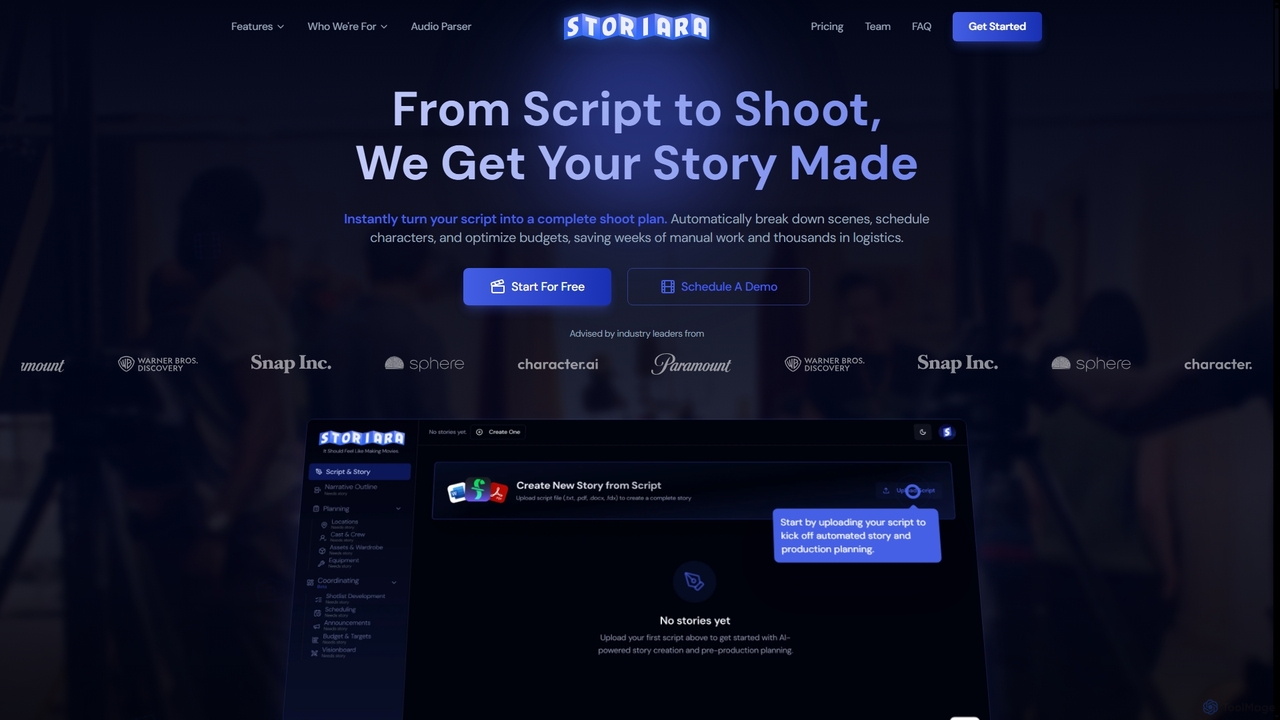
Storiara is an AI-powered production platform that transforms scripts into complete shoot plans, automating pre-production tasks like scheduling, budgeting, storyboarding, and call sheet generation. It helps filmmakers save weeks of manual work and thousands in logistics, getting stories made faster and more efficiently.

Cost Management
Visits 6.4KFavorites 133Likes 124

About Storyboarding

AI Storyboarding tools are specialized platforms within the creative assistant category that leverage artificial intelligence to streamline the pre-visualization process for various media projects. These tools analyze scripts, concepts, or text prompts to generate visual sequences, character designs, and scene layouts, significantly accelerating the initial stages of content creation. They empower filmmakers, marketers, and game developers to quickly translate ideas into coherent visual narratives, enhancing collaboration and reducing production time. This technology transforms abstract concepts into tangible visual blueprints, making complex storytelling more accessible and efficient.

Core Features

  • Script-to-Visuals: Automatically generates visual panels and scene suggestions directly from written scripts or text descriptions.
  • Character & Environment Design: Assists in creating consistent character models, expressions, and detailed environmental backdrops.
  • Shot Planning & Camera Angles: Offers suggestions for camera movements, angles, and shot compositions to enhance narrative flow.
  • Style & Mood Adaptation: Adapts visual styles, lighting, and color palettes to match the desired mood and aesthetic of the project.
  • Real-time Collaboration: Enables multiple team members to work on and review storyboards simultaneously, providing instant feedback.

Applicable Scenarios

AI Storyboarding tools are invaluable for professionals in film, animation, advertising, and game development. Filmmakers use them to visualize complex scenes and plan camera work before shooting. Marketing teams leverage them to quickly prototype visual narratives for ad campaigns and presentations. Game designers utilize these tools to map out game flows and character interactions, ensuring a cohesive player experience.

How to Choose

When selecting an AI Storyboarding tool, consider its AI generation quality and customization options for visuals, characters, and environments. Evaluate its integration capabilities with existing creative software and collaboration features for team projects. Look for intuitive interfaces, diverse export formats (e.g., PDF, video), and the ability to adapt to various artistic styles to meet your specific project needs and workflow.

Storyboarding use cases

1

Film Pre-production Visuals

Filmmakers and directors can use AI storyboarding tools to rapidly generate visual sequences from screenplays. By inputting script dialogue and scene descriptions, the AI creates detailed panels, suggesting camera angles, character blocking, and lighting. This allows for quick iteration on visual concepts, efficient planning of complex shots, and clear communication with the crew, significantly streamlining the pre-production phase and saving valuable time and resources.

2

Advertising Campaign Visual Planning

Marketing agencies and brand strategists can leverage AI storyboarding to visualize advertising campaigns. By providing campaign objectives, target audience, and key messages, the AI generates various visual narratives for commercials, social media ads, or print campaigns. This enables rapid prototyping of different creative concepts, testing emotional impact, and presenting compelling visual pitches to clients, ensuring alignment before costly production begins and improving campaign effectiveness.

3

Game Development Scene Flow

Game designers and developers can utilize AI storyboarding to map out game flows, cutscenes, and character interactions. By describing game mechanics, narrative beats, and player choices, the AI helps generate visual sequences that illustrate the player's journey and key moments. This aids in identifying potential gameplay issues, refining narrative pacing, and ensuring a cohesive and engaging player experience from concept to implementation, reducing development time and costs.

4

Educational Content Visualization

Educators and instructional designers can employ AI storyboarding to create engaging visual aids for learning materials. By inputting lesson plans, complex concepts, or historical events, the AI generates illustrative storyboards that break down information into easily digestible visual steps. This enhances comprehension, retention, and engagement for students across various subjects, making abstract topics more concrete and accessible, thereby improving the overall learning experience.

5

Pitch Deck & Presentation Storytelling

Entrepreneurs and business professionals can utilize AI storyboarding to create compelling visual narratives for pitch decks and business presentations. By outlining key business points, market analysis, and product features, the AI helps generate a cohesive visual flow that enhances storytelling. This ensures that complex information is conveyed clearly and memorably, capturing investor attention and stakeholder interest, ultimately increasing the chances of securing funding or gaining approval for projects.

6

Interactive Media & UX Prototyping

UX/UI designers and interactive media creators can employ AI storyboarding to prototype user journeys and interactive experiences. By describing user actions, system responses, and interface elements, the AI generates visual sequences that illustrate the flow of an application or website. This helps in identifying usability issues early, refining user paths, and presenting dynamic user experiences to stakeholders, ensuring a more intuitive and engaging final product before extensive development.

Storyboarding FAQ

What are AI Storyboarding tools?

AI Storyboarding tools are software applications that use artificial intelligence to assist in creating visual narratives or storyboards. They can automatically generate visual panels, character designs, and scene layouts based on text inputs like scripts or descriptions. These tools aim to streamline the pre-visualization process for various media projects, making it faster and more efficient to translate ideas into a visual format.

How do AI Storyboarding tools differ from traditional methods?

AI Storyboarding tools differ from traditional, manual methods primarily in speed, iteration capability, and consistency. Traditional storyboarding relies on artists drawing each panel, which is time-consuming and can be costly. AI tools, conversely, can generate multiple visual variations rapidly from text, allowing for quick experimentation and feedback cycles. While AI may offer less granular artistic control than a human artist, it excels in accelerating the initial conceptualization and pre-visualization phases, making it ideal for rapid prototyping and large-scale projects.

What are the key features to look for in an AI Storyboarding tool?

When choosing an AI Storyboarding tool, prioritize features like robust script-to-visual generation, offering accurate and contextually relevant scene suggestions. Look for extensive customization options for characters, environments, and visual styles to match your project's aesthetic. Collaboration features, such as real-time editing and commenting, are crucial for team projects. Additionally, consider the variety of export formats (e.g., PDF, image sequences, video) and integration capabilities with other creative software in your workflow.

Who can benefit most from using AI Storyboarding tools?

AI Storyboarding tools are highly beneficial for a wide range of creative professionals. Filmmakers, animators, and video producers can accelerate their pre-production. Marketing and advertising teams can quickly visualize campaign concepts. Game developers can map out game narratives and cutscenes. Educators can create engaging visual aids for lessons. Essentially, anyone involved in visual storytelling or content creation who needs to rapidly conceptualize and communicate ideas through sequential visuals will find these tools invaluable for efficiency and creative exploration.

Can AI Storyboarding tools help with character consistency?

Yes, AI Storyboarding tools can significantly aid in maintaining character consistency across different panels and scenes. By defining character traits, appearances, and expressions once, the AI can generate visuals that adhere to these specifications throughout the storyboard. This is particularly useful in animation and film production, where consistent character design is crucial. Some advanced tools even allow for style transfer, ensuring that characters maintain a uniform look and feel even when placed in varied environments or depicted with different emotions.