ToolMage
Sign in

Best 1 Visual Design AI tools for Creative Assistant

Popular Visual Design AI tools in Creative Assistant include Cogniwerk, helping you work more efficiently.

Cogniwerk
Freemium

Cogniwerk

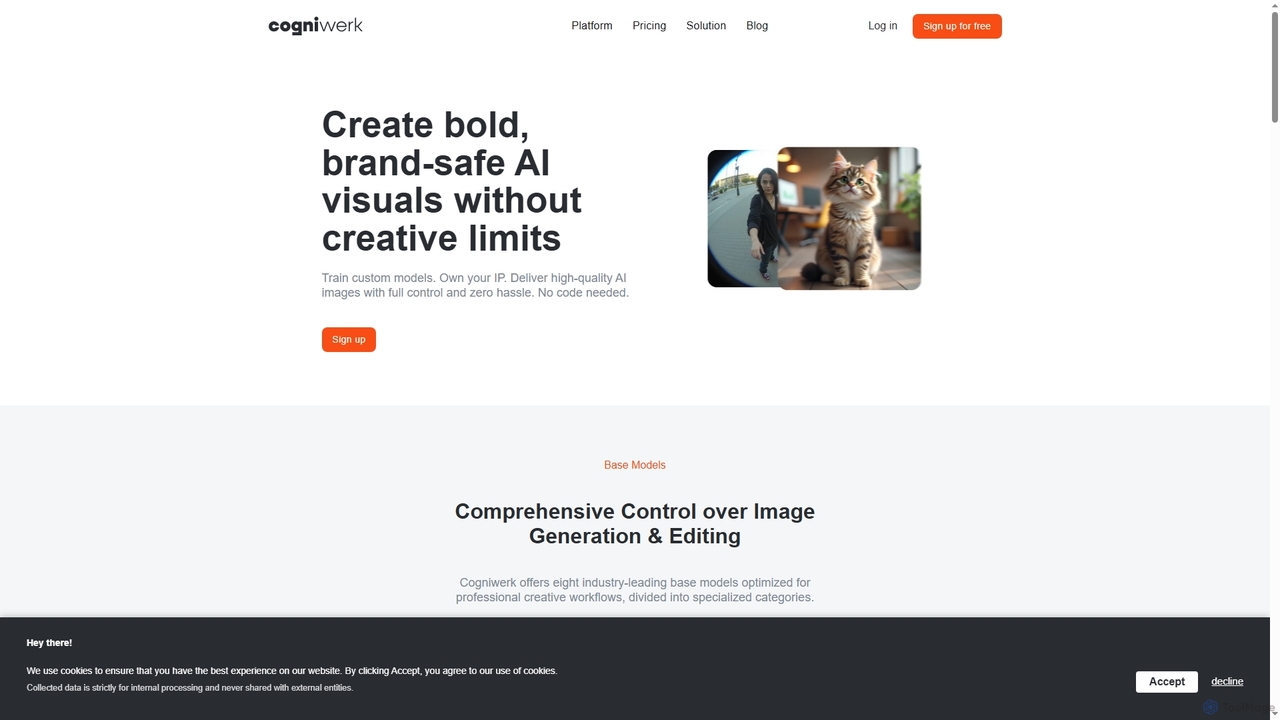
Cogniwerk is a comprehensive European AI platform designed for creative professionals, offering advanced tools for high-quality image and video generation, custom model training, and sophisticated prompting. It emphasizes compliance with GDPR and EU AI Act readiness, providing creators with full ownership and creative freedom for their digital assets.

Visual Design
Visits 7.8KFavorites 119Likes 134

About Visual Design

Visual Design AI tools are a specialized category within creative assistants that leverage artificial intelligence to automate, enhance, and generate visual content. These tools utilize advanced algorithms like generative adversarial networks (GANs) and diffusion models to transform text prompts, existing images, or data into stunning graphics, illustrations, and designs. They empower designers, marketers, and content creators to accelerate their workflow, explore diverse creative options, and produce high-quality visual assets with unprecedented speed and efficiency.

Core Features

  • AI Image Generation: Create unique images, illustrations, and concept art from text descriptions or reference images.
  • Style Transfer & Enhancement: Apply artistic styles, upscale resolution, or improve image quality automatically.
  • Background Removal & Editing: Precisely remove or replace image backgrounds and manipulate objects within scenes.
  • Layout & Template Design: Generate design layouts, social media posts, or marketing materials based on content and brand guidelines.
  • Vector Graphic Creation: Convert raster images to vector or generate scalable vector assets for various uses.

Applicable Scenarios

AI visual design tools are indispensable for marketing teams needing to produce a high volume of ad creatives, e-commerce businesses requiring consistent product imagery, and UI/UX designers prototyping new interfaces. They also serve content creators looking to quickly generate unique visuals for blogs, social media, and presentations, significantly reducing manual design effort and accelerating content pipelines.

How to Choose

When selecting an AI visual design tool, consider the quality and fidelity of its output, the level of customization and control it offers over generated content, and its integration capabilities with existing design software. Evaluate the range of features, such as specific image generation models or editing functionalities, and assess the pricing structure and licensing terms for commercial use to ensure it aligns with your project requirements and budget.

Featured tool rankings

Visual Design use cases

1

Generating Marketing Campaign Visuals

Marketing teams can rapidly create a multitude of diverse ad creatives, social media graphics, and promotional banners. By inputting brief text descriptions or brand guidelines, AI visual design tools generate various visual concepts, allowing marketers to quickly test different aesthetics and messages, significantly accelerating campaign launch times and reducing design costs.

2

Generating Marketing Ad Creatives

A marketing specialist needs to create dozens of ad variations for an upcoming campaign across different platforms. Using a Visual Design AI tool, they input product details, target audience, and brand guidelines. The AI generates multiple unique banner ads, social media posts, and video thumbnails with varied layouts, color schemes, and imagery, allowing the specialist to quickly test and optimize campaign performance without extensive manual design work.

3

Automated Product Photography Enhancement

E-commerce businesses utilize these tools to automate the tedious process of product image editing. They can instantly remove backgrounds, adjust lighting, correct colors, and even generate lifestyle shots from simple product photos, ensuring consistent, high-quality visuals across their entire catalog and enhancing customer appeal.

4

Automating Product Image Optimization for E-commerce

An e-commerce manager has hundreds of product photos requiring consistent backgrounds, lighting adjustments, and aspect ratios for their online store. They upload the raw images to an AI Visual Design tool, which automatically removes backgrounds, standardizes lighting, and crops images to fit specific platform requirements. This process significantly reduces the time and cost associated with manual photo editing, ensuring a professional and uniform product catalog.

5

UI/UX Design Prototyping and Iteration

UI/UX designers leverage AI visual design tools to quickly generate wireframes, mockups, and visual design concepts. By providing basic layout ideas or style preferences, designers can rapidly iterate on different interface designs, test various color palettes and typography, and visualize user flows, streamlining the early stages of product development.

6

Rapid Prototyping for UI/UX Design

A UI/UX designer needs to quickly visualize different interface concepts for a new application feature. By providing basic wireframes or text descriptions to an AI Visual Design tool, they can generate high-fidelity mockups and design variations in minutes. This allows for faster iteration, stakeholder feedback, and exploration of diverse design directions early in the development cycle, accelerating the overall design process.

7

Creating Unique Illustrations for Content Creation

A content creator or blogger requires custom illustrations for articles, blog posts, and social media without hiring a dedicated artist. They use an AI Visual Design tool to generate unique graphics by describing the desired theme, style, and elements. The AI produces various illustrations that match the content's tone and message, enhancing visual engagement and brand identity across their platforms efficiently.

8

Social Media Content Creation

Content creators and social media managers can generate unique and engaging graphics, illustrations, and short animations for their daily posts. These tools help overcome creative blocks by offering diverse visual ideas based on trending topics or specific themes, enabling a consistent and visually appealing online presence without extensive graphic design skills.

9

Personalized Brand Asset Generation

Businesses can create personalized variations of brand assets, such as icons, logos, or illustrations, tailored for specific campaigns or target audiences. AI tools ensure brand consistency while allowing for creative flexibility, generating numerous options that adhere to brand guidelines but offer unique visual interpretations, enhancing brand adaptability.

10

Personalizing Visuals for Email Marketing Campaigns

An email marketer aims to send personalized newsletters with tailored visuals to different customer segments. With a Visual Design AI tool, they can automatically generate unique header images or product showcases for each segment based on their preferences or past interactions. This level of personalization increases engagement rates and makes email content more relevant and appealing to individual recipients.

11

Concept Art and Illustration for Games/Media

Artists and game developers use AI visual design tools to generate initial concept art, character designs, environment sketches, and mood boards. By inputting textual descriptions or rough sketches, they can quickly explore a wide range of visual styles and ideas, accelerating the pre-production phase and providing a rich foundation for further artistic development.

12

Developing Game Asset Concepts

A game developer or concept artist needs to quickly explore various visual styles and assets for new characters, environments, or items. By inputting textual descriptions or rough sketches into an AI Visual Design tool, they can generate a wide array of concept art and asset variations. This accelerates the ideation phase, providing a rich pool of visual ideas for further refinement and development, saving significant time in early-stage design.

Visual Design FAQ

What are Visual Design AI tools?

Visual Design AI tools are software applications that use artificial intelligence, such as machine learning and generative AI, to assist in or automate various aspects of visual content creation. They can generate images from text, enhance photos, remove backgrounds, create layouts, and suggest design elements, significantly streamlining the design workflow for professionals and casual users alike.

What are AI Visual Design tools?

AI Visual Design tools are software applications that use artificial intelligence, primarily generative AI and machine learning, to assist in the creation, enhancement, and automation of visual content. They can generate images from text, modify existing graphics, remove backgrounds, apply artistic styles, and automate various design tasks, making visual creation faster and more accessible.

How do Visual Design AI tools differ from traditional design software?

Traditional design software (e.g., Photoshop, Illustrator) provides manual control over every design element, requiring significant user skill and time. Visual Design AI tools, conversely, leverage AI to automate complex tasks, generate content autonomously, or provide intelligent suggestions. While traditional tools offer precise control, AI tools excel in speed, scalability, and generating novel ideas, often requiring less technical design expertise.

How do AI Visual Design tools differ from traditional design software?

The primary difference lies in automation and generative capabilities. Traditional software (e.g., Photoshop, Illustrator) requires manual input and precise control from the user. AI tools, conversely, can generate entirely new visuals or perform complex edits with minimal input, often based on prompts or learned patterns, significantly speeding up the initial creation and iteration phases.

What are the main benefits of using AI in visual design?

The primary benefits include increased efficiency by automating repetitive tasks like background removal or resizing, accelerated content creation through AI image generation, and enhanced creativity by providing new design ideas and variations. AI tools also help maintain brand consistency, reduce design costs, and make professional-quality visual content more accessible to non-designers.

What are the main benefits of using AI in visual design?

The key benefits include unprecedented speed in content creation, the ability to generate a high volume of diverse visual options, and overcoming creative blocks by providing fresh ideas. AI tools also democratize design by enabling users without extensive graphic design skills to produce professional-quality visuals, leading to increased efficiency and cost savings.

What should I consider when choosing an AI Visual Design tool?

When selecting a tool, evaluate the quality and style of its output, ensuring it aligns with your aesthetic needs. Consider the range of features (e.g., text-to-image, image editing, vector generation), ease of use, and integration with your existing workflow. Also, assess the pricing model, licensing terms for commercial use, and the community support available.

Who can benefit most from Visual Design AI tools?

A wide range of professionals can benefit, including graphic designers looking to automate routine tasks and explore new concepts, marketing teams needing to generate diverse ad creatives quickly, e-commerce businesses optimizing product images, and content creators requiring unique visuals for blogs and social media. UI/UX designers also use them for rapid prototyping and concept iteration.

Can AI Visual Design tools generate unique and original artwork?

Yes, AI visual design tools are capable of generating unique images and designs that have not existed before, based on the input prompts and the models they are trained on. While they learn from vast datasets, the combination and interpretation of elements often result in novel outputs. However, the concept of "originality" can be complex, and human oversight remains crucial for ethical considerations and ensuring true creative intent.

What should I consider when choosing a Visual Design AI tool for my business?

Key considerations include the specific design tasks you need to automate or enhance (e.g., image generation, photo editing, layout design), the quality and style of AI-generated output, ease of integration with your existing design ecosystem, and the level of customization offered. Also, evaluate the pricing model, user-friendliness, and the tool's ability to scale with your business needs.