ToolMage
Sign in

Best 1 Converter AI tools for Data Management

Popular Converter AI tools in Data Management include Text-2-ICS, helping you work more efficiently.

Text-2-ICS
Freemium

Text-2-ICS

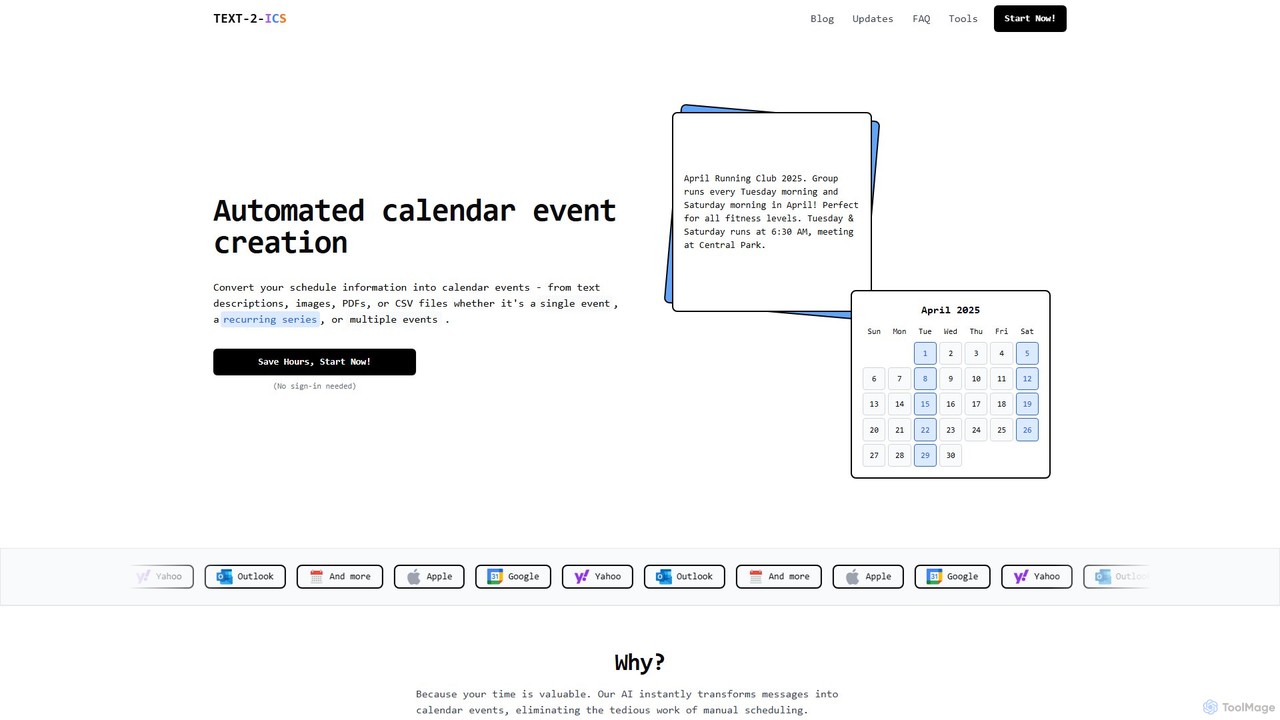
An AI-powered tool that instantly converts text, images, PDFs, and CSV files into calendar events (.ics files). It uses natural language processing to automatically extract event details, saving you from tedious manual scheduling. Supports single, recurring, and multiple events.

Converter
Visits 18.2KFavorites 151Likes 131

About Converter

AI Converters are specialized tools designed to automate the transformation of data from one format, structure, or system to another. Leveraging machine learning, these tools can intelligently parse complex data, recognize patterns, and map fields between disparate schemas, a key function within data management. They significantly reduce the manual effort required for data migration, integration, and interoperability tasks. Unlike simple format changers, AI Converters can handle unstructured data, infer relationships, and validate outputs for greater accuracy.

Core Features

  • Intelligent Format Recognition: Automatically detects the input file format and structure, such as JSON, XML, CSV, or PDF.
  • Automated Schema Mapping: Suggests or automatically creates mappings between source and target data structures, even with complex nesting.
  • Content-Aware Transformation: Modifies data content during conversion, such as standardizing date formats, extracting entities, or translating values.
  • Batch Processing: Converts large volumes of files or data records in a single, automated operation.
  • Data Validation & Error Handling: Checks the converted data for integrity and consistency, flagging or correcting errors automatically.

Use Cases

AI Converters are widely used by data engineers, developers, and business analysts. They are essential in scenarios like migrating legacy systems to cloud platforms, integrating third-party APIs with different data schemas, or converting unstructured documents like invoices and reports into structured formats for analysis.

How to Choose

When selecting an AI Converter, consider the range of supported input and output formats. Evaluate the sophistication of its mapping and transformation logic capabilities. For enterprise use, check for API access for automation, robust security protocols for sensitive data, and its ability to scale with large datasets.

Featured tool rankings

Converter use cases

1

Migrating Legacy System Data to the Cloud

An IT specialist is tasked with migrating customer data from an on-premise legacy database, which exports data as complex XML files, to a modern cloud-based CRM that requires JSON format. Instead of writing complex custom scripts, the specialist uses an AI Converter. The tool automatically analyzes the XML schema, suggests accurate field mappings to the JSON structure, and handles data type conversions (e.g., string dates to ISO 8601 format). This process reduces migration time from weeks to days and minimizes data loss risk.

2

Extracting Data from PDF Invoices for Accounting

An accounting clerk needs to process hundreds of PDF invoices from various suppliers each month. Manually entering data like invoice number, date, amount, and line items into accounting software is tedious and error-prone. By using an AI Converter with OCR capabilities, the clerk can batch-upload all PDF files. The AI identifies and extracts the key data points from each invoice, regardless of its layout, and converts them into a structured CSV file. This file can then be directly imported into the accounting system, saving over 80% of manual data entry time.

3

Automating API Payload Transformation

A developer is integrating a new third-party logistics service with their e-commerce platform. The platform's API sends order data in a specific JSON format, but the logistics service's API expects data in an XML format with a different structure. The developer uses an AI Converter as a middleware service. They define the mapping rules once, and the converter automatically intercepts API calls, transforms the JSON payload to the required XML format in real-time, and forwards it. This decouples the systems and avoids writing and maintaining brittle, custom transformation code.

4

Converting Research Data for Cross-Disciplinary Analysis

A data scientist in a biomedical research institute needs to combine datasets from different departments. One dataset is in CSV format from a clinical trial, while another is in a specialized hierarchical data format (HDF5) from genetic sequencing. Using an AI Converter, the scientist can define rules to flatten the HDF5 structure and map it to corresponding fields in the CSV. The tool intelligently handles large numerical arrays and complex metadata, merging them into a unified format suitable for analysis in tools like R or Python, accelerating the pace of research.

5

Batch Converting Media Files for a Website

A web content manager needs to upload a gallery of 500 images provided by a photographer in a high-resolution TIFF format. To optimize website loading speed, these images must be converted to a web-friendly format like WebP, resized, and compressed. The manager uses an AI Converter that supports image processing. They set up a conversion profile once (output to WebP, max-width 1200px, 80% quality) and then drag-and-drop the entire folder of TIFF files. The tool processes all images in the background, applying the transformations consistently and saving hours of manual work in photo editing software.

6

Standardizing IoT Sensor Data for Analytics Platforms

An IoT solutions architect is collecting data from thousands of sensors from different manufacturers. Each sensor type sends data in a unique binary or text format. To feed this data into a central analytics platform, it must be standardized into a common JSON structure. The architect deploys an AI Converter at the data ingestion gateway. The tool is configured to recognize data from different sensor models, parse their unique formats, extract key metrics (like temperature, pressure), and transform them into a standardized JSON object with consistent naming conventions and units, enabling real-time monitoring and analysis.

Converter FAQ

What is an AI Converter?

An AI Converter is a tool that uses artificial intelligence to automate the transformation of data from one format or structure to another. Unlike traditional converters that perform simple, rule-based changes, AI Converters can handle complex tasks like mapping fields between different schemas, extracting structured information from unstructured documents (like PDFs), and validating data integrity during the conversion process. They are crucial for data migration, system integration, and data preparation workflows.

How is an AI Converter different from a standard file converter?

The key difference lies in intelligence and complexity. A standard converter performs a direct, one-to-one format change (e.g., JPG to PNG, DOCX to PDF) without altering the internal structure or content logic. An AI Converter goes further by:

  • Understanding Structure: It can parse and map complex, nested data structures like XML to JSON.
  • Extracting Content: It can read unstructured files (like invoices) and extract specific data points.
  • Applying Logic: It can perform conditional transformations, validate data, and standardize values based on context.

In essence, a standard converter changes the container, while an AI Converter transforms both the container and the content within it intelligently.

How do I choose the right AI Converter?

Selecting the right AI Converter depends on your specific needs. Consider these factors:

  • Supported Formats: Ensure it supports your required input and output formats, whether they are structured (JSON, XML), unstructured (PDF, DOCX), or multimedia (MP4, MP3).
  • Transformation Complexity: Assess if the tool can handle the complexity of your data. Do you need simple field mapping, or complex logic, data extraction, and validation?
  • Integration & Automation: If you need to automate workflows, look for tools with robust API access, webhooks, or integrations with other platforms.
  • Scalability and Performance: For large datasets or real-time processing, evaluate the tool's performance, batch processing capabilities, and ability to scale.
  • Security: If you handle sensitive information, verify the tool's security measures, data privacy policies, and compliance certifications.
What types of data can AI Converters handle?

AI Converters are versatile and can typically handle a wide range of data types, which can be broadly categorized as:

  • Structured Data: Files with a clear, predefined schema, such as CSV, JSON, XML, and database tables. AI helps in mapping between different structures.
  • Unstructured Data: Files without a predefined data model, such as PDF documents, Word files, text files, and images. AI is used here for OCR and entity extraction to create structured output.
  • Semi-Structured Data: Data that doesn't conform to a formal data model but contains tags or markers to separate semantic elements, like HTML or some log files.
  • Multimedia Files: Many converters also handle media formats, allowing for transcoding between video (e.g., AVI to MP4), audio (e.g., WAV to MP3), and image (e.g., TIFF to JPEG) formats, often with AI-powered optimization suggestions.
Are AI Converters secure for sensitive data?

Security is a critical consideration for any data tool. Reputable AI Converters implement various security measures to protect sensitive data. When choosing a tool, look for features like end-to-end encryption for data in transit and at rest, compliance with data protection regulations (such as GDPR or HIPAA), and options for on-premise deployment or private cloud instances for maximum control. Always review the provider's privacy policy and security documentation to ensure their practices align with your organization's requirements before processing confidential information.