ToolMage
Sign in

Best 2 Asset Generation AI tools for Design

Popular Asset Generation AI tools in Design include adni and Vibegrowing, helping you work more efficiently.

Vibegrowing

Vibegrowing

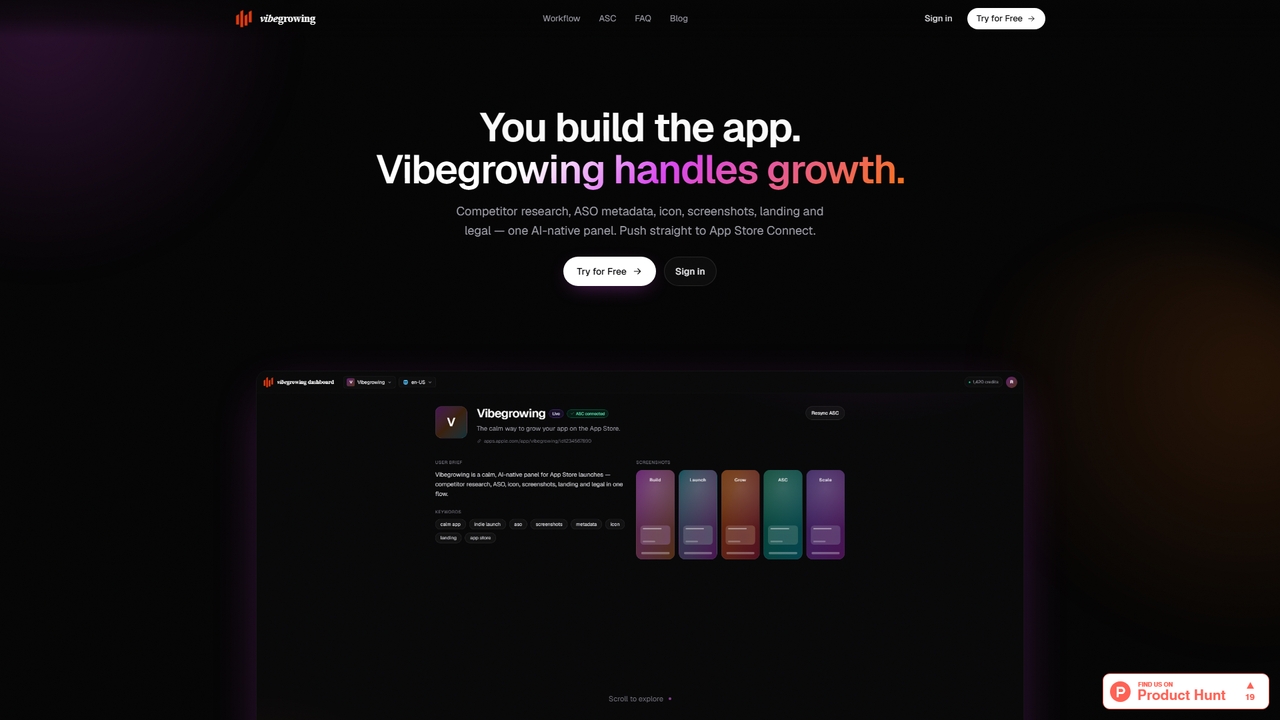
Vibegrowing is an AI-native growth platform for app developers that automates competitor research, ASO metadata creation, icon and screenshot generation, landing page building, and legal document creation, all integrated with App Store Connect.

Asset Generation
Visits 5.5KFavorites 24Likes 27
adni
Freemium

adni

Adni is an AI-powered platform that creates dynamic brand guides and generates on-brand content and designs. It helps teams maintain perfect brand consistency by automating the creation of marketing materials that align with your established brand identity.

Asset Generation
Visits 12.6KFavorites 116Likes 117

About Asset Generation

Asset Generation tools are AI-powered solutions that automatically create diverse digital assets, such as images, 3D models, textures, and audio, from textual descriptions or other input. Leveraging advanced generative AI models, they significantly accelerate content creation workflows within the broader design landscape. These tools empower designers, developers, and marketers to rapidly prototype, iterate, and produce high-quality visual and auditory elements for various projects, transforming the traditional design process.

Core Features

  • Text-to-Asset Generation: Create images, 3D models, or audio from simple text prompts, enabling rapid conceptualization.
  • Style Transfer & Variation: Apply specific artistic styles or generate multiple stylistic variations of an existing asset.
  • Parameter Control: Fine-tune generated assets with adjustable settings like resolution, mood, or complexity for precise output.
  • Batch Processing: Generate numerous assets simultaneously, ideal for large-scale projects and efficient content production.
  • Asset Upscaling & Enhancement: Improve the quality, resolution, or detail of generated or existing assets for professional use.

Applicable Scenarios

Graphic designers can quickly generate concept art or marketing visuals for campaigns. Game developers can create unique textures, character variations, or environmental props. Content creators can produce custom background music, sound effects, or video clips for multimedia projects. These tools are invaluable for accelerating creative ideation and production across various industries.

How to Choose

When selecting an Asset Generation tool, consider the specific asset types you need (e.g., images, 3D, audio), the level of creative control offered, and its integration capabilities with your existing design software. Evaluate the quality of the generated output, the ease of use for your team's skill level, and the pricing model, including licensing terms for generated content.

Asset Generation use cases

1

Rapid Prototyping for Game Assets

Game developers can utilize asset generation tools to quickly create diverse 3D models, textures, and environmental elements based on concept art or text descriptions. This accelerates the initial design phase, allowing for faster iteration on character designs, props, and level layouts, significantly reducing the time spent on manual asset creation and enabling more creative exploration.

2

Generating Marketing Campaign Visuals

Marketing teams and content creators can leverage AI asset generation to produce a wide array of unique images, banners, and social media graphics tailored for specific campaigns. By inputting keywords or brand guidelines, they can generate multiple visual concepts, test different styles, and quickly adapt content for various platforms without relying on extensive stock photo libraries or lengthy design cycles.

3

Customizing E-commerce Product Backgrounds

E-commerce businesses can use asset generation tools to create bespoke backgrounds and scenes for product photography. Instead of traditional studio setups, AI can generate diverse, high-quality environments that highlight products effectively, match seasonal themes, or cater to specific target audiences, enhancing visual appeal and reducing photography costs.

4

Creating Unique UI/UX Design Elements

UI/UX designers can employ asset generation to produce unique icons, illustrations, and interface components. From abstract patterns for backgrounds to specific button styles, these tools offer a quick way to generate design variations, experiment with visual themes, and maintain a consistent aesthetic across applications, streamlining the design process and fostering innovation.

5

Developing AI-Generated Soundscapes for Media

Filmmakers, podcasters, and multimedia artists can use asset generation tools to create custom background music, ambient soundscapes, or specific sound effects. By describing the desired mood, genre, or action, they can generate unique audio assets that perfectly fit their narrative, saving time on licensing stock audio or recording original sounds.

6

Visualizing Architectural & Interior Design Concepts

Architects and interior designers can utilize asset generation to quickly visualize design concepts. By inputting basic layouts or descriptive text, AI can generate realistic renderings of rooms, furniture arrangements, or exterior facades, allowing clients to see multiple design options and make informed decisions early in the project lifecycle.

Asset Generation FAQ

What are AI Asset Generation tools?

AI Asset Generation tools are software applications that use artificial intelligence, primarily generative adversarial networks (GANs) and diffusion models, to automatically create digital assets. These assets can include images, 3D models, textures, audio, and video clips. Their core function is to produce new, unique content from minimal input like text prompts, sketches, or existing data, significantly streamlining creative workflows in design.

How do AI Asset Generation tools differ from traditional design software?

Traditional design software typically requires manual input and manipulation by a human designer to create assets. In contrast, AI Asset Generation tools automate much of this creation process. While traditional tools focus on editing and refining existing elements, AI generation focuses on producing entirely new content from a conceptual input, allowing for rapid prototyping and exploration of diverse creative options with less manual effort.

What types of assets can be generated using AI?

AI asset generation tools are becoming increasingly versatile. Common types of assets include:

  • Images: Concept art, illustrations, marketing visuals, product mockups, abstract patterns.
  • 3D Models: Basic shapes, character variations, environmental props, architectural elements.
  • Textures: Seamless patterns, material surfaces for 3D models.
  • Audio: Background music, sound effects, ambient soundscapes.
  • Video: Short clips, animated sequences, motion graphics.

The capabilities are constantly expanding with advancements in AI technology.

Who benefits most from using AI Asset Generation tools?

A wide range of professionals can benefit. This includes:

  • Graphic Designers & Illustrators: For concept exploration, style variations, and rapid content creation.
  • Game Developers: To quickly generate game assets like characters, environments, and textures.
  • Marketing & Advertising Professionals: For creating diverse campaign visuals and ad creatives.
  • Content Creators: For generating unique visuals, audio, or video for social media, blogs, and multimedia projects.
  • Architects & Interior Designers: For visualizing design concepts and client presentations.

Essentially, anyone needing to produce digital content efficiently can find value in these tools.

What should I consider when choosing an AI Asset Generation tool?

When selecting an AI asset generation tool, consider several factors:

  • Asset Type & Quality: Does it generate the specific assets you need (e.g., images, 3D, audio) and is the output quality high enough for your use case?
  • Control & Customization: How much control do you have over the generation process and the ability to refine outputs?
  • Integration: Does it integrate seamlessly with your existing design software or workflow?
  • Ease of Use: Is the interface intuitive and user-friendly for your team's skill level?
  • Cost & Licensing: Understand the pricing model and the licensing terms for generated assets to ensure compliance and budget alignment.