
Design Best in category 1 results Backgrounds AI Tool

Popular AI tools in the Backgrounds field of Design include WallpaperAI.co, etc., helping you quickly improve efficiency.

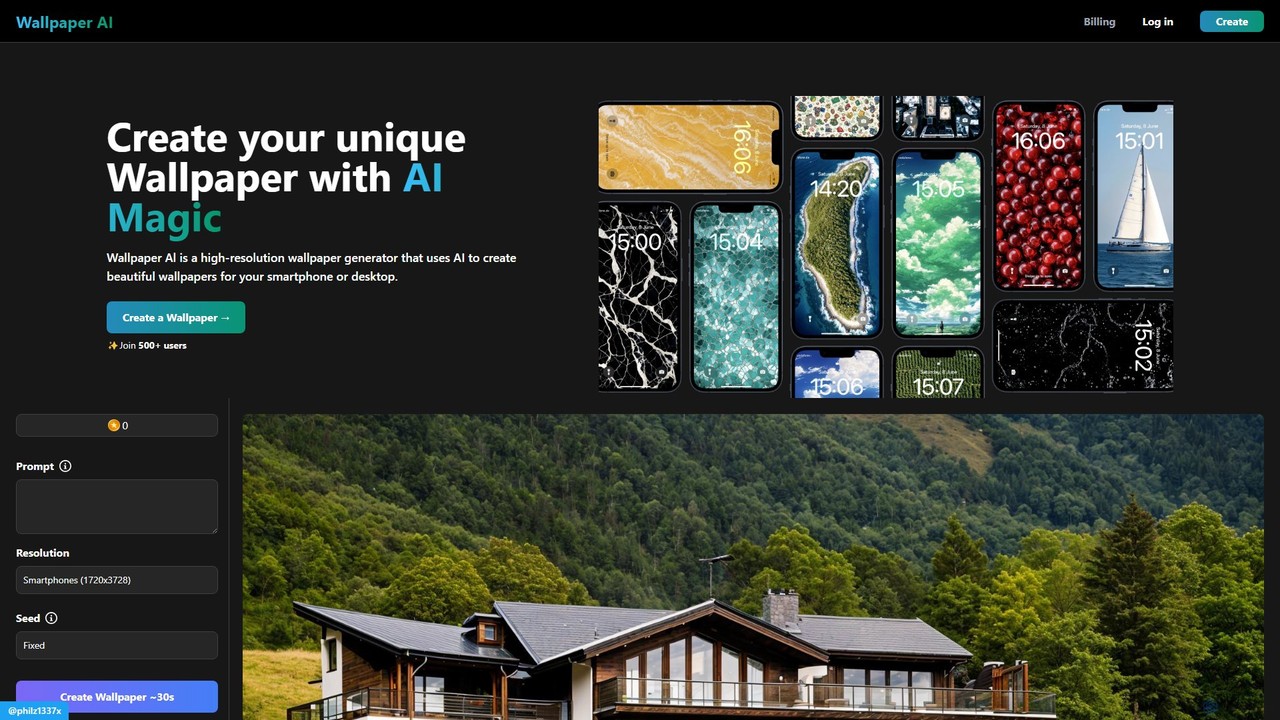
WallpaperAI.co

WallpaperAI.co

WallpaperAI.co is an AI-powered wallpaper generator that creates unique, high-resolution backgrounds for your devices. Simply enter a text …

2.3K

About Backgrounds

AI Background tools are a specialized category of design software that uses artificial intelligence to generate, remove, or replace the background of an image or video. These tools leverage computer vision and generative models to precisely distinguish a foreground subject from its surroundings. This allows creators to instantly place subjects in new environments, create clean product shots, or produce dynamic visual content without complex manual editing. They significantly accelerate post-production workflows and lower the barrier to creating professional-looking visuals.

Core Features

  • Background Removal: Automatically detects and isolates the subject to remove the background, creating a transparent layer.
  • AI Background Generation: Creates entirely new, context-aware backgrounds from text prompts or simple descriptions.
  • Smart Replacement: Replaces an existing background with a stock image, a custom upload, or a solid color, often with realistic lighting and shadow adjustments.
  • Virtual Green Screen: Functions as a real-time background remover and replacer for video streams, virtual meetings, and recordings.
  • Batch Processing: Applies background removal or replacement to hundreds of images simultaneously, ideal for e-commerce catalogs.

Applicable Scenarios

These tools are widely used by e-commerce managers for creating uniform product listings, social media marketers for designing engaging posts, and portrait photographers for enhancing headshots. They are also essential for video creators and remote professionals who need to control their virtual environment during calls or streams without a physical green screen.

Selection Criteria

When choosing an AI Background tool, evaluate the accuracy of its edge detection, especially with complex subjects like hair or fur. For generative tools, assess the quality and variety of the generated backgrounds. Also consider its support for different media types (image vs. video), integration capabilities (e.g., Photoshop plugins), and whether its pricing model (per-image credits vs. subscription) aligns with your usage volume.

BackgroundsUse Cases

1

E-commerce Product Image Optimization

An e-commerce manager needs to process hundreds of new product photos to meet marketplace requirements, such as Amazon's white background policy. Using an AI background tool's batch processing feature, they can automatically remove the original, inconsistent backgrounds and replace them with a clean, uniform white background. This process saves hours of manual work in photo editing software, ensures a professional look across the entire product catalog, and helps improve conversion rates by providing clear, distraction-free images to customers.

2

Creating Engaging Social Media Content

A social media marketer wants to create eye-catching posts for a campaign without a large budget for photoshoots. They can take a simple photo of a person or product, use an AI tool to remove the background, and then generate a new, creative background based on a text prompt like 'a vibrant cityscape at sunset' or 'a minimalist pastel studio'. This allows for the rapid creation of diverse, high-quality visual assets that are on-brand, increasing audience engagement and saving significant time and cost compared to traditional methods.

3

Professionalizing Video Conference Presence

A remote professional needs to maintain a polished appearance during client calls but has a distracting home office background. Instead of relying on low-quality, built-in virtual backgrounds from video conferencing apps, they use a dedicated AI background tool. This provides a high-resolution, stable virtual green screen effect, allowing them to replace their background with a subtle office setting, a branded company backdrop, or a simple blur. This enhances their professionalism, eliminates distractions for other participants, and protects their privacy without requiring a physical green screen.

4

Enhancing Portrait & Headshot Photography

A portrait photographer needs to deliver a professional headshot, but the original photo was taken against a distracting background. Using an AI background tool, the photographer can precisely cut out the subject, paying special attention to fine hair details that are difficult to mask manually. They can then place the subject against a classic studio backdrop, a subtle out-of-focus office environment, or any custom background requested by the client. This streamlines the post-production workflow, offers clients more creative options without reshoots, and ensures a polished final product.

5

Generating Unique Wallpapers and Digital Art

A digital artist or hobbyist wants to create custom wallpapers or unique art pieces. They can start with a central subject, like a 3D character render or a simple graphic, and remove its original background. Then, using an AI background generator, they can experiment with various text prompts like 'surreal cosmic nebula', 'cyberpunk alleyway with neon signs', or 'enchanted forest at dawn'. This process allows for rapid ideation and the creation of countless unique compositions, helping to overcome creative blocks and explore visual styles that would be extremely time-consuming to create from scratch.

6

Streamlining Real Estate Photo Editing

A real estate agent needs to make property photos more appealing to attract buyers. For exterior shots with overcast skies, they can use an AI tool to instantly replace the dull sky with a bright, sunny one. For empty interiors, instead of costly physical staging, they can remove the background visible through windows and replace it with an attractive view. Some advanced tools can even help with virtual staging by adding furniture. This significantly increases the visual appeal of listings, saves money on staging and complex retouching, and helps properties sell faster.

BackgroundsFrequently Asked Questions