ToolMage
Sign in

Best 1 Card Generator for Design

Popular Card Generator in Design include Celebrateally, helping you work more efficiently.

Celebrateally
Freemium

Celebrateally

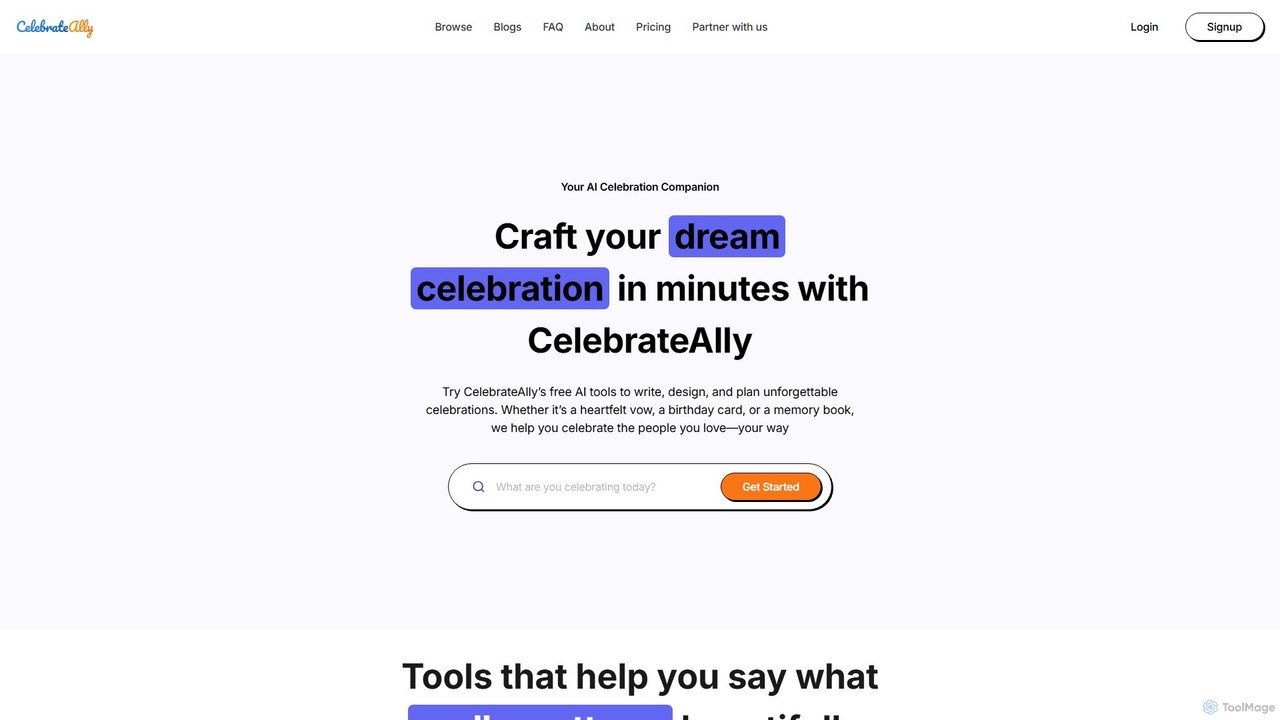
Celebrateally is your AI-powered celebration companion, designed to help you plan, write, and design for life's most important moments. From heartfelt wedding vows and birthday messages to complete party plans and personalized keepsakes, Celebrateally transforms your ideas and feelings into beautiful, ready-to-share creations in minutes.

Card Generator
Visits 29.4KFavorites 125Likes 131

About Card Generator

AI Card Generators are specialized design tools that automate the creation of various cards, such as business cards, invitations, and flashcards. Leveraging AI algorithms, these tools analyze user input like text, logos, and style preferences to instantly produce professional and context-aware layouts. They streamline the design process, enabling users without graphic design skills to generate high-quality, customized cards in minutes. Unlike general-purpose design platforms, they are optimized for the specific constraints and conventions of card formats, ensuring proper typography, spacing, and print-readiness.

Core Features

  • Intelligent Template Suggestion: AI recommends layouts and styles based on the card's purpose and brand identity.
  • Automated Content Placement: Automatically arranges text, images, and contact information for optimal readability and visual balance.
  • Bulk Generation: Creates hundreds of unique card variations from a data source like a spreadsheet, ideal for team business cards.
  • Brand Consistency Check: Ensures generated cards adhere to predefined brand guidelines, including colors and fonts.
  • Print-Ready Output: Generates high-resolution files with necessary print marks like bleed and crop marks.

Use Cases

These tools are widely used by startups and small businesses for creating professional business cards without hiring a designer. Event planners use them to quickly design personalized invitations and thank-you notes. In education, teachers and students generate custom flashcards for studying. Game developers also utilize them for rapidly prototyping game cards.

How to Choose

When selecting an AI Card Generator, consider the specific types of cards you need to create. Evaluate the level of customization and AI assistance offered. For business use, check for features like bulk creation from data sources and brand asset management. Finally, verify the available output formats to ensure they meet your needs for digital sharing or professional printing.

Card Generator use cases

1

Design Business Cards for a New Team

A startup founder needs to quickly create professional business cards for their 10 new employees. Instead of hiring a designer and going through a lengthy process, they use an AI Card Generator. They upload the company logo, choose a brand color palette, and connect a spreadsheet containing each employee's name, title, and contact information. The AI instantly generates 10 unique but consistent business card designs, correctly placing all information while maintaining a cohesive brand look. The founder can then export print-ready PDF files, saving significant time and budget.

2

Generate Educational Flashcards for Study

A student preparing for a biology exam needs to create a large set of flashcards. Manually writing or designing each card is time-consuming. Using an AI Card Generator, the student inputs a list of terms and their definitions. The AI tool automatically formats this information onto individual cards, choosing a clean, readable layout. It can even suggest relevant icons or simple diagrams for visual aids. The student can then generate a printable PDF sheet of all the cards, cut them out, and begin studying in a fraction of the time it would have taken to create them by hand.

3

Create Personalized Event Invitations

An event planner is organizing a corporate gala for 200 guests. They need personalized invitations that reflect the event's elegant theme. Using an AI Card Generator, they select a sophisticated template and upload the event details. The AI suggests complementary fonts and a color scheme. By connecting a guest list spreadsheet, the tool auto-populates each invitation with the guest's name, creating a personal touch. The planner can then download both digital versions for email and high-resolution files for printing, ensuring a consistent and professional experience for all attendees.

4

Prototype Cards for a New Board Game

A board game designer is developing a new card game and needs to quickly create prototype cards to test mechanics. They use an AI Card Generator designed for tabletop games. They can define a card structure with fields for title, cost, ability text, and an image area. The AI helps by suggesting consistent layouts and iconography. The designer inputs the data for 50 different cards into a spreadsheet, and the tool generates all the cards in a uniform style. This allows for rapid iteration and playtesting without spending hours on manual layout in complex design software.

5

Create Custom Thank You Cards for E-commerce

An online store owner wants to include a personalized thank you card with every order to enhance customer experience. Manually creating these is not feasible. They use an AI Card Generator that integrates with their e-commerce platform. For each order, the tool automatically pulls the customer's first name and generates a card with a pre-written thank you message and a unique discount code for their next purchase. The AI ensures the customer's name is elegantly incorporated into the design. This automated process adds a valuable personal touch that fosters customer loyalty without adding manual workload.

6

Generate Digital Greeting Cards for Social Media

A social media manager wants to create branded greeting cards for various holidays (like New Year's, Valentine's Day) to share with their audience. Using an AI Card Generator, they can input a holiday theme and their brand's logo. The AI suggests multiple design concepts, incorporating brand colors and festive elements. The manager can quickly select the best option, add a custom message, and generate a perfectly sized image for Instagram, Facebook, and Twitter. This allows them to produce timely, high-quality, and on-brand content consistently throughout the year with minimal design effort.

Card Generator FAQ

What is an AI Card Generator?

An AI Card Generator is a software tool that uses artificial intelligence to automate the design and creation of various types of cards. Unlike traditional design software, it can understand context, suggest layouts, and automatically populate content based on user inputs. Key features often include template suggestions, bulk creation from data, and brand consistency checks. They are ideal for users who need to create professional-looking cards like business cards, invitations, or flashcards quickly and without advanced design skills.

How to choose the right AI Card Generator?

To choose the right tool, consider these factors:

  • Card Type Specialization: Does the tool excel at creating the specific cards you need, such as business cards, game cards, or invitations?
  • Level of Customization: Can you fine-tune the AI's suggestions, or are you limited to fixed templates? Look for control over fonts, colors, and layout.
  • Data Integration: If you need to create cards in bulk, check if the tool can import data from spreadsheets (like CSV or Google Sheets).
  • Output Quality: Ensure the generator can export in formats suitable for your needs, such as high-resolution, print-ready PDFs with bleed marks, or optimized JPEGs for digital use.
What's the difference between an AI Card Generator and a general design tool like Canva?

The main difference is specialization. A general design tool like Canva is a versatile platform for creating a wide range of visual content, from social media posts to presentations. An AI Card Generator is highly focused on the specific task of creating cards. It offers more specialized features like automated data merging for business cards, adherence to print-ready specifications, and AI-driven layout suggestions tailored specifically for the constraints of a small card format. This specialization often results in a faster, more streamlined workflow for card creation.

What types of cards can I create with an AI Card Generator?

AI Card Generators can typically create a wide variety of cards, though some tools may specialize. Common types include:

  • Business Cards: For professionals and teams, often with bulk generation capabilities.
  • Invitations: For events like weddings, parties, and corporate functions.
  • Greeting Cards: For holidays, birthdays, and other special occasions.
  • Flashcards: For educational purposes, helping students and teachers create study aids.
  • Game Cards: For prototyping and developing tabletop or card games.
  • Thank You Cards: Often used by businesses to include in customer orders.
Who can benefit from using an AI Card Generator?

A wide range of users can benefit from these tools. Small business owners and startup founders can create professional branding materials like business cards without a large budget. Event planners can streamline the creation of personalized invitations. Teachers and students can quickly produce study materials. Game designers can accelerate their prototyping process. Essentially, anyone who needs to create formatted, information-dense cards efficiently, regardless of their design experience, will find value in an AI Card Generator.