Design Best in category 1 results Design Handoff AI Tool

Popular AI tools in the Design Handoff field of Design include Figflow, etc., helping you quickly improve efficiency.

Figflow

Figflow

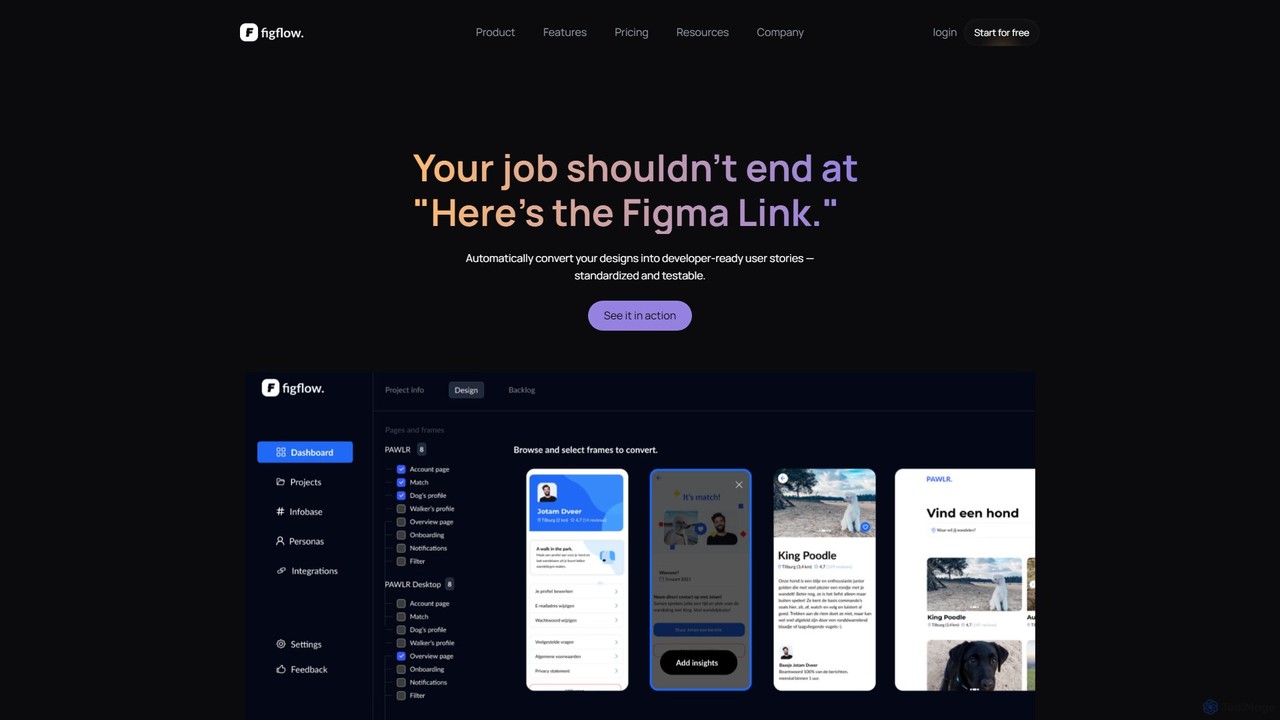
Figflow is an AI-powered tool that automates the conversion of Figma designs into developer-ready user stories. With a …

3.8K

About Design Handoff

Design Handoff tools are AI-powered platforms that automate the translation of digital designs into development-ready specifications, code, and assets. They analyze design files from platforms like Figma or Sketch to extract properties such as colors, typography, spacing, and component structures. This process bridges the gap between designers and developers, ensuring the final product accurately reflects the intended design. By automating tedious manual tasks, these tools significantly accelerate the development cycle and improve consistency.

Core Features

  • Automated Spec Generation: Instantly creates detailed documentation for measurements, colors, fonts, and component properties.
  • Code Snippet Generation: Converts design elements into clean, usable code for various platforms like CSS, Swift, or Kotlin.
  • Optimized Asset Exporting: Intelligently slices and exports assets in multiple formats and resolutions required for development.
  • Design System Sync: Connects design components to code libraries, ensuring consistency and easier updates.
  • Interactive Inspection: Allows developers to click on any design element to view its attributes and relationships without needing design software.

Use Cases

These tools are essential for product teams, including UI/UX designers, front-end developers, mobile developers, and product managers. They are particularly valuable in agile environments where rapid iteration is common. For instance, a mobile development team can use a design handoff tool to pull exact layout code and assets from a design file, ensuring pixel-perfect implementation on both iOS and Android.

How to Choose

When selecting a Design Handoff tool, consider its integration capabilities with your primary design software (e.g., Figma, Sketch, Adobe XD). Evaluate the quality and customizability of the generated code to match your team's standards. Also, assess its collaboration features, such as commenting and version control, and ensure it supports the specific frameworks and platforms your development team uses.

Design HandoffUse Cases

1

Accelerating Mobile App UI Development

A mobile developer receives a new screen design in Figma. Instead of manually measuring every margin, font size, and color hex code, they use a design handoff tool. The tool provides them with ready-to-use code snippets in Swift for iOS and Kotlin/XML for Android. They can also download all necessary icons and images, pre-sliced and optimized for different screen densities, directly from the tool. This reduces implementation time by over 50% and eliminates pixel-level discrepancies between the design and the final app.

2

Ensuring Design System Consistency

A large company maintains a comprehensive design system. When a designer updates a primary button component in their Sketch library, the design handoff tool automatically detects the change. It then provides developers with the updated CSS variables and React component code. This ensures that every instance of the primary button across all of the company's web products is updated simultaneously, maintaining brand consistency and saving developers from having to manually track and implement changes.

3

Streamlining Web Front-End Workflow

A front-end developer is tasked with building a new landing page. They open the design file in a design handoff tool. Instead of switching between the design and their code editor, they use a plugin that displays all the design specs directly in VS Code. They can click on any element in the design preview to get its exact CSS, including complex properties like grid layouts or box shadows, and copy it with a single click. This integrated workflow prevents context switching and reduces the chance of human error when transcribing styles.

4

Facilitating Designer-Developer Collaboration

A designer and developer are working remotely on different time zones. The designer uploads the final mockups to a design handoff platform. The developer can then access the designs, inspect elements, and leave comments directly on specific components with questions. The designer receives a notification, answers the question within the platform, and resolves the comment. This creates a centralized, asynchronous communication channel, eliminating the need for lengthy email chains or waiting for scheduled meetings to clarify small details.

5

Automating Redline Documentation

A design agency needs to provide detailed specification documents to their client's development team. Instead of a designer spending hours manually adding text labels and arrows to indicate spacing, sizes, and colors (a process known as 'redlining'), they use a design handoff tool. With one click, the tool generates a shareable web link where developers can see all these specifications automatically overlaid on the design. This not only saves significant time but also ensures the documentation is always up-to-date with the latest design version.

6

Generating Interactive Prototypes from Static Designs

A UX designer has created a series of static screen mockups for a new user flow. To get early feedback, they need a clickable prototype. Instead of rebuilding it in a separate prototyping tool, they use a design handoff tool that can automatically link screens together based on the layer names or defined interactions in the design file. The tool generates a shareable, interactive prototype in minutes, allowing the team and stakeholders to test the flow and provide feedback before a single line of code is written.

Design HandoffFrequently Asked Questions