ToolMage
Sign in

Best 3 Digital Art AI tools for Design

Popular Digital Art AI tools in Design include Freeimgen, AI Image Video, and Qwenimg, helping you work more efficiently.

Qwenimg

Qwenimg

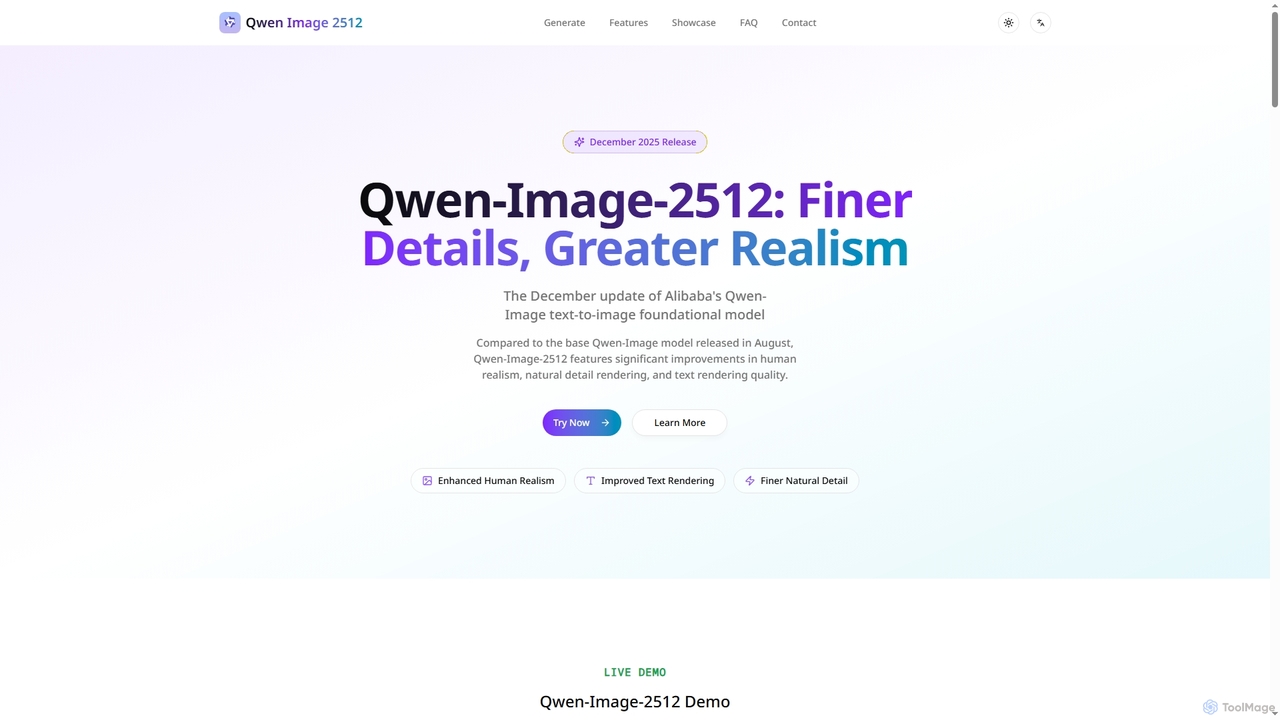
Qwenimg is Alibaba's advanced AI text-to-image foundational model, Qwen-Image-2512, designed for generating highly realistic images. It excels in enhancing human realism, rendering finer natural details, and accurately displaying text, including CJK characters, with lightning-fast generation speeds.

Content Creation
Visits 5.3KFavorites 41Likes 37
AI Image Video
Freemium

AI Image Video

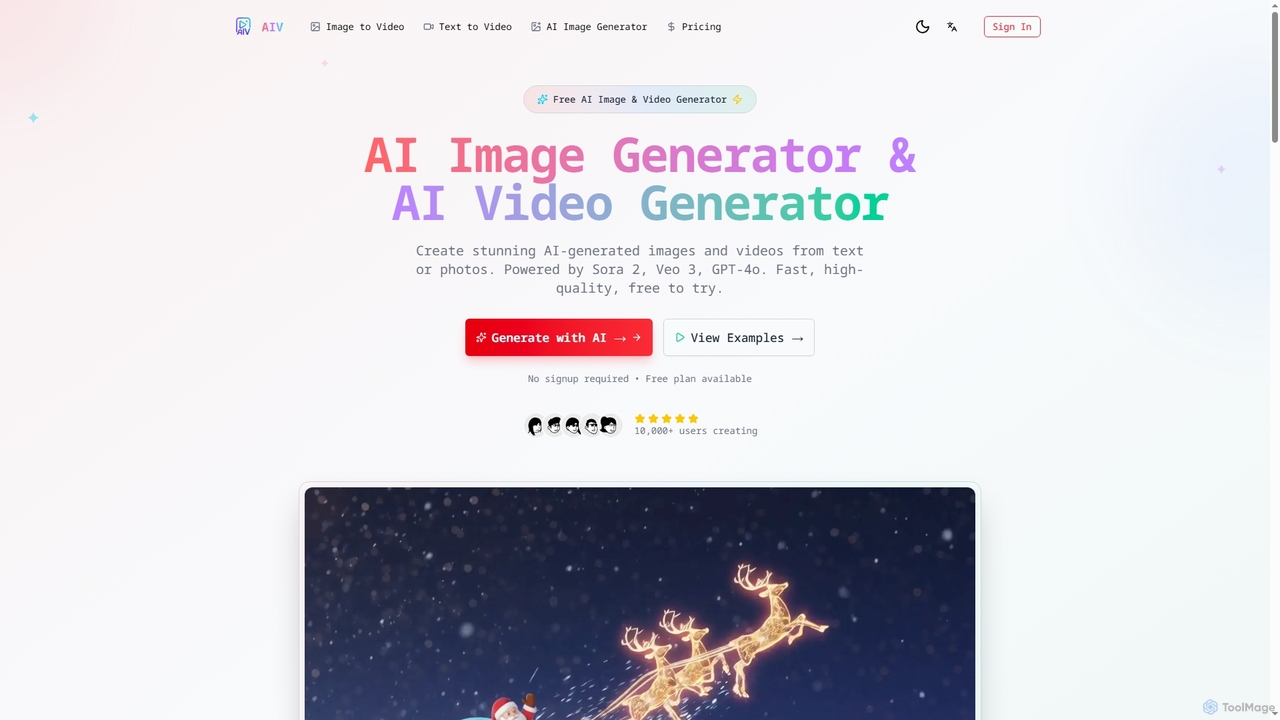
AI Image Video is a powerful platform that leverages advanced AI models like Sora 2, Veo 3, and GPT-4o to generate stunning images and cinematic videos from text prompts or existing photos. It offers fast, high-quality content creation for various needs, from social media to professional marketing, with an easy-to-use interface and commercial use rights.

Content Creation
Visits 6.9KFavorites 41Likes 38
Freeimgen
Free

Freeimgen

Freeimgen is a 100% free AI image generator that creates stunning visuals in seconds without requiring registration or credit card details. Powered by advanced models like Flux AI, Google Nano Banana AI, and Janus Pro, it offers unlimited generations for both personal and commercial use, ensuring complete privacy for your creative projects.

Digital Art
Visits 63.9KFavorites 99Likes 92

About Digital Art

AI Digital Art tools are a class of software that leverages artificial intelligence, particularly generative models, to create or transform visual artwork. These tools typically use deep learning algorithms like diffusion models or Generative Adversarial Networks (GANs) to interpret text prompts, sketches, or existing images and produce novel artistic outputs. They empower both artists and non-artists to rapidly visualize concepts, explore diverse styles, and generate unique graphics that would be time-consuming or difficult to create manually. This technology serves as a powerful creative partner, augmenting traditional workflows and unlocking new possibilities in visual expression.

Core Features

  • Text-to-Image Generation: Creates detailed images from descriptive text prompts, turning ideas into visual art.
  • Image-to-Image Transformation: Modifies an existing image based on a text prompt or another image's style (style transfer).
  • AI-Assisted Painting & Inpainting: Intelligently fills in, removes, or expands parts of an image (outpainting) based on context.
  • Variational Generation: Produces multiple unique variations of an artwork from a single input, facilitating creative exploration.
  • Style & Model Specialization: Offers fine-tuned models for specific aesthetics like photorealism, anime, fantasy, or abstract art.

Use Cases

AI Digital Art tools are widely used by concept artists in the gaming and film industries to quickly generate character and environment ideas. Digital marketers and content creators use them to produce unique visuals for social media campaigns, blog posts, and advertisements. Independent artists and designers also leverage these tools to create NFT collections, design textile patterns, or explore new personal artistic styles.

How to Choose

When selecting an AI Digital Art tool, consider the level of creative control and parameter tuning it offers. Evaluate the variety and quality of its pre-trained style models to ensure they align with your aesthetic goals. Check the maximum output resolution and supported file formats. Crucially, review the tool's terms of service regarding the commercial usage rights of the generated images, as this varies significantly between platforms.

Digital Art use cases

1

Concept Art Ideation for Game Development

A concept artist working on a new fantasy video game needs to quickly generate a wide range of character and environment designs. Instead of spending days sketching manually, they use an AI Digital Art tool. By inputting detailed text prompts like 'elven warrior with glowing armor in a bioluminescent forest, cinematic lighting,' the artist can generate dozens of high-quality visual concepts in minutes. This allows the art director and team to review multiple directions and iterate on ideas much faster, reducing the pre-production timeline by up to 50% and fostering a more collaborative creative process.

2

Creating Unique Marketing Visuals

A social media manager for a boutique coffee brand needs original, eye-catching images for a new campaign. Stock photos feel generic and hiring an illustrator is too expensive. Using an AI art generator, the manager inputs prompts like 'surreal painting of a coffee cup overflowing with a galaxy, vibrant colors, art nouveau style.' The tool produces several unique images that perfectly match the brand's artistic vibe. This allows the marketing team to create a visually consistent and highly engaging campaign across all platforms without exceeding their budget, resulting in a higher click-through rate.

3

Personalized NFT Art Collection Generation

An independent digital artist wants to launch an NFT collection of 1,000 unique, algorithmically generated portraits. Manually creating each one would be impossible. The artist uses an AI tool, training a model on their own art style or using advanced prompting techniques. They set up a script to generate variations by changing parameters like color palettes, accessories, and backgrounds. The AI generates the entire collection, ensuring each piece is unique yet stylistically coherent. This process enables a single artist to produce a large-scale generative art project, making it accessible to a wider audience on NFT marketplaces.

4

Illustrations for Children's Books

An author without professional drawing skills wants to self-publish a children's book. They use an AI Digital Art tool to bring their story to life. By providing simple descriptions of scenes and characters, such as 'a friendly cartoon bear having a picnic with a squirrel under a large oak tree, watercolor style,' they can generate a consistent set of illustrations. The 'image-to-image' feature allows them to upload a rough sketch to guide the AI, maintaining a coherent visual narrative throughout the book. This empowers creators to produce fully illustrated books independently, significantly lowering the barrier to entry in publishing.

5

Architectural Visualization and Mood Boards

An interior designer is pitching a concept for a new hotel lobby. To convey the desired atmosphere, they use an AI art tool to create stylized visualizations. They input prompts like 'luxury hotel lobby, art deco style, with velvet sofas and gold accents, evening ambiance, photorealistic.' They also use the tool to generate abstract textures and patterns that complement the design. These images are compiled into a compelling mood board that helps the client visualize the final space far more effectively than simple sketches or material samples. This accelerates client approval and ensures a shared vision from the project's outset.

6

Fashion and Textile Pattern Design

A fashion designer is looking for inspiration for a new fabric collection. They use an AI Digital Art tool specialized in pattern generation. By inputting keywords like 'botanical seamless pattern, vintage floral, muted color palette, intricate details,' the AI generates hundreds of unique, tileable patterns. The designer can then select the most promising designs, use AI to create color variations, and refine them further in traditional design software. This workflow dramatically shortens the pattern discovery phase and introduces novel design combinations that might not have been conceived through manual methods alone.

Digital Art FAQ

What are AI Digital Art tools?

AI Digital Art tools are applications that use artificial intelligence, primarily generative models like diffusion or GANs, to create and manipulate images. Unlike traditional software like Photoshop where every pixel is placed manually, these tools interpret user inputs—such as text descriptions or sketches—to generate entirely new visuals or transform existing ones. They function as creative collaborators, enabling users to explore complex ideas, generate diverse artistic styles, and produce high-quality artwork with unprecedented speed.

How to choose the right AI Digital Art tool?

Choosing the right tool depends on your specific needs. Consider the following factors:

  • Artistic Style & Control: Does the tool excel at a particular style (e.g., photorealism, anime, abstract)? How much control do you have over the output through prompts, parameters, and negative prompts?
  • Input Methods: Does it primarily use text-to-image, or does it also support image-to-image, inpainting, or sketching?
  • Ease of Use vs. Power: Some tools are simple and web-based, ideal for beginners. Others, like local installations of Stable Diffusion, offer maximum control but require technical knowledge.
  • Commercial Use License: This is critical. Always check the terms of service to understand if you can use the generated images for commercial projects and what the specific conditions are.
What's the difference between AI Digital Art tools and traditional painting software?

The core difference lies in the creation process. Traditional software like Adobe Photoshop or Procreate are direct manipulation tools; they are digital canvases where the artist has full, direct control over every brushstroke and pixel. The output is a direct result of the artist's manual skill. In contrast, AI Digital Art tools are generative. The user provides high-level direction via prompts, and the AI generates the image based on its training data and algorithms. It's a partnership between human intent and machine execution, often used for ideation and rapid creation rather than precise, manual rendering.

Can I use AI-generated art for commercial purposes?

The ability to use AI-generated art commercially depends entirely on the terms of service of the specific tool you use. Some platforms grant users full ownership and commercial rights to the images they create. Others may have restrictions, such as requiring a paid subscription for commercial use or prohibiting the sale of generated images as standalone products. The legal landscape around AI art copyright is also complex and evolving. It is crucial to read and understand the licensing agreement of any AI art tool before using its output for business purposes.

Who are AI Digital Art tools for?

AI Digital Art tools serve a broad spectrum of users. This includes:

  • Professional Artists & Designers: For rapid prototyping, concept art, inspiration, and augmenting their creative workflow.
  • Marketers & Content Creators: To generate unique, on-brand visuals for campaigns, social media, and websites without high costs.
  • Hobbyists & Enthusiasts: For creative expression, experimentation, and creating personal art without needing traditional artistic skills.
  • Developers & Small Businesses: To create custom assets, icons, and illustrations for their products and services quickly and affordably.

In essence, they are for anyone who needs to create visual content, democratizing art creation for both professionals and beginners.