ToolMage
Sign in

Best 1 Exterior Design AI tools for Design

Popular Exterior Design AI tools in Design include Home Design, helping you work more efficiently.

Home Design
Free

Home Design

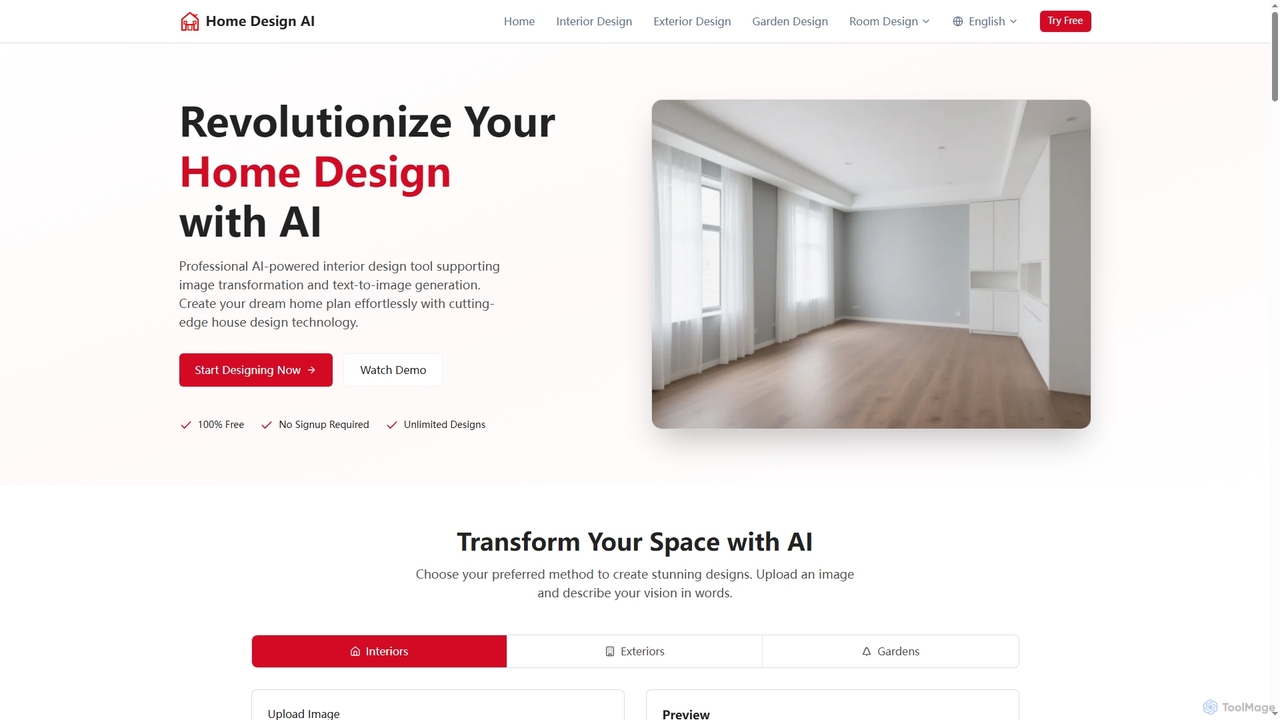
Home Design is a professional AI-powered platform that revolutionizes interior, exterior, and garden design. It allows users to transform existing spaces or generate new designs from text, offering stunning visualizations without requiring any signup or payment.

Visualization
Visits 262.3KFavorites 112Likes 117

About Exterior Design

AI Exterior Design tools are specialized applications that use artificial intelligence to generate, visualize, and modify the external appearance of buildings and their surrounding landscapes. These tools leverage generative models and computer vision to interpret user inputs like photos or sketches and instantly produce photorealistic design concepts. They empower architects, designers, and homeowners to rapidly explore different materials, color schemes, and landscaping layouts, significantly accelerating the design and decision-making process. This technology bridges the gap between imagination and realistic visualization for any exterior project.

Core Features

  • Facade Restyling: Instantly apply various materials, colors, and architectural styles to a building's facade.
  • AI Landscape Generation: Automatically create garden layouts, planting schemes, and hardscape designs based on specified parameters.
  • Photorealistic Rendering: Transform simple inputs like photos or sketches into high-fidelity, context-aware visualizations.
  • Object & Lighting Placement: Intelligently suggest and place outdoor elements like furniture, plants, and lighting fixtures.
  • Style Exploration: Generate multiple design variations in styles such as modern, traditional, or minimalist from a single image.

Use Cases

These tools are widely used by architects for rapid concept development, real estate professionals for virtual staging of property exteriors, and landscape designers for creating client proposals. Homeowners also use them for planning renovations, visualizing new paint colors, or redesigning their gardens before committing to physical changes.

How to Choose

When selecting an AI Exterior Design tool, consider the quality of the renderings and the realism of materials. Evaluate the range of design styles and objects available in its library. Also, assess the ease of use—whether it's based on simple photo uploads or requires more complex inputs—and check the pricing model, such as pay-per-render or subscription plans.

Exterior Design use cases

1

Rapid Architectural Facade Prototyping

Architects and building designers can upload a 2D elevation or a photo of an existing structure. The AI tool then generates dozens of facade variations in minutes, exploring different materials like brick, wood, or metal, and experimenting with window placements and roof styles. This process allows for quick client feedback cycles, replacing hours of manual rendering work and enabling the exploration of more creative options early in the design phase.

2

Virtual Staging for Real Estate Listings

Real estate agents and marketers use these tools to enhance property listings. By uploading a photo of a home's exterior, they can instantly improve curb appeal by adding lush landscaping, modernizing the paint color, or even adding virtual outdoor furniture to a patio. This helps potential buyers visualize the property's full potential, leading to increased interest and potentially higher offers without the cost of physical staging.

3

Home Renovation and Remodeling Visualization

Homeowners planning a renovation can take a picture of their own house and use AI to see how it would look with new siding, a different front door, or a redesigned garden. This removes the guesswork from major decisions, allowing them to experiment with styles and colors confidently before hiring contractors. It serves as a powerful personal planning tool to ensure the final result matches their vision.

4

Landscape Design and Garden Planning

Landscape architects and garden designers input a photo of a yard or plot of land. The AI can then suggest and visualize various layouts, including patios, pathways, water features, and planting arrangements tailored to the specific climate and user preferences. Users can specify styles like "Japanese garden" or "English cottage garden" to receive tailored, visually rich design concepts for client presentations.

5

Commercial Property Modernization Proposals

Property managers and commercial developers can visualize updates for outdated commercial buildings. By applying modern facades, updated signage, and improved landscaping to a current photo, they can create compelling proposals for investors or tenants. This helps demonstrate the potential return on investment for a renovation project by showing a clear "before and after" transformation.

6

New Construction Material Selection

For new construction projects, builders and clients can use AI to visualize how different combinations of materials will look on the final structure. They can compare various roofing materials, siding options, and stone accents in realistic lighting conditions. This aids in the material selection process, preventing costly mistakes and ensuring all exterior elements are harmonious.

Exterior Design FAQ

What are AI Exterior Design tools?

AI Exterior Design tools are software applications that use artificial intelligence to automatically generate and visualize designs for the outside of buildings and their landscapes. They analyze an input image or sketch and apply new styles, materials, and elements to create realistic mockups. Their primary function is to accelerate the creative process and provide instant visual feedback for design ideas.

How to choose the right AI Exterior Design tool?

When choosing a tool, consider these four factors:

  • Output Quality: Look for tools that produce high-resolution, photorealistic images.
  • Feature Set: Ensure it supports the specific changes you need, such as facade restyling, landscape generation, or object removal.
  • Ease of Use: Determine if the interface is intuitive for your skill level, whether it's a simple upload-and-generate model or requires more detailed input.
  • Pricing: Compare subscription costs, credit-based systems, or pay-per-image models to find what best fits your budget and usage frequency.

What's the difference between AI Exterior Design and traditional 3D modeling software?

The key difference is speed and skill requirement. Traditional 3D modeling software like SketchUp or Revit requires significant technical skill and time to build a detailed model from scratch. AI Exterior Design tools are built for speed and ease of use; they typically work from an existing photo or simple prompt to generate design concepts almost instantly, making them ideal for ideation and visualization rather than detailed construction documents.

Can I use my own house photo with these tools?

Yes, a primary feature of most AI Exterior Design tools is the ability to upload a photo of your own property. The AI then uses this image as a base to apply changes. This allows you to see exactly how different paint colors, materials, or landscaping would look on your specific home, making it a highly personalized and practical tool for renovation planning.

Who can benefit from using AI Exterior Design tools?

These tools serve a wide range of users. Professionals like architects, real estate agents, and landscape designers use them for client presentations and marketing. Homeowners and DIY enthusiasts use them to plan personal renovation projects. Contractors and builders also use them to create mockups for project bids and to help clients make material selections.