ToolMage
Sign in

Best 3 Generator for Design

Popular Generator in Design include MyCleverAI, Email HTML Gen, and smartleadmagnet, helping you work more efficiently.

MyCleverAI
Freemium

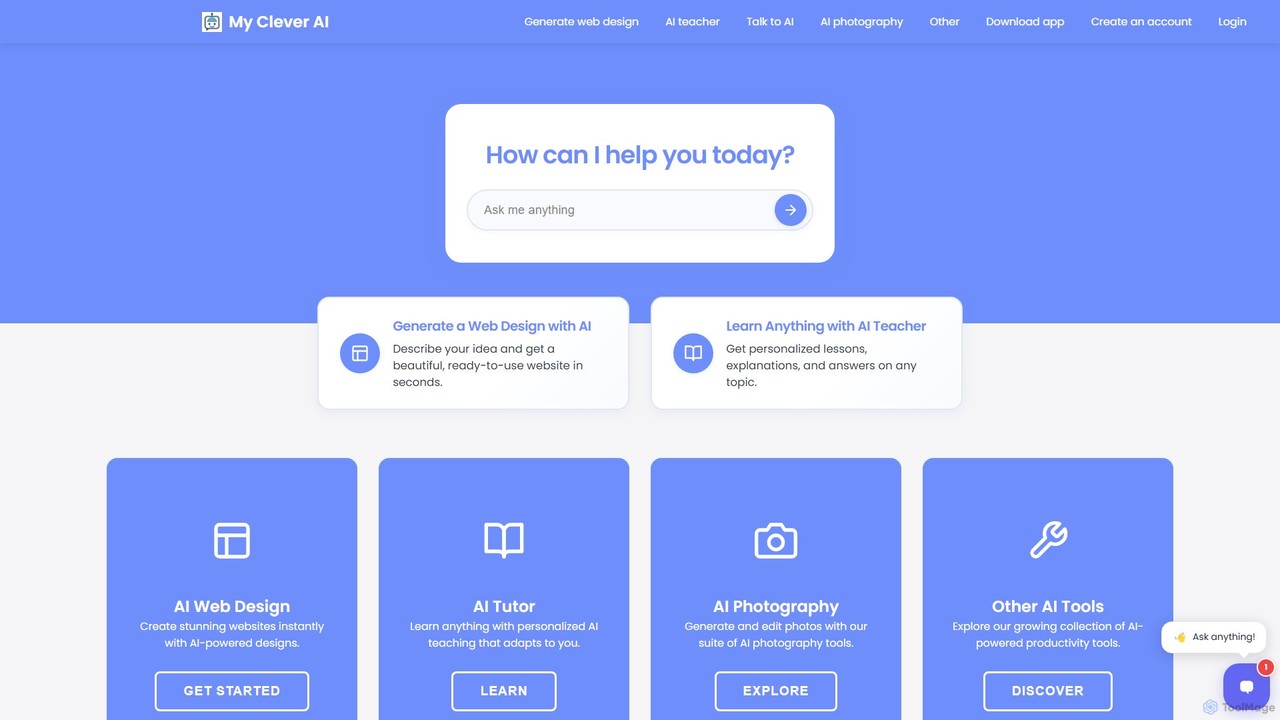
MyCleverAI

MyCleverAI is a versatile AI-powered platform that enables users to instantly generate unique websites, blogs, logos, and content. Simply describe your vision, and the AI creates mobile-responsive HTML/CSS designs, complete with text and imagery. It's an ideal solution for rapid prototyping, building custom web presences without coding, and accessing a suite of creative tools like an AI tutor and photo generator.

Generator
Visits 30.9KFavorites 102Likes 90
smartleadmagnet
Freemium

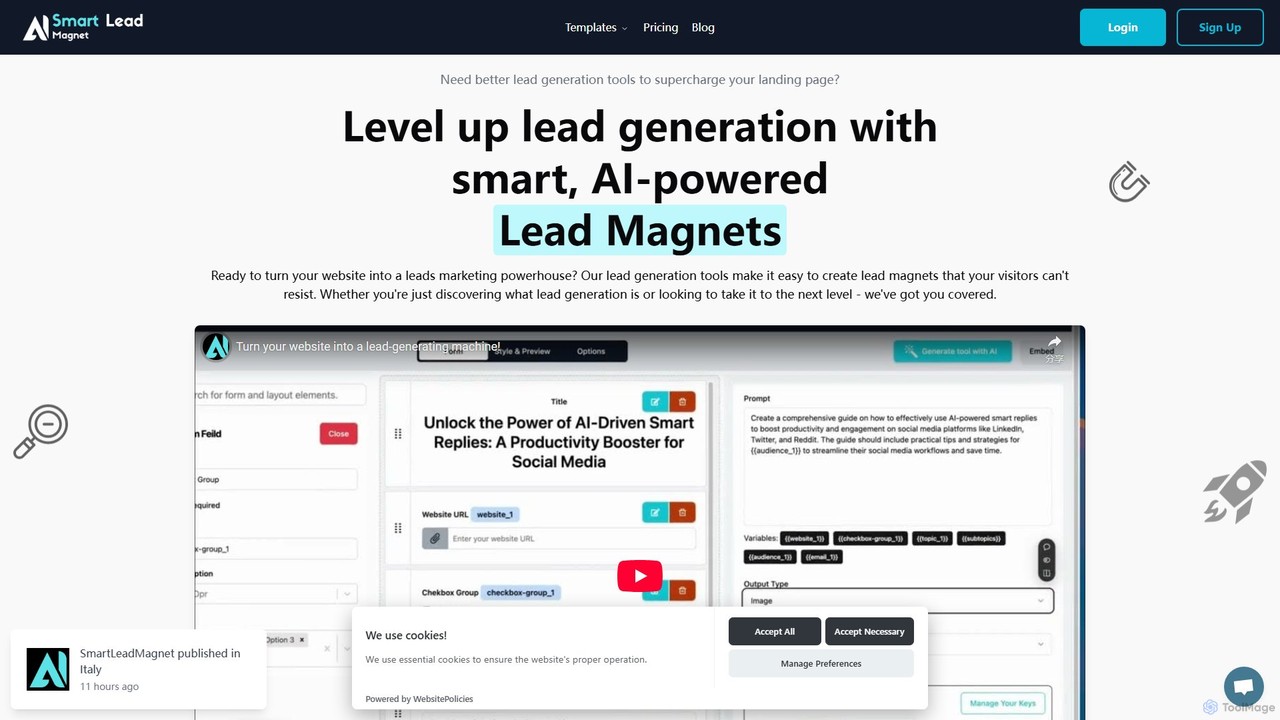
smartleadmagnet

An AI-powered platform for creating interactive lead magnets to boost website traffic and conversions. It offers a no-code, drag-and-drop builder and over 50 templates, including calculators, quizzes, and generators, to capture high-quality leads effortlessly. Automate your lead generation and marketing workflow with smart, engaging tools.

Generator
Visits 4.1KFavorites 109Likes 120
Email HTML Gen
Freemium

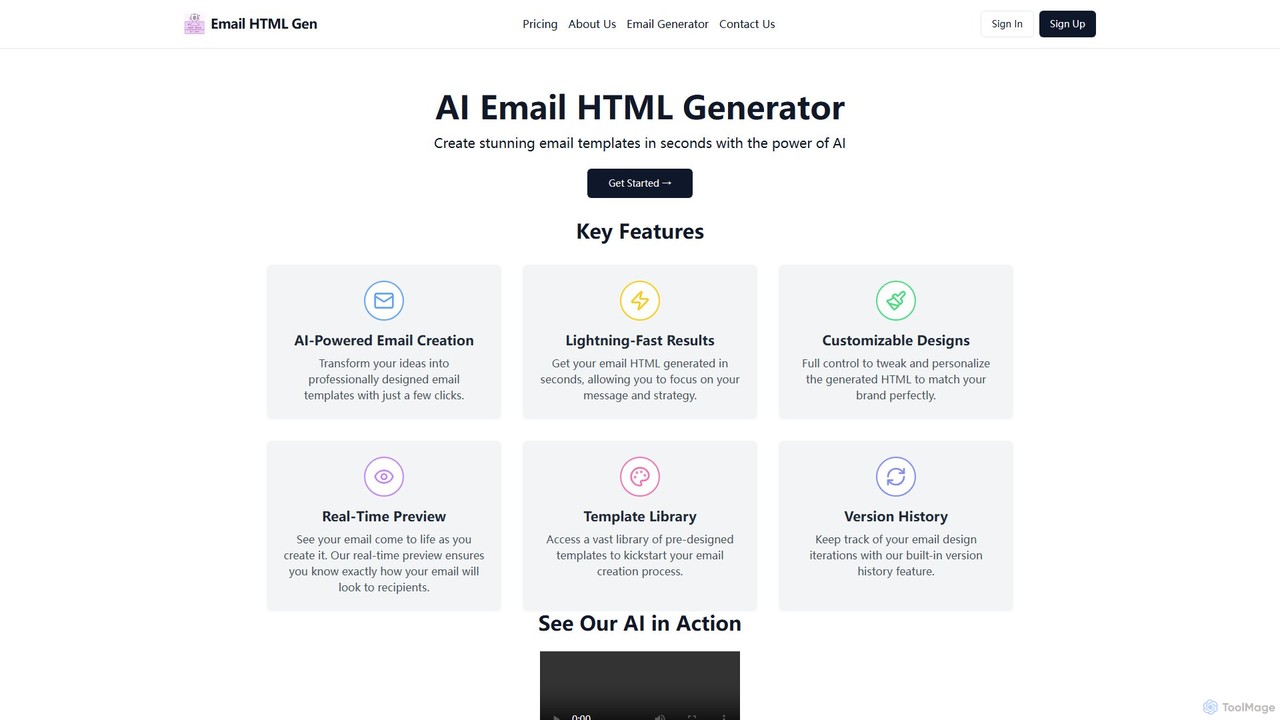
Email HTML Gen

An AI-powered platform that generates professional, responsive HTML email templates in seconds. Describe your email, and the AI creates customizable, brand-aligned designs, boosting productivity for marketers and designers.

Generator
Visits 4.1KFavorites 113Likes 134

About Generator

Design Generators are AI tools that automatically create visual assets and design elements based on user inputs. These tools leverage algorithms and generative models to produce a wide range of outputs, from logos and color palettes to UI mockups and unique patterns. They serve as powerful aids in the creative process, enabling rapid ideation and the exploration of numerous design variations in a fraction of the time required by manual methods. This approach is particularly effective for overcoming creative blocks and accelerating the initial stages of a design project.

Core Features

  • Asset Variety Generation: Creates diverse design elements such as logos, icons, color schemes, fonts, and background patterns.
  • Parameter-based Customization: Allows users to define constraints like style, color, complexity, and keywords to guide the generation process.
  • Rapid Variation Output: Produces multiple unique design options from a single prompt, facilitating A/B testing and choice.
  • Style Cohesion: Generates elements that are stylistically consistent, suitable for building a cohesive brand identity or UI kit.

Use Cases

Design Generators are widely used by graphic designers, UI/UX professionals, marketers, and brand managers. They are invaluable during the initial branding phase for startups, for creating social media content at scale, and for UI designers looking to quickly prototype layouts and component libraries. For example, a marketer can generate dozens of ad creative variations, while a UI designer can produce a complete color and typography system instantly.

How to Choose

When selecting a Design Generator, consider the specific type of asset you need to create (e.g., logos vs. UI mockups). Evaluate the level of customization and control offered over the final output. Check the available export formats, such as SVG for scalability or PNG for web use. Finally, review the licensing terms to ensure you have the appropriate rights for commercial use of the generated assets.

Featured tool rankings

Generator use cases

1

Create a Startup's Brand Identity Kit

A startup founder without a design background needs to establish a professional brand identity quickly and affordably. Using an AI Design Generator, they input their company name, industry, and desired brand attributes like 'modern' and 'trustworthy'. The tool generates hundreds of logo variations, color palettes, and font pairings. The founder selects the most suitable combination, downloads the assets in high-resolution formats, and immediately applies them to their website, business cards, and social media profiles, creating a cohesive brand presence in under an hour.

2

Rapid Logo Ideation for Startups

A startup founder, working with a limited budget and tight deadline, needs initial logo concepts for their new tech company. Instead of hiring a designer for early exploration, they use an AI Design Generator. They input the company name, industry (e.g., 'SaaS', 'Fintech'), and style keywords like 'minimalist', 'modern', and 'trustworthy'. Within minutes, the tool generates over 50 unique logo variations, including different icons, fonts, and color combinations. This allows the founder to quickly visualize potential brand directions and share concrete ideas with stakeholders before committing to a final design, saving significant time and resources.

3

Rapid Prototyping for a Mobile App UI

A UI/UX designer is tasked with creating a new user onboarding flow for a mobile app. To explore different visual directions quickly, they use an AI Design Generator. By providing a basic wireframe structure and a text prompt like 'a friendly and simple onboarding screen for a finance app', the tool generates multiple high-fidelity mockups. This allows the designer to present several distinct design concepts to stakeholders for feedback, saving days of manual design work and accelerating the decision-making process.

4

Generating Cohesive Color Palettes for UI Design

A UI/UX designer is starting a new mobile app project and needs to establish a color system that is both aesthetically pleasing and accessible. Using an AI color palette generator, they input a primary brand color. The tool instantly generates several complementary palettes, including monochromatic, analogous, and triadic schemes. It also provides contrast ratio checks for text readability, ensuring compliance with WCAG accessibility standards. The designer can then fine-tune the shades and export the final palette directly as CSS variables or into their Figma file, establishing a consistent and accessible visual foundation for the entire app in minutes.

5

Creating Unique Background Patterns

A graphic designer for a marketing agency needs to create a set of branded social media templates. To avoid using generic stock images, they use an AI pattern generator to create unique, seamless backgrounds. The designer inputs brand colors and selects a style, such as 'geometric' or 'organic'. The tool generates an endless scroll of pattern variations. They can adjust parameters like element density and complexity, select a few favorites, and export them as high-resolution SVG or PNG files. This process allows for the creation of proprietary, on-brand visual assets that enhance the campaign's identity and stand out from competitors.

6

Generate Custom Illustrations for Blog Posts

A content creator wants to enhance their blog posts with unique, custom illustrations instead of using generic stock photos. For an article about 'The Future of Remote Work', they use an AI Design Generator with the prompt 'a futuristic home office with holographic displays, minimalist style'. The tool produces several illustrations in the specified style. The creator selects the best one, makes minor adjustments if needed, and uses it as the featured image, making their content more visually appealing and professional without hiring an illustrator.

7

Create a Consistent Icon Set for a Website

A web developer is building a new website and needs a set of 20 unique icons for different service sections. To ensure a consistent visual style, they use an AI icon generator. They define a core prompt, such as 'line art icon, blue and white, for a tech company', and then append specific subjects like 'cloud computing', 'data security', and 'customer support'. The generator produces a cohesive set of icons that share the same style, color palette, and line weight, providing a professional and unified look for the website's interface.

8

Generating Device Mockups for App Promotion

A product marketer needs to create promotional images for a new app launch. They require high-quality images of the app running on various devices like smartphones and laptops. Instead of manually placing screenshots into mockup templates, they use an AI mockup generator. They upload a single app screenshot, and the tool automatically generates a gallery of images showing the app in different contexts: held by a user, on a desk, or with various background scenes. This enables the marketer to quickly produce a diverse set of professional-looking visuals for websites, app stores, and social media, without needing photography or advanced Photoshop skills.

9

Accelerating UI Component Library Creation

A UX designer is tasked with building a comprehensive design system for their company. To speed up the process of creating a component library, they use an AI design generator. After defining base styles for buttons, forms, and cards, they use the tool to generate hundreds of variations and states (e.g., hover, disabled, active) automatically. The generator ensures all elements are consistent with the established design tokens like color, typography, and spacing. This automates a tedious part of the design system workflow, allowing the designer to focus on more complex interaction patterns and overall system architecture, rather than manually creating every single component state.

10

Generate Background Patterns for Presentations

A business consultant needs to create a visually engaging presentation for a client. Instead of using standard templates, they use an AI pattern generator to create a unique background. They input prompts like 'subtle geometric pattern, corporate blue, professional' to generate a seamless, high-resolution background image. This custom pattern is then applied to all slides, giving the presentation a polished, branded look that reinforces the consultant's attention to detail and professionalism, helping their key messages stand out.

11

A/B Testing Ad Creatives for a Marketing Campaign

A digital marketer is launching a new ad campaign and wants to test which visual style resonates best with their audience. They use an AI Design Generator to create multiple ad creative variations. By inputting the same ad copy but varying the style prompts—such as 'vibrant and energetic' versus 'calm and professional'—the tool generates two distinct sets of banners. The marketer can then run an A/B test with these creatives to gather data on click-through rates and conversions, optimizing their ad spend based on proven performance rather than guesswork.

12

Generating Social Media Post Layouts

A social media manager for a B2C brand needs to create a high volume of daily content for platforms like Instagram and Facebook. To maintain a fresh yet consistent brand aesthetic, they use an AI design generator. They upload their brand's logo, color palette, and fonts. For each post, they input the text (e.g., a customer quote or a sale announcement) and the tool automatically generates multiple layout options. It intelligently arranges text, images, and brand elements in different, visually appealing ways. This allows the manager to produce diverse, on-brand content in minutes, freeing up time to focus on content strategy and community engagement.

Generator FAQ

What is an AI Design Generator?

An AI Design Generator is a type of software that uses artificial intelligence to automatically create visual design assets. Based on user inputs like text descriptions, style preferences, or basic parameters, these tools can produce a wide range of materials, including logos, icons, UI mockups, illustrations, and color palettes. Their primary purpose is to accelerate the design process, provide creative inspiration, and make design accessible to users without professional design skills.

What are AI Design Generators?

AI Design Generators are specialized tools that use artificial intelligence to automatically create visual design assets. Unlike traditional design software, which requires manual creation, these generators produce elements like logos, color palettes, UI layouts, and patterns based on user-provided inputs such as keywords, style preferences, or brand colors. They are primarily used to accelerate the ideation phase, overcome creative blocks, and generate a wide variety of design options quickly for consideration and refinement.

How to choose the right AI Design Generator?

To choose the right tool, consider these factors:

  • Asset Focus: Determine what you need to create. Some generators specialize in logos and branding, while others are better for UI/UX mockups or illustrations.
  • Customization Control: Assess how much control you have over the output. Look for features that allow you to refine colors, layouts, and styles to match your vision.
  • Export Options: Check if the tool supports necessary file formats, such as SVG for scalable vector graphics or high-resolution PNG for web use.
  • Usage Rights: Review the terms of service to understand the licensing for generated assets, especially if you plan to use them for commercial projects.
How to choose the right Design Generator?

To choose the right Design Generator, consider these factors:

  • Asset Type: Identify what you need to create. Some tools specialize in logos, others in UI components, color palettes, or patterns. Choose one that aligns with your primary task.
  • Customization Level: Assess how much control you need. Some generators offer extensive parameter tuning (colors, shapes, complexity), while others are simpler for quicker results.
  • Export Options: Check if the tool exports in the formats you require, such as vector formats (SVG, AI) for logos and icons, or raster formats (PNG, JPG) for web graphics.
  • Commercial Rights: Carefully review the terms of service to understand the licensing and usage rights for the generated assets, especially for commercial projects.
What's the difference between an AI Design Generator and a design editor like Figma?

The key difference lies in their core function: creation versus manipulation. An AI Design Generator automatically creates new design assets from scratch based on prompts. Its purpose is to generate ideas and variations rapidly. A design editor like Figma or Adobe Illustrator is a tool for manual manipulation and refinement. You use it to create designs with precise control, modify existing assets (including those from a generator), and build complex, interactive prototypes. In a workflow, you might use a generator for initial concepts and then import the results into an editor for final adjustments and implementation.

What's the difference between an AI Design Generator and a tool like Photoshop?

The core difference lies in creation versus manipulation. An AI Design Generator creates new, original design assets from scratch based on your prompts. A traditional design tool like Adobe Photoshop is primarily for manipulating or editing existing images and assets with a high degree of manual control. Generators are best for rapid ideation and generating initial concepts, while tools like Photoshop are for detailed refinement, composition, and precise adjustments.

Who can benefit from using Design Generators?

A wide range of professionals and individuals can benefit from Design Generators. This includes:

  • Graphic Designers: For quickly exploring concepts, finding inspiration, and generating assets like patterns or icons.
  • Marketers & Social Media Managers: To create a high volume of on-brand visual content for campaigns without extensive design skills.
  • UI/UX Designers: For rapidly prototyping layouts, generating color schemes, and building component libraries.
  • Startup Founders & Small Business Owners: To create initial branding materials like logos and style guides quickly and cost-effectively.
  • Developers: For generating placeholder assets, icons, and basic UI elements during development.
Can I use AI-generated designs for commercial purposes?

This depends entirely on the specific tool's terms of service and licensing policy. Many AI Design Generators offer different subscription tiers, where paid or premium plans often include a commercial license that allows you to use the designs for business purposes. Free or trial versions may have restrictions. It is crucial to always read and understand the usage rights for any design you generate before using it in a commercial context to avoid copyright issues.

Who are AI Design Generators for?

AI Design Generators serve a broad audience. They are highly beneficial for non-designers, such as marketers, startup founders, and content creators, who need to produce high-quality visual assets quickly without extensive design knowledge. They are also valuable tools for professional designers, who can use them to accelerate their workflow, brainstorm new ideas, overcome creative blocks, and generate multiple design variations for client presentations or A/B testing.

Are there limitations to AI Design Generators?

Yes, AI Design Generators have limitations. While powerful for ideation, they may lack the deep strategic thinking and contextual understanding of a human designer. The outputs can sometimes feel generic or may not perfectly align with nuanced brand messaging. Furthermore, generated designs often require manual refinement in a professional design tool to be production-ready. Finally, the legal landscape regarding copyright and ownership of AI-generated assets can be complex and varies by tool, so it's crucial to understand the terms of service before using assets commercially.