
ToolMage
Sign in

Best 1 Icon Generator for Design

Popular Icon Generator in Design include Iconlab, helping you work more efficiently.

Iconlab
Freemium

Iconlab

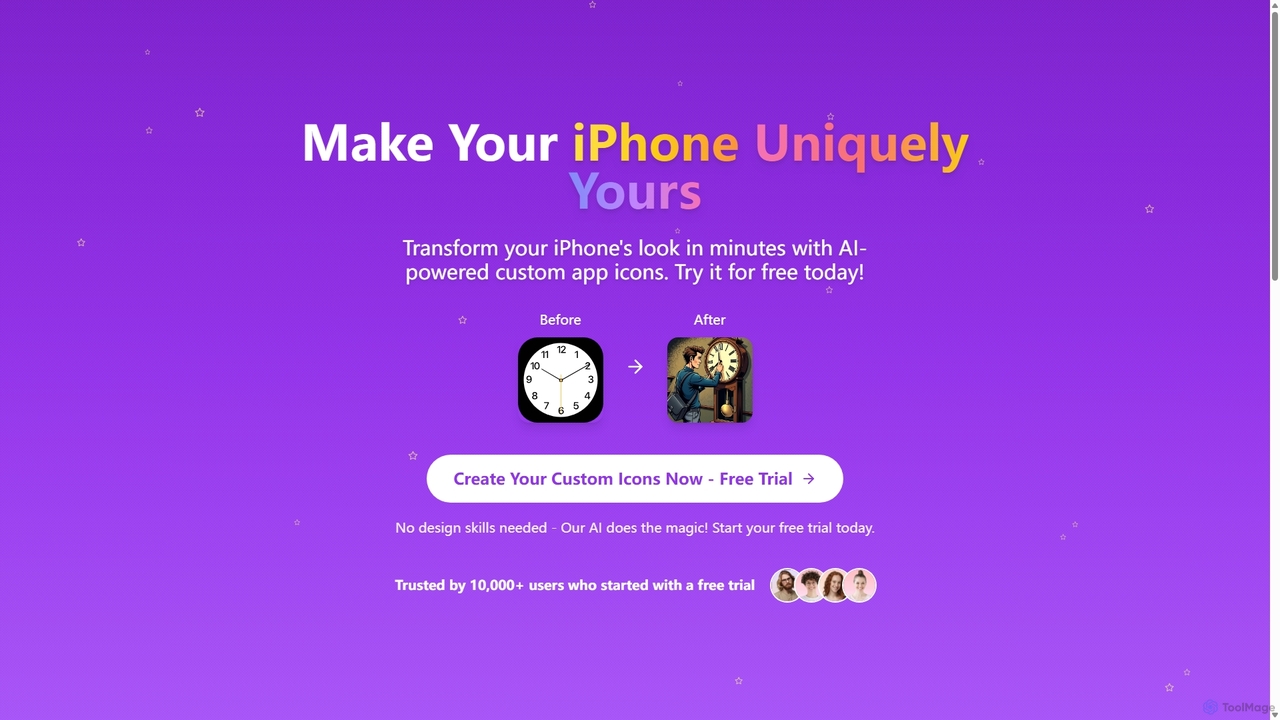
iconlab is an AI-powered tool that allows users to create unique, custom app icons for their iPhones in minutes. With no design skills required, you can choose a style, describe your vision, and let the AI generate a complete set of personalized icons to transform your home screen aesthetic.

Icon Generator
Visits 4.6KFavorites 139Likes 155

About Icon Generator

Icon Generators are AI-powered tools that automatically create custom icons based on user input. These tools leverage advanced generative AI models to interpret text prompts or design parameters, transforming ideas into unique visual symbols. They significantly streamline the design process, enabling users to quickly produce diverse icon sets for various digital and print applications.

Core Features

  • Prompt-Based Generation: Create icons by simply describing the desired style, object, or concept.
  • Style Customization: Adjust visual attributes like color palette, artistic style (e.g., flat, 3D, line art), and complexity.
  • Format Export: Export icons in various formats, including SVG, PNG, JPG, and sometimes ICO, suitable for different platforms.
  • Batch Generation: Generate multiple icon variations or entire icon sets simultaneously, saving time and effort.
  • Vector Output: Produce scalable vector graphics (SVG) that maintain clarity at any size without pixelation.

Use Cases

These tools are invaluable for graphic designers, web developers, and app creators who need a constant supply of unique visual assets. They are widely used for generating app icons, website favicons, social media graphics, and custom UI elements, accelerating the visual development of digital products.

How to Choose

When selecting an Icon Generator, consider its customization depth, the quality and variety of generated styles, and the supported export formats. Evaluate its ease of use, integration capabilities with existing design workflows, and pricing model to ensure it meets your specific project requirements and budget.

Featured tool rankings

Icon Generator use cases

1

Designing Unique App Icons for Mobile Applications

Mobile app developers and UI/UX designers frequently need distinctive icons that represent their app's functionality or brand identity. An AI Icon Generator allows them to input descriptions like 'a minimalist chat bubble icon in blue' or 'a vibrant gaming controller icon,' generating multiple creative options. This accelerates the initial design phase, helps visualize different concepts, and ensures the app stands out in app stores, saving hours of manual design work.

2

Creating Consistent Website Favicons and UI Elements

Web designers and front-end developers require small, recognizable icons for browser tabs (favicons) and various user interface components. Using an AI Icon Generator, they can quickly produce a cohesive set of icons that match the website's aesthetic and branding. This ensures visual consistency across the entire site, from navigation buttons to social media links, enhancing user experience and reinforcing brand recognition without needing extensive graphic design skills.

3

Generating Custom Icons for Marketing and Social Media

Marketing specialists and content creators often need eye-catching icons for social media posts, ad campaigns, and presentations. An AI Icon Generator enables them to create bespoke icons that perfectly align with campaign themes or product features. For instance, generating an icon for a 'new feature announcement' or a 'limited-time offer' helps convey messages more effectively and visually engage the audience, making content more shareable and impactful.

4

Crafting In-Game Item and Ability Icons for Game Development

Game developers, especially indie studios, need a vast array of icons for in-game items, character abilities, and UI elements. An AI Icon Generator can rapidly produce hundreds of variations for 'health potions,' 'magic spells,' or 'inventory slots' based on simple prompts. This significantly speeds up asset creation, maintains a consistent art style across diverse game elements, and allows designers to iterate quickly on visual feedback, reducing development costs and time.

5

Producing Visual Assets for Educational Materials and Presentations

Educators, trainers, and presenters frequently use icons to illustrate concepts, highlight key information, and break up text-heavy slides. An AI Icon Generator allows them to create custom icons that are highly relevant to their specific topic, such as 'a lightbulb for ideas' or 'a magnifying glass for research,' in a consistent style. This enhances visual appeal, improves comprehension, and makes educational content more engaging and professional without relying on generic stock icons.

6

Developing Brand-Specific Icon Sets for Corporate Identity

Brand strategists and corporate designers need to establish a strong, consistent visual identity, which often includes a unique icon set. An AI Icon Generator can assist in developing a comprehensive suite of icons that adhere to specific brand guidelines, color palettes, and stylistic requirements. This ensures all visual communications, from internal documents to external marketing, present a unified and professional brand image, reinforcing recognition and trust.

Icon Generator FAQ

What are AI Icon Generators?

AI Icon Generators are artificial intelligence tools designed to automatically create custom icons from text descriptions or design parameters. They leverage generative AI to produce unique visual symbols for various applications. These tools are characterized by their ability to quickly generate diverse icon styles, customize visual attributes, and often export in multiple formats, significantly streamlining the graphic design process for digital assets.

How do AI Icon Generators work?

AI Icon Generators typically work by taking a user's text prompt or selected design parameters as input. This input is then processed by a large language model or a generative adversarial network (GAN) that has been trained on vast datasets of existing icons and images. The AI interprets the request, understands the desired style and subject, and then synthesizes a new, unique icon that matches the specifications. Users can often refine the output through further prompts or style adjustments.

What are the main benefits of using an AI Icon Generator?

The primary benefits of using an AI Icon Generator include significant time savings in design, enhanced creative exploration, and cost-effectiveness. They allow users to rapidly generate numerous icon variations, iterate on designs quickly, and produce custom assets without extensive graphic design skills or expensive software. This accelerates project timelines, provides a wide range of stylistic options, and makes professional-quality icons accessible to a broader audience, from individual creators to large design teams.

How can I choose the best AI Icon Generator for my needs?

To choose the best AI Icon Generator, consider several factors. First, evaluate the quality and diversity of the icons it generates, ensuring they match your aesthetic requirements. Look for robust customization options, including style, color, and complexity controls. Check the supported export formats (e.g., SVG for scalability, PNG for web). Also, assess its user-friendliness, pricing model, and any integration capabilities with your existing design software or workflows to ensure a seamless experience.

What's the difference between an AI Icon Generator and a general AI Image Generator?

While both use AI to create visuals, an AI Icon Generator is specialized for producing small, symbolic graphics, whereas a general AI Image Generator creates broader, more complex images. Icon generators focus on clarity, scalability, and specific design constraints suitable for UI elements, favicons, or app icons. General image generators aim for photorealism or artistic complexity across a wider range of subjects, often lacking the precise control and optimization needed for functional icon design. Icon generators are tailored for specific design asset needs within the larger 'Design' category.