ToolMage
Sign in

Best 1 Low Code No Code AI tools for Design

Popular Low Code No Code AI tools in Design include Maker, helping you work more efficiently.

Freemium

Maker

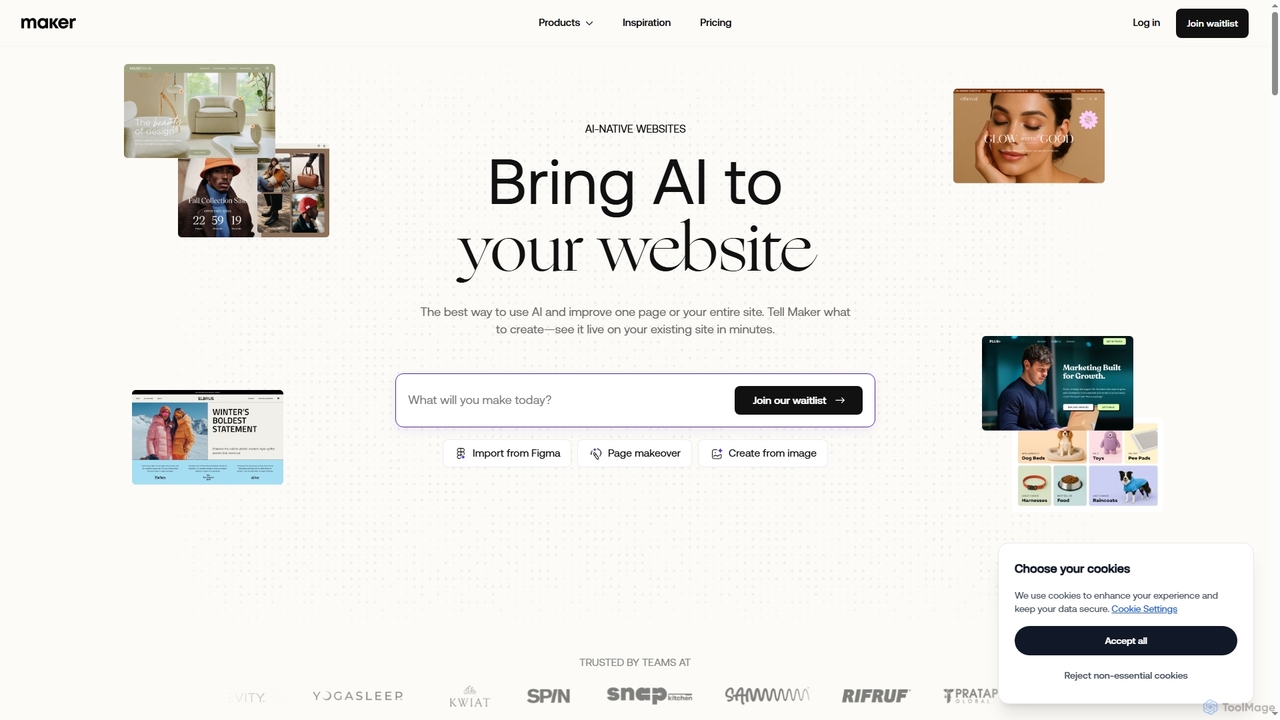
Maker is an AI coding agent designed to transform and create websites with unparalleled speed and efficiency. It allows users to generate production-ready web pages from simple prompts, Figma designs, or images, ensuring brand consistency and automatic debugging. Ideal for optimizing existing sites or building new ones without coding.

Low Code No Code
Visits 38.8KFavorites 123Likes 111

About Low Code No Code

Low-Code/No-Code platforms are tools that enable the creation of applications and websites through visual interfaces, minimizing the need for traditional programming. These tools utilize drag-and-drop editors and pre-built components to assemble user interfaces, workflows, and data models. This approach empowers designers, entrepreneurs, and business professionals to build functional prototypes, internal tools, and customer-facing applications independently. It significantly accelerates the development cycle, allowing for rapid iteration from concept to a live product.

Core Features

  • Visual Interface Builder: Drag-and-drop editors for designing and building user interfaces without writing code.
  • Pre-built Components & Templates: A library of ready-to-use UI elements, screens, and entire application templates to speed up development.
  • Workflow Automation: Visual tools to define business logic, user journeys, and automated processes.
  • Data Integration & APIs: Connectors to easily link applications with databases, third-party services, and APIs.

Use Cases

These platforms are widely used by UI/UX designers to create high-fidelity, interactive prototypes for user testing. Product managers and startups use them to quickly launch Minimum Viable Products (MVPs) to validate business ideas. Additionally, business departments often build custom internal tools, such as admin panels, dashboards, or approval systems, to streamline their operations without relying on IT resources.

How to Choose

When selecting a Low-Code/No-Code tool, first assess its technical ceiling and whether it allows for custom code injection for future scalability (Low-Code vs. No-Code). Evaluate the platform's integration ecosystem to ensure it connects with your essential services. Consider the primary application type—web, mobile, or internal tools—as platforms are often specialized. Finally, compare pricing models, which can be based on users, features, or application usage.

Featured tool rankings

Low Code No Code use cases

1

Build an Interactive Prototype for User Testing

A UI/UX designer needs to validate a new app concept with real users before committing development resources. Using a no-code platform, they can quickly assemble a high-fidelity, clickable prototype. They drag and drop pre-built UI components like buttons, forms, and navigation bars to create realistic screens. By linking these screens together, they simulate the entire user flow. This allows the team to conduct usability tests and gather crucial feedback within days instead of weeks, significantly reducing design risk and development costs.

2

Launch a Minimum Viable Product (MVP)

An entrepreneur wants to test a new business idea for an online service without a large upfront investment in custom development. Using a low-code platform, they can build and launch a functional MVP. They use pre-built templates for user registration, dashboards, and payment processing. The platform's data management features allow them to create a simple database to store user information. This enables them to go to market quickly, attract early adopters, and gather real-world data on product-market fit before deciding to invest in a more scalable, custom-coded solution.

3

Create a Custom Internal Admin Panel

A project manager needs a centralized dashboard to track project statuses, manage tasks, and allocate resources, but the existing software lacks the required customization. Instead of waiting for the IT department, they use a low-code platform to build a custom admin panel. They connect the tool to existing data sources like Google Sheets or a SQL database. Using the visual builder, they design a dashboard with charts, tables, and forms that perfectly match their team's workflow. The result is a tailored internal tool, built in a fraction of the time, that improves team productivity and visibility.

4

Automate a Business Workflow

A human resources team spends hours manually processing leave requests submitted via email. To streamline this, an HR manager uses a no-code platform to build an automated workflow. They create a simple form for employees to submit requests. The platform then automatically routes the request to the correct manager for approval based on predefined rules. Once approved or denied, the system sends an automated email notification to the employee and updates a central calendar. This automation eliminates manual data entry, reduces processing time from hours to minutes, and minimizes human error.

5

Build a Customer-Facing Web Portal

A consulting firm wants to provide its clients with a secure portal to access project documents, view progress reports, and communicate with their team. Developing this from scratch would be costly and time-consuming. Using a low-code platform, they build a client portal with secure login functionality. They design a dashboard where clients can see key project metrics, a document repository with access controls, and a messaging feature. The platform's ability to connect to their internal project management tool via API ensures that the data displayed to clients is always up-to-date, enhancing client satisfaction and transparency.

6

Develop a Simple Mobile App for an Event

An event organizer needs a simple mobile app for an upcoming conference to display schedules, speaker bios, and venue maps. A custom-developed app is outside the budget. They turn to a no-code mobile app builder. Using a pre-made event template, they customize the branding, upload the conference data through a simple spreadsheet interface, and add interactive maps. The platform allows them to publish the app to both the Apple App Store and Google Play Store through a guided process. This provides attendees with a valuable tool and enhances the event experience at a fraction of the traditional cost.

Low Code No Code FAQ

What are Low-Code/No-Code platforms?

Low-Code/No-Code platforms are software development environments that allow users to create applications using a graphical user interface instead of traditional computer programming. No-code platforms are designed for business users and non-developers, enabling them to build applications with drag-and-drop components without writing any code. Low-code platforms offer similar visual development tools but also allow professional developers to add custom code for more complex functionality and scalability, bridging the gap between business and IT.

What is the main difference between Low-Code and No-Code?

The primary difference lies in their target user and the degree of coding knowledge required.

  • No-Code: Is purely visual and designed for non-technical users (e.g., marketers, designers, business analysts). It allows them to build applications using pre-built blocks and templates without writing a single line of code. The trade-off is often less flexibility and customization.
  • Low-Code: Is designed for professional developers and IT teams to accelerate development. It provides a visual development environment but also allows developers to write custom code to extend functionality, integrate with complex systems, and build more sophisticated, scalable applications.

How do I choose the right Low-Code/No-Code tool?

Choosing the right tool depends on your specific project needs. Consider these factors:

  • Project Complexity: For simple internal tools or prototypes, a no-code platform may suffice. For complex applications requiring custom logic or integrations, a low-code platform is more suitable.
  • Scalability: Evaluate the platform's ability to handle growing numbers of users and data. Check its performance limits and hosting options.
  • Integration Capabilities: Ensure the tool can connect to your existing software stack, such as CRMs, databases, and marketing automation tools.
  • Cost and Pricing Model: Compare pricing based on the number of users, apps, or features. Understand the total cost of ownership as your application scales.
Can I build scalable, enterprise-grade applications with these tools?

Yes, particularly with low-code platforms. While no-code tools are often better for simpler applications, modern low-code platforms are specifically designed for enterprise use. They offer robust features for security, governance, and performance management. These platforms can handle large user bases and complex data operations. They often provide options for on-premise or private cloud deployment, ensuring compliance with enterprise security policies. Many large organizations use low-code to build and maintain mission-critical applications, accelerating their digital transformation initiatives.

Who are the primary users of Low-Code/No-Code platforms?

The user base is diverse and expanding. Key user groups include:

  • Business Users & Citizen Developers: Professionals in marketing, HR, finance, and operations who use no-code tools to solve their own business problems without relying on IT.
  • UI/UX Designers: Use these platforms to create fully interactive prototypes that look and feel like real applications, facilitating better user testing.
  • Entrepreneurs & Startups: Leverage these tools to quickly build and launch MVPs (Minimum Viable Products) to test market viability with minimal investment.
  • Professional Developers & IT Teams: Use low-code platforms to accelerate the development of standard application components, freeing them to focus on complex, high-value coding tasks.