ToolMage
Sign in

Best 1 Mobile App for Design

Popular Mobile App in Design include Sleek, helping you work more efficiently.

Sleek
Freemium

Sleek

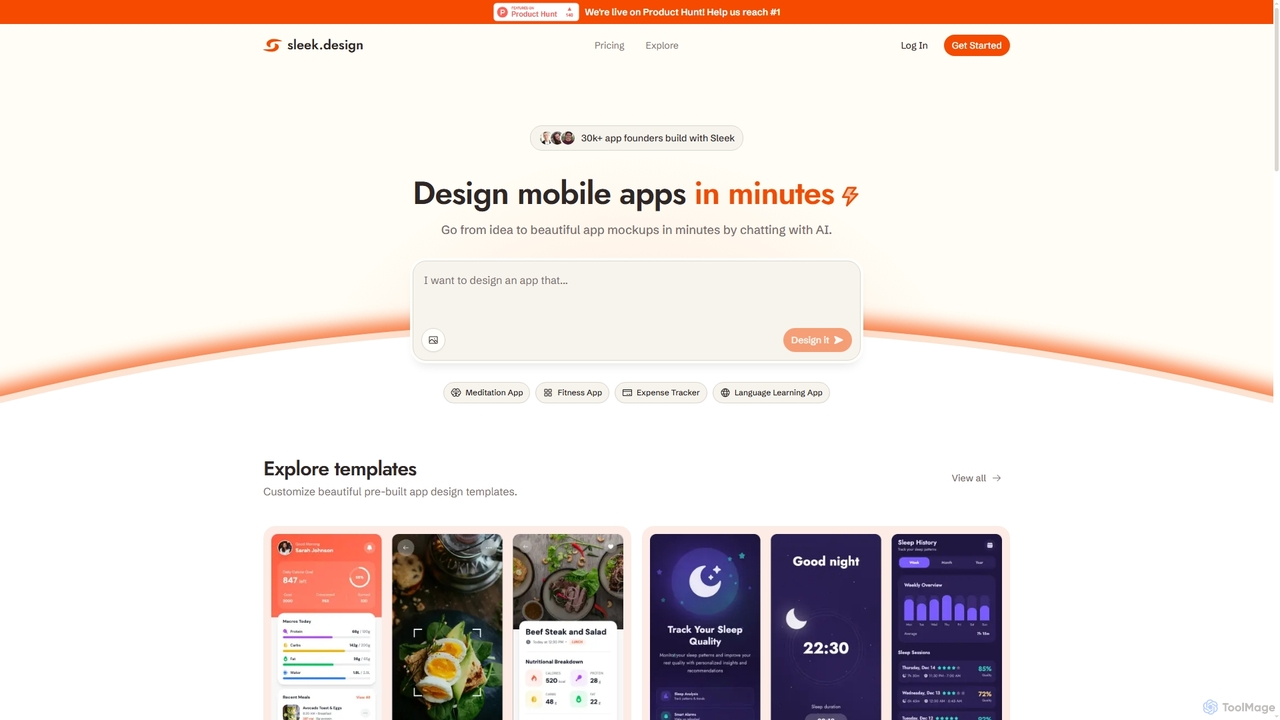
Sleek is an AI-powered mobile app designer that enables founders and entrepreneurs to create professional app mockups in minutes. It transforms ideas into beautiful designs through conversational AI, offering customizable templates and export options to Figma or code, making app design accessible to everyone.

Design
Visits 162.9KFavorites 125Likes 125

About Mobile App

Mobile App AI tools are a specialized category within design tools that leverage artificial intelligence to streamline and enhance the creation, development, and optimization of mobile applications. These tools utilize machine learning algorithms to automate repetitive tasks, generate design elements, assist with code, and provide data-driven insights. They empower designers and developers to accelerate prototyping, personalize user experiences, and improve app performance across various platforms, ultimately making the app development lifecycle more efficient and innovative.

Core Features

  • Automated UI/UX Design: Generates interface elements, layouts, and interactive prototypes based on input and design principles.
  • Code Generation & Assistance: Helps create code snippets, components, or even basic app structures, reducing manual coding effort.
  • User Behavior Analysis: Utilizes AI to analyze user interaction data, identifying patterns and suggesting design or feature improvements.
  • Cross-Platform Optimization: Intelligently adapts designs and code to ensure optimal display and functionality across different devices and operating systems.

Applicable Scenarios

Mobile App AI tools are invaluable for UI/UX designers seeking rapid prototyping and iteration, product managers aiming to personalize user experiences based on data, and developers looking to automate routine coding tasks. They are also crucial for teams needing to ensure consistent and optimized app performance across a diverse range of mobile devices and platforms.

How to Choose

When selecting a Mobile App AI tool, consider its design automation capabilities, the extent of its code generation features, and its compatibility with your existing design and development workflows. Evaluate its support for target platforms (iOS, Android), customization options for AI-generated content, and the quality of its user behavior analytics to ensure it meets your specific project needs.

Mobile App use cases

1

Rapid Mobile App Prototyping

UI/UX designers can leverage AI tools to quickly generate multiple design variations and interactive prototypes for a new mobile application. By inputting basic requirements or wireframes, the AI can produce diverse layouts, color schemes, and component arrangements, significantly accelerating the initial design phase and facilitating faster feedback collection and iteration cycles.

2

Personalized User Interface Generation

Product managers and designers can use AI to create highly personalized user interfaces that adapt to individual user preferences and behaviors. Based on collected user data, AI algorithms can dynamically adjust content, layout, and feature prominence within the app, leading to a more engaging and relevant experience for each user segment.

3

Automated UI Component Code Generation

Mobile app developers can utilize AI tools to automatically generate boilerplate code for common UI components such as buttons, navigation bars, or input fields. This reduces the need for manual coding of repetitive elements, allowing developers to focus on complex logic and unique features, thereby speeding up the development process and minimizing errors.

4

Cross-Platform UI Adaptation

Designers and developers can employ AI to ensure their mobile app's user interface is consistently optimized across various devices, screen sizes, and operating systems (iOS, Android). The AI can intelligently adjust layouts, font sizes, and image scaling, ensuring a seamless and visually appealing experience regardless of the user's device, saving extensive manual adjustment time.

5

User Experience Data-Driven Design Improvements

User researchers and product managers can feed user interaction data into AI-powered tools to identify pain points, common user flows, and areas for improvement within an existing mobile app. The AI can analyze vast datasets to pinpoint usability issues or suggest design modifications that enhance user satisfaction and engagement, guiding data-backed design decisions.

6

Assisted Accessibility Compliance Check

Mobile app teams can use AI tools to automatically scan app designs and code for accessibility compliance issues, such as insufficient color contrast, missing alt text for images, or improper navigation structures. The AI provides immediate feedback and suggestions for remediation, helping ensure the app is usable by a wider audience and meets regulatory standards.

Mobile App FAQ

What are Mobile App AI tools?

Mobile App AI tools are software solutions that integrate artificial intelligence to assist in the design, development, and optimization of mobile applications. They leverage machine learning to automate tasks like UI generation, code assistance, and user behavior analysis, aiming to make the app creation process faster, smarter, and more efficient for designers and developers.

How do AI tools assist in mobile app design?

AI tools significantly enhance mobile app design by automating repetitive tasks, generating design variations, and providing data-driven insights. They can create initial wireframes, suggest optimal layouts, personalize UI elements based on user data, and even generate interactive prototypes, allowing designers to focus on creativity and strategic decisions rather than manual execution.

What's the difference between AI-powered mobile app design tools and traditional design software?

Traditional design software (e.g., Figma, Sketch) provides manual control over every design element. AI-powered tools, while often integrating with or complementing these, introduce automation, predictive capabilities, and data analysis. They can generate designs, suggest improvements, and even write code based on algorithms, offering speed and data-backed decisions that manual tools cannot.

Can AI tools generate complete mobile app code?

While AI tools are rapidly advancing, they typically assist with code generation rather than creating entire, fully functional mobile applications from scratch. They excel at generating boilerplate code, UI components, API integrations, or specific functions. Human developers are still essential for complex logic, custom features, debugging, and ensuring overall app architecture and performance.

What should I consider when choosing an AI mobile app tool?

When selecting an AI mobile app tool, evaluate its core functionalities, such as UI/UX automation, code generation, and analytics capabilities. Consider its compatibility with your target platforms (iOS, Android), integration with existing design/development ecosystems, the level of customization it offers, its pricing model, and the learning curve involved for your team.