ToolMage
Sign in

Best 1 Photo Manipulation AI tools for Design

Popular Photo Manipulation AI tools in Design include Nano Banana, helping you work more efficiently.

Nano Banana
Freemium

Nano Banana

Nano Banana is a versatile AI image playground offering a suite of tools for creative image transformation. It enables users to generate dynamic poses, perform face swaps, enhance photos, replace backgrounds, and create custom AI figurines, 3D figurines, and miniature worlds from their images, often without requiring a sign-up.

Digital Art
Visits 7.6KFavorites 114Likes 131

About Photo Manipulation

Photo Manipulation tools are AI-powered applications designed to alter, enhance, and transform images with unprecedented speed and precision. Leveraging advanced deep learning, computer vision, and generative AI, these tools automate complex editing tasks that traditionally required extensive manual effort and specialized skills, making sophisticated image editing accessible to a wider audience. They empower users to achieve professional-grade visual effects, from subtle retouches to dramatic artistic transformations, significantly streamlining creative workflows and unlocking new artistic possibilities across various industries, from marketing to personal projects.

Core Features

  • Object Removal & Addition: Seamlessly erase unwanted elements, distractions, or intelligently insert new objects into photographs, maintaining visual consistency.
  • Style Transfer & Generative Fill: Apply artistic styles from reference images to transform the aesthetic of a photo, or intelligently expand/fill selected image areas with AI-generated content that matches the surrounding context.
  • Background Replacement & Enhancement: Instantly change, blur, or refine photo backgrounds with high accuracy, allowing for creative scene alterations or professional product photography setups.
  • Image Restoration & Upscaling: Repair old, damaged photos by automatically removing scratches, noise, and imperfections, while also enhancing details and increasing resolution for clearer prints or digital display.
  • Facial Retouching: Automatically smooth skin, remove blemishes, whiten teeth, and adjust facial features with natural-looking results, perfect for portraits and social media content.

Use Cases

These tools are invaluable for graphic designers rapidly iterating on marketing creatives, photographers enhancing portraits and landscapes with advanced effects, and e-commerce businesses efficiently preparing hundreds of product images for online listings. They also serve content creators looking to generate unique visuals for social media, real estate agents needing to perfect property photos, and individuals restoring cherished family memories. The automation provided enables rapid prototyping of visual concepts, efficient batch processing of images, and the creation of stunning, high-quality visuals even for users without extensive design experience.

How to Choose

When selecting an AI photo manipulation tool, consider its specific feature set, such as advanced generative fill capabilities, precise object removal, or specialized image restoration functions, to ensure it aligns with your primary needs. Evaluate the quality and realism of its output, as well as its ease of use and learning curve for your skill level. Additionally, assess its integration capabilities with your existing design software or workflow, review its pricing models (e.g., subscription, pay-per-use, or one-time purchase), and confirm the availability of high-resolution exports to ensure it meets your professional or personal project requirements for quality and efficiency.

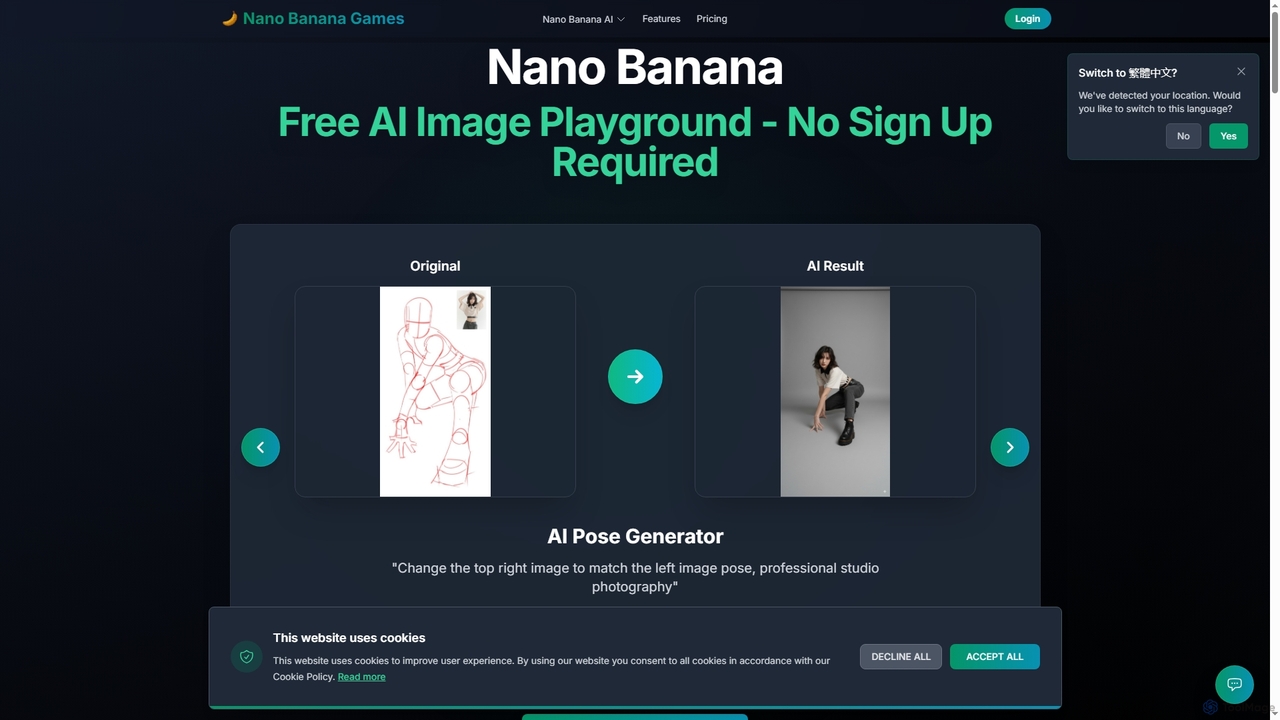
Photo Manipulation use cases

1

E-commerce Product Image Background Replacement

E-commerce managers and online sellers frequently need to present products against clean, consistent backgrounds. AI photo manipulation tools allow them to instantly remove original backgrounds and replace them with white, transparent, or custom scenes across hundreds of product photos in minutes. This automation significantly reduces the time and cost associated with manual photo editing, ensuring brand consistency and improving product appeal on various platforms.

2

Rapid Social Media Content Creation

Social media marketers and content creators constantly require fresh, engaging visuals. Using AI photo manipulation, they can quickly apply trending artistic styles to existing images, add or remove elements to fit a narrative, or generate entirely new backgrounds. This enables rapid iteration of visual concepts, allowing for diverse content streams and A/B testing of different aesthetics to maximize audience engagement without extensive design expertise.

3

Old Photo Restoration and Colorization

Individuals and archivists can breathe new life into cherished old photographs. AI tools can automatically detect and repair scratches, tears, dust, and fading, while also intelligently colorizing black-and-white images with realistic hues. This process preserves historical memories, making them accessible and vibrant for new generations, transforming damaged heirlooms into clear, colorful digital assets with minimal effort.

4

Architectural Visualization Enhancement

Architects and interior designers often produce renderings that need refinement. AI photo manipulation allows them to seamlessly remove unwanted elements like construction debris or distracting vehicles from architectural visualizations. They can also add realistic landscaping, adjust lighting conditions, or even insert virtual furniture to create more compelling and polished presentations for clients, enhancing the perceived quality of their designs.

5

Professional Portrait Retouching

Professional photographers and retouchers can streamline their post-production workflow for portraits. AI tools offer automated solutions for skin smoothing, blemish removal, teeth whitening, and even subtle facial feature adjustments, all while maintaining a natural look. This significantly cuts down on manual editing time, allowing photographers to deliver high-quality, polished images to clients faster and handle a larger volume of work.

6

Creative Concept Development for Advertising

Advertising agencies and graphic designers need to explore numerous visual concepts quickly. AI photo manipulation enables them to rapidly experiment with different scenarios by adding or removing objects, changing environments, or blending disparate elements into a cohesive image. This accelerates the ideation phase, allowing teams to visualize and present a wider range of creative directions to clients before committing to costly photoshoots.

Photo Manipulation FAQ

What are AI Photo Manipulation tools?

AI Photo Manipulation tools are software applications that leverage artificial intelligence, particularly deep learning and computer vision, to perform advanced editing, enhancement, and transformation of images. Unlike traditional photo editors that rely heavily on manual input, these AI tools automate complex tasks such as object removal, background replacement, style transfer, and generative fill, often with a single click or text prompt. They are designed to make sophisticated image editing faster, more accessible, and more efficient for both professionals and casual users.

How do AI Photo Manipulation tools differ from traditional photo editing software?

The primary difference lies in automation and generative capabilities. Traditional photo editing software (like Photoshop) requires users to manually select, adjust, and apply effects pixel by pixel, demanding significant skill and time. AI photo manipulation tools, however, use algorithms to understand image content and context, automating complex tasks like intelligent object removal or background generation. While traditional software offers ultimate manual control, AI tools excel in speed, accessibility, and the ability to create entirely new image elements based on prompts, democratizing advanced visual effects.

What specific tasks can AI Photo Manipulation tools perform?

AI Photo Manipulation tools can perform a wide array of specific tasks. These include: seamless object removal (erasing unwanted elements), intelligent background replacement (changing or blurring backgrounds), artistic style transfer (applying a painting style to a photo), generative fill and expansion (adding new content to an image or extending its borders), image restoration (repairing old, damaged photos), facial retouching (smoothing skin, removing blemishes), and color correction/enhancement. They significantly reduce the manual effort required for these complex edits.

Who benefits most from using AI Photo Manipulation tools?

A diverse range of users benefits significantly from AI photo manipulation tools. This includes: graphic designers and marketing professionals who need to rapidly create and iterate on visual content for campaigns; e-commerce businesses requiring consistent, high-quality product images; photographers looking to streamline post-production for portraits, landscapes, or events; content creators for social media and blogs; and even individuals wanting to restore old family photos or enhance personal snapshots. Essentially, anyone who regularly works with images and seeks efficiency and advanced capabilities can benefit.

Are there any ethical considerations or limitations with AI Photo Manipulation?

Yes, there are several ethical considerations and limitations. While powerful, AI manipulation can sometimes produce results that appear unnatural or "uncanny valley" if not carefully guided. More significantly, the ease of altering images raises concerns about authenticity and misinformation, particularly with deepfake technology. Users must be mindful of the ethical implications when creating or sharing manipulated images, especially in journalistic, legal, or sensitive contexts. Additionally, AI tools, while advanced, may not always offer the precise, pixel-level control that highly skilled traditional editors might require for specific artistic visions.