
ToolMage
Sign in

Best 1 Plugins AI tools for Design

Popular Plugins AI tools in Design include Cubby Image, helping you work more efficiently.

Cubby Image
Paid

Cubby Image

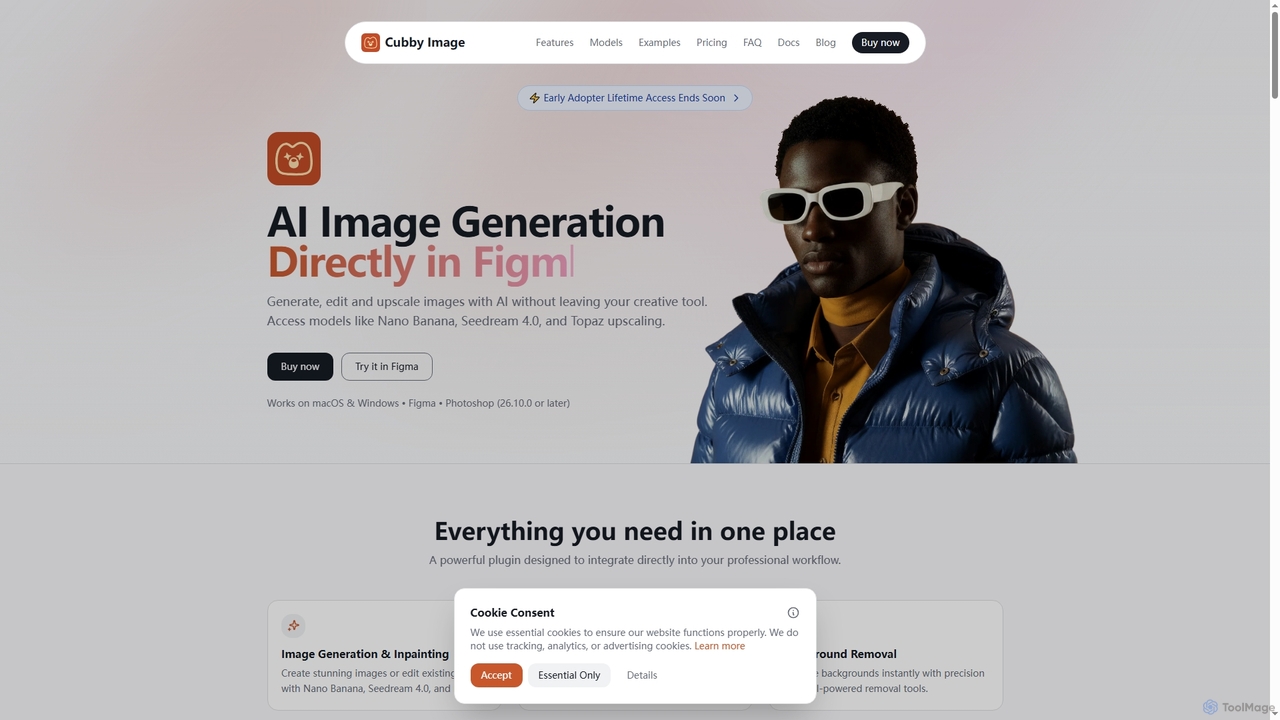
Cubby Image is an AI image generation plugin that integrates directly into Adobe Photoshop and Figma. It enables users to generate, edit, upscale, and remove backgrounds from images using state-of-the-art AI models like Nano Banana and Seedream 4.0, all within their familiar creative workflow. Users connect their own API keys for full control over costs and privacy.

Plugins
Visits 7.4KFavorites 119Likes 101

About Plugins

Plugins are AI-powered extensions that integrate directly into existing design software, enhancing and automating various creative workflows. These tools leverage advanced artificial intelligence algorithms to provide intelligent assistance, content generation, and sophisticated analysis capabilities. They empower designers to streamline repetitive tasks, explore new creative possibilities, and optimize their design output within their familiar environments. By seamlessly embedding AI functionalities, design plugins revolutionize the efficiency and innovation of the entire design process.

Core Features

  • AI Image Generation & Editing: Create new visual assets or modify existing ones with AI, directly within design applications.
  • Smart Selection & Masking: Automatically identify and isolate complex objects or areas, simplifying intricate editing tasks.
  • Content & Text Generation: Generate placeholder text, design copy, or even visual elements for mockups and layouts.
  • Design Analysis & Optimization: Evaluate designs for accessibility, consistency, and suggest improvements based on best practices.
  • Upscaling & Enhancement: Improve the resolution, detail, and overall quality of images and other design assets.

Use Cases

Designers across various disciplines utilize AI plugins to accelerate their work and achieve higher quality results. From graphic designers needing quick background removal to UI/UX designers requiring intelligent layout suggestions, these plugins offer targeted solutions. They are invaluable for automating mundane tasks, allowing more focus on creative problem-solving and strategic design decisions.

How to Choose

Selecting the right AI design plugin involves evaluating several factors. Consider its compatibility with your primary design software, the specific AI functionalities it offers, and its ease of use. Assess the plugin's performance, the quality of its AI output, and its pricing model. Finally, check for community support and regular updates to ensure long-term usability and access to new features.

Plugins use cases

1

Rapid Design Concept Iteration

A graphic designer needs to present multiple logo variations or UI element styles to a client. By using an AI design plugin, they can input initial parameters or sketches and quickly generate dozens of unique concepts. This significantly reduces the manual effort of creating each iteration, allowing for faster client feedback cycles and more diverse creative exploration, potentially saving hours of design time.

2

Automated Background Removal for E-commerce

An e-commerce product photographer or marketer frequently needs to remove backgrounds from hundreds of product images for online listings. An AI plugin integrated into their photo editing software can automatically detect and precisely cut out products from their backgrounds with a single click. This automation drastically speeds up the image preparation process, ensuring consistency across all product photos and freeing up time for other marketing activities.

3

Intelligent Content Filling for Mockups

A UI/UX designer is creating high-fidelity mockups and needs realistic placeholder text and images to fill various sections. Instead of manually searching for stock photos or writing dummy text, an AI plugin can generate contextually relevant content based on the design's theme or industry. This ensures mockups look more authentic and professional, allowing stakeholders to visualize the final product more effectively without spending time on content creation.

4

Accessibility and Consistency Checks

A design team needs to ensure their digital products comply with accessibility standards (e.g., WCAG) and maintain brand consistency across all interfaces. An AI design plugin can automatically scan designs for color contrast issues, font size legibility, inconsistent spacing, or off-brand elements. It provides instant feedback and suggestions for correction, significantly reducing the time and effort required for manual audits and ensuring a higher quality, compliant user experience.

5

High-Quality Asset Upscaling for Print

A print designer receives low-resolution images from a client that are unsuitable for large-format printing. Instead of requesting new assets or manually attempting to enhance them, an AI upscaling plugin can intelligently increase the resolution and detail of these images. This allows the designer to use existing assets for high-quality print production, saving time and avoiding potential project delays due to asset limitations, while maintaining visual fidelity.

6

Automated Vectorization of Raster Images

A designer frequently works with client logos or illustrations that are provided as low-resolution raster images, but need to be scalable for various applications (e.g., web, print, merchandise). An AI plugin can automatically convert these raster images into editable vector graphics within the design software. This process saves significant manual tracing time, ensures crisp, scalable output, and maintains brand consistency across all media without quality loss.

Plugins FAQ

What are AI Plugins for Design?

AI Plugins for Design are software extensions that integrate artificial intelligence capabilities directly into popular design applications like Photoshop, Figma, or Adobe Illustrator. They are designed to automate repetitive tasks, generate creative assets, provide intelligent suggestions, and enhance various aspects of the design workflow. These plugins leverage AI to perform complex operations that would otherwise require significant manual effort or specialized skills, making design processes more efficient and innovative.

How do AI Design Plugins enhance the design workflow?

AI Design Plugins enhance the design workflow by automating time-consuming tasks such as background removal, image upscaling, and object selection, freeing designers to focus on creative problem-solving. They also accelerate concept generation by providing AI-powered suggestions for layouts, color palettes, and even generating initial design variations. Furthermore, these plugins can perform intelligent analysis for accessibility compliance and brand consistency, ensuring higher quality and more compliant design outputs with less manual effort.

What's the difference between a standalone AI design tool and an AI design plugin?

A standalone AI design tool is a complete application designed from the ground up with AI as its core functionality, often offering a comprehensive suite of features for specific tasks like AI image generation or 3D modeling. An AI design plugin, conversely, is an add-on that integrates into an existing, broader design software (e.g., Photoshop, Figma). Its primary purpose is to augment the host application's capabilities with specific AI features, enhancing existing workflows rather than replacing the entire design environment. Plugins offer specialized AI functions within a familiar interface, while standalone tools provide a dedicated, often more extensive, AI-centric platform.

How to choose the best AI Plugin for my design software?

To choose the best AI plugin, first verify its compatibility with your specific design software and operating system. Evaluate the plugin's core AI functionalities and ensure they align with your most frequent or challenging design tasks, such as image generation, background removal, or content suggestions. Consider the quality and accuracy of its AI output, user reviews, and the responsiveness of its developer support. Finally, compare pricing models (one-time purchase vs. subscription) and look for a free trial to test its integration and performance in your actual workflow before committing.

Are AI design plugins suitable for beginners or only professionals?

AI design plugins are suitable for both beginners and professionals, though their utility may differ. For beginners, these plugins can simplify complex tasks, automate learning curves, and provide intelligent assistance that helps them achieve professional-looking results faster. Professionals benefit from the automation of repetitive tasks, allowing them to focus on higher-level creative strategy and complex problem-solving. Many plugins offer intuitive interfaces, making them accessible to new users, while advanced features cater to experienced designers seeking efficiency and cutting-edge capabilities.