ToolMage
Sign in

Best 1 Poster Generation AI tools for Design

Popular Poster Generation AI tools in Design include Onion AI, helping you work more efficiently.

Onion AI
Freemium

Onion AI

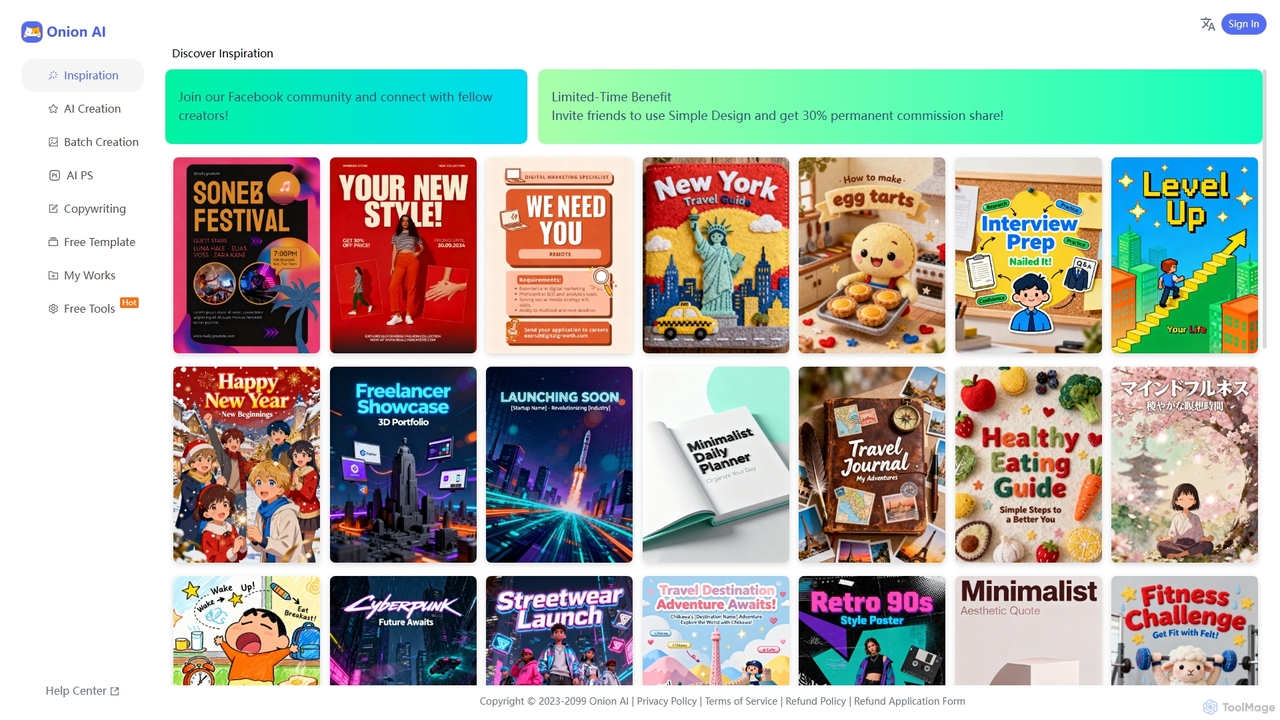
Onion AI is an innovative AI-powered design platform that helps users create high-quality posters and visual content with ease. It offers a vast library of templates, AI-driven creation tools, batch processing, and even copywriting assistance, making professional design accessible for various personal and business needs.

Image Editing
Visits 6KFavorites 144Likes 162

About Poster Generation

Poster Generation tools are AI-powered platforms that automate the creation of visually appealing posters for various purposes. Leveraging advanced algorithms, these tools transform text prompts, images, and data into professional-grade designs, significantly streamlining the visual content creation process. They empower users, from marketers to event organizers, to produce high-quality promotional materials quickly and efficiently, even without extensive graphic design skills, making them a specialized segment within AI design tools.

Core Features

  • AI-driven Layouts: Automatically generates diverse poster layouts based on content and style preferences.
  • Text-to-Image Elements: Integrates AI image generation to create unique visual components from textual descriptions.
  • Brand Kit Integration: Allows users to upload and apply brand colors, fonts, and logos for consistent branding.
  • One-click Resizing: Adapts poster designs to various dimensions for different platforms (e.g., social media, print).
  • Template Customization: Offers a wide array of editable templates that can be personalized with user content.

Applicable Scenarios

These tools are invaluable for individuals and businesses needing to create impactful visual communications rapidly. Marketing professionals use them to quickly design campaign posters, while small business owners can generate promotional flyers for sales or events. Content creators also leverage them to produce engaging social media graphics and announcements, significantly reducing design time and costs.

How to Choose

When selecting an AI poster generation tool, consider the variety and quality of its templates, the depth of customization options available, and the output resolution and file formats supported. Evaluate its ease of use, especially for non-designers, and check for brand kit integration capabilities to maintain visual consistency. Finally, assess the pricing model and any advanced features like collaborative tools or API access.

Poster Generation use cases

1

Generate Marketing Campaign Posters

Marketing professionals can rapidly design a series of visually cohesive posters for new product launches or seasonal campaigns. By inputting key messages, brand assets, and target aesthetics, the AI generates multiple design variations, allowing for quick selection and deployment across various digital and print channels. This significantly accelerates campaign rollout and ensures brand consistency without extensive manual design effort.

2

Generate Event Promotion Posters

Event organizers can quickly create eye-catching posters for concerts, workshops, or conferences by inputting event details, dates, and desired themes. The AI generates multiple design variations, saving hours of manual design work and ensuring consistent branding across all promotional materials.

3

Generate Event Promotion Posters

Event organizers frequently need to create visually engaging posters for upcoming events like concerts, workshops, or webinars. AI poster generation tools allow them to input event details, dates, and themes, then automatically generate multiple design variations. This significantly speeds up the design process, enabling rapid iteration and selection of the most impactful visuals for marketing campaigns across various channels.

4

Generate Event Promotion Posters

Event organizers can quickly design engaging posters for concerts, workshops, or conferences. By inputting event details, dates, and themes, the AI generates multiple design options. Users can then customize colors, fonts, and add speaker photos, saving hours compared to manual design, and ensuring consistent branding across all promotional materials.

5

Create Social Media Campaign Graphics

Social media managers frequently need fresh, eye-catching visuals. With AI poster generation, they can input campaign messages and target audience details to instantly produce a series of posters optimized for platforms like Instagram, Facebook, or X. This allows for rapid A/B testing of visuals and maintaining a dynamic content calendar.

6

Create Social Media Marketing Graphics

Social media managers and content creators require a constant stream of fresh, branded visuals for platforms like Instagram, Facebook, and LinkedIn. These tools enable them to quickly produce a series of themed posters for product launches, daily tips, or engagement campaigns. By leveraging AI, they can maintain brand consistency and generate diverse content without extensive design skills, keeping their audience engaged.

7

Design Event Promotion Materials

Event organizers can efficiently create compelling posters for concerts, workshops, or conferences. By providing event details, dates, and themes, the AI generates various design options, allowing for rapid iteration and selection of the most impactful visual. This capability saves hours of manual design work, enabling organizers to focus more on event logistics and promotion.

8

Design Social Media Campaign Graphics

Marketing teams can rapidly produce a series of visually cohesive posters for social media campaigns. By providing campaign messages and brand assets, the AI generates diverse layouts and styles optimized for different platforms, significantly accelerating content creation and maintaining brand identity.

9

Design Small Business Promotional Flyers

Small business owners often lack the budget or expertise for professional graphic designers but need effective promotional materials. AI poster generators provide an accessible solution to create professional-looking flyers for sales, new services, or store openings. Users can input basic information and brand elements, and the AI will craft print-ready designs, empowering businesses to market themselves effectively on a limited budget.

10

Create Educational Infographic Posters

Educators and content creators can transform complex information into engaging infographic posters. Inputting key data points and textual content, the AI automatically designs visually structured posters that simplify learning and improve information retention for students or audiences.

11

Design Product Launch Announcements

Marketing teams launching new products require impactful visuals to generate buzz. These tools enable them to upload product images and key features, then let the AI suggest layouts and typography that highlight the product's benefits. This accelerates the creation of announcement posters for websites, emails, and in-store displays, ensuring a cohesive launch message.

12

Create Social Media Graphics for Content Creators

Content creators, influencers, and small businesses can quickly generate engaging social media posters to announce new content, promotions, or updates. By simply providing text and a few visual cues, the AI produces ready-to-post graphics optimized for platforms like Instagram, Facebook, and X (formerly Twitter), ensuring a consistent and professional online presence without needing a dedicated graphic designer.

13

Produce Educational and Informational Posters

Educators, trainers, and non-profit organizations can utilize AI poster generators to create clear and engaging visual aids for presentations, workshops, or public awareness campaigns. These tools help condense complex information into digestible, visually appealing formats, making learning and information dissemination more effective and accessible to a broader audience.

14

Develop Product Launch Announcement Posters

Product managers and marketing specialists can design compelling posters for new product launches. By uploading product images and key features, the AI generates professional announcements that highlight benefits and capture attention, ensuring a strong visual impact for market entry.

15

Produce Educational and Informational Posters

Educators, trainers, and non-profit organizations often need to convey complex information clearly and engagingly. AI poster tools can help them design visually rich educational posters for classrooms, workshops, or public awareness campaigns. By inputting key facts and concepts, the AI assists in arranging text, images, and infographics into an easy-to-understand format, enhancing learning and information retention.

16

Produce Small Business Promotional Flyers

Small business owners, often without dedicated design staff, can use these tools to create professional flyers for sales, new services, or special offers. By selecting a relevant template and adding their business logo, text, and images, they can generate print-ready or digital flyers in minutes, effectively reaching local customers.

17

Develop Educational Infographic Posters

Educators and content creators can transform complex information into digestible visual posters. By inputting key data points and concepts, the AI helps structure the information visually, suggesting icons, charts, and layouts. This makes learning materials more engaging and easier to understand for students or a general audience.

18

Produce Retail Sale & Promotion Posters

Retail businesses can quickly generate attractive posters for in-store promotions, seasonal sales, or special offers. The AI allows for rapid customization of text, discounts, and product imagery, enabling timely and effective visual communication to attract customers.

19

Develop Product Launch Announcement Posters

Marketing teams launching new products or features need compelling visuals to build anticipation and inform customers. AI poster generation tools allow them to quickly create announcement posters that align with the product's branding and messaging. They can experiment with different visual styles and calls-to-action, ensuring the launch materials are impactful and consistent across all promotional channels, from websites to physical stores.

20

Quickly Visualize Business Reports and Data

Business analysts and managers can transform complex data and report summaries into visually engaging posters or infographics. By feeding key statistics and textual summaries into the AI, they can generate professional-looking visual representations that highlight crucial insights, making reports more digestible and impactful for stakeholders and internal teams, improving communication efficiency.

21

Automate Real Estate Listing Posters

Real estate agents need attractive posters for property listings, open houses, and agent branding. These tools allow them to upload property photos, key features, and contact information, generating professional posters that highlight the property's best aspects. This streamlines marketing efforts and presents listings in a polished, appealing manner.

22

Personalized Invitations and Announcements

Individuals can use AI poster generators to create unique and personalized invitations for parties, weddings, or special announcements. Instead of relying on generic templates, users can input specific themes, colors, and text, allowing the AI to craft bespoke designs that perfectly match the occasion's mood and personal style, adding a unique touch to every communication.

23

Customize Seasonal and Holiday Marketing Posters

Retailers and e-commerce businesses frequently run seasonal promotions for holidays like Black Friday, Christmas, or Valentine's Day. AI poster generators offer a rapid way to create themed marketing posters that capture the festive spirit. Users can select holiday-specific templates, customize them with their offers and branding, and quickly generate a suite of visuals for online ads, in-store displays, and email campaigns, maximizing timely sales opportunities.

24

Craft Personalized Greeting & Invitation Posters

Individuals or small businesses can create unique greeting cards or invitations for personal events or client appreciation. By selecting a style and adding personalized messages and photos, the AI generates bespoke designs that convey a personal touch without needing design expertise.

Poster Generation FAQ

What are AI Poster Generation tools?

AI Poster Generation tools are software applications that use artificial intelligence to automate the creation of posters, flyers, and other promotional graphics. They typically take user inputs like text, images, and design preferences, then employ algorithms to generate unique layouts, select appropriate fonts, colors, and visual elements. Their core purpose is to simplify and accelerate the graphic design process for various marketing and communication needs.

What are AI Poster Generation tools?

AI Poster Generation tools are software applications that use artificial intelligence to automatically design and create posters. They typically allow users to input text, images, and design preferences, then generate unique, professional-looking posters without requiring extensive manual graphic design skills. These tools leverage machine learning to understand design principles and user intent, offering a streamlined approach to visual content creation.

What are AI Poster Generation tools?

AI Poster Generation tools are software applications that use artificial intelligence algorithms to automatically design and create posters. They typically take user inputs like text, images, and design preferences, then generate various layouts, color schemes, and visual elements to produce unique and professional-looking posters, significantly simplifying the design process.

What are AI Poster Generation tools?

AI Poster Generation tools are software applications that use artificial intelligence to automatically design and create posters. They typically leverage generative AI models to interpret user inputs like text prompts, images, or data, and then produce unique visual layouts, graphics, and typography, significantly simplifying the poster design process.

How do AI Poster Generation tools differ from traditional graphic design software?

AI Poster Generation tools automate much of the design process, focusing on rapid creation from prompts or templates, making them ideal for users without extensive design skills. Traditional graphic design software, like Adobe Photoshop or Illustrator, offers granular control over every design element, requiring manual input and professional expertise for complex, custom designs.

How do AI Poster Generators differ from traditional graphic design software?

AI Poster Generators primarily focus on automation and ease of use, allowing users with minimal design experience to create professional visuals quickly. They leverage AI to suggest layouts, generate content, and apply styles. Traditional graphic design software (like Adobe Photoshop or Illustrator), on the other hand, offers extensive manual control and flexibility for professional designers to create highly customized, complex graphics from scratch, requiring significant skill and time.

How do AI Poster Generators differ from traditional graphic design software?

AI Poster Generators primarily differ by automating the design process. Traditional graphic design software (like Adobe Photoshop or Illustrator) requires manual manipulation of every element, demanding significant design skill and time. AI tools, conversely, leverage algorithms to suggest and create designs, making professional poster creation accessible to users without extensive design expertise, focusing on speed and ease of use.

How do AI Poster Generation tools differ from general graphic design software?

AI Poster Generation tools focus specifically on automating the poster creation process, often starting from templates or AI-generated layouts based on prompts. They prioritize speed, ease of use, and accessibility for non-designers. In contrast, general graphic design software (like Adobe Photoshop or Illustrator) offers extensive manual control over every design element, requiring significant skill and time but providing limitless creative freedom. AI tools are best for rapid, template-driven output, while traditional software is for bespoke, highly customized designs.

What kind of input do AI Poster Generation tools require?

Most AI Poster Generation tools require a combination of textual and visual inputs. This typically includes the main message or headline, body text, desired call-to-action, images or logos to be included, and sometimes specific style preferences (e.g., "modern," "minimalist," "vibrant"). Some advanced tools can also take a brief description or a theme, allowing the AI to generate more creative and diverse design concepts.

What features should I look for when choosing an AI Poster Generator?

Key features to consider include the diversity and quality of pre-designed templates, the flexibility of customization options (text, images, colors, fonts), and the integration of AI capabilities like text-to-image generation or smart layout suggestions. Also, look for brand kit management, various export formats (e.g., JPG, PNG, PDF), and ease of use, especially if you're not a professional designer.

What kind of inputs can I use to generate posters with AI?

Most AI Poster Generation tools accept various inputs, including text descriptions (e.g., "a vintage poster for a jazz festival"), uploaded images or logos, brand color palettes, and specific data points for infographics. Some advanced tools can even learn from your past design preferences to suggest styles.

Who can benefit most from using AI Poster Generation tools?

A wide range of users can benefit, particularly those without formal graphic design training or limited time/budget. This includes small business owners, marketers, content creators, event organizers, educators, and individuals needing quick visual assets. These tools democratize design, allowing anyone to produce professional-looking posters for social media, promotions, presentations, or personal events efficiently and affordably.

Who can benefit most from using AI Poster Generation tools?

These tools are highly beneficial for marketers, social media managers, small business owners, event organizers, educators, and anyone who needs to create visually appealing posters quickly and efficiently without extensive graphic design skills or budget. They empower users to produce high-quality promotional, informational, or decorative posters for various digital and print applications.

What features should I look for in an AI Poster Generator?

Key features to consider include a diverse library of editable templates, robust customization options for text, images, and colors, and the ability to integrate brand assets like logos and fonts. Look for AI-driven layout suggestions, text-to-image capabilities for unique visuals, and one-click resizing for various platforms. High-resolution output, multiple file formats (JPG, PNG, PDF), and a user-friendly interface are also crucial for a seamless experience.

Can I customize the posters generated by AI tools?

Yes, customization is a key feature of most AI poster generation tools. While the AI provides an initial design, users can almost always modify various elements. This includes changing text, swapping images, adjusting colors, altering fonts, resizing elements, and repositioning components. Many tools also allow users to apply their brand kits to ensure consistency with existing marketing materials.

Can I customize the posters generated by AI?

Yes, while AI generates the initial design, most Poster Generation tools offer extensive customization options. Users can typically adjust text, fonts, colors, image placement, add or remove elements, and apply filters or effects to fine-tune the poster to their exact specifications and brand guidelines.

Can AI Poster Generators create print-ready posters?

Yes, many advanced AI Poster Generators are capable of creating print-ready posters. They often support high-resolution output and offer various export formats like PDF or high-quality JPG/PNG, which are suitable for professional printing. It's important to check the tool's specifications regarding resolution, color profiles (e.g., CMYK support), and bleed settings if print quality is a primary concern.

Can AI Poster Generation tools help with brand consistency?

Yes, many AI Poster Generation tools are designed with brand consistency in mind. They often include features like 'Brand Kits' where users can upload their brand's specific colors, fonts, and logos. Once configured, the AI can apply these elements across all generated posters, ensuring that every visual output aligns with the brand's identity. This is particularly beneficial for businesses and marketers who need to maintain a cohesive brand image across multiple campaigns and platforms.

Who benefits most from using AI Poster Generation tools?

AI Poster Generation tools are particularly beneficial for small business owners, marketers, social media managers, event organizers, educators, and content creators who need to produce high-quality visual content quickly and efficiently without relying on professional graphic designers. They are also great for individuals looking to create personalized designs with ease.

Who benefits most from using AI Poster Generation tools?

AI Poster Generation tools are particularly beneficial for individuals and small to medium-sized businesses that need to produce marketing and promotional materials frequently but have limited design resources or expertise. This includes marketers, social media managers, small business owners, event organizers, educators, and content creators who need to generate high-quality visuals quickly and cost-effectively without relying on professional designers.