ToolMage
Sign in

Best 1 Sprint Management AI tools for Design

Popular Sprint Management AI tools in Design include Metodic, helping you work more efficiently.

Metodic
Freemium

Metodic

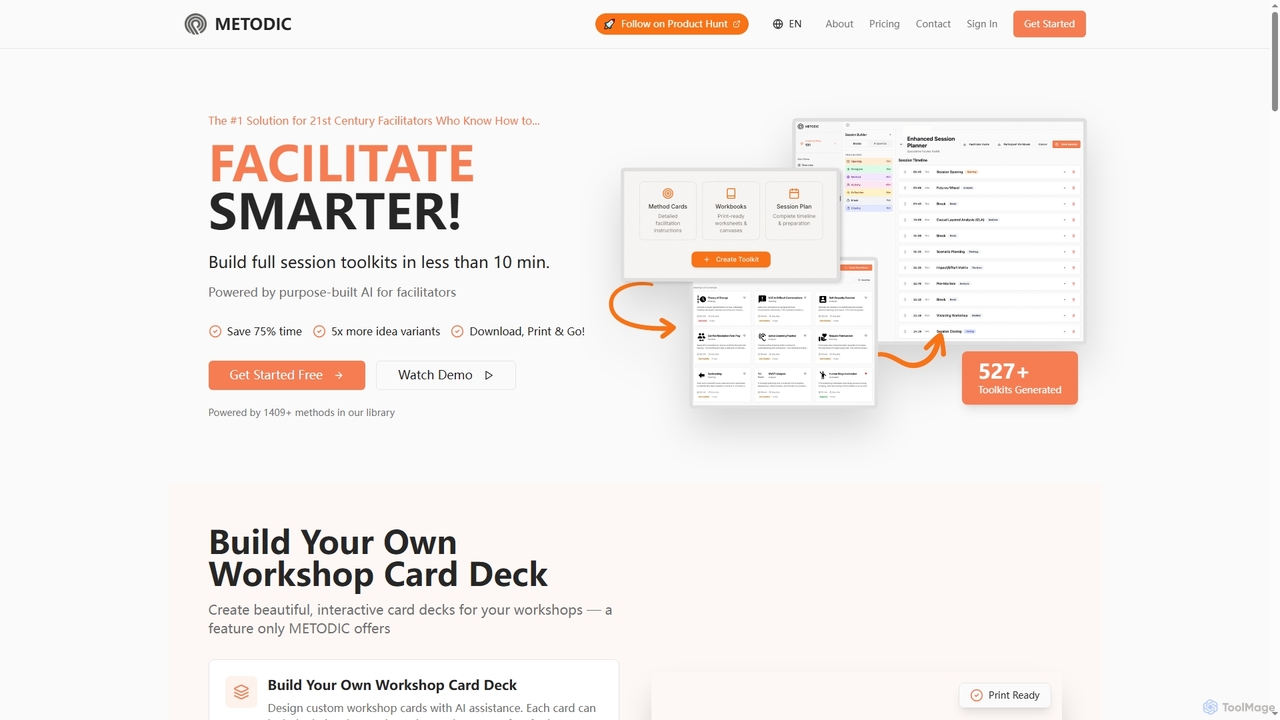
Metodic is an AI-powered platform designed for facilitators to rapidly generate comprehensive session toolkits, method card decks, and session plans. It helps professionals save up to 75% of preparation time, offering tailored content, proven methods, and print-ready materials for engaging workshops and meetings.

Workshop Planning
Visits 8.2KFavorites 153Likes 161

About Sprint Management

Sprint Management tools are specialized AI-powered platforms designed to facilitate agile methodologies within design and development teams. These tools streamline the planning, execution, and tracking of iterative work cycles, commonly known as sprints. By centralizing tasks, fostering real-time collaboration, and providing visual progress insights, they empower teams to deliver design projects efficiently and adaptively, ensuring alignment with project goals and stakeholder expectations.

Core Features

  • Sprint Planning & Backlog Management: Organize and prioritize design tasks, user stories, and epics into manageable sprints.
  • Task Tracking & Workflow Visualization: Monitor individual and team progress through Kanban boards or Gantt charts, visualizing design workflow stages.
  • Collaboration & Communication: Provide integrated platforms for team discussions, feedback loops, and document sharing specific to design assets.
  • Performance Analytics & Reporting: Generate burndown/burnup charts and velocity reports to assess sprint performance and predict future design capacity.
  • Retrospective & Feedback Management: Facilitate structured sprint reviews and retrospectives to identify improvements for subsequent design iterations.

Applicable Scenarios

These tools are indispensable for UI/UX design teams managing iterative product development, marketing creative teams coordinating campaign asset production, and cross-functional teams executing design sprints. They support structured workflows for rapid prototyping, user testing cycles, and continuous design improvement, ensuring projects stay on track and within scope.

How to Choose

When selecting a Sprint Management tool, consider its integration capabilities with existing design software (e.g., Figma, Sketch), the flexibility of its workflow customization to match your team's agile practices, and its reporting features for actionable insights. Evaluate scalability for team growth and the level of AI assistance offered for task prioritization or timeline prediction, ensuring it aligns with your project complexity and budget.

Sprint Management use cases

1

Streamlining UI/UX Design Sprints

UI/UX design teams leverage Sprint Management tools to meticulously plan and execute design sprints. Designers can break down complex features into smaller, manageable tasks, assign them to team members, and track progress on a visual board. This ensures a structured approach to prototyping, user testing, and iteration, leading to faster delivery of high-quality user interfaces and experiences while maintaining clear communication across the team.

2

Managing Agile Marketing Content Creation

Marketing teams utilize Sprint Management tools to organize and track the iterative creation of content, such as social media campaigns, blog posts, or video assets. They can plan content sprints, assign tasks like copywriting, graphic design, and video editing, and monitor each stage's completion. This agile approach helps marketing teams respond quickly to market trends, maintain consistent brand messaging, and efficiently deliver diverse content formats on schedule.

3

Coordinating Cross-Functional Product Development

For product development involving design, engineering, and marketing, Sprint Management tools provide a unified platform for coordination. Teams can collaborate on shared backlogs, prioritize features, and track dependencies across different disciplines. This ensures that design mockups are seamlessly handed off to developers, marketing materials align with product launches, and all teams remain synchronized, reducing bottlenecks and accelerating time-to-market for new products.

4

Facilitating Remote Design Team Collaboration

Remote design teams benefit significantly from Sprint Management tools by maintaining transparency and fostering collaboration regardless of location. These platforms enable shared task boards, real-time updates, and integrated communication channels for feedback on design iterations. This ensures every team member understands their responsibilities, tracks collective progress, and contributes effectively to design sprints, overcoming geographical barriers and enhancing team cohesion.

5

Tracking Progress of Creative Asset Production

Creative agencies and in-house design departments use Sprint Management tools to manage the production lifecycle of various creative assets, from initial concept to final delivery. They can define sprints for specific projects, assign tasks for illustration, animation, or photography, and track review cycles. This structured approach helps manage client expectations, ensures timely delivery of high-quality visuals, and optimizes resource allocation for multiple creative projects simultaneously.

6

Optimizing Iterative Software Design Cycles

Software design teams employ Sprint Management tools to optimize their iterative development cycles, particularly for UI/UX enhancements and feature rollouts. They can plan design sprints focused on specific user stories, track the progress of wireframing, mockups, and usability testing, and gather feedback efficiently. This systematic approach allows for continuous improvement, rapid iteration based on user feedback, and a more predictable delivery schedule for software design components.

Sprint Management FAQ

What are Sprint Management tools?

Sprint Management tools are software applications specifically designed to help teams, particularly those following agile methodologies like Scrum, plan, execute, and monitor work in short, iterative cycles called sprints. They centralize tasks, facilitate collaboration, and provide visual dashboards to track progress, ensuring design and development projects are delivered efficiently and adaptively. Key features often include backlog management, task boards, and performance analytics.

How do Sprint Management tools benefit design teams?

For design teams, Sprint Management tools offer several key benefits. They provide a structured framework for managing iterative design processes, from concept to user testing, ensuring clarity on tasks and deadlines. These tools enhance collaboration by centralizing feedback and communication, reducing misinterpretations. By visualizing progress and identifying bottlenecks early, design teams can optimize their workflows, adapt quickly to changes, and consistently deliver high-quality design assets on schedule, improving overall project predictability.

What essential features should I look for in a Sprint Management tool?

When choosing a Sprint Management tool, prioritize features that support your agile workflow. Essential capabilities include robust sprint planning and backlog management for organizing tasks, intuitive task boards (like Kanban or Scrum boards) for visualizing progress, and strong collaboration features for team communication and feedback. Look for tools with comprehensive reporting (e.g., burndown/burnup charts, velocity reports) to track performance, and integration options with existing design software or communication platforms to streamline your ecosystem.

How does AI enhance Sprint Management for design projects?

AI significantly enhances Sprint Management for design projects by introducing predictive analytics and automation. AI can analyze historical sprint data to predict future sprint velocity, helping teams set more realistic goals and timelines. It can also assist in automated task prioritization based on dependencies and impact, suggest optimal resource allocation, and identify potential bottlenecks before they occur. This allows design teams to make data-driven decisions, optimize their workflows, and improve the efficiency and predictability of their iterative design processes.

What's the difference between Sprint Management and general Project Management tools?

While both manage projects, Sprint Management tools are specifically tailored for agile, iterative workflows, focusing on short, time-boxed cycles (sprints) with continuous delivery. They emphasize features like backlog refinement, sprint planning, daily stand-ups, and retrospectives. General Project Management tools, conversely, often support a broader range of methodologies (e.g., Waterfall, Gantt charts for long-term planning) and focus more on overall project timelines, resource allocation across entire projects, and budget tracking. Sprint Management is a specialized subset, ideal for dynamic, adaptive design and development environments.