AI Disturbance Overlay
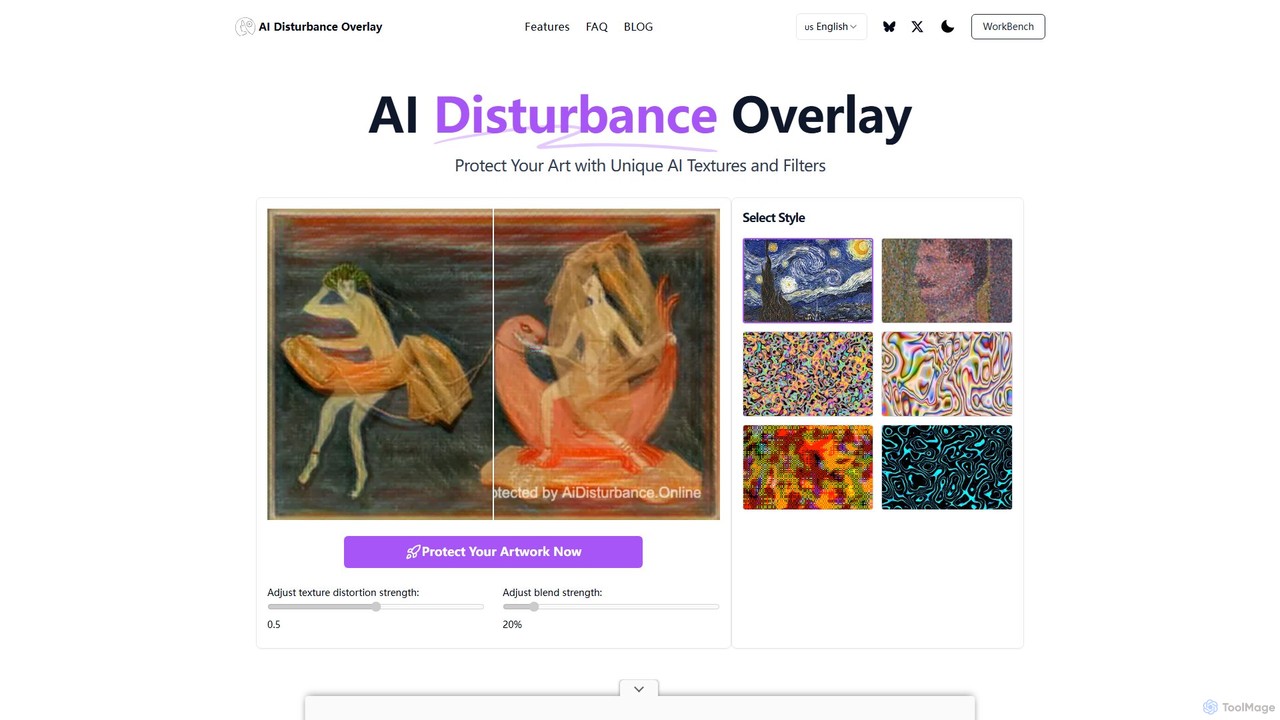
AI Disturbance Overlay is a tool for artists to protect their work from AI style theft. It applies …
AI Disturbance Overlay is a tool for artists to protect their work from AI style theft. It applies a subtle, nearly invisible filter to images using adversarial techniques. This 'disturbance' layer disrupts AI models like MidJourney and Stable Diffusion, preventing them from learning or replicating the artist's unique style, even after screenshots or compression. It's a web-based solution designed to safeguard artistic sovereignty in the age of generative AI.
About Utilities
AI Design Utilities are a category of AI-powered tools that streamline and enhance various aspects of the design workflow, moving beyond core creation to focus on optimization and automation. Leveraging advanced algorithms, these utilities automate repetitive tasks like image resizing, background removal, and asset organization, significantly boosting efficiency and freeing designers to concentrate on creative work. They provide smart functionalities that support designers in preparing, managing, and refining their visual assets, ensuring consistency and quality across projects.
Core Features
- Image Enhancement & Optimization: Automatically upscales low-resolution images, reduces noise, and compresses files without losing quality.
- Background Removal & Object Isolation: Precisely extracts subjects from images, removing complex backgrounds with high accuracy.
- Asset Management & Tagging: Organizes design files, automatically tags assets, and facilitates quick retrieval and version control.
- Color Palette & Font Pairing: Generates harmonious color schemes, suggests complementary fonts, and checks for accessibility compliance.
- File Conversion & Vectorization: Converts raster images to scalable vector graphics and transforms various file formats efficiently.
Applicable Scenarios
These tools are invaluable for graphic designers, web developers, marketing professionals, and e-commerce businesses. They are used in scenarios requiring high-volume asset processing, meticulous preparation for print or web, and maintaining brand consistency across diverse platforms.
How to Choose
When selecting AI Design Utilities, consider the specific tasks you need to automate, such as image optimization or background removal accuracy. Evaluate integration capabilities with your existing design software, the range of supported file formats, and the tool's scalability for individual or team use. Also, assess the pricing model and the level of AI intelligence for complex tasks.

UtilitiesUse Cases
Batch Process Product Images for E-commerce
An e-commerce manager needs to upload hundreds of product images daily. Using AI Design Utilities, they can automatically remove backgrounds, standardize image sizes, and optimize file formats for web, significantly reducing manual editing time and ensuring consistent product presentation across their online store.
Automate Design Asset Organization for Large Teams
A design agency with multiple projects and designers struggles with asset management. Implementing an AI Design Utility for asset organization allows them to automatically tag, categorize, and version control all design files. This ensures every team member can quickly find the correct assets, reducing search time by 60% and preventing the use of outdated versions.
Enhance Low-Resolution Client Logos for Print
A print designer receives a client's logo in a low-resolution JPEG format, unsuitable for large-scale printing. Instead of manually redrawing, they use an AI Design Utility to upscale the image and convert it into a high-quality vector graphic. This process ensures crisp, scalable output for print materials, saving hours of manual vectorization work and maintaining brand integrity.
Generate Accessible Color Palettes for Web Design
A web designer needs to create a new website that adheres to WCAG accessibility standards, particularly for color contrast. An AI Design Utility can analyze existing brand colors and suggest an expanded palette that meets contrast requirements, ensuring the website is usable for individuals with visual impairments and saving the designer from tedious manual color testing.
Streamline Design File Preparation for Developers
A UI/UX designer needs to hand off design assets to a development team. An AI Design Utility can automatically export assets in various formats (e.g., SVG, PNG, WebP), optimize them for web performance, and even generate CSS snippets for common elements. This significantly reduces the back-and-forth between design and development, accelerating the implementation phase.
Automate Image Background Generation for Marketing
A marketing specialist needs diverse backgrounds for product advertisements without conducting new photoshoots. An AI Design Utility can take a product image with a transparent background and generate multiple realistic or stylized backgrounds based on text prompts or existing templates. This allows for rapid iteration of ad creatives and tailored visuals for different campaigns, saving significant production costs and time.