ToolMage
Sign in

Best 1 Builder Resources AI tools for Development

Popular Builder Resources AI tools in Development include Hot100, helping you work more efficiently.

Hot100

Hot100

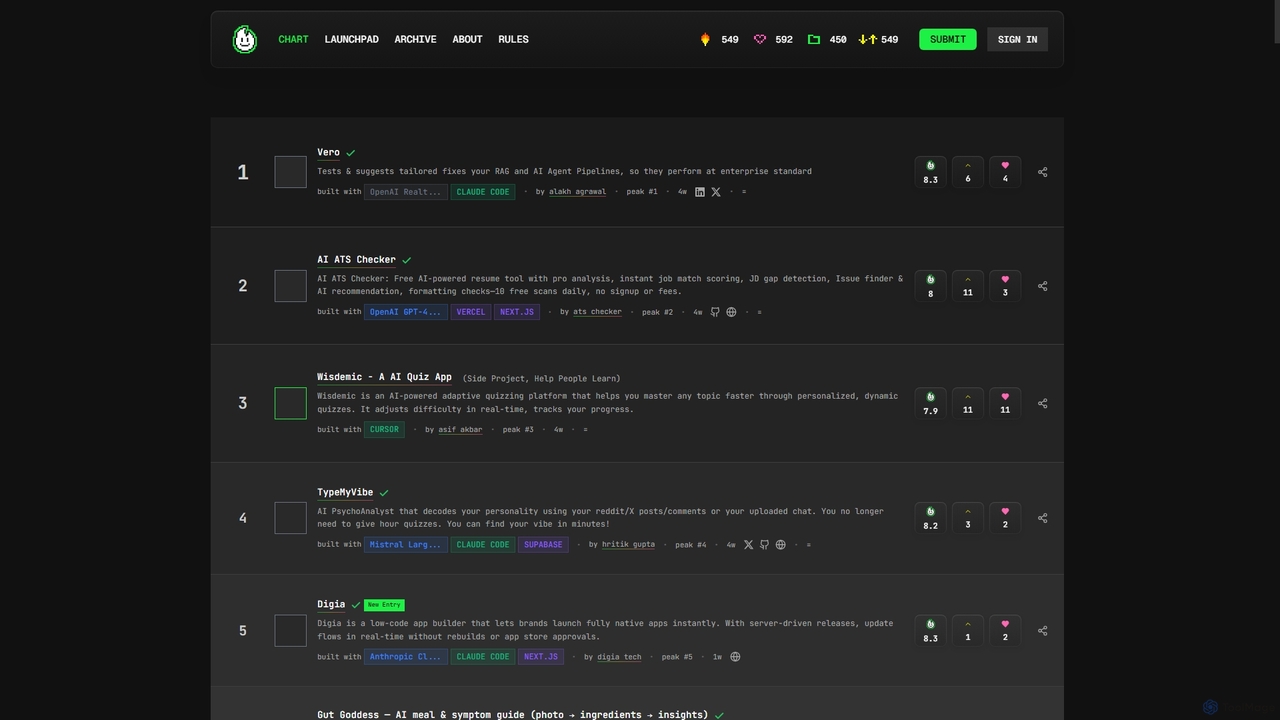
Hot100 is a dynamic weekly chart showcasing the most innovative and useful AI-built projects. It provides a merit-based leaderboard, evaluated by an AI judge named Flambo, focusing on genuine utility and groundbreaking ideas rather than marketing hype. Discover new trends, submit your creations, and engage with the vibrant AI builder community.

Project Showcase
Visits 7.8KFavorites 143Likes 122

About Builder Resources

Builder Resources are collections of tools, frameworks, APIs, and libraries that enable developers to construct AI-powered applications. These resources provide the essential building blocks, such as access to pre-trained models and development environments, abstracting away much of the underlying complexity of machine learning. They are designed to accelerate the development lifecycle, allowing creators to integrate sophisticated AI capabilities like natural language processing or computer vision into their software with greater efficiency. This approach lowers the barrier to entry for building complex AI solutions and enables faster prototyping and deployment.

Core Features

  • API Access to Pre-trained Models: Provides standardized interfaces to leverage powerful, large-scale AI models for tasks like text generation, image analysis, and speech recognition.
  • Software Development Kits (SDKs): Offers language-specific libraries and tools that simplify the integration of AI functionalities into existing applications and workflows.
  • Low-Code/No-Code Platforms: Features visual development environments that allow users to build and deploy AI applications with minimal or no programming.
  • Vector Databases & Management: Includes specialized databases and tools for storing, indexing, and querying high-dimensional vector embeddings, crucial for search and recommendation systems.
  • Comprehensive Documentation & Tutorials: Offers detailed guides, code samples, and best practices to support developers throughout the building process.

Use Cases

Builder Resources are primarily used by AI engineers, full-stack developers, and technical product managers. They are essential for tasks such as building custom chatbots with specific knowledge bases, developing applications with image or object recognition features, creating personalized recommendation engines for e-commerce, or prototyping new AI-driven services. These tools are applicable across industries like tech, finance, healthcare, and retail for creating innovative products.

How to Choose

When selecting a Builder Resource, consider the following: First, evaluate the quality and variety of available AI models and ensure they align with your project's needs. Second, assess the compatibility of SDKs with your existing technology stack. Third, analyze the platform's scalability, performance, and reliability for production environments. Finally, compare pricing models (e.g., pay-per-use vs. subscription) and review the quality of documentation and community support to ensure a smooth development experience.

Builder Resources use cases

1

Building a Customer Service Chatbot

A developer at an e-commerce company is tasked with creating an intelligent chatbot to handle customer inquiries 24/7. Instead of building a natural language processing model from scratch, they use a builder resource that provides API access to a powerful large language model. Using the provided Python SDK, they integrate the model into their website's chat widget. They then use a vector database service, another builder resource, to upload their company's product manuals and FAQs. This allows the chatbot to provide accurate, context-aware answers, reducing support ticket volume by 40%.

2

Developing an AI Content Moderation System

A social media startup needs to implement a system to automatically flag inappropriate user-generated content. Their small development team uses a builder resource that offers a suite of content safety APIs. They integrate the image moderation API to detect explicit or violent content in uploads and a text moderation API to filter out hate speech in comments. This allows the platform to maintain community standards proactively without hiring a large team of human moderators, enabling them to scale safely and efficiently.

3

Prototyping a Voice-Controlled Application

A mobile app developer wants to build a prototype for a hands-free recipe app. They use a builder resource that provides easy-to-use SDKs for speech-to-text and text-to-speech functionalities. Within a few hours, they are able to implement voice commands like "Next step" or "List ingredients." This rapid prototyping capability allows them to test the core user experience and gather feedback from potential users quickly, without investing significant time and resources in developing their own voice recognition technology.

4

Automating Document Data Extraction

A financial services firm processes thousands of invoices monthly, a task that requires significant manual data entry. To automate this, they use a builder resource specializing in Document AI. By calling a single API endpoint with a scanned invoice, they can automatically extract key-value pairs like 'Invoice Number', 'Due Date', and 'Total Amount' with high accuracy. This integration eliminates hours of tedious work, reduces human error, and allows their finance team to focus on more analytical tasks. The resource's pre-trained models for invoices mean they didn't need to train a custom model.

5

Creating a Personalized Recommendation Engine

An online streaming service wants to improve user engagement by offering personalized content recommendations. A data scientist on the team uses a builder resource that provides machine learning libraries and frameworks. They use a pre-built recommendation algorithm template from the library, feeding it user viewing history data. The framework handles the complex model training and deployment process. The resulting recommendation engine is integrated into their platform, leading to a 15% increase in average user session time by suggesting relevant movies and shows.

6

Building a Custom AI Agent with Low-Code

A marketing manager with basic technical skills wants to create an AI agent that monitors industry news and drafts a weekly summary email. They use a low-code builder platform that provides a visual interface for connecting different AI modules. They drag and drop a 'Web Search' module to find relevant articles, connect it to a 'Summarization' module powered by an LLM, and finally link it to an 'Email' module. This allows them to build a functional automated workflow in an afternoon without writing any complex code, saving them hours of manual research each week.

Builder Resources FAQ

What are AI Builder Resources?

AI Builder Resources are foundational tools like APIs, SDKs, and low-code platforms that developers use to build AI-powered applications. Instead of creating complex machine learning models from scratch, these resources provide pre-built components and access to powerful, existing AI models. This significantly accelerates the development process, making it easier to integrate features like language understanding, image recognition, or data analysis into software.

How to choose the right AI Builder Resource?

Choosing the right resource depends on your specific needs. Consider these factors:

  • Project Requirements: Does the resource offer the specific AI capability you need (e.g., NLP, computer vision, speech-to-text)?
  • Technical Stack: Is there a well-supported SDK for your preferred programming language (e.g., Python, JavaScript)?
  • Scalability: Can the resource handle your expected user load and performance requirements in a production environment?
  • Cost: Understand the pricing model. Is it based on API calls, monthly subscriptions, or active users?
  • Developer Experience: Evaluate the quality of the documentation, tutorials, and community support available.
What's the difference between Builder Resources and AI Model Training platforms?

The key difference lies in their focus. Builder Resources are for using AI. They provide access to pre-trained models and tools to integrate AI into applications quickly. The goal is application development. In contrast, AI Model Training platforms are for creating AI. They provide the infrastructure and tools (like data labeling, and computing resources) needed to train, fine-tune, and build custom machine learning models from the ground up. The goal is model creation.

Do I need to be an AI expert to use Builder Resources?

Not necessarily. While a background in software development is generally required, many builder resources are designed to abstract away the deep complexities of AI and machine learning. High-level APIs and SDKs allow developers to call complex AI functions with just a few lines of code. Furthermore, low-code and no-code platforms are making AI application development accessible to individuals with minimal programming experience, such as product managers or business analysts.

What are some common examples of AI Builder Resources?

AI Builder Resources encompass a wide range of tools. Common examples include:

  • Large Language Model (LLM) APIs: Interfaces for accessing models like GPT or Claude for text generation, summarization, and Q&A.
  • Computer Vision SDKs: Libraries for integrating image recognition, object detection, or OCR into applications.
  • Low-Code AI Workflow Builders: Visual platforms for connecting different AI services to create automated processes.
  • Vector Database Services: Managed databases specifically designed for storing and searching high-dimensional data for AI applications.
  • Speech-to-Text APIs: Services that convert audio streams or files into written text.