
ToolMage
Sign in

Best 3 Database Tools for Development

Popular Database Tools in Development include DBWillow, Fluxstack, and IQPrompt, helping you work more efficiently.

DBWillow
Freemium

DBWillow

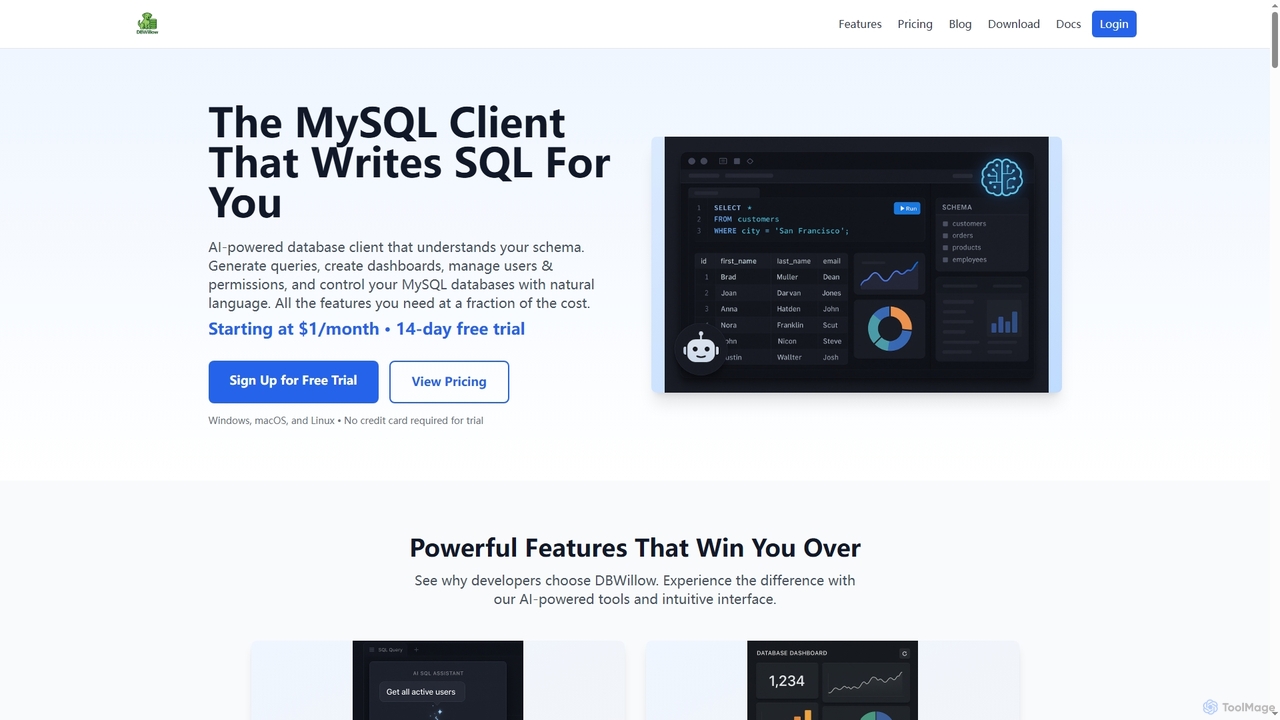
DBWillow is an AI-powered MySQL and MariaDB client that simplifies database management. It allows users to generate SQL queries, create advanced dashboards, and manage users and permissions using natural language, significantly boosting productivity for developers and data professionals.

Database Tools
Visits 3.5KFavorites 46Likes 42

About Database Tools

Database Tools are specialized software solutions designed to help users manage, query, and optimize various types of databases. Leveraging AI, these tools automate complex tasks, provide intelligent insights, and enhance the overall efficiency and reliability of data management. They are crucial for developers, data professionals, and businesses seeking to streamline their data operations within the broader development ecosystem.

Core Features

  • Query Optimization: Analyzes and suggests improvements for SQL queries to enhance database performance.
  • Schema Design & Management: Assists in designing, visualizing, and modifying database schemas with intelligent recommendations.
  • Performance Monitoring: Continuously tracks database health, identifies bottlenecks, and alerts on potential issues.
  • Data Migration & Integration: Facilitates the seamless transfer and synchronization of data between different database systems.
  • Natural Language Querying: Allows users to retrieve data using plain English, translating natural language into SQL queries.

Applicable Scenarios

Database Tools are indispensable for various roles. Database Administrators use them for proactive performance tuning and anomaly detection. Developers integrate them into their CI/CD pipelines for automated schema validation and data seeding. Data Analysts leverage natural language querying to quickly extract insights without deep SQL knowledge.

How to Choose

When selecting Database Tools, consider compatibility with your existing database systems (e.g., SQL, NoSQL). Evaluate the breadth and depth of AI capabilities, such as automated optimization or predictive analytics. Assess integration options with other development and data platforms, as well as the tool's scalability and security features to meet future demands.

Featured tool rankings

Database Tools use cases

1

Optimizing Complex SQL Queries

A backend developer is experiencing slow response times in their application due to inefficient database queries. Using a Database Tool, they can analyze query execution plans, identify performance bottlenecks, and rewrite or refactor SQL statements to significantly reduce query time, improving application responsiveness and user experience.

2

Automating Database Performance Tuning

Database administrators use AI-powered tools to automatically analyze query execution plans, identify slow queries, and suggest indexing or schema changes. This proactive optimization reduces manual effort, prevents performance bottlenecks, and ensures applications run smoothly, saving hours of diagnostic work.

3

Automating Daily Database Backups

A system administrator needs to ensure critical business data is regularly backed up to prevent loss. They configure a Database Tool to schedule automated daily backups of their production databases to a secure cloud storage, establishing a robust disaster recovery plan and minimizing manual intervention.

4

Generating SQL Queries from Natural Language

Business users or data analysts without extensive SQL knowledge can input questions in plain English (e.g., "Show me sales figures for Q3 last year by region"). The database tool translates this into accurate SQL queries, democratizing data access and accelerating insight generation.

5

Designing and Managing Database Schemas

A database architect is developing a new application and needs to design a robust and scalable database schema. They use a visual Database Tool to create entity-relationship diagrams, define tables, columns, data types, and relationships, then generate the DDL scripts for deployment, ensuring consistency and reducing errors.

6

Optimizing Database Schema Design

Developers and architects utilize these tools to design new database schemas or refactor existing ones. AI can analyze data access patterns and suggest optimal table structures, relationships, and data types, leading to more efficient storage and faster query performance from the outset.

7

Detecting Anomalies in Database Activity

Security teams and DBAs employ database tools to monitor real-time database activity for unusual patterns, such as sudden spikes in failed login attempts or unauthorized data access. AI algorithms can flag these anomalies instantly, helping to prevent data breaches and ensure compliance.

8

Real-time Database Performance Monitoring

A DevOps engineer is responsible for maintaining the health and performance of production databases. They deploy a Database Tool to continuously monitor key metrics like CPU usage, memory consumption, active connections, and slow queries, receiving instant alerts for anomalies and proactively addressing potential issues before they impact users.

9

Streamlining Data Migration Between Systems

When upgrading databases or moving to a cloud environment, database tools automate the complex process of data extraction, transformation, and loading (ETL). They handle schema mapping, data type conversions, and ensure data integrity, significantly reducing migration time and error rates.

10

Migrating Data Between Different Database Systems

An IT specialist is tasked with migrating an old application's data from an on-premise SQL Server to a cloud-based PostgreSQL instance. They use a Database Tool with data migration capabilities to map schemas, transform data types, and execute the transfer, ensuring data integrity and minimizing downtime during the transition.

11

Enhancing Data Governance and Compliance

Organizations use database tools to enforce data policies, track data lineage, and manage access controls across various databases. AI can help identify sensitive data, ensure proper masking, and generate audit trails, simplifying compliance with regulations like GDPR or HIPAA.

12

Conducting Database Security Audits

A security engineer needs to regularly audit database configurations for vulnerabilities and compliance. They leverage a Database Tool to scan for weak passwords, unpatched versions, misconfigurations, and unauthorized access attempts, generating reports and recommending remediation steps to enhance database security posture.

Database Tools FAQ

What are Database Tools?

Database Tools are software applications designed to facilitate the management, development, and maintenance of databases. They provide a comprehensive suite of features for tasks such as designing schemas, writing and optimizing queries, monitoring performance, migrating data, and ensuring data security. These tools streamline complex database operations, making them more efficient and less prone to error for various users, from developers to administrators.

What are Database Tools?

Database Tools are software applications designed to facilitate the management, querying, and optimization of databases. They provide functionalities ranging from schema design and performance monitoring to data migration and security. Within the development context, they are essential for ensuring data integrity, accessibility, and efficiency for applications.

How to choose the right Database Tool?

Choosing the right Database Tool involves considering several factors. First, ensure compatibility with your specific database systems (e.g., SQL, NoSQL, cloud databases). Second, evaluate the feature set against your needs, such as advanced query editors, visualizers, or automation. Third, assess its scalability for your data volume and user base. Finally, consider ease of use, community support, integration capabilities with other development tools, and licensing costs to find a solution that aligns with your project requirements and budget.

How do AI-powered Database Tools differ from traditional ones?

AI-powered Database Tools leverage machine learning and artificial intelligence to automate tasks, provide predictive insights, and handle complex data operations more intelligently. Unlike traditional tools that rely on manual configurations or rule-based logic, AI tools can learn from data patterns to optimize queries, detect anomalies, suggest schema improvements, and even generate SQL from natural language, significantly enhancing efficiency and reducing human error.

What are the key benefits of using Database Tools?

Using Database Tools offers several key benefits, including improved database performance through intelligent query optimization, reduced manual effort via automation of routine tasks like backups and migrations, enhanced data security through anomaly detection and access control management, and better data governance. They also empower users with easier data access and faster insight generation.

What are the main functions of Database Tools?

Database Tools offer a wide array of functions crucial for effective database management. Key functions include: Schema Design and Management for creating and modifying database structures; Querying and Scripting for writing, executing, and debugging SQL/NoSQL queries; Performance Monitoring and Tuning to identify and resolve bottlenecks; Data Import/Export and Migration for moving data between systems; and Backup and Recovery for data protection. Many also include security auditing and user access management features.

Who typically uses Database Tools?

Database Tools are primarily used by Database Administrators (DBAs) for maintenance and performance tuning, Developers for designing and interacting with databases in their applications, Data Analysts and Scientists for querying and extracting insights, and IT Managers for overseeing data infrastructure. Essentially, anyone involved in managing, developing, or analyzing data relies on these tools.

How do Database Tools fit into the broader "Development" category?

Database Tools are an integral part of the "Development" category by providing the essential infrastructure and utilities for building data-driven applications. Developers rely on these tools throughout the software development lifecycle for tasks like designing database models, writing efficient data access layers, testing database interactions, and deploying database changes. They ensure that applications can store, retrieve, and manage data reliably and performantly, directly contributing to the success of any data-intensive software project.

What are the benefits of using advanced Database Tools?

Advanced Database Tools offer significant benefits, primarily by enhancing productivity, ensuring data integrity, and improving system performance. They automate repetitive tasks like backups and migrations, reduce manual errors through visual design and validation, and provide deep insights into database health and query efficiency. This leads to faster development cycles, more reliable applications, reduced operational costs, and better overall data governance, empowering teams to manage complex data environments with greater ease and confidence.

How to choose the best Database Tool for my project?

To choose the best Database Tool, consider your specific database type (SQL, NoSQL, cloud-native), the range of features required (e.g., performance tuning, migration, natural language querying), and the level of AI automation you need. Also, evaluate its compatibility with your existing tech stack, scalability for future growth, security capabilities, and the vendor's support and pricing model.