ToolMage
Sign in

Best 1 No Code Tools for Development

Popular No Code Tools in Development include Requisor, helping you work more efficiently.

Requisor
Freemium

Requisor

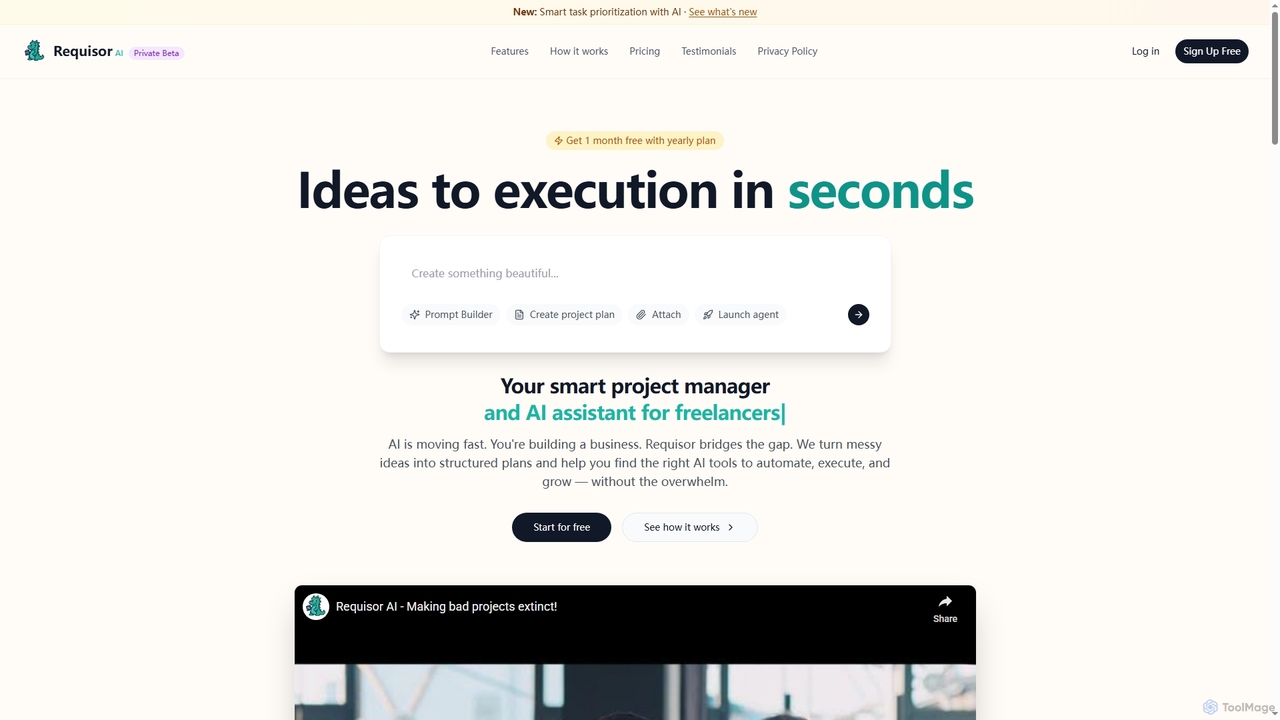
Requisor is an intelligent AI project management tool designed for solopreneurs, freelancers, and small teams. It transforms messy ideas into structured plans, automates tasks, and helps prioritize high-impact work to accelerate project completion and optimize resource allocation. With AI-powered insights, Requisor aims to reduce manual task management and enhance productivity.

Workflow Automation
Visits 6.5KFavorites 153Likes 169

About No Code Tools

No Code Tools are platforms that enable users to build applications and automate workflows without writing any traditional programming code. These tools typically feature intuitive visual interfaces, drag-and-drop functionalities, and pre-built components, democratizing software development. They empower citizen developers and business users to rapidly create web applications, mobile apps, and complex automations, significantly accelerating digital transformation and innovation across various industries.

Core Features

  • Visual Development Interface: Provides a graphical environment for designing and building applications using drag-and-drop elements.
  • Pre-built Templates & Components: Offers ready-to-use modules and templates for common functionalities, speeding up development.
  • Workflow Automation: Allows users to define and automate business processes and data flows without coding.
  • Database Integration: Seamlessly connects with various data sources and manages information within the no-code platform.
  • Deployment & Hosting: Includes built-in capabilities for publishing and hosting developed applications.

Use Cases

No Code Tools are widely adopted by small businesses, startups, and large enterprises to quickly prototype ideas, launch MVPs, and streamline internal operations. They are ideal for marketing teams creating landing pages, HR departments building employee portals, and sales teams automating lead management. These tools bridge the gap between business needs and technical implementation, allowing non-developers to contribute directly to digital product creation.

How to Choose

When selecting No Code Tools, consider the specific application type you intend to build (web, mobile, automation), the complexity of required functionalities, and the platform's scalability. Evaluate the ease of use, available integrations with existing systems, pricing models, and the community support. Ensure the tool offers the necessary security features and data governance capabilities for your project's requirements.

No Code Tools use cases

1

Build Internal Business Tools

A small business owner needs a custom CRM or project management dashboard to track client interactions and team tasks. Using a No Code platform, they can drag-and-drop fields, create custom workflows for lead tracking, and integrate with existing spreadsheets, all without hiring a developer. This saves significant development costs and allows for rapid iteration based on evolving business needs.

2

Create Customer-Facing Web Applications

A startup wants to launch a simple booking system for their service or an online store for their products quickly. No Code Tools allow them to design user interfaces, manage product catalogs, set up payment gateways, and deploy the application to a custom domain within days or weeks. This enables them to validate market demand and gather early customer feedback without extensive coding efforts.

3

Automate Repetitive Business Workflows

An operations manager needs to streamline data entry, report generation, or email notifications across different platforms. No Code automation tools can connect various apps (e.g., CRM, email, spreadsheets) to create automated sequences. For instance, when a new lead is added to the CRM, an automated email is sent, and a task is created in the project management tool, saving hours of manual work daily.

4

Develop Simple Mobile Applications

An event organizer needs a mobile app for attendees to view schedules, speaker bios, and venue maps. Using a No Code mobile app builder, they can design the app's layout, add content sections, integrate with event registration data, and publish it to app stores without writing a single line of code. This provides a professional mobile experience for users at a fraction of the cost and time of traditional development.

5

Launch Marketing Landing Pages and Microsites

A marketing team needs to quickly create and deploy multiple landing pages for different campaigns or a microsite for a specific product launch. No Code website builders allow them to use templates, customize designs with drag-and-drop editors, integrate forms for lead capture, and connect with analytics tools. This enables rapid campaign execution and A/B testing without relying on IT or development teams, significantly reducing time-to-market.

6

Rapid Prototyping and MVP Development

Entrepreneurs and product managers often need to test new ideas or validate product concepts quickly before investing heavily in full-scale development. No Code platforms enable them to build functional prototypes or Minimum Viable Products (MVPs) in a fraction of the time. This allows for rapid experimentation, gathering user feedback, and making data-driven decisions on product direction with minimal upfront investment.

No Code Tools FAQ

What are No Code Tools?

No Code Tools are software platforms that allow users to create applications and automate processes without writing any code. They achieve this through visual development interfaces, often featuring drag-and-drop functionality and pre-built components. These tools empower individuals with little to no programming experience to build sophisticated digital solutions, from websites and mobile apps to complex business workflows, significantly accelerating development cycles and reducing reliance on traditional coding expertise.

How do No Code Tools differ from Low Code Tools?

The primary difference lies in the level of coding required. No Code Tools are designed for users with no programming background, offering purely visual interfaces and pre-built functionalities to create applications. Low Code Tools, while also using visual interfaces, still require some coding knowledge for customization, integration, or handling complex logic. Low code is often used by professional developers to accelerate development, whereas no code empowers citizen developers to build solutions independently.

Who can benefit from using No Code Tools?

No Code Tools are beneficial for a wide range of users. Business owners can quickly launch new products or services. Marketing professionals can create dynamic landing pages and automate campaigns. HR departments can build internal portals and onboarding flows. Entrepreneurs can validate startup ideas with MVPs. Essentially, anyone who needs to build digital solutions or automate processes but lacks traditional coding skills can leverage no-code platforms to bring their ideas to life efficiently and cost-effectively.

What are the main advantages of using No Code Tools?

The main advantages of No Code Tools include significantly faster development times, reduced costs by minimizing the need for specialized developers, and increased accessibility for non-technical users. They foster innovation by allowing business users to directly implement their ideas, leading to quicker iteration and adaptation. Furthermore, no-code platforms often come with built-in scalability and security features, simplifying maintenance and ensuring robust performance for the applications built.

What types of applications can be built with No Code Tools?

No Code Tools are versatile and can be used to build a wide array of applications. This includes internal business tools like CRM systems, project management dashboards, and inventory trackers. They are also excellent for creating customer-facing solutions such as simple e-commerce stores, booking systems, event registration platforms, and marketing landing pages. Furthermore, no-code platforms are highly effective for automating various business workflows, integrating different software, and even developing basic mobile applications for specific purposes.