ToolMage
Sign in

Best 1 Plugins & Extensions AI tools for Development

Popular Plugins & Extensions AI tools in Development include Meow Apps, helping you work more efficiently.

Freemium

Meow Apps

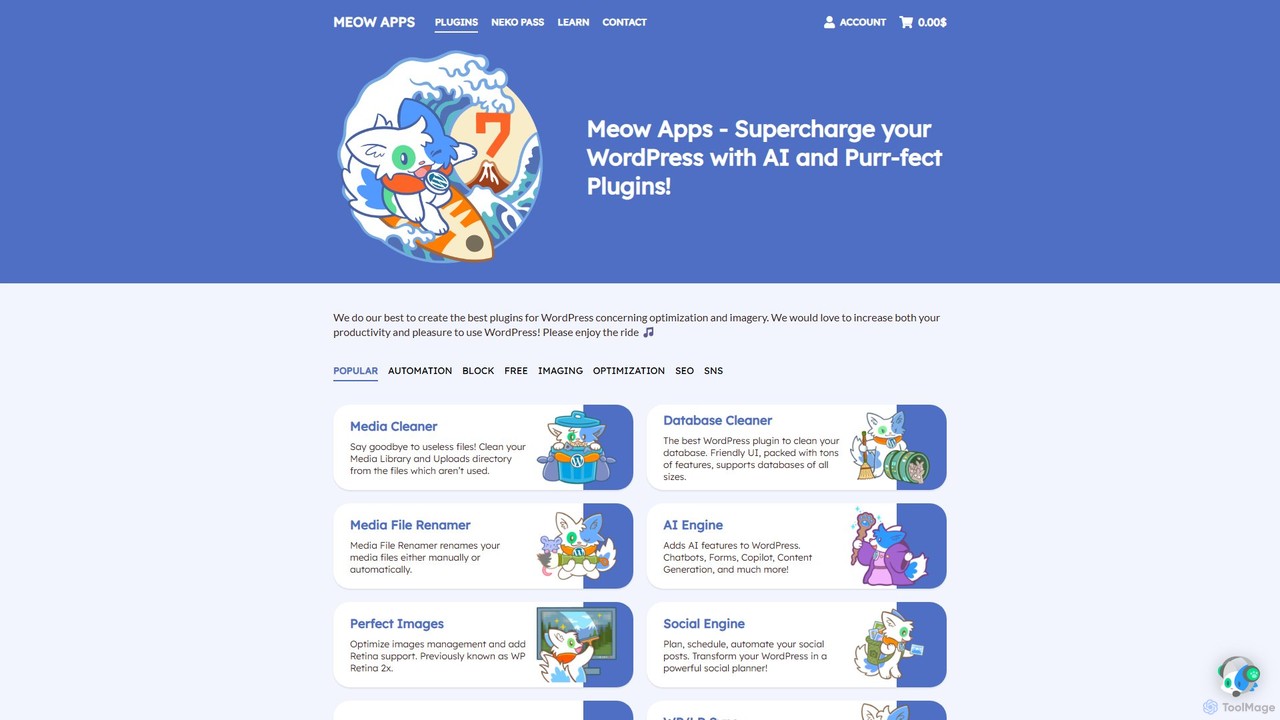
Meow Apps offers a suite of high-performance WordPress plugins designed for optimization, AI integration, and media management. Enhance your website with tools for AI content creation, SEO, database cleaning, image optimization, and social media automation, all built with a focus on quality and speed.

Plugins & Extensions
Visits 81.4KFavorites 74Likes 87

About Plugins & Extensions

AI Plugins & Extensions are software components that integrate artificial intelligence capabilities directly into existing applications, browsers, or development environments. They function by extending the features of a host program, allowing users to access AI-powered assistance without switching contexts. This approach significantly streamlines workflows, enhances productivity, and embeds intelligent automation into daily digital tasks. These tools transform familiar software into powerful, context-aware assistants.

Core Features

  • Seamless Integration: Natively embeds into host applications like browsers (Chrome, Firefox), IDEs (VS Code), and productivity suites (Google Workspace, Microsoft Office).
  • Context-Aware Assistance: Provides relevant suggestions, completions, or summaries based on the content you are currently viewing or editing.
  • On-Demand AI Access: Offers quick access to AI models for tasks like text generation, translation, or code analysis via a sidebar, hotkey, or context menu.
  • Task Automation: Automates repetitive actions within the host application, such as data entry, email sorting, or content formatting.

Use Cases

These tools are widely used by developers who leverage IDE plugins for code generation and debugging. Content creators and marketers use browser extensions to draft social media posts, summarize articles, and optimize SEO. Business professionals also integrate them into spreadsheet and presentation software to automate data analysis and slide creation.

How to Choose

When selecting an AI plugin or extension, first verify its compatibility with your essential software and platforms. Evaluate the specific AI features it offers and assess their relevance to your workflow. Consider the tool's performance impact on the host application and carefully review its data privacy and security policies. User reviews and developer reputation are also important indicators of quality and reliability.

Featured tool rankings

Plugins & Extensions use cases

1

AI-Powered Code Completion in IDEs

A software developer working on a complex project uses an AI plugin within their Integrated Development Environment (IDE) like VS Code. As they type, the plugin provides context-aware code completions, suggesting entire functions or logic blocks. It can also translate natural language comments into executable code, explain complex code snippets, and identify potential bugs in real-time. This integration directly into the coding workflow reduces development time, minimizes errors, and helps developers learn new programming patterns without leaving their editor.

2

Content Creation and Summarization in Browsers

A content marketer uses a browser extension to streamline their daily tasks. While researching an article, they can highlight text on any webpage and ask the extension to summarize it, extracting key points instantly. When drafting a social media post, the extension can rephrase sentences for different tones or expand on a simple idea to create a full paragraph. This allows the marketer to generate, refine, and research content efficiently without juggling multiple tabs or applications, boosting their creative output directly within their primary workspace.

3

Automating Data Analysis in Spreadsheets

A financial analyst uses an AI extension for Google Sheets or Microsoft Excel to accelerate data processing. Instead of writing complex formulas manually, they can type a plain-language request like "calculate the Q3 average sales for each product category." The AI generates the correct formula and applies it. The extension can also help clean messy data by identifying duplicates, standardizing formats, and filling in missing values automatically. This transforms the spreadsheet from a manual calculation tool into an interactive data analysis platform, saving hours of tedious work.

4

SEO Optimization within a CMS Platform

A website manager uses an AI plugin directly within their Content Management System (CMS) like WordPress. While writing a new blog post, the plugin analyzes the content in real-time, suggesting relevant keywords, evaluating readability, and recommending improvements for search engine ranking. It can automatically generate compelling meta titles and descriptions based on the article's content. This integrated approach ensures that every piece of content is optimized for SEO before it's published, improving visibility without requiring external tools or specialized SEO knowledge.

5

Drafting and Replying to Emails Faster

A sales representative uses an AI extension within their email client (e.g., Gmail, Outlook). When composing a new outreach email, they can provide a few bullet points, and the AI will draft a professional, well-structured message. When they receive a client inquiry, the extension can suggest several reply options, from a simple acknowledgment to a detailed answer. It can also summarize long email threads to quickly get them up to speed. This integration helps them manage their inbox more efficiently, respond to clients faster, and maintain a consistent, professional tone in all communications.

6

Design Assistance in Creative Software

A graphic designer uses an AI plugin within their design tool, such as Figma or Adobe Photoshop. They can use text prompts to generate image assets, icons, or background textures directly on their canvas, saving time on searching for stock photos or creating elements from scratch. The plugin can also suggest color palettes based on an existing design, or generate multiple layout variations of a selected component. This allows the designer to rapidly explore creative ideas and automate repetitive parts of the design process, focusing more on high-level concepts and final execution.

Plugins & Extensions FAQ

What are AI Plugins & Extensions?

AI Plugins & Extensions are software add-ons that embed artificial intelligence features directly into existing applications you already use, such as web browsers, email clients, or code editors. Instead of being standalone programs, they extend the functionality of a host application. This allows them to provide context-aware assistance, automate tasks, and give you on-demand access to AI capabilities without disrupting your workflow.

How to choose the right AI plugin or extension?

To choose the right AI plugin, consider these factors:

  • Compatibility: Ensure it works with your specific application, browser, and operating system version.
  • Functionality: Verify that its features align with your needs. Do you need text generation, code completion, or data analysis?
  • Performance: Check user reviews for comments on speed and resource usage. A good extension should not significantly slow down your host application.
  • Security and Privacy: Read the privacy policy to understand how your data is handled. Only install extensions from reputable developers and official marketplaces.
What's the difference between an AI plugin and a standalone AI application?

The main difference is integration. An AI plugin or extension works *inside* another program (like a browser or IDE), enhancing its capabilities. A standalone AI application is a separate program that you run on its own. Plugins offer convenience and a seamless workflow by bringing AI to where you already work. Standalone apps may offer more specialized or powerful features but require you to switch between applications to use them.

What are the main benefits of using AI extensions?

The primary benefits of using AI extensions include:

  • Increased Productivity: By automating tasks and providing quick assistance within your current application, they save time and reduce context switching.
  • Enhanced Creativity: They can help brainstorm ideas, rephrase content, or generate creative assets, overcoming creative blocks.
  • Improved Accuracy: AI can help catch errors in code, grammar, or data, leading to higher-quality work.
  • Accessibility: They make powerful AI technologies accessible to non-technical users directly within familiar software environments.
Are AI plugins and browser extensions safe to use?

Safety depends on the specific extension and its developer. While many are safe, some can pose security or privacy risks. To stay safe, you should only install extensions from official sources like the Chrome Web Store or an application's official marketplace. Always check the developer's reputation and read user reviews. Before installing, review the permissions it requests. If an extension asks for more access than it seems to need for its function, it could be a red flag.