Development Best in category 1 results Resource Directory AI Tool

Popular AI tools in the Resource Directory field of Development include Py, etc., helping you quickly improve efficiency.

Free
Py

Py

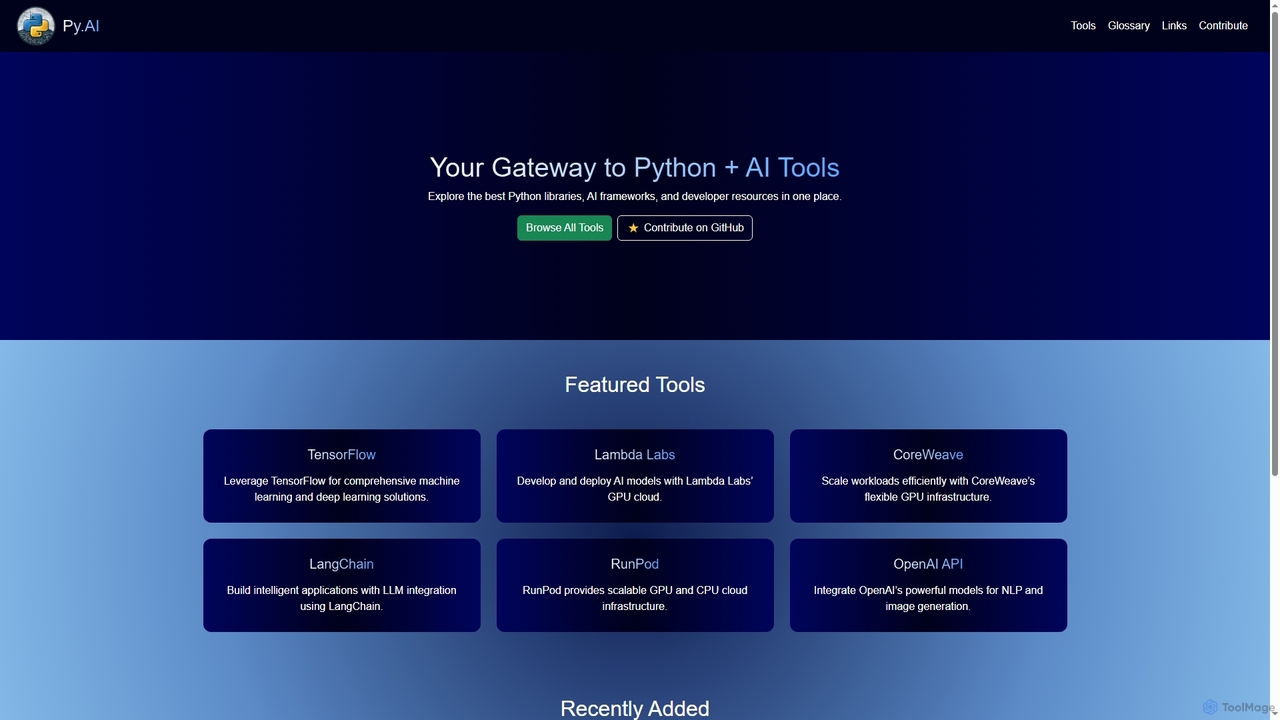
Py is a curated online directory serving as a comprehensive gateway to the best Python libraries, AI frameworks, …

3.8K

About Resource Directory

AI-powered Resource Directories are specialized tools designed for developers to intelligently discover, organize, and manage a vast array of development-related assets. Leveraging artificial intelligence, these platforms go beyond simple search by offering semantic understanding, automated categorization, and personalized recommendations. They significantly enhance developer efficiency by streamlining access to critical information, from APIs and code snippets to documentation and learning materials, ensuring developers can quickly find what they need to build and innovate.

Core Features

  • Intelligent Search & Discovery: Utilizes AI to understand query intent, providing highly relevant results from diverse resource types.
  • Automated Categorization & Tagging: Automatically classifies and tags resources based on content, technology, and relevance, simplifying organization.
  • Personalized Recommendations: AI algorithms suggest resources, tools, and learning paths tailored to a developer's project, skills, and interests.
  • Version Tracking & Dependency Mapping: Helps manage different versions of libraries, APIs, and frameworks, highlighting dependencies and updates.
  • Knowledge Graph Integration: Connects related resources, showing relationships between code, documentation, and community discussions.

Applicable Scenarios

Software developers use these directories to quickly locate specific libraries or code examples. AI/ML engineers leverage them to discover new datasets, pre-trained models, and research papers. Technical writers utilize them for organizing and cross-referencing documentation, while project managers track project-specific resources and dependencies efficiently.

How to Choose

When selecting an AI Resource Directory, consider its resource scope (e.g., code, docs, APIs), the sophistication of its AI capabilities (search, recommendation, automation), integration options with your existing development environment (IDEs, version control), and the vibrancy of its community support and update frequency for resources.

Resource DirectoryUse Cases

1

Discovering Niche Libraries for New Projects

Developers can quickly find specialized open-source libraries or proprietary SDKs that fit unique project requirements. By leveraging AI-powered filtering based on language, license, and functionality, they can save weeks of manual research. This ensures projects start with the most suitable and efficient tools, accelerating development cycles and reducing time-to-market for new features.

2

Accelerating New Project Setup

A software developer starting a new web application needs to quickly identify suitable front-end frameworks, UI component libraries, and API integration examples. Using an AI Resource Directory, they input project requirements and receive intelligent suggestions for relevant technologies, complete with documentation links and code snippets, significantly reducing initial setup time and decision-making effort.

3

Troubleshooting Complex Code Issues

When encountering obscure errors or performance bottlenecks, developers use these directories to search for similar problems, solutions, and discussions from a vast community knowledge base. AI-powered search often surfaces direct code snippets, configuration advice, or links to relevant forum threads, significantly reducing debugging time and accelerating problem resolution by up to 50%.

4

Resolving Complex Coding Issues

An engineer encounters a cryptic error message in their code and struggles to find a solution through standard search engines. By inputting the error details and relevant code context into an AI Resource Directory, they are presented with specific forum discussions, official documentation sections, and even similar bug reports with resolutions, enabling faster debugging and problem-solving.

5

Staying Updated with Emerging Technologies

Tech leads and architects regularly browse curated sections or receive AI-driven alerts on new frameworks, APIs, and tools. This proactive approach enables them to evaluate and integrate cutting-edge solutions into future development cycles, ensuring their projects remain competitive and technologically advanced. It reduces the risk of technical debt by identifying modern alternatives early.

6

Staying Updated with Emerging Technologies

An AI/ML researcher wants to keep abreast of the latest advancements in natural language processing. The AI Resource Directory's personalized recommendation engine proactively suggests newly published research papers, open-source models, and relevant conference proceedings based on their past interests and project work, ensuring they remain at the forefront of their field.

7

Optimizing API Integration Workflows

Teams utilize directories to find comprehensive documentation, example code, and integration guides for various APIs. This streamlines the process of connecting different services and reduces integration errors. AI can even suggest optimal integration patterns or highlight potential conflicts, leading to a 30% faster integration time and fewer post-deployment issues.

8

Streamlining Onboarding for New Developers

A team lead needs to onboard a new developer to a large, complex codebase. Instead of manually compiling resources, they direct the new hire to the team's curated section within the AI Resource Directory. This provides a structured learning path with links to internal documentation, key code repositories, and essential setup guides, accelerating the onboarding process.

9

Onboarding New Development Team Members

New hires can quickly get up to speed by accessing a centralized repository of internal and external best practices, coding standards, and approved tools. AI-powered directories can personalize onboarding paths, suggesting relevant learning materials and internal documentation based on the new member's role and initial projects, accelerating their productivity and adherence to team guidelines by up to 40%.

10

Managing API & SDK Version Dependencies

A development team relies on multiple external APIs and internal SDKs, each with different versions and update cycles. The AI Resource Directory helps them track the current versions, identify breaking changes, and access specific version documentation, preventing compatibility issues and ensuring smooth integration across various microservices.

11

Benchmarking and Comparing Development Tools

Decision-makers and senior developers use these platforms to compare features, performance, and community support for different development tools or frameworks. AI can provide comparative analyses, highlighting pros and cons based on user reviews and technical specifications, aiding in strategic technology adoption and ensuring investments are made in the most effective solutions for the organization.

12

Curating Personalized Learning Paths

An individual developer aims to master a new programming language or framework. They use the AI Resource Directory to search for beginner-friendly tutorials, advanced courses, and practical project examples. The directory's AI then helps them organize these into a logical learning path, suggesting supplementary materials and tracking their progress.

Resource DirectoryFrequently Asked Questions