ToolMage
Sign in

Best 1 State Management AI tools for Development

Popular State Management AI tools in Development include Stately, helping you work more efficiently.

Stately
Freemium

Stately

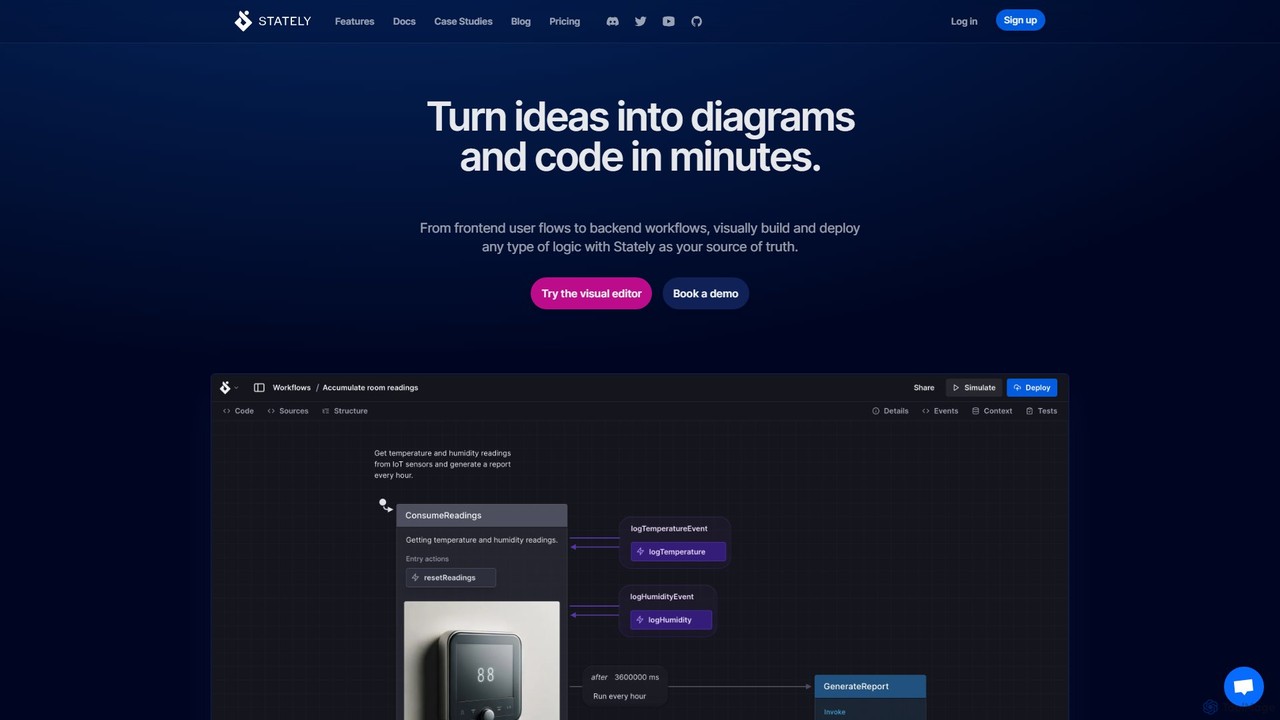
Stately is an intelligent platform for visually building, testing, and deploying complex application logic. Using state machines and statecharts, it enables teams to turn ideas into executable diagrams and code, with AI assistance for scaffolding, test generation, and more. It bridges the gap between design and development.

Debugging
Visits 80.4KFavorites 195Likes 194

About State Management

State Management tools are specialized libraries within software development that provide a predictable and centralized way to manage an application's data or 'state'. They establish a single source of truth, ensuring data consistency across multiple components, which is particularly crucial in complex single-page applications (SPAs). By enforcing structured patterns for state updates, such as unidirectional data flow, these tools simplify debugging and make application logic easier to understand and maintain. This structured approach is fundamental for building scalable, robust, and high-performance front-end applications.

Core Features

  • Centralized Store: Provides a single, global container for the entire application state, acting as the single source of truth.
  • Predictable State Updates: Enforces strict rules for modifying state (e.g., through actions and reducers), making changes traceable and understandable.
  • State-UI Reactivity: Automatically updates the user interface whenever the relevant part of the state changes, ensuring UI-data synchronization.
  • DevTools Integration: Offers powerful debugging capabilities like time-travel debugging, state inspection, and action logging.
  • Modularity & Scalability: Allows developers to organize state into smaller, manageable modules that can scale with the application's complexity.

Use Cases

State Management tools are essential for developers building large-scale web applications, especially with frameworks like React, Vue, or Angular. They are commonly used in e-commerce platforms to manage shopping carts and user sessions, in collaborative tools to synchronize real-time data between users, and in complex dashboards to handle intricate filtering and data visualization states.

How to Choose

When selecting a State Management tool, first consider its compatibility and integration with your chosen front-end framework. Evaluate the learning curve and the amount of boilerplate code required; some tools prioritize simplicity (e.g., Zustand, Pinia) while others offer more structure (e.g., Redux, Vuex). Also, assess the performance impact for large-scale state and the strength of its ecosystem, including developer tools and community support.

State Management use cases

1

Managing a Complex E-commerce Shopping Cart

A front-end developer at an e-commerce company is tasked with building a seamless shopping experience. The application state includes the user's authentication status, items in the cart, applied discounts, and shipping information. A State Management tool is used to create a centralized store. When a user adds an item to the cart from a product page, an 'ADD_TO_CART' action is dispatched. This updates the state, and components like the mini-cart in the header and the main cart page automatically re-render to show the new item and updated total, ensuring data consistency across the entire application without complex prop passing.

2

Synchronizing State in a Real-Time Collaborative App

A development team is building a collaborative design tool similar to Figma, where multiple users can edit a canvas simultaneously. The application's state, which includes the positions, sizes, and colors of all design elements, must be perfectly synchronized for all users. They use a state management library integrated with a real-time backend service (like WebSockets). When one user moves an element, an action is dispatched locally and sent to the server. The server then broadcasts this state change to all other connected clients, who update their local state store accordingly. This ensures every user sees the exact same canvas in real-time.

3

Handling Complex UI State like Modals and Themes

A UI developer needs to manage global UI states that affect the entire application, such as a dark/light theme toggle, the visibility of a notification toaster, or the open/closed state of a site-wide modal. Instead of passing props down through many levels of components ('prop drilling'), they use a state management tool. A 'ui' module in the state store holds these values. Any component, like a button in the footer, can dispatch an action like 'TOGGLE_THEME'. This updates the state, and a top-level component listening to this state change applies the corresponding CSS class to the entire app, instantly changing the theme for all components.

4

Managing Data in a Multi-Step Form Wizard

A developer is creating a complex user onboarding process that spans multiple steps or pages, such as registration, profile setup, and preference selection. The data collected in each step needs to be preserved until the final submission. A state management library is ideal for this. The form data is stored in a centralized state object. As the user navigates between steps, the components for each step read from and write to this central store. This approach prevents data loss if the user navigates back and forth and simplifies the final submission process, as all required data is neatly organized in one place.

5

Powering a Data Dashboard with Complex Filters

An analyst needs an interactive dashboard to visualize business data. The dashboard contains multiple charts, tables, and maps that all depend on a shared set of filters, such as a date range, product category, and geographic region. A state management tool holds the current state of all these filters. When the analyst changes the date range, a single action updates the filter state. All components subscribed to this state—the charts, tables, and maps—automatically fetch new data and re-render to reflect the new filter criteria. This creates a highly responsive and cohesive user experience without manual data synchronization between components.

6

Caching Server Data to Optimize Performance

In a content-heavy application like a blog or news site, developers often need to fetch the same data repeatedly. To avoid redundant API calls and improve loading speed, they can use a state management library as a client-side cache. When data is first fetched from the server (e.g., a list of articles), it's stored in the global state. Subsequent requests for the same data first check the state store. If the data is present and not stale, it's served directly from the state, bypassing the network request entirely. This pattern, often formalized in libraries like RTK Query or React Query, significantly enhances performance and user experience.

State Management FAQ

What are State Management tools in software development?

State Management tools are libraries or frameworks that help developers manage the data state of an application in a structured and predictable way. They provide a centralized 'store' to hold all shared data, acting as a single source of truth. This prevents data inconsistencies between different UI components and makes complex applications easier to debug and scale. They are a core part of modern front-end development, especially for single-page applications (SPAs).

When should I use a State Management tool?

You should consider using a State Management tool when your application's state becomes complex and needs to be shared across multiple, non-related components. Key indicators include:

  • Prop Drilling: When you find yourself passing data through many layers of intermediate components that don't need it.
  • Shared State: When different parts of your app (e.g., header, sidebar, main content) need to access and modify the same data.
  • Complex Data Flow: When state changes from one component need to trigger updates in many other components.
For simple applications with limited state sharing, using the component's local state is often sufficient.

What's the difference between local component state and global state management?

Local component state is data that is owned and managed by a single component. It's not accessible to other components unless passed down as props. Examples include the value of a form input or whether a dropdown is open. Global state management handles data that needs to be accessed and modified by multiple components across the application, regardless of their position in the component tree. Examples include user authentication status, theme settings, or the contents of a shopping cart. Global state tools solve the problem of sharing this data without 'prop drilling'.

How do I choose the right State Management tool for my project?

Choosing the right tool depends on several factors specific to your project. Consider the following:

  • Framework: Select a library that integrates well with your primary framework (e.g., Redux for React, Vuex/Pinia for Vue).
  • Complexity vs. Boilerplate: Assess the trade-off. Tools like Redux are powerful but require more setup code. Simpler tools like Zustand or MobX offer less boilerplate but might be less opinionated.
  • Team Experience: Choose a tool that your team is familiar with or can learn quickly to maintain productivity.
  • Ecosystem: Check for good developer tools, middleware for handling side effects (like API calls), and strong community support.

What are common concepts like 'Store', 'Action', and 'Reducer'?

These are core concepts in many state management patterns, particularly those inspired by Flux and Redux:

  • Store: A single JavaScript object that holds the entire state of your application. It is the single source of truth.
  • Action: A plain JavaScript object that describes a state change. It has a 'type' property and an optional 'payload' of data. Actions are the only way to trigger a state change.
  • Reducer: A pure function that takes the current state and an action as arguments, and returns a new state. It specifies how the application's state changes in response to an action.
Together, they create a predictable, one-way data flow: an action is dispatched, a reducer calculates the new state, and the store updates, causing the UI to re-render.