Development Best in category 3 results Web & App Development AI Tool

Popular AI tools in the Web & App Development field of Development include fuselio、whocodes、Ambeego, etc., helping you quickly improve efficiency.

fuselio

fuselio

Fuselio is a development agency specializing in creating custom web/mobile applications, Minimum Viable Products (MVPs), and AI-powered solutions. …

2.9K
Ambeego

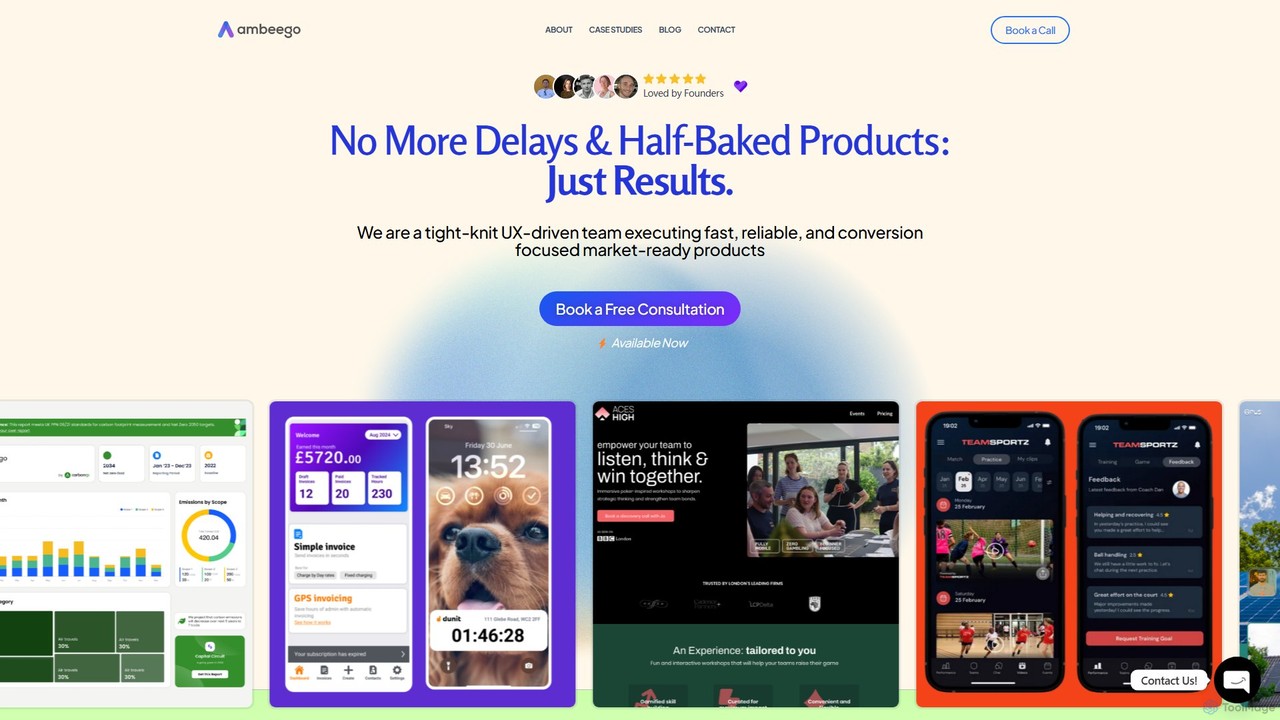
Ambeego

Ambeego offers an "Agency-as-a-Service" model, providing a dedicated A-Team of design, development, and AI experts for a flat …

2.0K
whocodes

whocodes

whocodes is an AI-powered development service that transforms your website and mobile app ideas into reality. It offers …

2.2K

About Web & App Development

AI Web & App Development tools are a specialized category of software that automates and accelerates the creation of websites and applications. They leverage generative AI models to translate natural language prompts, design files, or data structures directly into functional code and user interfaces. This enables developers and non-developers alike to build, test, and deploy digital products with significantly reduced manual effort. These tools often handle everything from frontend UI components to backend logic and database setup, streamlining the entire development lifecycle.

Core Features

  • Natural Language to Code: Converts plain text descriptions into production-ready code such as HTML, CSS, JavaScript, and Python.
  • Design to Code Conversion: Automatically transforms UI designs from platforms like Figma into interactive frontend components.
  • Full-Stack App Generation: Creates complete web or mobile applications, including databases, APIs, and user authentication, from a single prompt.
  • AI-Powered Debugging & Refactoring: Identifies code errors, suggests optimal fixes, and refactors existing code for better performance and readability.
  • Automated Test Generation: Creates comprehensive unit tests and integration tests based on the application's functionality.

Use Cases

These tools are used by a wide range of professionals, from solo entrepreneurs building a Minimum Viable Product (MVP) to large enterprise teams accelerating their development cycles. Startups use them to quickly launch products, while designers turn their mockups into interactive prototypes without writing code. Developers leverage them to automate repetitive coding tasks and focus on complex business logic.

How to Choose

When selecting a tool, consider the target platform (web, iOS, Android) and the required tech stack (e.g., React, Vue, Node.js). Evaluate its integration capabilities with existing workflows, such as version control systems (Git) and design tools. Also, assess the tool's learning curve and whether it's suited for no-code users, low-code developers, or professional engineers who need to customize the output.

Web & App DevelopmentUse Cases

1

Building a Minimum Viable Product (MVP) from an Idea

A startup founder with a business idea but limited technical resources needs to validate their concept quickly. They use an AI app generator and describe the core features in plain text, such as 'Create a user registration system, a dashboard to display sales data, and a subscription form.' The AI tool generates a deployable web application with a database, backend logic, and a responsive frontend in hours. This allows for rapid user feedback and iteration, significantly reducing the time-to-market and initial development costs.

2

Converting Figma Designs into Interactive Web Pages

A UI/UX designer has finalized a high-fidelity website design in Figma and needs to create an interactive prototype for stakeholder review. Instead of waiting for a developer, they use a design-to-code AI tool. They import the Figma file, and the AI analyzes the layout, components, and styles, generating clean HTML, CSS, and React code. The result is a pixel-perfect, functional frontend that can be hosted and shared immediately, streamlining the design-to-development handoff and accelerating the approval process.

3

Automating Backend API and Database Creation

A backend developer is tasked with setting up the server-side logic for a new mobile app feature. They use an AI development tool and define the data models and API endpoints in a prompt, such as 'Create a 'product' model with fields for name, price, and description, and generate RESTful API endpoints for CRUD operations.' The AI generates the database schema, server-side code in Node.js, and API documentation automatically. This reduces boilerplate coding time by over 70%, allowing the developer to focus on implementing complex business logic and integrations.

4

Generating Unit Tests for an Existing Codebase

A software engineer needs to increase the test coverage for a complex application module to ensure stability. Manually writing tests is time-consuming. By using an AI-powered testing tool integrated into their IDE, they can select a function or class and instruct the AI to generate relevant unit tests. The AI understands the code's logic, inputs, and outputs, creating comprehensive test cases that cover various scenarios, including edge cases. This achieves high test coverage in a fraction of the time, improving code quality and preventing future regressions.

5

Creating Internal Tools for Business Operations

An operations manager with limited coding skills needs a custom dashboard to track inventory from a Google Sheet. Instead of waiting for the engineering team, they use a low-code AI platform. They describe the required tool: 'Build an app that displays data from my Google Sheet in a searchable table, with a button to update stock levels.' The AI builds the interface, connects to the data source, and deploys the tool. A functional internal tool is created in a single day, improving operational efficiency without consuming valuable engineering resources.

6

Refactoring Legacy Code for Modernization

A tech lead is overseeing a project to modernize an old, hard-to-maintain part of an application written in an outdated framework. They feed the legacy code into an AI refactoring tool. The tool analyzes the code, identifies anti-patterns, suggests improvements, and automatically converts it to a modern framework like React or Vue. It also improves readability and adds comments. This significantly shortens the project timeline, reduces technical debt, and makes the codebase easier for new developers to understand and maintain.

Web & App DevelopmentFrequently Asked Questions