ToolMage
Sign in

Best 1 Document Analysis AI tools for Document

Popular Document Analysis AI tools in Document include ChatTubeAI, helping you work more efficiently.

ChatTubeAI
Freemium

ChatTubeAI

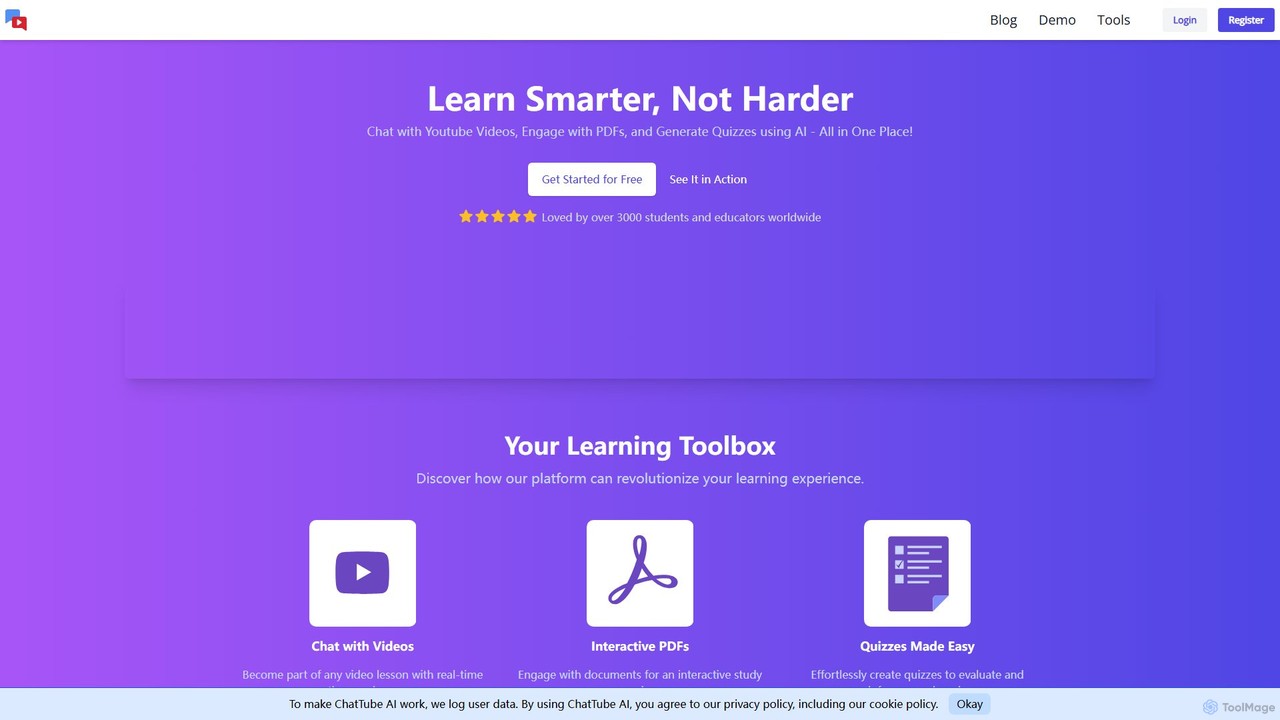
ChatTubeAI is an AI-powered platform that transforms learning by allowing you to chat with YouTube videos and PDF documents. Instantly get summaries, ask questions, and generate quizzes from your content. It's an all-in-one interactive study tool for students, educators, and professionals.

Document Analysis
Visits 3.6KFavorites 123Likes 120

About Document Analysis

Document Analysis tools are a specialized category of AI software designed to automatically extract, understand, and structure data from various document types. Leveraging technologies like Natural Language Processing (NLP) and Optical Character Recognition (OCR), these tools transform unstructured text and images into actionable, organized information. They are crucial for businesses seeking to automate data entry, gain insights from large volumes of documents, and streamline compliance processes. Unlike simple document editors or viewers, these tools focus on deep content interpretation and data extraction.

Core Features

  • Data Extraction: Automatically pulls specific data points like names, dates, invoice amounts, and clause details from text.
  • Entity Recognition (NER): Identifies and categorizes key entities such as people, organizations, locations, and legal terms.
  • Document Classification: Sorts documents into predefined categories (e.g., invoices, contracts, resumes) based on their content.
  • Sentiment Analysis: Determines the underlying emotional tone (positive, negative, neutral) within the text, useful for analyzing feedback or reports.
  • Summarization: Generates concise summaries of long documents, highlighting the most critical information.

Applicable Scenarios

These tools are widely used in sectors like legal for contract review, finance for invoice processing and financial report analysis, and human resources for resume screening. They empower organizations to unlock the value hidden in their documents, accelerating decision-making and reducing manual labor for data-intensive tasks.

Selection Criteria

When choosing a Document Analysis tool, evaluate its accuracy on your specific document types, its range of supported languages and file formats (PDF, DOCX, scanned images), and its integration capabilities with your existing systems (e.g., CRM, ERP). Also, consider the platform's security protocols and compliance with data privacy regulations.

Featured tool rankings

Document Analysis use cases

1

Automate Invoice Processing for Finance Teams

A finance department receives hundreds of invoices daily in various formats like PDF and scanned images. Manually entering data from these invoices into an accounting system is time-consuming and prone to errors. By using a Document Analysis tool, the team can automate this entire workflow. The AI scans each invoice, uses OCR to read the text, and then applies NLP to accurately extract key information such as vendor name, invoice number, amount due, and payment terms. This structured data is then automatically populated into the company's ERP system, reducing processing time by over 80% and minimizing costly data entry mistakes.

2

Accelerate Legal Contract Review

Legal professionals often spend hours reviewing lengthy contracts to identify risks, ensure compliance, and extract key clauses. A Document Analysis tool specifically trained on legal documents can drastically speed up this process. A lawyer can upload a contract, and the AI will instantly highlight non-standard clauses, identify missing information, and extract key terms like renewal dates, liability limits, and governing law. This allows the legal team to focus their attention on high-risk areas rather than manual reading, reducing review time from hours to minutes and improving the accuracy of compliance checks.

3

Streamline Resume Screening for HR

Recruiters face the challenge of sifting through hundreds or thousands of resumes for a single job opening. A Document Analysis tool can act as an intelligent screening assistant. When resumes are submitted, the AI parses each document to extract structured data like contact information, work experience, skills, and education. It can then automatically score and rank candidates based on how well their qualifications match the job description's requirements. This allows recruiters to quickly identify the most promising candidates, saving significant time and reducing the risk of overlooking qualified applicants in a large talent pool.

4

Analyze Financial Reports for Investment Insights

Financial analysts need to process vast amounts of information from quarterly earnings reports, annual reports, and market news to make informed investment decisions. A Document Analysis tool can ingest these documents and perform sophisticated analysis. It can extract key financial metrics (like revenue, P/E ratio, and debt levels), identify trends over time, and use sentiment analysis to gauge the tone of management's discussion. By comparing data across multiple companies and reports, the AI helps analysts quickly spot anomalies, identify opportunities, and understand market sentiment, providing a significant competitive edge.

5

Extract Data from Medical Records

Healthcare providers deal with vast amounts of unstructured patient data in the form of clinical notes, lab reports, and discharge summaries. A Document Analysis tool compliant with privacy regulations like HIPAA can securely scan these records. It can identify and extract critical information such as patient diagnoses, medications, allergies, and treatment histories. This structured data can then be used to populate Electronic Health Records (EHR), support clinical research, or assist in medical billing and coding, improving data accuracy and freeing up medical staff to focus on patient care.

6

Analyze Customer Feedback from Surveys and Reviews

Product managers and marketing teams need to understand customer sentiment to improve products and services. They collect feedback from various sources like online reviews, support tickets, and surveys. A Document Analysis tool can process thousands of these text entries at scale. Using sentiment analysis and topic modeling, it can identify common themes, pinpoint frequently mentioned issues or feature requests, and track sentiment trends over time. This provides actionable insights, allowing teams to prioritize product improvements and marketing strategies based on quantitative data rather than anecdotal evidence.

Document Analysis FAQ

What are AI Document Analysis tools?

AI Document Analysis tools are software applications that use artificial intelligence, primarily Natural Language Processing (NLP) and Optical Character Recognition (OCR), to automatically read, understand, and extract structured information from unstructured documents. Unlike a simple PDF reader, they don't just display content; they interpret it. Key functions include extracting specific data points (like invoice numbers), classifying documents by type (contracts vs. reports), and analyzing text for sentiment or key themes. They are designed to automate data-intensive tasks and unlock insights from large volumes of text.

How to choose the right Document Analysis tool?

Choosing the right tool depends on your specific needs. Consider these key factors:

  • Accuracy & Document Types: How well does the tool perform on your specific documents (e.g., invoices, legal contracts, handwritten notes)? Request a demo with your own samples.
  • Integration Capabilities: Can it easily connect with your existing software, such as ERP, CRM, or cloud storage systems, via APIs or pre-built connectors?
  • Scalability: Can the tool handle your current and future volume of documents efficiently without a significant drop in performance?
  • Security & Compliance: Does the provider adhere to industry-specific regulations like GDPR or HIPAA? Ensure they have robust data protection measures.
  • Ease of Use: How intuitive is the interface? Consider the technical expertise required to set up and manage the tool.
What's the difference between Document Analysis and OCR?

OCR (Optical Character Recognition) is a foundational technology, while Document Analysis is a comprehensive process. OCR focuses on one task: converting images of text (from a scan or photo) into machine-readable text data. It answers the question, 'What characters are on this page?'

Document Analysis takes it much further. It uses OCR as a first step and then applies Natural Language Processing (NLP) and machine learning to understand the context and meaning of that text. It answers questions like, 'What is this document about?', 'Who is the vendor on this invoice?', and 'What are the key risks in this contract?'. In short, OCR digitizes text, while Document Analysis interprets it.

Who can benefit from using Document Analysis tools?

A wide range of professionals and industries can benefit significantly from these tools. Key users include:

  • Finance and Accounting Teams: To automate invoice processing, expense report analysis, and financial statement reviews.
  • Legal Professionals: For rapid contract review, e-discovery, and compliance checking to identify risks and key clauses.
  • Human Resources Departments: To streamline resume screening and extract candidate data for faster talent acquisition.
  • Healthcare Providers: To digitize and analyze patient records, lab reports, and clinical notes while maintaining compliance.
  • Researchers and Academics: To quickly extract data and identify trends from large volumes of research papers, articles, and historical documents.
Can these tools handle handwritten documents?

Yes, many advanced Document Analysis tools can process handwritten documents, though accuracy can vary. This capability is powered by Intelligent Character Recognition (ICR), an advanced form of OCR that is specifically trained to recognize varied handwriting styles. The effectiveness depends heavily on the clarity and consistency of the handwriting. For critical applications, it's essential to test the tool's ICR performance on a representative sample of your handwritten documents before committing. Tools that perform well can successfully digitize and analyze forms, notes, and historical archives that were previously inaccessible to automated analysis.