
ToolMage
Sign in

Best 1 Document Management AI tools for Document

Popular Document Management AI tools in Document include AI Renamer, helping you work more efficiently.

AI Renamer
Freemium

AI Renamer

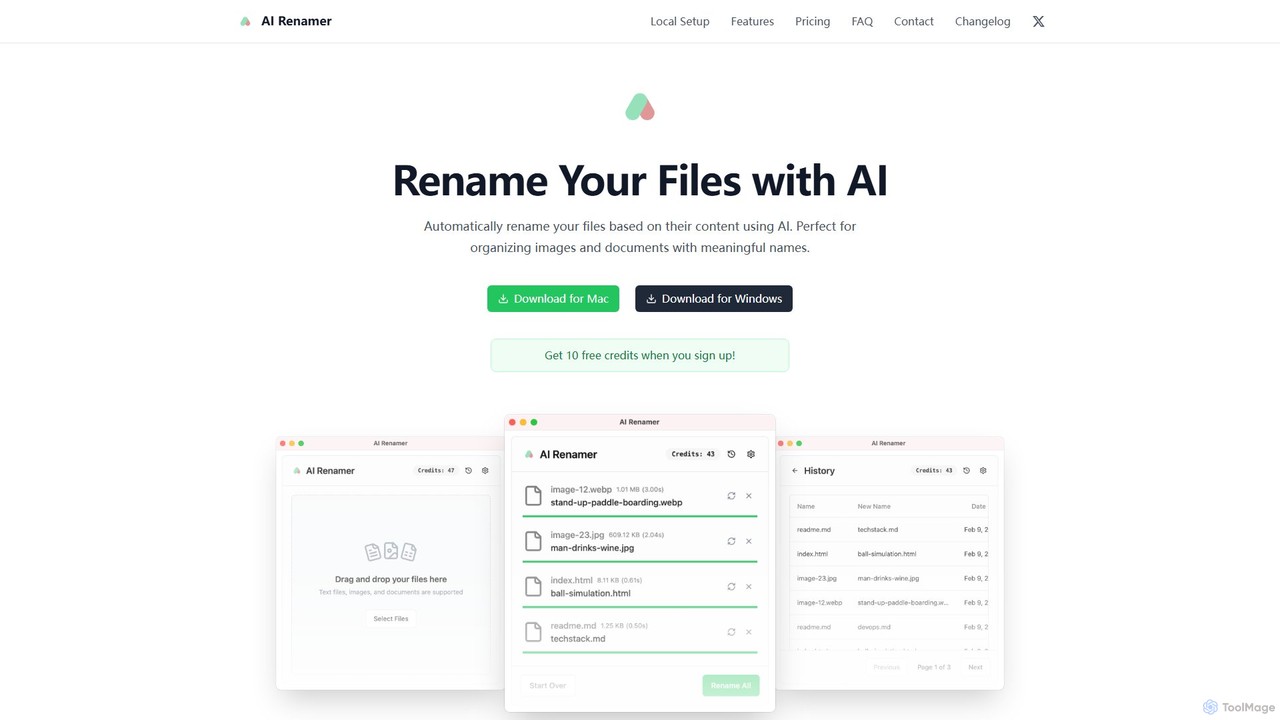
AI Renamer is a smart desktop application for Mac and Windows that automatically renames files based on their content. It analyzes images and documents to generate descriptive, meaningful names, helping you organize your digital life effortlessly. It supports batch processing, custom naming rules, and offers both a private, offline Local Mode and a convenient Cloud Mode.

Document Management
Visits 8.9KFavorites 128Likes 104

About Document Management

AI Document Management tools are intelligent systems designed to organize, analyze, and automate workflows for large volumes of digital files. They utilize technologies like Natural Language Processing (NLP) and Optical Character Recognition (OCR) to understand the content and context of documents, going beyond simple storage. This enables automated classification, intelligent data extraction, and powerful semantic search capabilities. By transforming unstructured documents into structured, searchable assets, these tools significantly enhance information accessibility and operational efficiency for businesses.

Core Features

  • Intelligent Classification: Automatically categorizes documents based on their content, such as invoices, contracts, or reports.
  • Semantic Search: Allows users to search for concepts and meanings, not just exact keywords, for more accurate results.
  • Automated Data Extraction: Identifies and extracts specific information like names, dates, and amounts from documents.
  • Workflow Automation: Triggers actions, such as approval processes or notifications, based on document type or content.
  • Version Control & Audit Trails: Tracks changes to documents and maintains a secure record of all activities for compliance.

Use Cases

These tools are invaluable in data-intensive sectors. For example, legal firms use them to manage case files and analyze contracts. Financial institutions automate invoice processing and loan application reviews. HR departments streamline the management of employee records, from resumes to performance reviews, ensuring compliance and quick access to information.

How to Choose

When selecting an AI Document Management tool, evaluate its integration capabilities with your existing software (e.g., CRM, ERP). Assess its accuracy in data extraction for your specific document types. Consider the platform's security protocols and compliance certifications (like GDPR or HIPAA). Finally, analyze the scalability and pricing model to ensure it aligns with your organization's growth and budget.

Document Management use cases

1

Automate Invoice Processing for Accounting

An accounts payable specialist in a mid-sized company handles hundreds of invoices weekly. Using an AI Document Management tool, they create a workflow where all incoming PDF invoices are automatically ingested. The AI uses OCR and NLP to extract key data like vendor name, invoice number, due date, and total amount. This data is then validated against purchase orders and automatically entered into the company's ERP system, reducing manual data entry time by over 80% and minimizing human error.

2

Streamline Legal Contract Review

A corporate legal team needs to perform due diligence on dozens of contracts for a merger. An AI Document Management platform allows them to upload all contracts into a secure, centralized repository. Using semantic search, lawyers can instantly find specific clauses related to liability or termination across all documents. The AI also automatically extracts key terms like contract value, effective dates, and renewal conditions, presenting them in a dashboard for quick comparison and risk assessment, accelerating the review process by weeks.

3

Organize HR Employee Records Efficiently

An HR manager is responsible for maintaining compliant and accessible records for over 500 employees. They use an AI Document Management system to create a digital file for each employee. The system automatically classifies and tags uploaded documents like resumes, contracts, and performance reviews. When a manager needs to find all employees with a specific certification, they can use a natural language query. The system also flags documents with missing signatures or expiring contracts, ensuring compliance and reducing administrative overhead.

4

Manage Clinical Trial Documentation

A clinical research organization manages thousands of documents for multiple trials, including protocols, patient consent forms, and lab reports. An AI Document Management system ensures all documents are stored in a compliant, audit-ready environment. The AI helps by automatically redacting sensitive patient information to maintain privacy. Researchers can use semantic search to find connections between different studies or identify adverse event reports across the entire database, significantly accelerating data analysis and reporting for regulatory submissions.

5

Build an Intelligent Knowledge Base

A customer support team for a software company struggles to find answers quickly in their vast library of technical manuals, FAQs, and past support tickets. They implement an AI Document Management tool to ingest all this information. The tool creates a unified, searchable knowledge base. When a customer asks a complex question, the support agent can type it in plain language, and the semantic search engine retrieves the most relevant paragraphs from multiple documents, not just links to entire files. This reduces average handling time and improves first-contact resolution rates.

6

Ensure Regulatory Compliance in Finance

A compliance officer at a bank needs to monitor thousands of transaction records and communications for potential regulatory breaches. They use an AI Document Management platform that automatically flags documents containing specific keywords or phrases related to anti-money laundering (AML) regulations. The system can also analyze communication patterns to identify unusual activity. This proactive approach allows the compliance team to investigate potential issues faster, generate audit reports automatically, and demonstrate robust compliance controls to regulators.

Document Management FAQ

What is AI Document Management?

AI Document Management is a category of software that uses artificial intelligence to intelligently capture, classify, extract data from, and manage documents. Unlike traditional systems that just store files, these tools understand the content of the documents. Key features include automated tagging based on content, semantic search that understands context, and the ability to extract specific information like invoice numbers or contract dates automatically. They are designed to reduce manual work and turn unstructured data into actionable insights.

How does AI Document Management differ from cloud storage like Google Drive?

The primary difference is intelligence. Cloud storage services like Google Drive or Dropbox are excellent for storing, sharing, and basic keyword searching of files. AI Document Management systems do much more. They analyze the actual content within the files to perform advanced tasks:

  • Automated Classification: They can automatically sort an invoice into an 'Invoices' folder without you doing anything.
  • Data Extraction: They can read a contract and pull out the start date and value.
  • Semantic Search: You can ask 'show me contracts expiring in the next 30 days,' and it will understand the query, which is impossible in standard cloud storage.

In short, cloud storage is a digital filing cabinet, while AI Document Management is an intelligent assistant that reads and organizes the files for you.

What are the key features to look for in an AI Document Management tool?

When choosing a tool, focus on features that solve your specific problems. Key features to consider include:

  • Integration Capabilities: Does it connect smoothly with your existing software like CRM, ERP, or accounting systems?
  • Accuracy of Data Extraction: How well does it extract the specific types of data you need from your documents (e.g., tables, handwritten notes)? Request a demo with your own files.
  • Security and Compliance: Does it meet industry-specific standards like HIPAA for healthcare or GDPR for data privacy? Look for features like role-based access control and audit trails.
  • Scalability: Can the system handle your current document volume and grow with your business?
  • User-Friendliness: Is the interface intuitive for your team to use without extensive training?
Which industries benefit most from AI Document Management?

Any industry that deals with a high volume of documents can benefit, but some see a particularly high return on investment. These include:

  • Legal: For managing case files, e-discovery, and contract analysis.
  • Finance and Accounting: For automating invoice processing, expense reports, and compliance checks.
  • Healthcare: For managing patient records, clinical trial data, and insurance claims while maintaining HIPAA compliance.
  • Human Resources: For organizing employee files, streamlining onboarding, and managing performance reviews.
  • Real Estate: For handling transaction documents, leases, and property records.

Essentially, if your team spends significant time manually searching for, entering data from, or routing documents, these tools can provide substantial value.

Is it difficult to implement an AI Document Management system?

Implementation difficulty varies depending on the complexity of your needs and the tool you choose. Modern cloud-based (SaaS) solutions have made it much easier. Key steps usually involve:

  1. Planning: Defining which document types and workflows you want to automate.
  2. Integration: Connecting the tool to your existing software (e.g., email, cloud storage, ERP). Many tools offer pre-built connectors.
  3. Configuration: Setting up rules for classification and data extraction. Some tools can learn from examples, simplifying this process.
  4. Training: Teaching your team how to use the new system and workflows.

While it requires a planned project, it's far more accessible than it used to be. Starting with a small, high-impact use case (like invoice processing) is often a good strategy.