ToolMage
Sign in

Best 1 Teacher Resources AI tools for Education

Popular Teacher Resources AI tools in Education include koodup, helping you work more efficiently.

koodup
Freemium

koodup

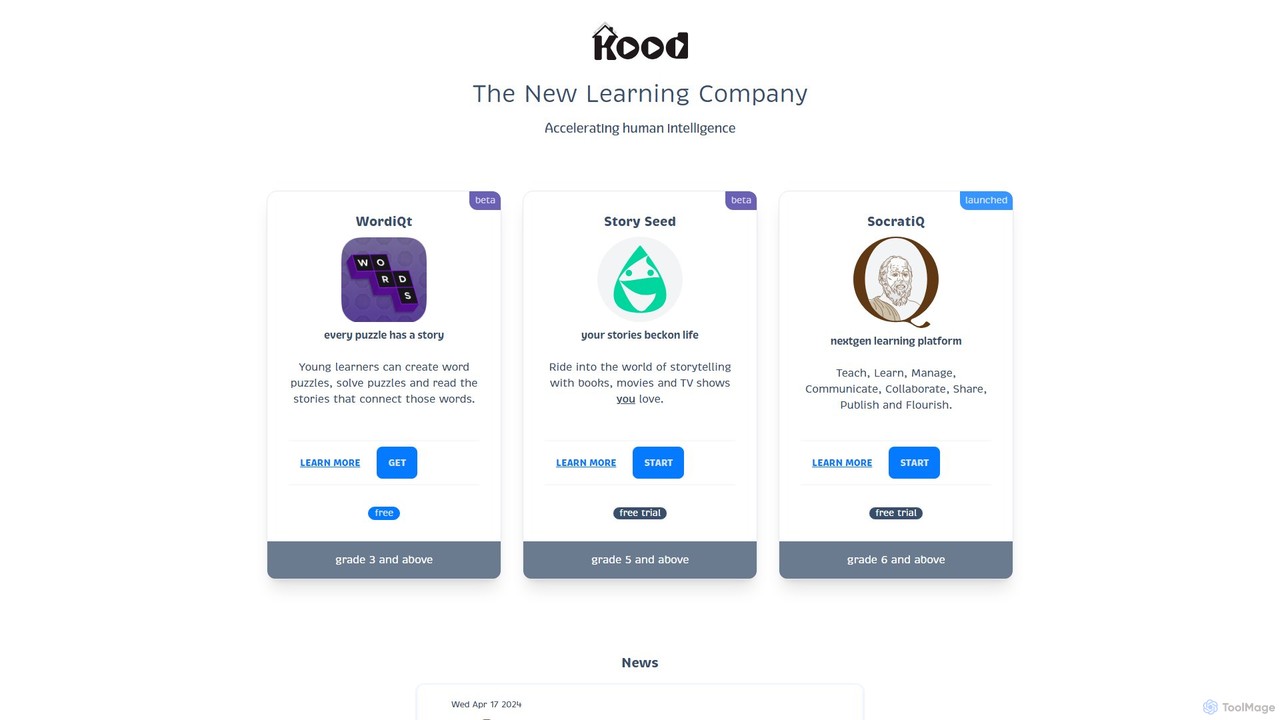
koodup is an AI-powered educational platform designed to make learning creative, collaborative, and engaging. It offers a suite of tools, including the SocratiQ interactive learning platform, WordiQt for word puzzles, and Story Seed for storytelling, catering to students and educators from grade 3 and up.

Learning Platform
Visits 6.9KFavorites 122Likes 147

About Teacher Resources

AI Teacher Resources are specialized tools designed to assist educators in planning, creating, and managing instructional content. These tools leverage natural language processing and machine learning to automate repetitive tasks like generating lesson plans, creating quizzes, and drafting student feedback. Their primary value lies in saving teachers significant time on administrative work, allowing them to focus more on direct student interaction and personalized instruction. Many of these resources can also help differentiate learning materials for diverse student needs.

Core Features

  • Lesson Plan Generation: Automatically creates structured lesson plans based on topics, grade levels, and learning objectives.
  • Assessment Creation: Generates quizzes, worksheets, and exam questions in various formats (e.g., multiple-choice, short answer).
  • AI-Assisted Grading: Provides initial scoring and suggests constructive feedback for written assignments, saving grading time.
  • Content Adaptation: Summarizes or simplifies complex texts to make them accessible for different reading levels.
  • Activity & Prompt Ideas: Offers creative ideas for classroom activities, discussion prompts, and project-based learning.

Applicable Scenarios

These tools are widely used by K-12 teachers for daily class preparation, university professors for developing course materials, and corporate trainers for creating training modules. They are particularly useful for curriculum development, creating differentiated instruction materials, and streamlining the assessment and feedback cycle.

Selection Criteria

When choosing an AI Teacher Resource, consider its specialization in your subject area and grade level. Evaluate its integration capabilities with your existing Learning Management System (LMS), its ease of use, and its data privacy policies, especially concerning student information. Finally, assess the quality and customizability of the generated content to ensure it aligns with your teaching style.

Teacher Resources use cases

1

Generate a Week's Worth of Lesson Plans

A middle school history teacher needs to prepare for an upcoming unit on Ancient Rome. Instead of spending hours searching for resources and structuring lessons, they use an AI teacher resource tool. The teacher inputs the topic, grade level (7th grade), and key learning objectives, such as 'identify the structure of the Roman Republic' and 'explain the causes of its fall'. Within minutes, the AI generates a five-day lesson plan, complete with daily topics, engaging warm-up activities, suggested readings, discussion questions, and a final project idea. This process reduces planning time by over 70%, allowing the teacher to focus on creating interactive materials and anticipating student questions.

2

Create Differentiated Math Worksheets

An elementary school teacher wants to provide personalized practice for students with varying abilities in mathematics. Using an AI worksheet generator, the teacher inputs the concept 'two-digit addition'. They then request three difficulty levels. The AI produces: 1) A basic version with problems that don't require carrying over. 2) An intermediate version with a mix of problems, including carrying over. 3) An advanced version with word problems and multi-step calculations. This allows the teacher to efficiently cater to individual learning paces without having to manually create three separate assignments, ensuring every student is appropriately challenged.

3

Provide Initial Feedback on Student Essays

A high school English teacher has 120 essays to grade on 'The Great Gatsby'. To streamline the process, she uses an AI grading assistant. She uploads the essays, and the tool quickly analyzes each one for grammar, spelling, sentence structure, and plagiarism. It provides a preliminary score and highlights common errors for each student. This AI-driven first pass saves her hours of tedious correction. She can then dedicate her time to providing in-depth, qualitative feedback on higher-order concerns like argument strength, thematic analysis, and critical thinking, offering more meaningful guidance to her students.

4

Generate Engaging Science Quiz Questions

A science teacher is preparing a quiz on the human circulatory system. To move beyond simple recall questions, they use an AI quiz generator. The teacher specifies the topic and asks for a mix of question types, including multiple-choice, true/false, and short-answer questions that require critical thinking. The AI generates 20 questions, such as 'What might happen if the pulmonary artery were blocked?' and 'Compare and contrast the functions of red and white blood cells.' The tool also suggests adding a diagram of the heart for a labeling question, making the quiz more interactive and comprehensive in less than ten minutes.

5

Adapt a Complex Article for English Language Learners

A teacher is working with a group of intermediate English Language Learners (ELL) who need to understand a news article about climate change for their science class. The original article uses advanced vocabulary and complex sentence structures. The teacher pastes the text into an AI content adaptation tool and sets the target reading level to 'intermediate'. The tool generates a simplified version of the article, replacing difficult words with easier synonyms (e.g., 'mitigate' becomes 'reduce'), breaking down long sentences, and adding a summary of key points. This allows the ELL students to access the core information and participate in the class discussion confidently.

6

Brainstorm Classroom Discussion Prompts

A literature teacher is starting a new novel with their class and wants to foster deep, analytical discussions. They use an AI resource tool to generate thought-provoking prompts. The teacher inputs the book title, '1984' by George Orwell, and asks for prompts related to themes of surveillance and control. The AI provides a list of questions, such as: 'How does the Party use language to control thought?', 'In what ways does modern technology mirror the surveillance seen in 1984?', and 'Is Winston a hero? Why or why not?'. This gives the teacher a rich set of starting points for Socratic seminars and class debates, encouraging students to think critically beyond the plot.

Teacher Resources FAQ

What are AI Teacher Resources?

AI Teacher Resources are software tools designed specifically for educators to streamline their workflow. They use artificial intelligence to automate or assist with tasks such as creating lesson plans, generating quizzes and worksheets, providing feedback on assignments, and adapting content for different learning levels. Unlike general education platforms that are student-facing, these tools are built for the teacher's 'behind-the-scenes' work, aiming to reduce administrative burden and free up time for more impactful teaching activities.

How to choose the right AI tool for my classroom?

Choosing the right AI teacher resource involves considering several factors. First, identify your primary need: are you looking for help with lesson planning, assessment creation, or grading? Then, consider these points:

  • Subject and Grade Level: Ensure the tool specializes in or supports your specific teaching context.
  • Ease of Use: Look for an intuitive interface that won't require extensive training to use effectively.
  • Integration: Check if it can integrate with your school's Learning Management System (LMS) like Google Classroom or Canvas.
  • Data Privacy: Review its privacy policy to understand how it handles teacher and student data, ensuring compliance with school and district regulations.
  • Customization: The best tools allow you to edit and refine the AI-generated content to fit your unique teaching style.
What's the difference between AI Teacher Resources and general AI Education platforms?

The main difference lies in the target user. AI Teacher Resources are built for educators. Their purpose is to assist with the backend tasks of teaching, such as curriculum planning, content creation, and assessment. The output is for the teacher to use. In contrast, general AI Education platforms (like AI tutors or language learning apps) are designed for students. They provide a direct, interactive learning experience for the student, often adapting to their pace and providing instant feedback. In short, one is a tool for the creator (teacher), while the other is a platform for the consumer (student).

Can AI tools replace teachers?

No, AI teacher resources are not designed to replace teachers. They are intended to be powerful assistants. These tools excel at handling repetitive, time-consuming tasks like drafting lesson plans, creating multiple versions of a worksheet, or performing initial grammar checks on essays. This automation frees up educators to focus on uniquely human aspects of teaching that AI cannot replicate, such as mentoring students, fostering critical thinking, providing emotional support, and managing classroom dynamics. The goal is to augment a teacher's capabilities, not to make them obsolete.

How do AI Teacher Resources handle student data privacy?

Data privacy is a critical consideration for any educational tool. Reputable AI Teacher Resources address this in several ways. Many tools are designed to work with anonymized or generic content (like lesson plan topics) and do not require personal student data to function. For tools that do interact with student work (e.g., grading assistants), they typically have strict privacy policies that comply with regulations like FERPA in the US or GDPR in Europe. It is essential for educators to review a tool's privacy policy and terms of service before use, and to follow their school's or district's guidelines on approved software.