ToolMage
Sign in

Best 1 Tutorial AI tools for Education

Popular Tutorial AI tools in Education include promptoMANIA, helping you work more efficiently.

promptoMANIA
Free

promptoMANIA

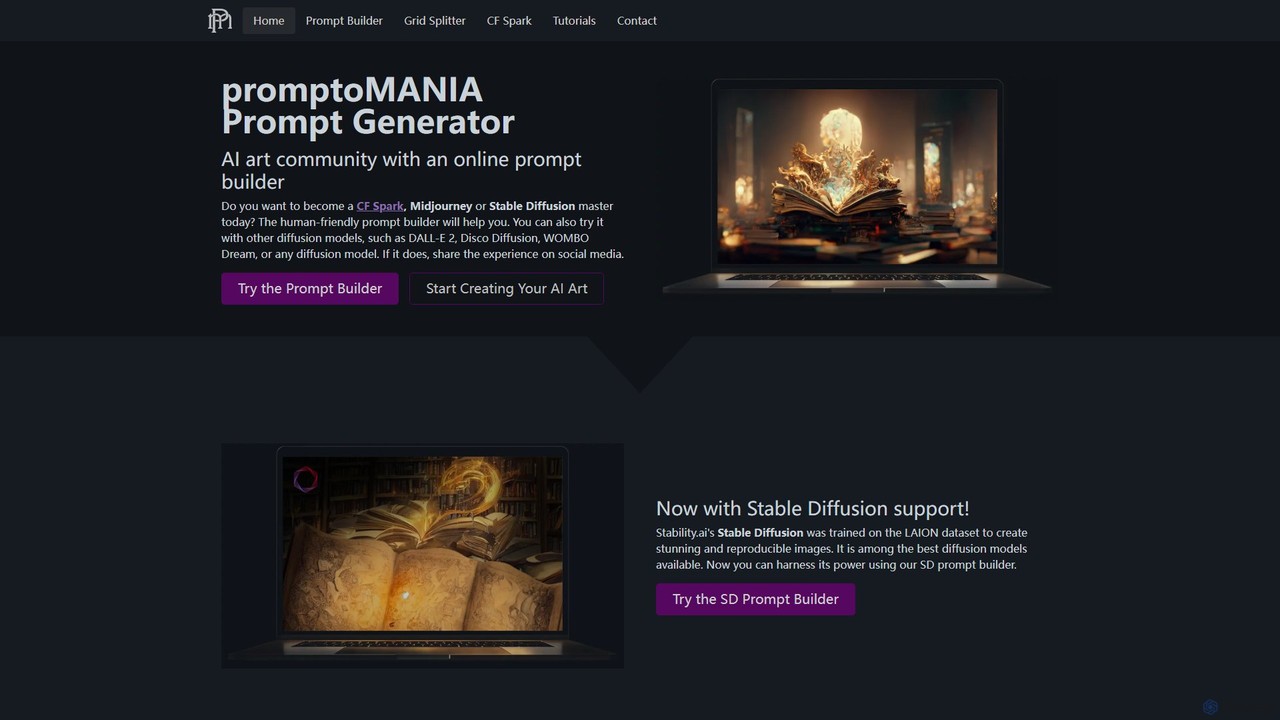
A free, user-friendly AI art prompt builder and helper tool. It enables users to create detailed and complex prompts for various AI art generators like Midjourney, Stable Diffusion, and DALL-E 2. Features include a visual prompt builder, interactive tutorials, and a handy grid splitter tool to separate generated images.

Prompt Engineering
Visits 81.3KFavorites 132Likes 142

About Tutorial

AI-powered tutorial tools are a specialized category within educational AI, designed to create, personalize, and deliver step-by-step learning content. These tools leverage artificial intelligence to automate content generation, adapt to individual learning paces, and provide interactive guidance. They significantly enhance the efficiency and effectiveness of learning by offering dynamic, engaging, and customized educational experiences across various subjects and skill levels.

Core Features

  • Automated Content Generation: Quickly create text, images, or interactive elements for tutorials based on prompts or existing data.
  • Personalized Learning Paths: Adapt tutorial content, difficulty, and pace to individual learner progress, preferences, and knowledge gaps.
  • Interactive Q&A and Assistance: Provide real-time, context-aware answers to learner questions and offer guided support throughout the tutorial.
  • Performance Tracking & Feedback: Monitor learner engagement and comprehension, offering insights and tailored feedback for improvement.
  • Multimodal Content Integration: Combine text, audio, video, and simulations within tutorials for a richer, more comprehensive learning experience.

Applicable Scenarios

AI tutorial tools are invaluable for e-learning platforms to rapidly develop diverse courses, for corporate training departments to create scalable onboarding and skill development modules, and for software companies to generate interactive product walkthroughs. They are also widely used by individual educators and content creators to produce engaging and personalized educational materials.

How to Choose

When selecting an AI tutorial tool, consider its content generation capabilities (text, visual, interactive), the depth of its personalization features, and its ability to integrate with existing learning management systems (LMS). Evaluate the interactivity options, such as AI-driven Q&A, and assess the ease of use for both content creators and learners. Finally, review the analytics and feedback mechanisms to ensure it meets your tracking and improvement needs.

Featured tool rankings

Tutorial use cases

1

Automated Course Creation for E-learning Platforms

An e-learning platform administrator needs to rapidly expand their course catalog. By using an AI tutorial tool, they can input course outlines or raw content, and the AI automatically generates structured lessons, quizzes, and interactive exercises. This significantly reduces the time and resources required for content development, allowing the platform to offer a wider range of subjects to learners more quickly.

2

Personalized Onboarding for New Employees

A corporate HR department needs to onboard new employees efficiently, each with varying prior knowledge and roles. An AI tutorial tool can create personalized onboarding paths, adapting the content (e.g., company policies, software training) based on the employee's department and pre-assessment results. This ensures each new hire receives relevant information at their own pace, leading to faster integration and productivity.

3

Interactive Product Walkthroughs for Software Users

A software company wants to improve user adoption and reduce support tickets for complex features. By implementing an AI tutorial tool, they can generate interactive, step-by-step walkthroughs that guide users through new functionalities directly within the application. The AI can detect user actions and provide real-time feedback or hints, ensuring users master the software without needing extensive manual documentation or customer support.

4

Skill Development for Individual Learners

An individual wants to learn a new skill, such as coding or a foreign language, but struggles with traditional static courses. An AI tutorial tool can provide a dynamic learning experience, generating practice exercises, explaining complex concepts in multiple ways, and offering immediate, personalized feedback on their attempts. This adaptive approach helps learners overcome hurdles and progress more effectively than generic learning materials.

5

Creating Interactive Study Guides for Students

A student preparing for exams needs to consolidate vast amounts of information into an effective study guide. An AI tutorial tool can help by taking lecture notes or textbook chapters and transforming them into interactive quizzes, flashcards, and summarized explanations. The AI can also identify key concepts and generate questions that target potential weak areas, making the study process more efficient and targeted.

6

Automating Technical Documentation and Training

A tech company frequently updates its products, requiring constant updates to technical documentation and training materials. An AI tutorial tool can ingest new product specifications or code changes and automatically generate updated tutorials, FAQs, and troubleshooting guides. This ensures that both internal teams and external users always have access to the most current and accurate information, reducing the burden on technical writers and support staff.

Tutorial FAQ

What are AI Tutorial Tools?

AI tutorial tools are software applications that leverage artificial intelligence to create, personalize, and deliver educational content in a step-by-step format. They go beyond traditional static tutorials by offering dynamic content generation, adaptive learning paths, and interactive assistance. These tools are designed to make learning more engaging, efficient, and tailored to individual user needs, often incorporating elements like AI-driven Q&A and performance tracking.

How do AI tutorial tools differ from traditional e-learning platforms?

While traditional e-learning platforms provide structured courses, AI tutorial tools introduce a layer of intelligence and adaptability. Traditional platforms often rely on static content and linear progression, whereas AI tools can dynamically generate content, personalize learning paths based on user performance, and offer real-time interactive assistance. This makes AI tutorials more responsive to individual learner needs, providing a more engaging and effective learning experience compared to generic, one-size-fits-all approaches.

What are the key benefits of using AI tutorial tools?

The primary benefits of AI tutorial tools include enhanced personalization, allowing content to adapt to individual learning styles and paces, leading to better comprehension and retention. They also offer significant efficiency gains through automated content generation, reducing the time and cost of creating educational materials. Furthermore, interactive features like AI-driven Q&A and real-time feedback improve engagement and provide immediate support, fostering a more dynamic and effective learning environment.

Who can benefit most from AI tutorial tools?

A wide range of users can benefit from AI tutorial tools. This includes e-learning platform providers looking to scale content creation, corporate training departments aiming for personalized employee development, and software companies seeking to improve user onboarding and reduce support queries. Individual educators, content creators, and students also find these tools invaluable for generating engaging study materials, learning new skills, and receiving adaptive, personalized guidance that traditional methods often cannot provide.

What should I consider when choosing an AI tutorial tool?

When selecting an AI tutorial tool, prioritize its core AI capabilities, such as automated content generation, personalization, and interactive Q&A. Evaluate the types of content it supports (text, video, simulations) and its integration options with your existing learning ecosystem. Consider the ease of use for both creators and learners, the quality of analytics and feedback provided, and the scalability to meet future needs. Finally, assess the pricing model and customer support to ensure it aligns with your budget and operational requirements.